Body Cameras for Parking Enforcement Officers: A Citation-Encounter Checklist
Evaluate body cameras for parking enforcement with vehicle-side view tests, activation checks, citation links, and an original-file handover worksheet.
Editorial guidance, not legal advice or a model-specific performance promise. Check the rules and requirements that apply to your location and use.
Overview
A parking officer can have complete citation photographs and still lack a record of the conversation that followed. A body camera may fill that particular gap. It does not automatically establish a parking violation, show everything an officer saw, or replace the agency's citation procedure.
The useful buying question is therefore specific: can the proposed camera capture an authorized encounter while the officer uses a handheld terminal, and can the right person retrieve that original recording later? This guide turns that question into a controlled trial, including a return encounter, vehicle-side viewpoints, and a citation-to-video worksheet. The exercises are proposed methods, not SPIKECAM test results or customer cases.
What Is Missing from Your Existing Citation Record?
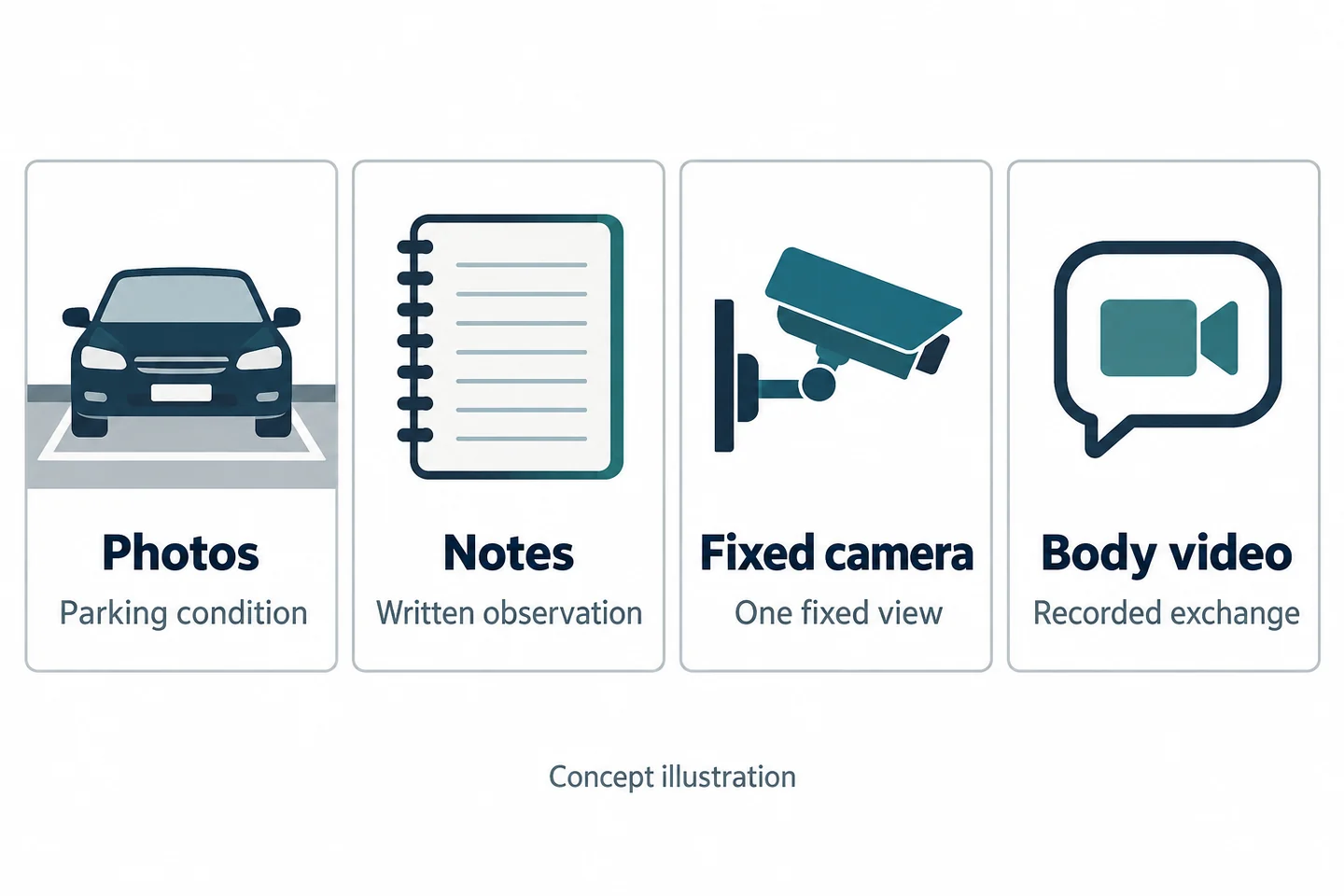
Compare handheld photos, notes, fixed cameras, and body video
Start with a sample of your existing record, with personal information removed. List what a reviewer needs to understand and which source already supplies it. Do not add a wearable device simply because another team uses one.
| Record | Useful question to assign it | Gap to check |
|---|---|---|
| Handheld photographs | What parking condition was deliberately photographed? | What happened before or after the photograph? |
| Officer's notes | What did the officer observe or decide, and when? | Is a statement recollection or directly recorded speech? |
| Fixed or vehicle camera | What happened within its particular view? | Did the conversation move outside that view? |
| Body-camera file | What can be seen and heard during this recorded exchange? | Was the lens blocked, the start missed, or a speaker inaudible? |
A vehicle camera and a body camera have different viewpoints. Neither should silently inherit the other's job. Where a fixed camera already captures the required exchange clearly and access is workable, a second recording may add little value.
Separate proof of a parking condition from a spoken encounter
Write two purposes on the trial sheet: the citation record and the encounter record. Keep the agency's required photographs, observations, and supporting documents in the first. Evaluate the wearable camera against the second.
A wide view of a car does not establish that every sign, restriction, timestamp, or relevant detail is readable. A clear conversation does not resolve a disputed parking condition by itself. Conversely, an excellent close-up photograph rarely explains a later discussion. The Motorola parking-enforcement brochure is one manufacturer example of assignment, recording, return, and review as separate workflow stages; it is not evidence of SPIKECAM performance.
Map the Encounter Before Choosing Activation Points
Preparation, issue of the citation, and a permitted recording trigger
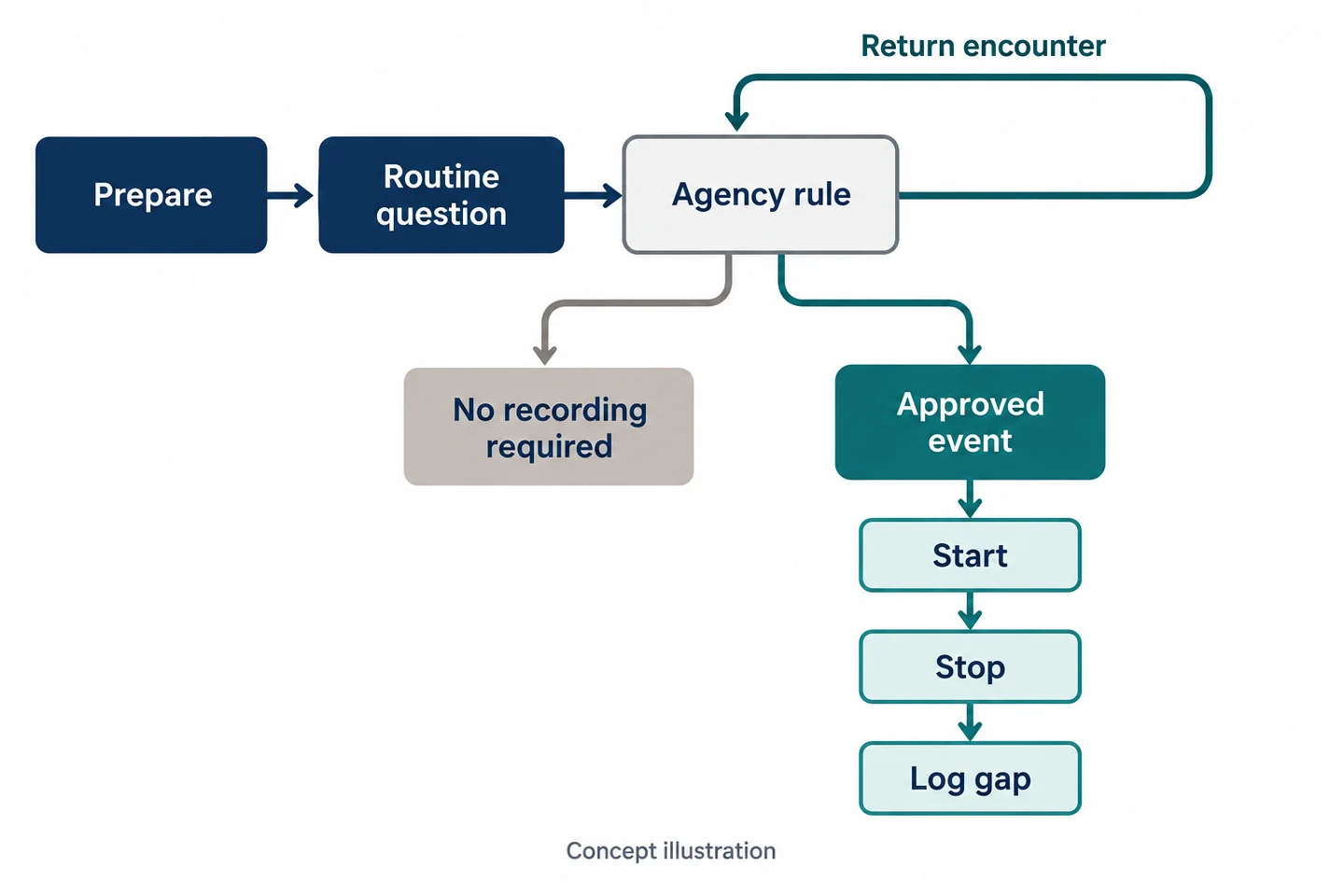
Draw the actual task before specifying camera settings. Include issue of the device, clothing check, terminal use, ordinary questions, an agency-approved recording trigger, stopping, and file handover. The agency must supply its recording rules, required notice, and exceptions for its jurisdiction; this article does not establish them.
Use a decision box rather than the instruction “record every approach.” Write the approved purpose inside it, the staff member responsible, and what happens if the situation falls outside the rule. An officer should not have to improvise that decision while completing a citation.
During preparation, identify the assigned device, available storage, selected recording mode, date and time, mounting position, and a short saved practice file. A powered-on screen is only one observation. The exercise still needs to show that the intended recording started and was saved.
Stopping, a return encounter, and a missing segment
Add a second decision point when the conversation ends or its scope changes. Record the reason for stopping under the agency's procedure. If the person returns, treat the later interaction as another segment related to the same reference, not proof of uninterrupted coverage.
| Stage | Decision the agency must supply | Trial entry |
|---|---|---|
| Ordinary question | Whether any recording is necessary and authorized | Rule reference |
| Defined incident | Trigger and notice procedure | Observed start |
| End or boundary | Stop condition and required note | Observed stop |
| Return interaction | Reassessment and restart procedure | New segment ID |
The UK ICO's BWV guidance addresses purpose and governance. It is UK guidance, currently under review, not a US recording authorization. Use local review to finalize the decision boxes.
Test Both Sides of a Parked Vehicle
Handheld terminals, high-visibility clothing, and blocked lenses
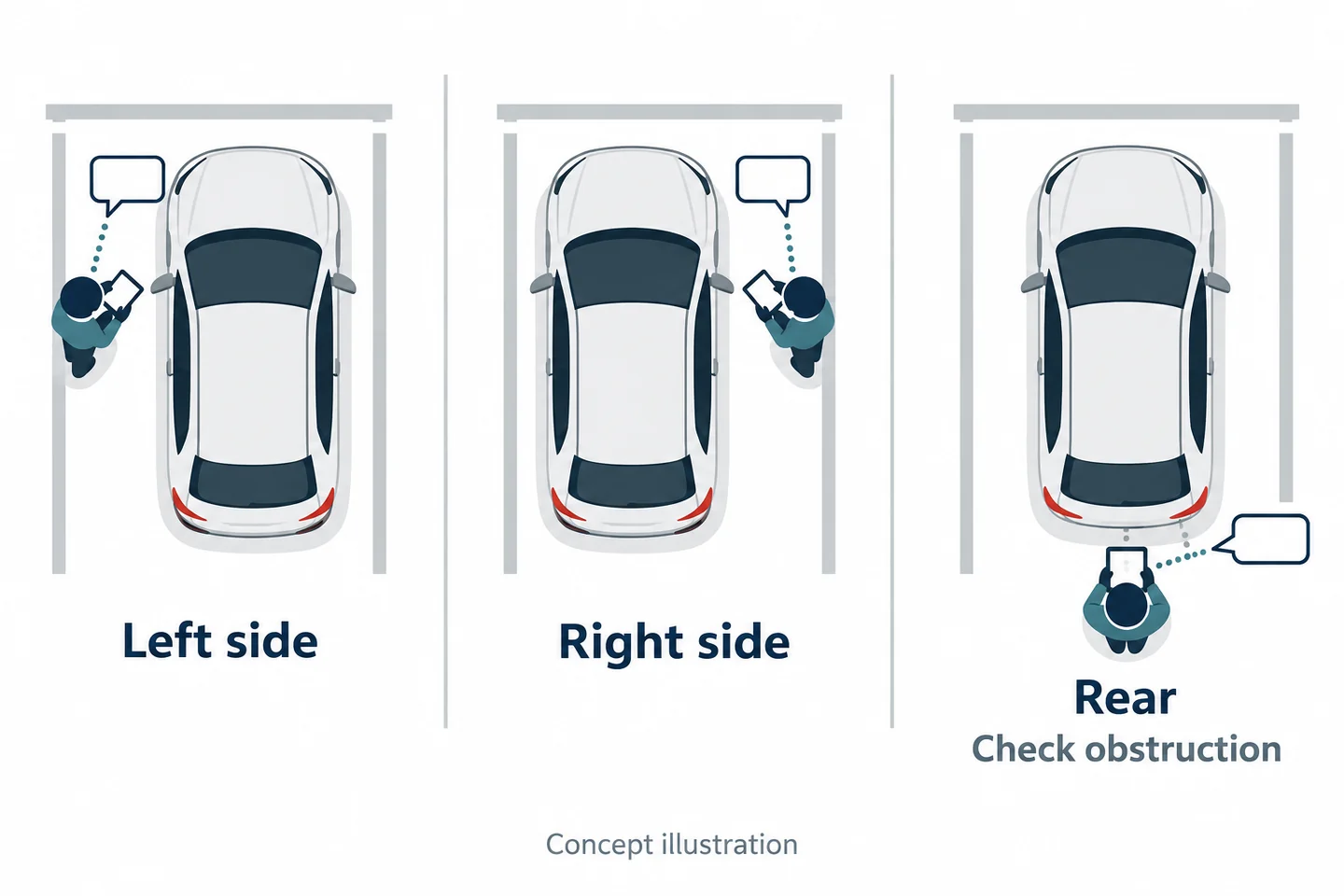
Use a stationary training vehicle in a controlled area away from traffic. Let colleagues perform the normal terminal task with their actual outer layers. Repeat from the left side, right side, and a safe position near the rear. These are trial viewpoints, not instructions for positioning around live traffic.
Do not ask the wearer to hold the terminal unusually low just to improve the demonstration. The important question is whether the view survives normal work. Check an elbow raised to operate the terminal, a loose vest, a coat fastening, and a strap crossing the chest. Repeat after the person sits and stands, if that is part of the shift.
The Home Office's 2018 technical guidance provides useful evaluation topics around mounting and obstruction. Its police procurement context does not certify this configuration or establish a current agency standard.
Glass reflections, changing light, and normal speaking distance
Have a colleague speak and move naturally at the distances you actually need to review. Include a window reflection, a change between shade and brighter light, and background sound at a safe level. Do not substitute a stationary plate close-up for this interaction test.
Record the scene condition beside the original file reference. Ask a reviewer who did not attend the exercise to identify the intended visible action and understand the required words. Let them mark “not visible” or “not understood.” Do not coach them into guessing.
Axis's image-quality guidance explains why light, reflections, and movement affect detail. That principle supports testing the task; it does not transfer Axis settings or performance to S3 or S7+.
Make Recording Feedback Usable During the Task
Ready versus recording while holding the citation terminal
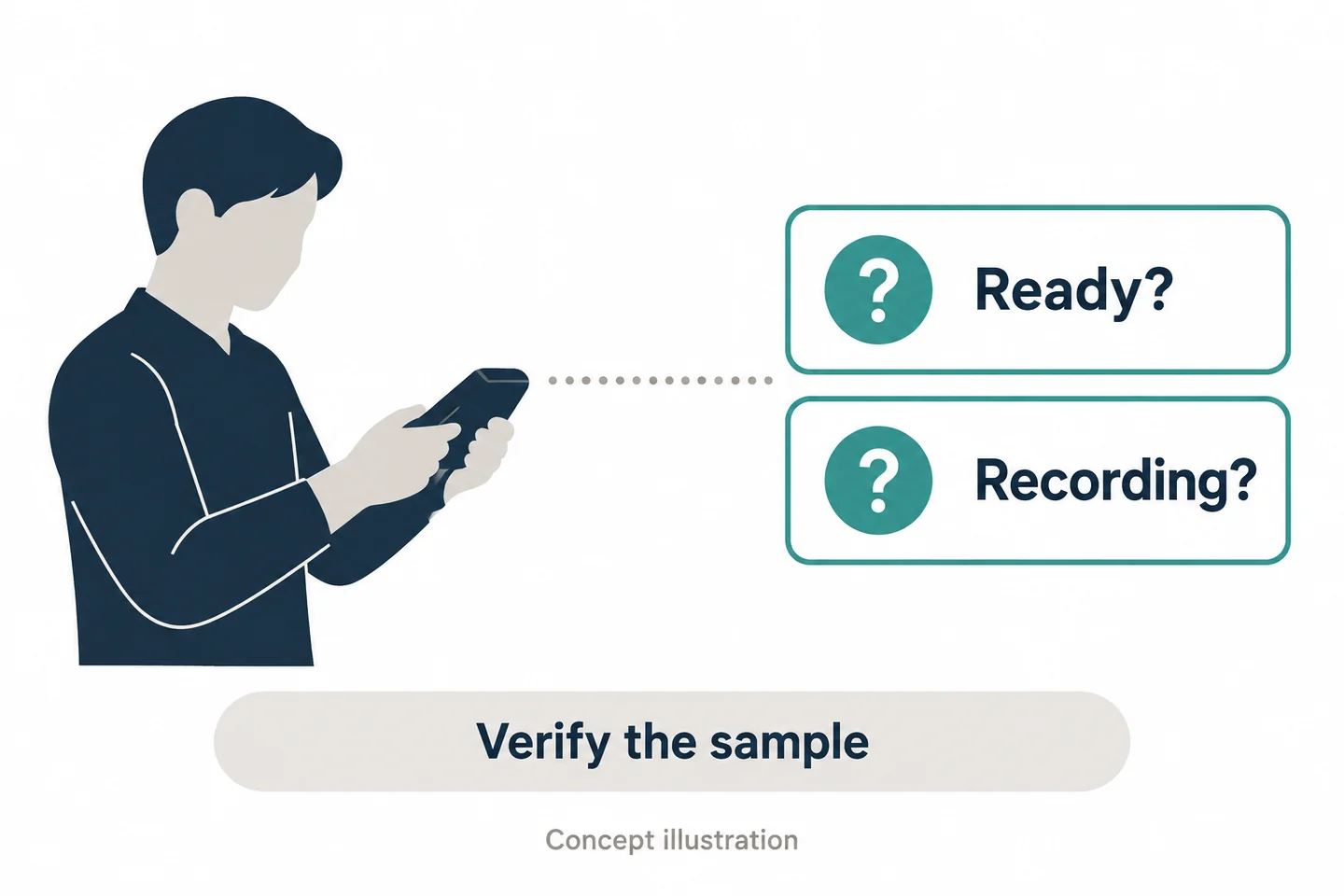
A wearer needs a dependable way to distinguish readiness from an active recording. Inspect the sample's actual firmware and instructions, then write down the available feedback. Do not assume that every device provides the same vibration, beep, LED color, buffering, or screen behavior.
Give the officer a familiar terminal task and the approved activation cue. Observe whether they can perform the intended action without repeatedly looking away from the conversation. Afterwards, compare their account of the start with the saved file's beginning. A remembered button press is not equivalent to a verified file.
Include an accidental second press only as a controlled training check where the sample instructions permit it. The objective is to learn how errors are recognized and documented, not to invent a shortcut. If gloves are used, repeat with those gloves; if an outer layer changes, repeat the mounting check.
End-of-shift readiness and a failed activation
Test the actual planned recording mode, screen use, shift pattern, and number of events. Document the sample's starting condition and remaining capacity at the relevant checkpoints. A maximum runtime claim alone cannot establish that this duty pattern is covered.
Prepare a response to “the file is missing.” The trial record should preserve the expected event, attempted action, observed feedback, and any confirmed cause. If the cause is unknown, say so. Do not recreate the exchange for the file and present that recreation as the original.
Also separate recording from assistance. A recording button is not established here as an alarm or a request acknowledged by a control room. The agency's communication and help procedure remains a distinct task. The general security-team guide covers broader deployment considerations; this trial checks the terminal-and-encounter combination.
Which SPIKECAM Configuration Is Worth Testing?
S3 for a local recording and review workflow
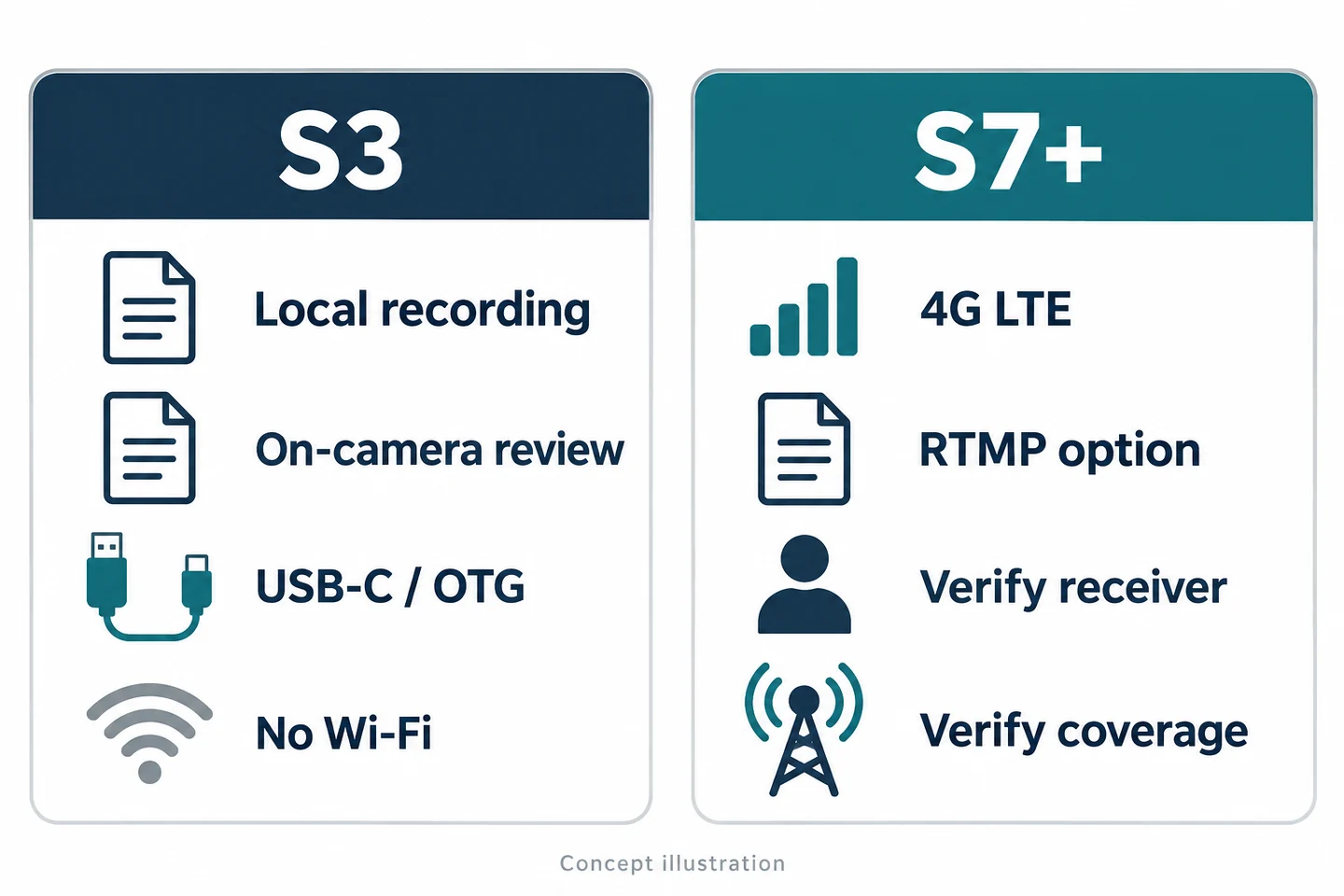
The SPIKECAM S3 is a candidate when the job is local recording followed by review and a defined file handover. Confirmed facts include local 4K recording at 30 fps, a 2-inch IPS screen for playback, and USB-C/OTG file connections. Those capabilities provide things to test; they do not establish readable plates, clear speech, or compatibility with your citation software.
| Task | Confirmed capability | Potential help | Acceptance condition |
|---|---|---|---|
| Review an encounter locally | S3 recording and on-camera playback | Check that a relevant clip exists | Required action and speech are usable |
| Hand over a file | S3 USB-C/OTG | Evaluate a direct extraction route | Approved recipient retrieves the original |
| Work around occasional splashes | S3 IP65 rating | Evaluate the specified exposure | Stay within the actual product instructions |
S3 has no Wi-Fi and no infrared night vision. IP65 is not immersion protection; see the waterproofing guide. Its visible LEDs are not a substitute for an approved low-light workflow.
S7+ only when a remote viewer has a defined job
If a staffed control room needs an authorized live view, evaluate the S7+ separately. It has regional 4G LTE variants, and an RTMP option has been confirmed by SPIKECAM for the referenced configuration. Specify the receiving platform, firmware, carrier bands, permissions, licensing, and intended response before the trial.
Test connection loss and local retrieval independently. Do not assume automatic upload or a completed handover from a live picture. The 18-hour recording figure should not be used to estimate LTE streaming runtime. Ask for the recording conditions and test the intended duty cycle. Reject either candidate if a required viewpoint, sound, retrieval, or governance check fails.
Keep Citation Files and Incident Video Connected
Use one reference without exposing unrelated vehicle data
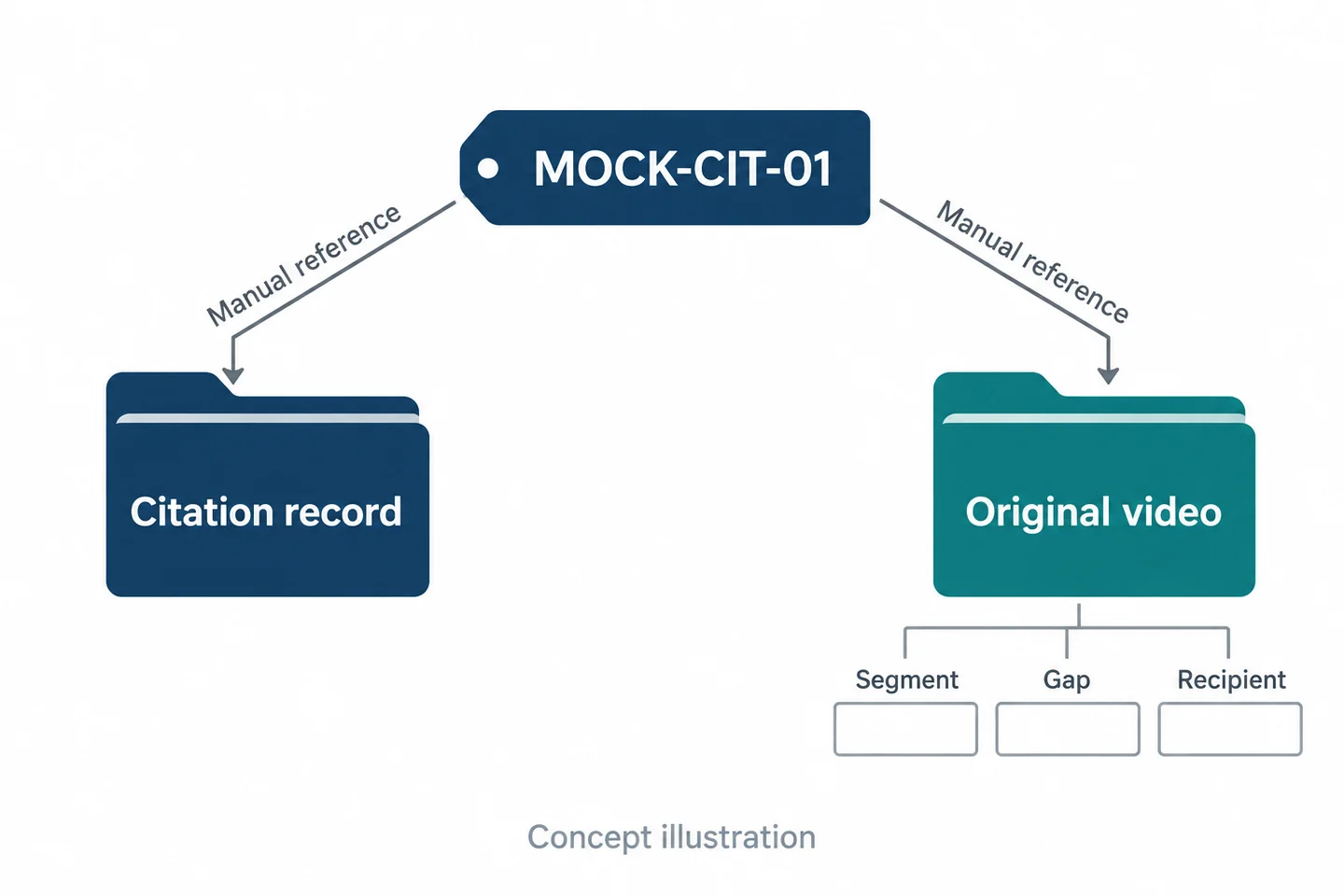
Create an index that connects the approved citation or incident reference to the relevant original video files. This can be a controlled manual association. No automatic integration with a citation platform is established here.
Keep each source's own identifier. Instead of renaming everything into one ambiguous file, record the citation reference, camera file reference, device assignment, capture interval, and any timing uncertainty. The association should be understandable without copying unnecessary personal or vehicle information into another spreadsheet.
A handover entry might say “MOCK-CIT-01; segment A; original reference to be entered.” It should not imply that segment A contains all of the citation evidence. Use a separate field for the question that the segment is expected to help answer.
Verify the recipient, original file, and missing time
The receiving person should locate and open the intended original through the approved process. Record who performed that check and when. A connected cable, a progress indicator, or a message saying “sent” is not the same observation as successful recipient retrieval.
If the citation clock and camera clock differ, preserve their recorded times and document how any offset was established. Do not silently adjust a timeline to make it appear consistent. Unknown timing remains unknown until supported.
| Handover field | Why it matters |
|---|---|
| Recipient and permitted purpose | Prevents an undefined “someone will review it” handoff |
| Original file and capture interval | Identifies exactly what was transferred |
| Missing interval and reason, if known | Prevents a gap from appearing continuous |
| Retrieval check and outstanding action | Distinguishes completion from an attempt |
Set access, retention, release, and deletion responsibilities through the agency's approved policy. This worksheet proposes a record of those decisions; it is not a claim that either camera implements them automatically.
Walk Through a Fictional Return Encounter
Record the first exchange and the later return separately
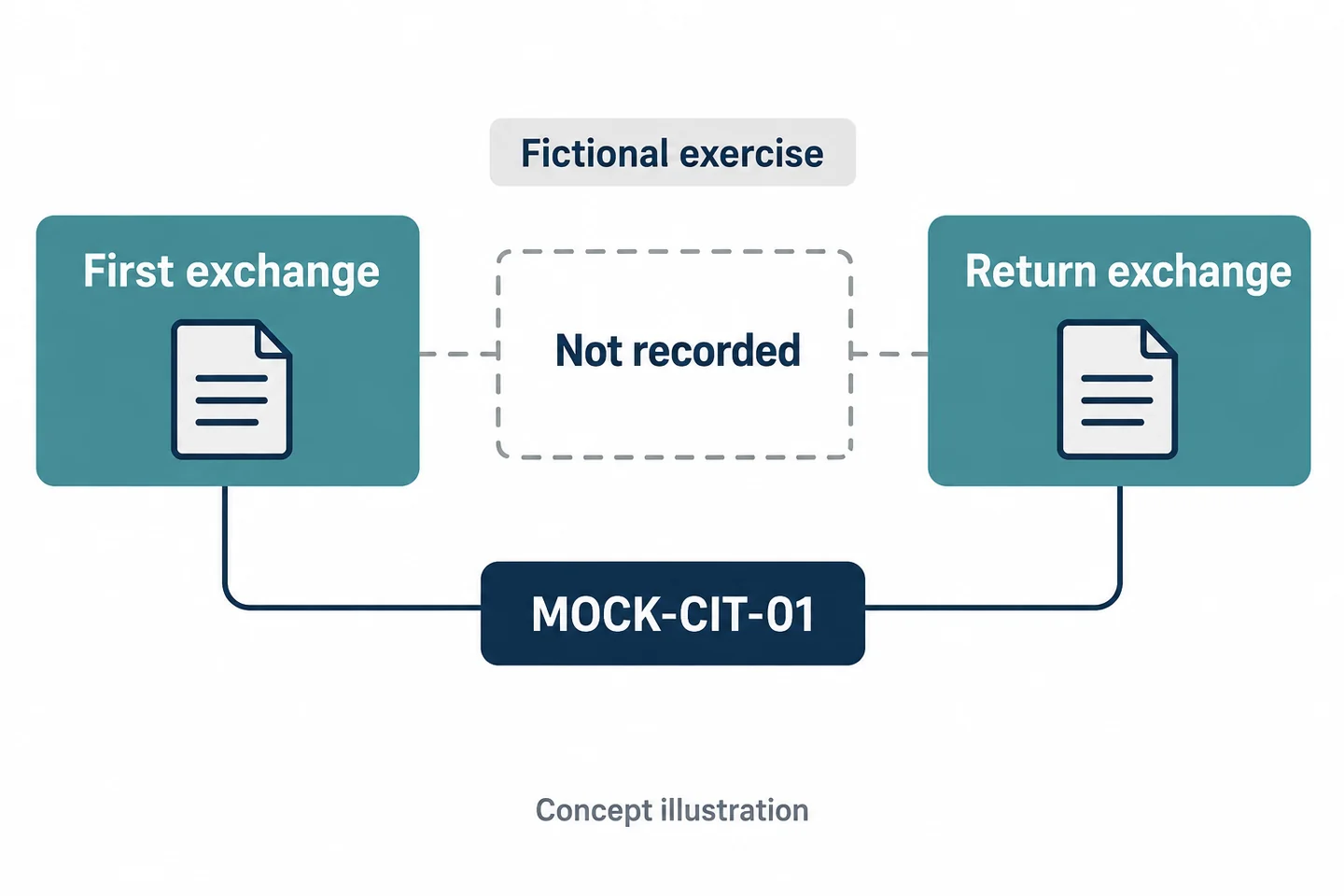
Fictional training exercise—not an actual incident or a reported test result. Use consenting colleagues, a stationary training vehicle, and the reference MOCK-CIT-01. The vehicle and all documents should carry clearly fictional identifiers.
First, one colleague asks why a citation was issued. The officer follows the exercise's preapproved recording decision and ends the segment at the specified point. The colleague leaves the marked training area. Later, the colleague returns to ask a second question; the officer reassesses and starts a separate segment if the exercise rule calls for it.
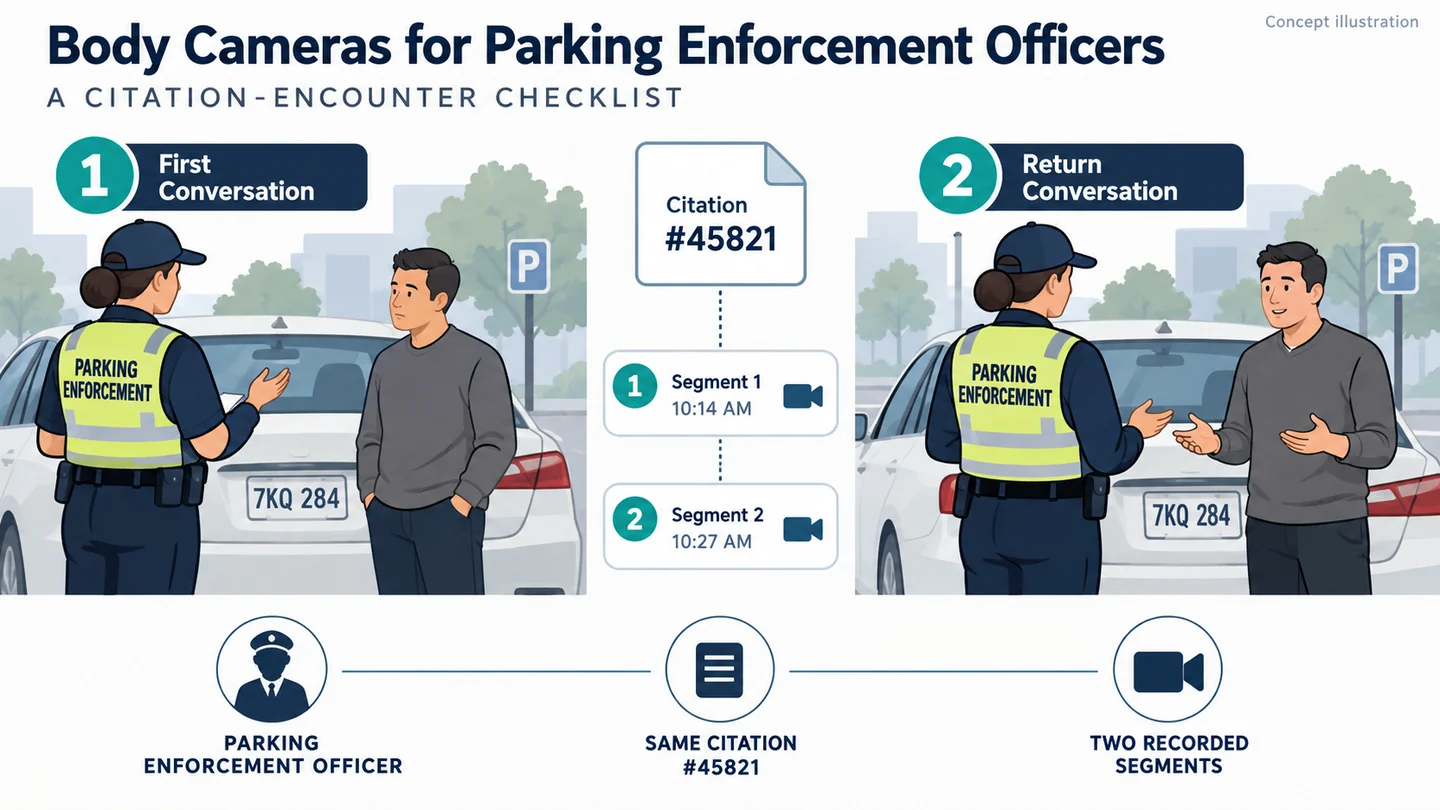
Have an observer record the expected sequence without supplying a camera result. Afterward, compare that sequence with the actual originals. Keep sample results blank until the exercise has been performed. The cover illustration's identifiers and times are illustrative, not entries from a real citation system.
Describe what the camera did not capture
The reviewer should be able to distinguish the first exchange, the gap, and the return. Ask them to identify which statement belongs to which segment and which interval is unsupported by video. If they cannot, improve the index before expanding the trial.
| Segment | Intended relationship | What to enter after the exercise |
|---|---|---|
| A | First exchange about MOCK-CIT-01 | Actual original ID and observed interval |
| Gap | No continuous coverage claimed | Known reason or “unknown” |
| B | Later return concerning MOCK-CIT-01 | Actual original ID and observed interval |
Do not join A and B into an unlabeled continuous-looking account. An explanatory working copy, if authorized, still needs to preserve the relationship to separate originals and the missing interval. A missing recording is a limitation to document, not a space to fill with a confident narrative.
Run the Citation-Encounter Acceptance Checklist
Define the required view and understandable speech before the trial
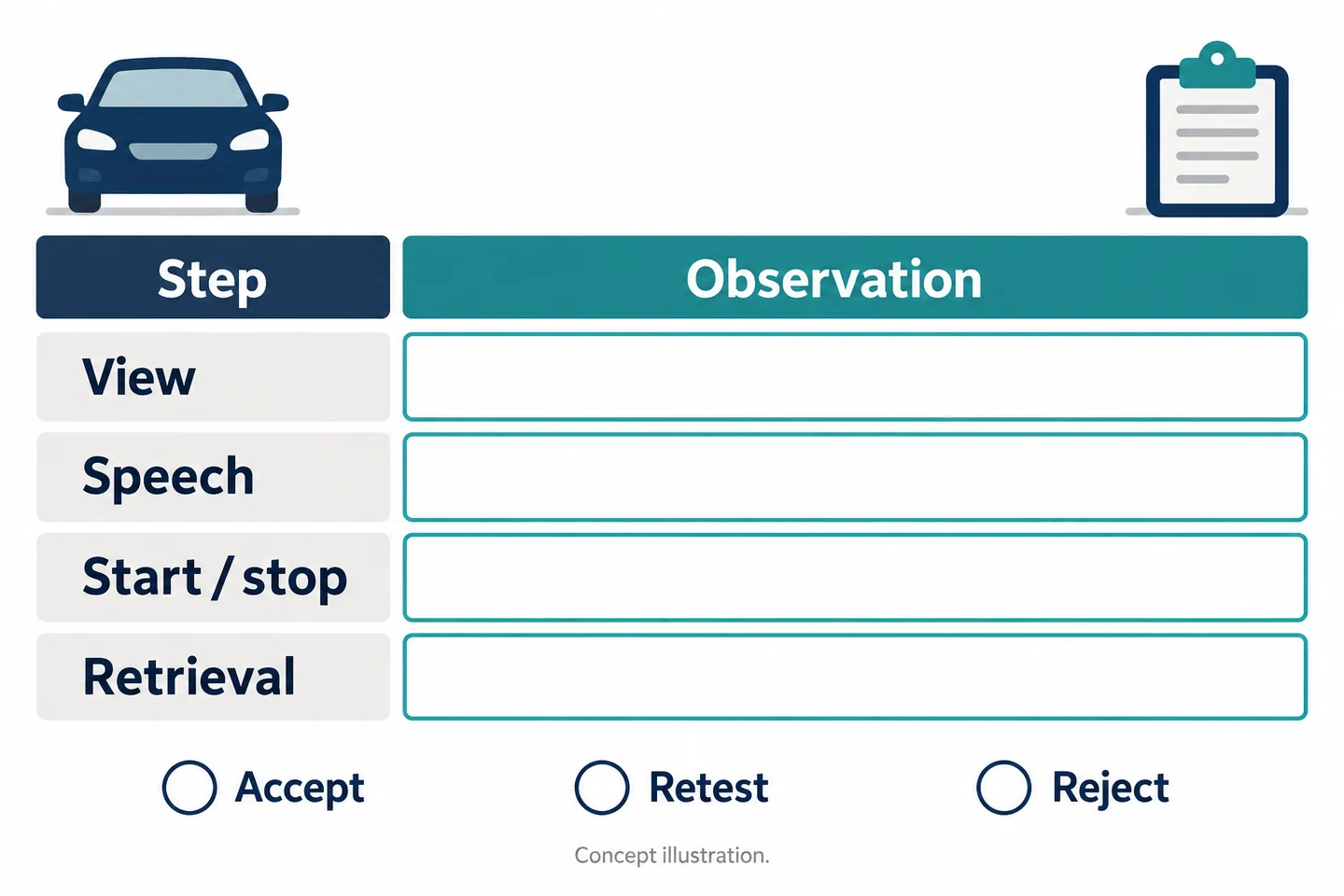
Use one sheet per combination of wearer, clothing, sample device, settings, and environment. Before recording, state the minimum information a reviewer needs: for example, the exchange between two speakers, the officer's relevant action, and a retrievable association to the mock citation. Avoid the vague requirement “good video.”
Copy this citation encounter and viewpoint check sheet into your trial record. The entries below are prompts, not completed results.
| Field | Entry to complete |
|---|---|
| Mock citation ID and permitted purpose | Reference and approved rule |
| Sample, firmware, settings, wearer | Exact configuration tested |
| Standing position and clothing | Left, right, rear; actual layers |
| Terminal or arm obstruction | What was hidden and for how long |
| Window, light, and speaking conditions | Conditions visible in this original |
| Start and stop | Reason, observed feedback, saved interval |
| File reference and missing interval | Original ID; gap or uncertainty |
| Required action and speech | Visible/understood, failed, or unverified |
| Recipient and retrieval | Named reviewer and actual result |
| Follow-up | Decision, owner, and retest condition |
Choose accept, adjust and retest, or reject
Accept only the configuration and conditions actually demonstrated. Adjust and retest a correctable issue, such as a mount position that changed with a coat. Reject the proposed use when essential information remains unavailable or the required file controls cannot be provided. “Unverified” is not a pass.
Bring a fictional citation workflow, uniform photo, intended shift pattern, and file-handover requirements to a SPIKECAM sample evaluation. The useful outcome is a defensible recording workflow—or a clear decision that the existing record is sufficient.
Related articles
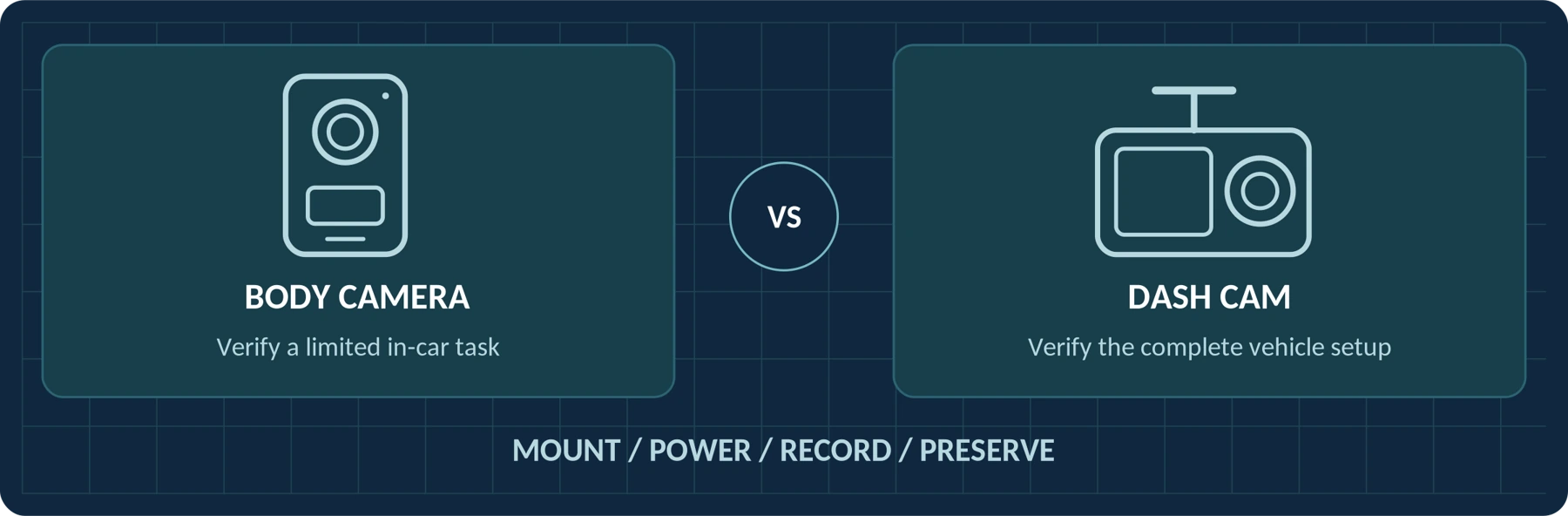
Body Camera vs. Dash Cam: Can a Body Camera Replace a Dash Cam?
Compare road coverage, mounting, power and cabin recording before using a body camera in a vehicle.
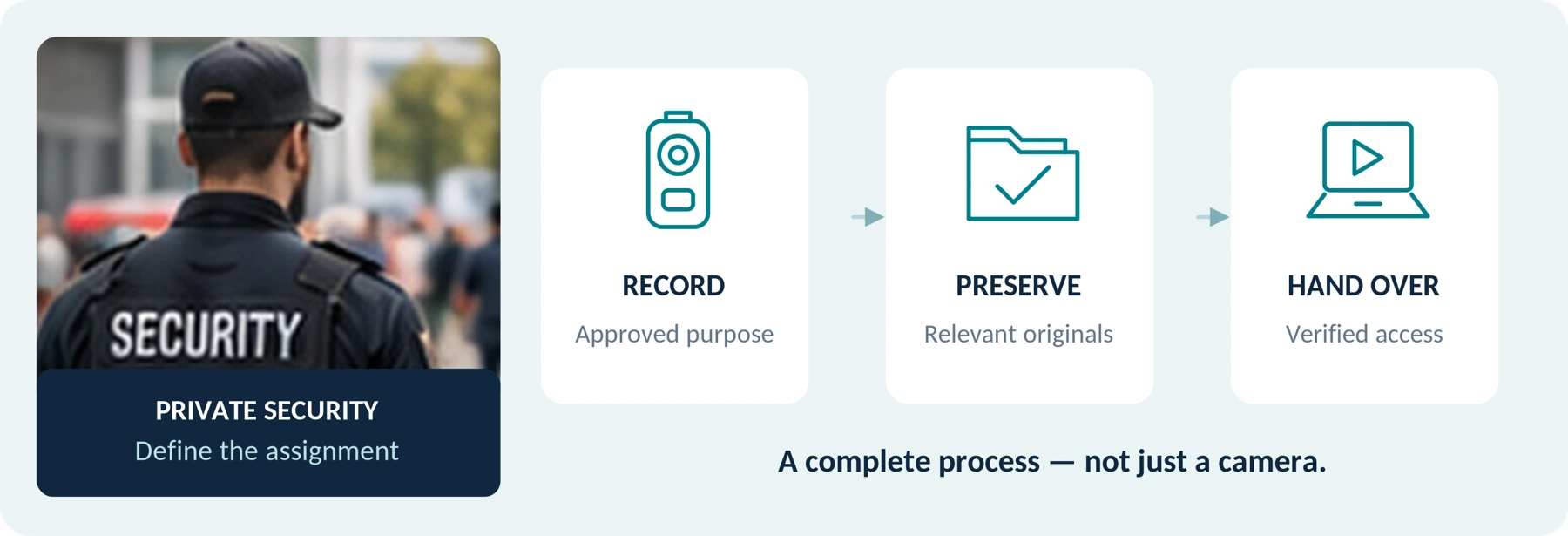
Body Cameras for Security Guards: What to Look For
Plan around the security assignment, approved recording process and handover of incident footage.
Are Body-Worn Cameras Waterproof? IP Ratings for Team Buyers
Learn what body-camera IP ratings mean, which wet-weather conditions to verify, and what evidence to request before choosing cameras for your team.