Body Camera vs. Action Camera: Which Should You Choose?
Compare everyday recording, controls, mounting and file handling before choosing a camera.
Editorial guidance, not legal advice or a model-specific performance promise. Check the rules and requirements that apply to your location and use.
Choose a process, not just a camera
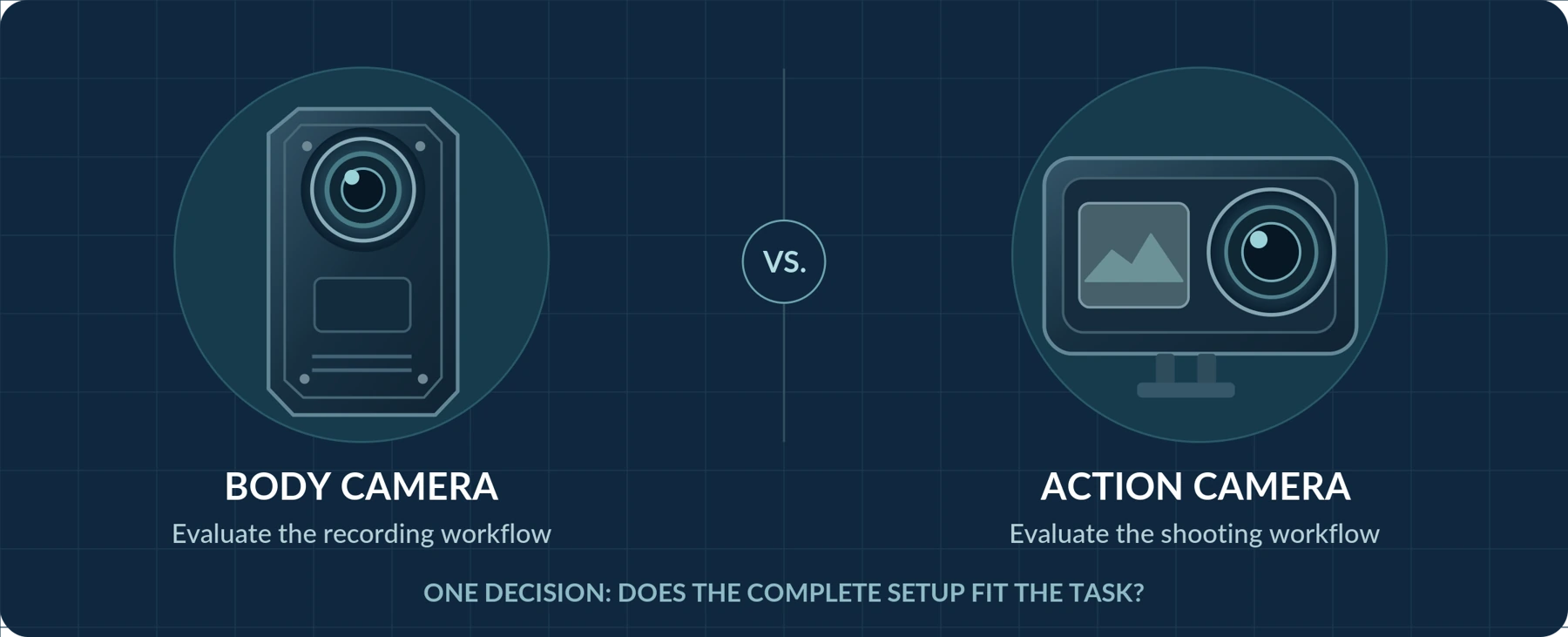
For sports, travel footage, and videos you intend to edit, our recommendation is to start by evaluating an action camera. For authorized work-related incident recording, start with a body camera—and the process for storing and retrieving its footage.
These are starting points, not automatic winners. GoPro’s HERO13 Black, for example, offers high-resolution recording, stabilization, and tools for creative production. Motorola’s VB400 emphasizes event recording and controlled access through its management software. Those documented priorities illustrate the distinction, but they do not describe every model in either category.[1][2]
The question is not simply which camera records the better-looking video. It is:
“Which complete setup will capture what I need, stay usable throughout the task, and let me retrieve the right recording afterward?”
This guide compares those requirements without assuming that every body camera has professional evidence-management features or that an action camera cannot record a useful incident.
Click a contents entry to jump to its section. Numbered citations link to the source notes. Comparisons are model-specific—not automatic category advantages.
The Main Difference: What Do You Need the Recording For?
Imagine two different jobs.
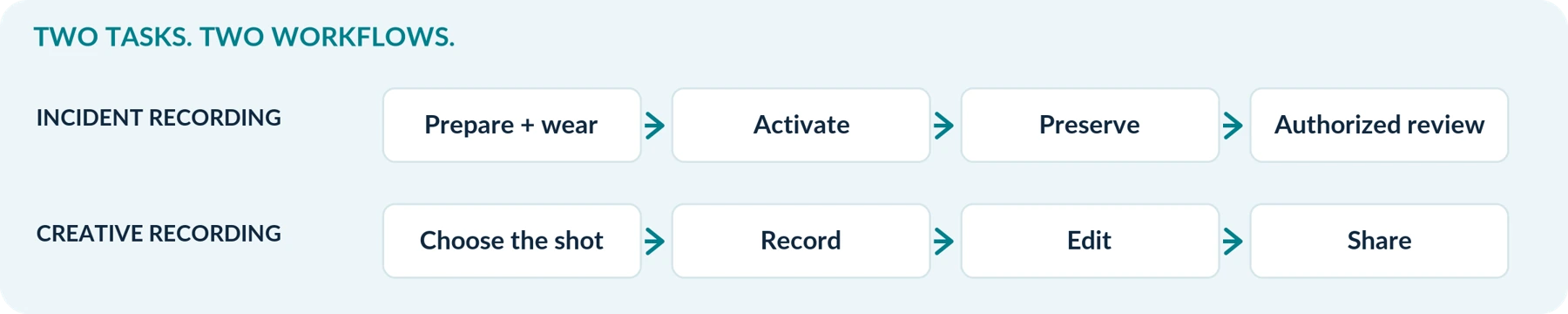
For a weekend activity video, your proposed process might be:
Choose the shot → record → select the best moments → edit → share.
For an authorized workplace incident, the process you design might instead be:
Prepare and wear the camera → activate it when appropriate → preserve the relevant recording → retrieve it for authorized review.
Both need usable footage. The difference is what you require before and after capture.
A creative project may prioritize framing choices, smooth movement, and editing flexibility. An incident-recording task may put greater weight on activation, recording continuity, accurate time settings, and controlled file handling. These are purchasing priorities to establish—not guaranteed features associated with a product label.
Also separate a stand-alone body camera from an organization-managed system. The AXIS W110 documentation, for example, describes user assignment and docking to upload recordings, charge the camera, and synchronize settings. Do not assume that buying any body camera includes that infrastructure.[3]
A Practical Comparison Framework
Use this table to decide what to investigate. It is a checklist of priorities, not a claim that one category always has—or lacks—a feature.
| Buying question | For everyday or work-related incident recording | For sports or creative recording |
|---|---|---|
| How will I wear it? | Test it on your actual shirt, jacket, or approved workwear. | Test the required chest, helmet, handlebar, or other approved mount. |
| How will I start recording? | Prioritize controls and status feedback you can use while wearing it. | Check quick-start operation and access to your preferred shooting mode. |
| How long must it record? | Define whether interruptions are acceptable during the required task. | Decide whether you need selected clips or an uninterrupted session. |
| What must the footage show? | Check the people, actions, sound, and surrounding context you need. | Check motion, composition, stabilization, and editing flexibility. |
| What happens to the files? | Plan retrieval, originals, access permissions, and retention. | Plan transfer, editing, backup, and publication. |
| What is the complete purchase? | Include any required storage, mounts, docking, and management tools. | Include any required mounts, batteries, storage, and editing tools. |
Can an Action Camera Be Used as a Body Camera?
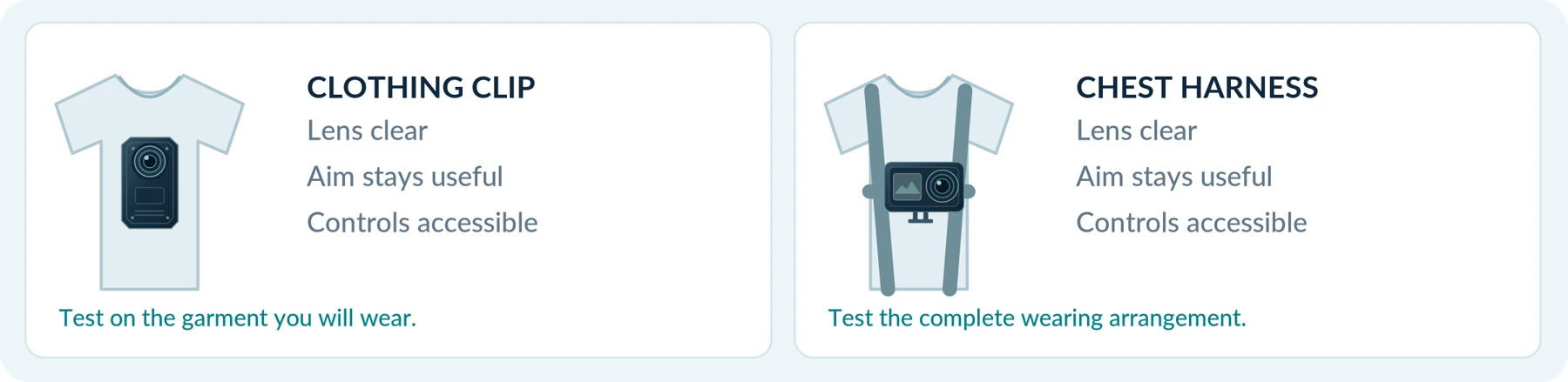
It can be worn and used for hands-free recording. GoPro’s Chesty, for example, is a chest-mounted harness designed for compatible GoPro cameras. Wearing an action camera on your body is therefore a real option, not an improvised impossibility.[4]
The more important question is whether that setup satisfies your intended use.
For occasional personal recording, test your existing action camera before assuming you need another device. For workplace use, first establish the organization’s equipment, recording, and file-handling requirements. A chest mount alone does not answer those questions.
Evaluate the entire wearing arrangement. Compare the camera with its mount attached, not just the camera’s listed weight. Wear it with the clothing you will actually use, then walk, sit, bend, and reach in a controlled test.
Check whether the lens stays clear, the camera remains aimed at the intended scene, and the controls remain accessible. Include a normal task such as carrying a package or putting on a jacket.
Do not award an automatic comfort advantage to either category. Choose the arrangement that remains usable on your clothing and during your task. A successful trial on a heavy coat does not establish that the same setup works on a lightweight shirt.
Weather Resistance: Compare the Exact Conditions
Do not infer rain, immersion, or charging-in-wet-conditions suitability from either category name.
DJI specifies that Osmo Action 5 Pro can be used underwater without a case within stated limits, but also requires the relevant covers to be closed and recommends a case for some underwater situations. Those conditions matter as much as the headline depth.[5]
For either candidate, obtain the model’s temperature limits, water-protection conditions, and instructions for the mounted configuration. Ask whether connecting an external cable changes the permitted use.
Compare the setup you will wear, not an isolated water-resistance claim. Conduct only manufacturer-permitted tests; a purchase trial should not involve improvised immersion or deliberate overheating.
Recording Controls and Pre-Event Capture: Compare the Details
Quick Recording Is Not Exclusive to Body Cameras
An action camera can offer rapid activation. DJI documents a SnapShot feature on Osmo Action 5 Pro that starts recording from power-off through the shutter/record button.[5]
A body camera can provide dedicated feedback and separate activation states. The AXIS W110 manual distinguishes startup, ready status, and recording; it also documents vibration, sound, and recording indicators.[3]
The comparison should therefore be practical: can you start the intended mode and recognize that it is recording without navigating a screen?
Try the controls while wearing the camera, with gloves when relevant. Check whether a normal press, long press, or second press does what you expect. Record the time from your action to the beginning of the saved footage rather than treating a marketing phrase as a measured result.
Pre-Event Recording Is Not Exclusive Either
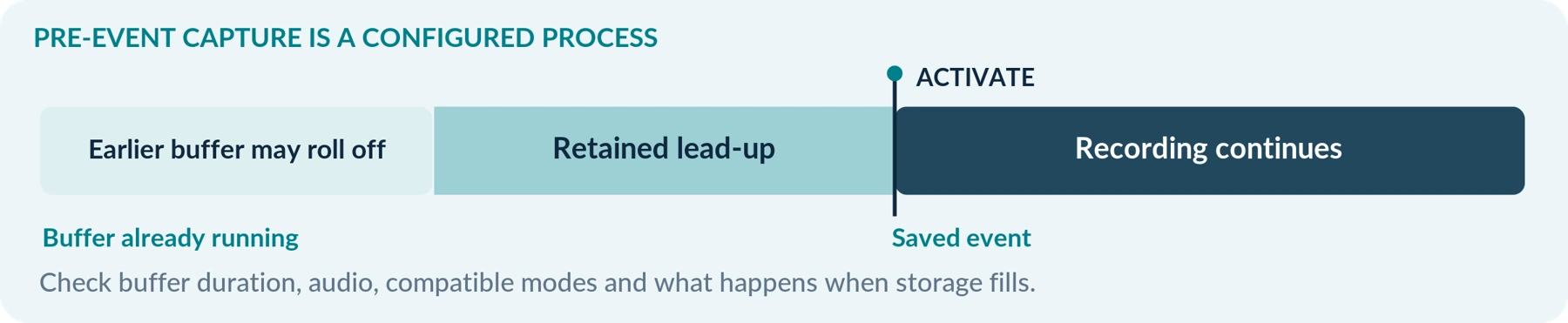
DJI’s Osmo Action 6 FAQ lists a shortcut for starting and ending Pre-Rec. Axis’s body-worn system documentation describes configurable prebuffering and separately configurable audio in that buffer. Pre-event capture is therefore something to compare on specific models, not a body-camera-only checkbox.[6][7]
Check the supported buffer length, whether audio is included, which modes are compatible, and what makes buffering stop. Axis, for example, states that its standby power-saving mode cannot be combined with prebuffering.[7]
A buffer must have been running to contain earlier footage. Do not expect a camera that was powered off to recover an event from before startup; Axis also notes that starting a recording immediately after power-on can yield a shorter prebuffer.[7]
Separately confirm what happens when storage fills: does recording stop, or can older footage be overwritten? Ask how to preserve an important clip. Capturing the lead-up to an event and retaining that recording afterward are two different requirements.
Battery Life: Compare Uninterrupted Recording, Not Just “All Day”
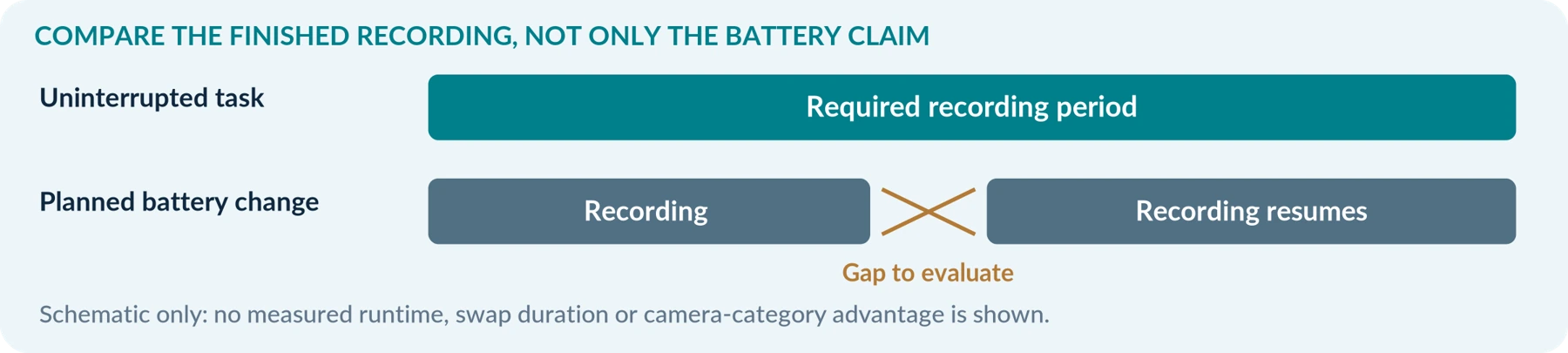
Avoid comparing a body camera’s longest advertised runtime with an action camera’s most demanding recording mode.
For example, DJI lists a maximum of 240 minutes for Osmo Action 5 Pro under a specific test: 25°C, 1080p at 24 frames per second, RockSteady enabled, Wi-Fi disabled, and screens off. That is a stated laboratory result—not a promise of four hours at every setting.[8]
Body cameras also have conditions attached to their operating time. Axis identifies wireless use, temperature, resolution, stabilization, battery capacity, and available storage as relevant factors for the W110.[3]
For both candidates, write down the same requirements: recording mode, resolution, frame rate, audio, stabilization, wireless functions, expected temperature, and required duration. Where the supported settings differ, record the difference rather than pretending the comparison is identical.
Spare Batteries and Continuous Coverage Are Different Benefits
Several batteries can be useful when your task allows planned breaks. They do not, by themselves, establish uninterrupted coverage from one camera while its battery is being changed.
Similarly, do not assume that adding a power bank solves every limitation. Verify whether the exact camera supports recording from external power, which cable or accessory is needed, and whether the arrangement remains suitable for wearing.
For purchasing purposes, ask two questions separately: “Can it complete my task on the intended power arrangement?” and “Does the finished recording contain the whole period I need?”
Test in representative conditions within the manufacturer’s operating limits. Define an acceptable margin before the test instead of planning to use the last advertised minute of battery life.
YOUR COMPARISON RECORD Record the model, firmware, mode, resolution, frame rate, stabilization, wireless settings, temperature and required duration for each candidate.
Video Quality and Stabilization: What Does “Better” Mean?
For Edited Videos, Look at Creative Capabilities
GoPro’s HERO13 Black documents 5.3K recording at 60 frames per second, HyperSmooth stabilization, 10-bit color, and GP-Log options. These are examples of capabilities to investigate for a creative project—not proof of superiority in every recording situation.[1]
Decide which you would actually use. Compare the formats your editing software can handle, the framing you need, and the result after your normal export process. Do not pay for a specialized mode solely because it appears near the top of a specification sheet.
For Incident Recording, Examine Usable Detail
Do not reduce this decision to “1080p is enough” or “4K always wins.” Axis’s image-quality guidance explains that a scene can look sharp while stationary, yet a moving subject becomes blurred when the shutter speed is too slow.[9]
Request original clips in conditions relevant to you. Ask a consenting participant to move and speak at the distances you actually expect. Include a transition between a bright and a darker area.
Look for the information you need in the saved file, not merely an attractive thumbnail. Do not assume a resolution label guarantees readable faces, identifying details, or distant text.
Check What Stabilization Does to the Frame
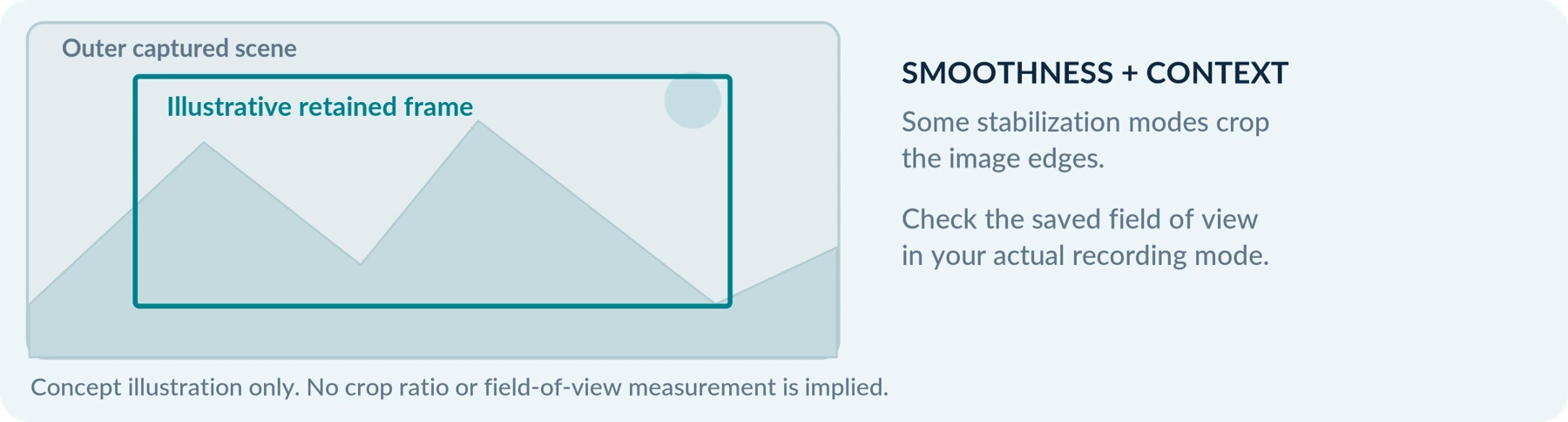
Stabilization is not automatically absent from body cameras: Axis includes electronic image stabilization in its system settings. DJI explains that RockSteady stabilization on Osmo Action 6 compensates for motion partly by cropping image edges.[7][6]
When comparing, check the field of view in the mode you will actually record. Does the saved footage still include the edges of the scene that matter to you?
Our recommendation is to evaluate smoothness and retained context together. Do not reject stabilization for incident recording, but do not assume that the smoothest-looking sample is the most useful record of your particular task.
Night Recording and Audio Need Their Own Tests
Low-Light Recording and Infrared Are Not the Same Feature
Some body cameras explicitly include infrared illumination; Rexing documents infrared LEDs on its P2. DJI describes SuperNight on Osmo Action 5 Pro as a mode intended for darker urban night scenes. Those descriptions establish different approaches, not equivalent performance.[10][5]
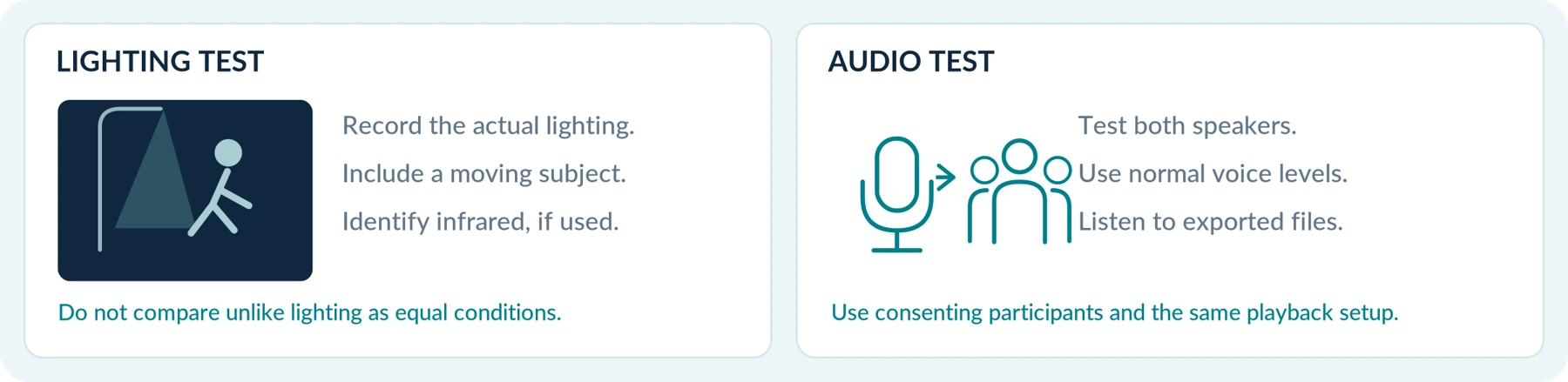
Ask the supplier to identify whether the candidate uses available light, infrared illumination, or another documented lighting arrangement. Do not assume every body camera has infrared, or that a night-mode name establishes performance in an unlit room.
Test the actual situation: indoor lighting, a street-lit area, or an authorized unlit setting. Include movement. A static nighttime demonstration is not enough to evaluate moving subjects, as Axis’s shutter-speed guidance illustrates.[9]
Record the lighting conditions with the test results. Avoid comparing an infrared-assisted example against an available-light example as though they were captured under an identical lighting setup.
Test Both Sides of a Conversation
For a narration video, your own voice may be the main subject. For an incident record, you may need to understand another person too. Make that distinction part of your audio test.
Use consenting participants, normal speaking levels, and representative background noise. Listen to the exported files on the same playback equipment. Check the effects of clothing contact and your intended mount.
External microphones are an option on some action cameras; DJI documents third-party microphone connectivity for Osmo Action 5 Pro.[5]
Before adding equipment, establish whether it solves the actual problem. A clear recording of your narration is not a substitute for testing the other speaker.
Also check independent audio control. In its UK organizational guidance, the ICO advises considering equipment that allows audio and video to be controlled separately because their recording needs should be assessed separately.[11]
File Handling: Where the Difference Can Become More Important
For a personal recording task, straightforward local export may be sufficient. DJI documents several ways to export Osmo Action 6 footage, including a memory-card reader and a USB-C connection, as well as its mobile app.[6]
For a managed workplace deployment, access restrictions may be part of the purchase. Motorola states that VB400 footage is encrypted and accessed by authorized users through VideoManager. That is a documented system behavior, not a feature to assume on every body camera.[2]
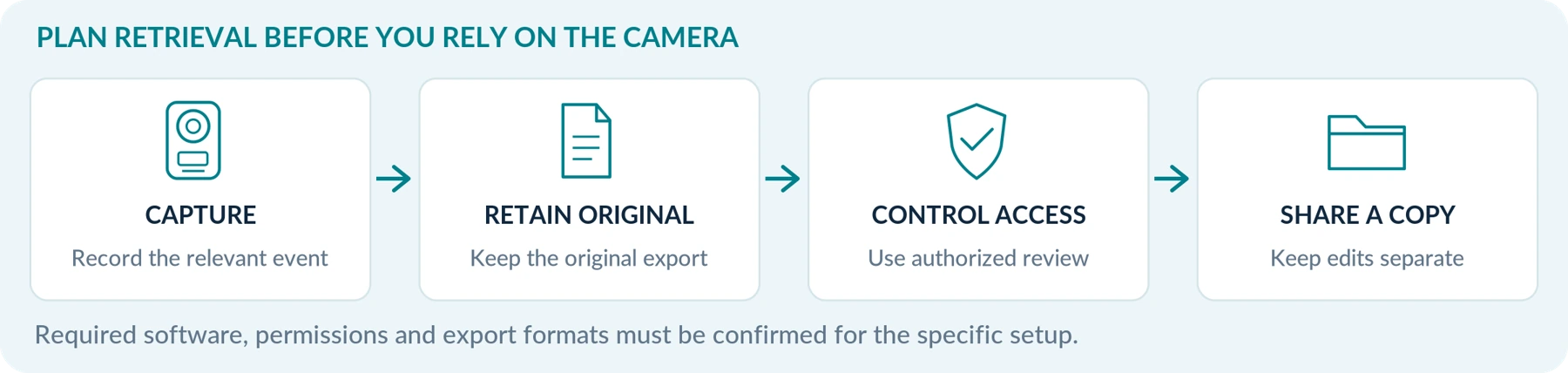
Before choosing, describe the task you need to complete after recording. Can you find the correct file? Can the appropriate person open it? Can you preserve the original while preparing a separate sharing copy?
For an incident-recording process, our recommendation is to keep the original export and any necessary accompanying records, then work on separate copies. Do not replace the only original with a trimmed, filtered, or social-media version. The ICO’s UK body-worn guidance similarly emphasizes retaining original recording quality and making footage identifiable and retrievable.[11]
A Team Needs More Than a Collection of Cameras
Ask the supplier to demonstrate device assignment, file collection, access permissions, and the process for locating an incident. When required, also ask for audit records and retention controls to be demonstrated.
Mark an unverified capability as Unverified. Do not infer secure file management from a camera-menu password, a familiar brand name, or the fact that files upload somewhere.
An action camera may satisfy a capture requirement without satisfying your organization’s handling requirements. A basic body camera can fail the same test. Evaluate the camera and the file-handling system together.
THE RETRIEVAL TEST Can the right person find, open and preserve the right recording? Demonstrate that process before relying on the setup.
Which Should You Choose for Your Situation?
The following are editorial recommendations for narrowing your search—not product rankings or guarantees.
| Your intended use | Where we suggest starting | What must still be demonstrated |
|---|---|---|
| Travel, sports, or videos you plan to edit | An action camera selected around the shots you want. | Appropriate mounting, usable footage, recording duration, and a compatible editing process. |
| Occasional authorized personal recording | Test the camera you already own before buying another. | Stable wearing, clear activation, adequate duration, and reliable file retrieval. |
| Delivery or field-service incident recording | A body camera or wearable alternative that fits the approved work process. | Appropriate use permissions, practical controls, useful audio/video, and acceptable recording continuity. |
| An employer-managed security team | The organization’s recording and file-management requirements, then compatible equipment. | Assignment, access control, retrieval, retention, support, and any necessary system integration. |
| One device for work and weekends | Compare both against a written set of must-have requirements. | That neither purpose is compromised by an unacceptable mount, interruption, setting, or file-handling limitation. |
For mixed use, define separate settings and procedures where needed. Do not assume one purchase is cheaper overall when making it serve both tasks requires extra equipment or compromises an essential requirement.
Write your non-negotiable requirements
Use this working space before comparing models. Keep requirements separate from optional preferences.
| Essential requirement | Candidate A: confirmation | Candidate B: confirmation |
|---|---|---|
| Required recording period | Not specified | Not specified |
| Mounting and practical operation | Not specified | Not specified |
| Usable video and sound | Not specified | Not specified |
| File retrieval and handling | Not specified | Not specified |
Compare Complete Costs, Not Just Camera Prices
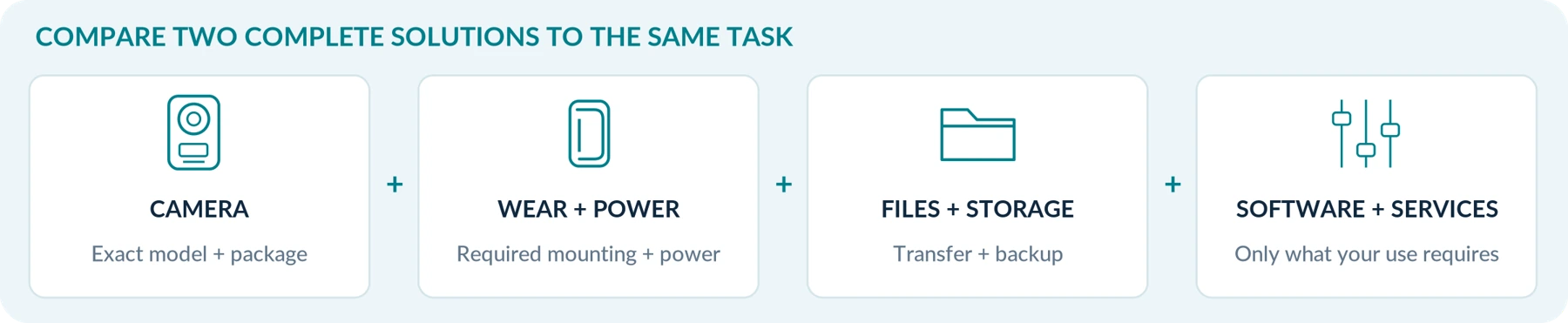
Request a ready-to-use quotation for both candidates.
For your planned setup, identify the required mount, recording storage, charging arrangement, file-transfer equipment, software, and any ongoing services. Separate required items from optional accessories.
For a team, add the equipment and staff work needed to collect and manage recordings. For a creative project, include the tools and storage needed for the editing process you actually plan to use.
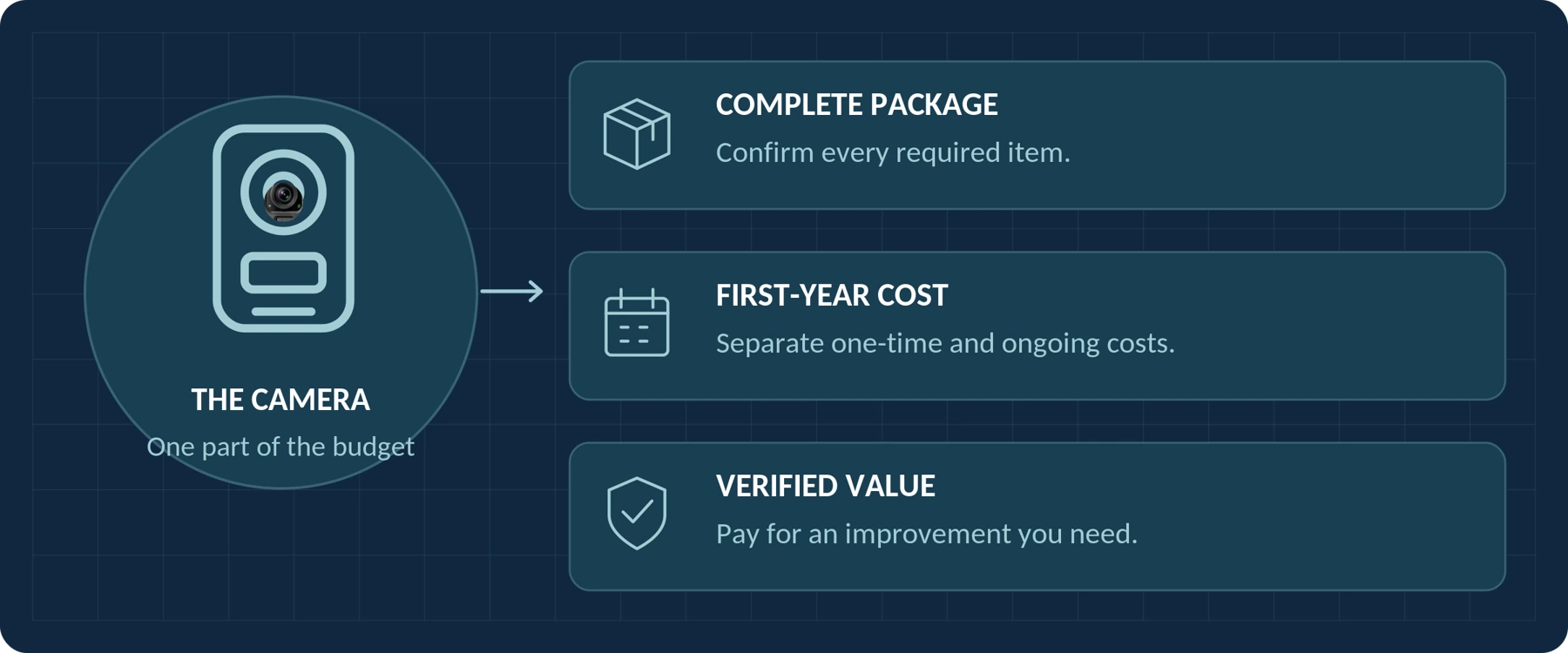
Use the companion guides, Do Body Cameras Require a Subscription? Fees Explained and How Much Does a Body Camera Cost? A Buyer’s Budget Guide, for the detailed fee and budget checks.
Choose between complete solutions to the same task—not between two incomplete advertised prices.
Ready-to-use quotation check
| Record in each quote | Candidate A | Candidate B |
|---|---|---|
| Camera, required mount, power and storage | Not specified | Not specified |
| Transfer, software and required services | Not specified | Not specified |
| Initial total and first-year commitment | Not specified | Not specified |
Does Choosing an Action Camera Avoid Recording Rules?
Do not treat the product category as an exemption. The ICO has specific UK organizational guidance for action cameras, noting that their use for processing personal data requires appropriate security and governance, much like other surveillance technology.[12]
Before workplace use, resolve organizational approval and check the rules applicable to the location and circumstances. Establish when recording is appropriate, how people will be informed where required, and who will handle the footage.
This article compares purchasing requirements. It does not determine whether a particular recording is lawful or admissible in court; obtain qualified local advice for those questions.
Test Two Candidates Before Choosing
Use a controlled, permitted trial with consenting participants. This is a proposed comparison method, not a report of tests performed for this article.
Start with comparable settings that satisfy your minimum requirements. When useful, run a second test with each camera’s preferred configuration. Keep those results separate, and record the model, firmware, mount, settings, lighting, and temperature.
| Test | What to do | What to record |
|---|---|---|
| Wear and framing | Walk, sit, bend, and carry your usual items. | Whether the lens stays clear, aimed correctly, and comfortable enough for the task. |
| Activation | Start recording from the state you expect to use. | Button sequence, confirmation feedback, and the beginning of the saved file. |
| Pre-event capture, when required | Stage a simple event after the buffer is ready, then activate recording. | Actual retained lead-up, audio inclusion, and any mode restrictions. |
| Movement and sound | Record an agreed conversation and movement at representative distances. | Understandable speech, usable moving detail, and relevant context in the frame. |
| Required recording period | Run the intended recording configuration for the planned task. | Interruptions, warnings, power arrangements, and completeness of the saved footage. |
| Retrieval and backup | Find the relevant file, open it, and make a verified copy. | Required software, playback, timestamps, accompanying records, and retrieval steps. |
For each essential requirement, use Pass, Fail, or Unverified. An impressive result in an optional category should not cancel out a failed essential requirement.
For a team, include the person responsible for receiving and managing the recordings. Do not validate only the experience of the person wearing the camera.

The Bottom Line
A body camera and an action camera can overlap in what they capture. Your purchase should turn on what the complete setup must accomplish.
Our recommendation is to begin with action cameras for creative shooting, and with body-camera solutions for authorized incident-recording work. Then test that starting choice against actual requirements—and be willing to choose differently when the evidence supports it.
Buy the setup that captures usable footage, operates reliably for your task, and lets you retrieve and handle recordings appropriately. Do not buy the category name alone.
When asking about a SpikeCam model, describe your intended use, required recording period, typical lighting, clothing and mount, and preferred file-transfer method. For a team, add the organization’s access and retention requirements. Request confirmation for the exact model and proposed setup rather than assuming that features described elsewhere in this guide apply to it.
Your comparison and supplier-request worksheet
Use the same brief when asking about both candidates. Leave unknown items unverified until confirmed.
| Your requirement | Notes to share with the supplier |
|---|---|
| Intended use and recording period | Not specified |
| Typical lighting, weather and clothing | Not specified |
| Mount and preferred file-transfer method | Not specified |
| Access, retention and team requirements | Not specified |
| Must-have features and total budget | Not specified |
Continue with the buying-guide series
Sources and scope
The references and source-check date below follow the supplied A04 manuscript. The illustrated edition adds explanatory diagrams and editable working tables; it does not add product-test results.
01 GoPro. HERO13 Black product overview. Creative recording formats, stabilization, color options, and mounting interfaces.
02 Motorola Solutions. VB400 body camera. Event-recording features and authorized access to encrypted recordings through VideoManager.
03 Axis Communications. AXIS W110 Body Worn Camera user manual. Daily operation, status indicators, docking, and operating-time factors.
04 GoPro. Chesty Performance Chest Mount. Documented hands-free chest-mounting option.
05 DJI. Osmo Action 5 Pro FAQ. SnapShot, low-light recording, microphone connection, and conditions for underwater use.
06 DJI. Osmo Action 6 FAQ. Pre-Rec shortcut, stabilization cropping, and file-export methods.
07 Axis Communications. Axis body worn solution user manual. Prebuffer settings, separate audio control, standby incompatibility, and image-stabilization settings.
08 DJI. Osmo Action 5 Pro specifications. Maximum operating-time figure and laboratory conditions.
09 Axis Communications. Troubleshooting guide for image quality. Shutter speed, motion blur, and evaluating moving subjects under relevant lighting.
10 Rexing. P2 FHD Body Camera. Manufacturer documentation of infrared LEDs; no advertised distance claim has been treated as a tested result.
11 Information Commissioner’s Office. Body Worn Video (BWV). UK organizational guidance on audio/video controls and recording governance; marked under review.
12 Information Commissioner’s Office. Action cameras and other portable surveillance technologies. UK organizational guidance on security and governance for action-camera recordings; marked under review.
Sources checked September 22, 2026. Named products illustrate documented features; they are not a ranking, a claim to cover the newest products, or a hands-on comparison. Manufacturer runtime figures retain their stated test conditions. The proposed test procedure is not a published performance result. No unverified feature has been attributed to SpikeCam. ICO guidance cited here concerns UK organizational use and was marked as under review when checked.
ILLUSTRATION NOTE: Generic device silhouettes, scenes and timelines are conceptual. They do not depict a specific SpikeCam product, measured runtime, infrared range, crop ratio or test result.
Related articles
How Much Does a Body Camera Cost? A Buyer's Budget Guide
Plan the complete purchase, compare quotations and account for storage, support and ongoing costs.
Body Camera vs. Smartphone: Do You Need a Separate Camera?
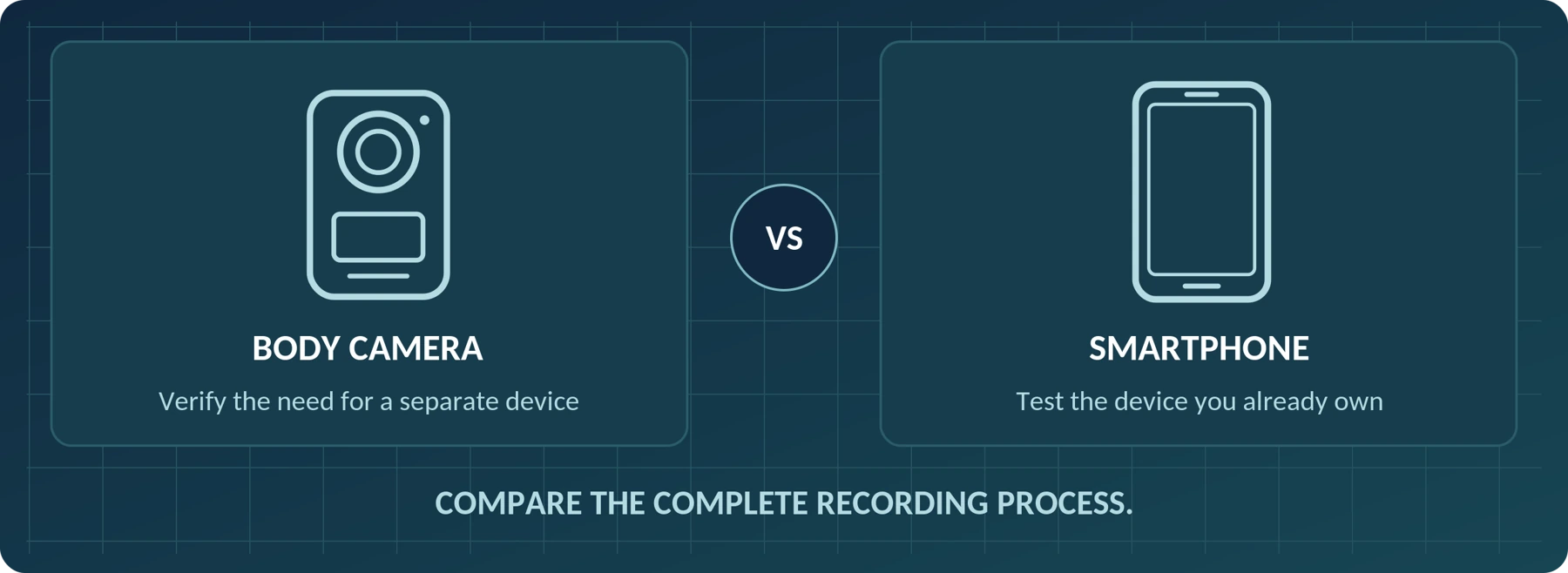
Decide when a phone is sufficient and when a separate wearable camera fits the recording task.
Body Camera Buying Guide: How to Choose the Right One
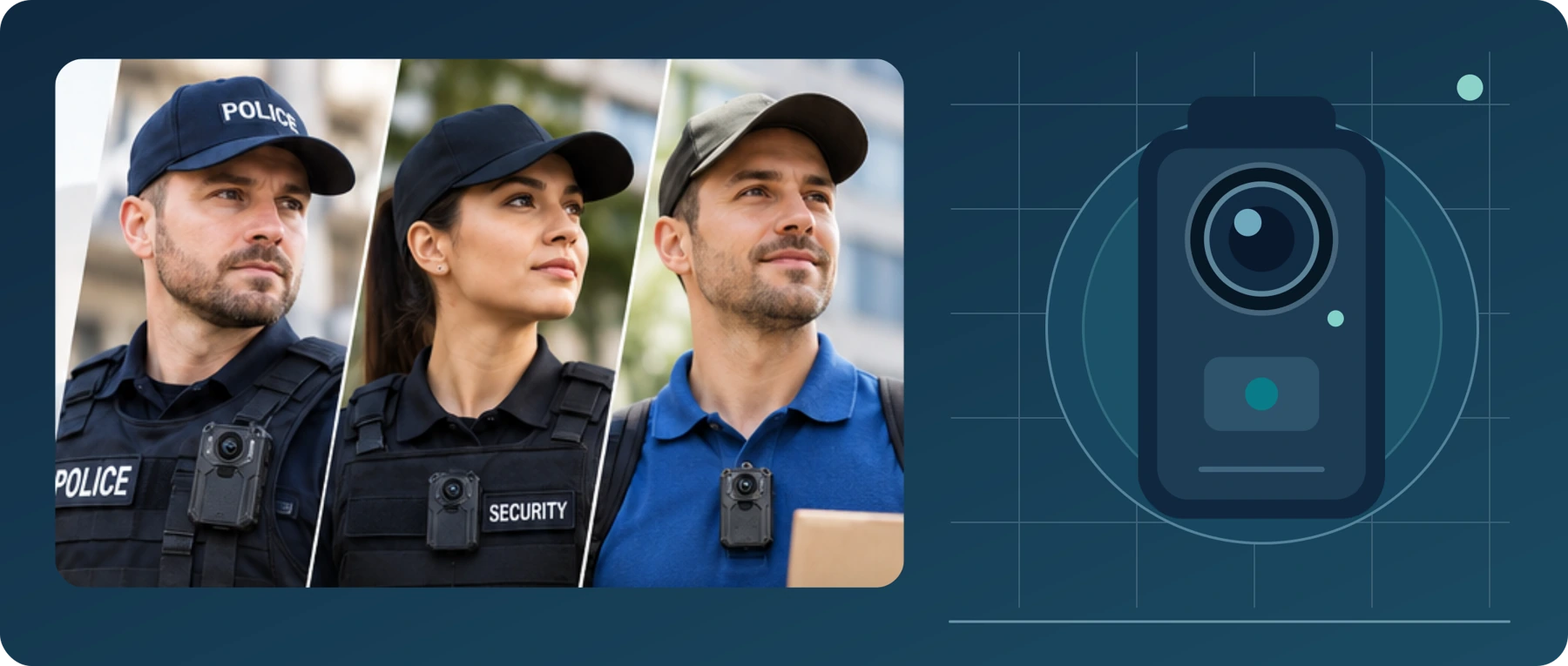
Choose a camera around recording controls, battery life, file access and your actual working routine.
