How Much Does a Body Camera Cost? A Buyer's Budget Guide
Plan the complete purchase, compare quotations and account for storage, support and ongoing costs.
Editorial guidance, not legal advice or a model-specific performance promise. Check the rules and requirements that apply to your location and use.
Amounts in this guide are historical or illustrative examples, not SPIKECAM quotations. Contact us for a current project quote.
Budget for a setup you can use
Body cameras are available at advertised prices around $50, but the camera’s price is not necessarily the cost of a setup you can actually use. In the small selection of manufacturer listings checked for this guide, displayed prices ranged from $49.99 to $179.99 for the specific configurations shown below. This is a price snapshot—not a market average, a complete market range, or a product ranking.[1][4]
For an individual buyer, the useful question is: “What is the lowest complete budget that meets my recording needs?” For a small business, add: “What will it cost to collect, store, and manage the recordings?”
This guide uses $50, $100, and $200 as planning checkpoints. They are not quality grades, and none guarantees a particular recording time, image quality, or professional capability.
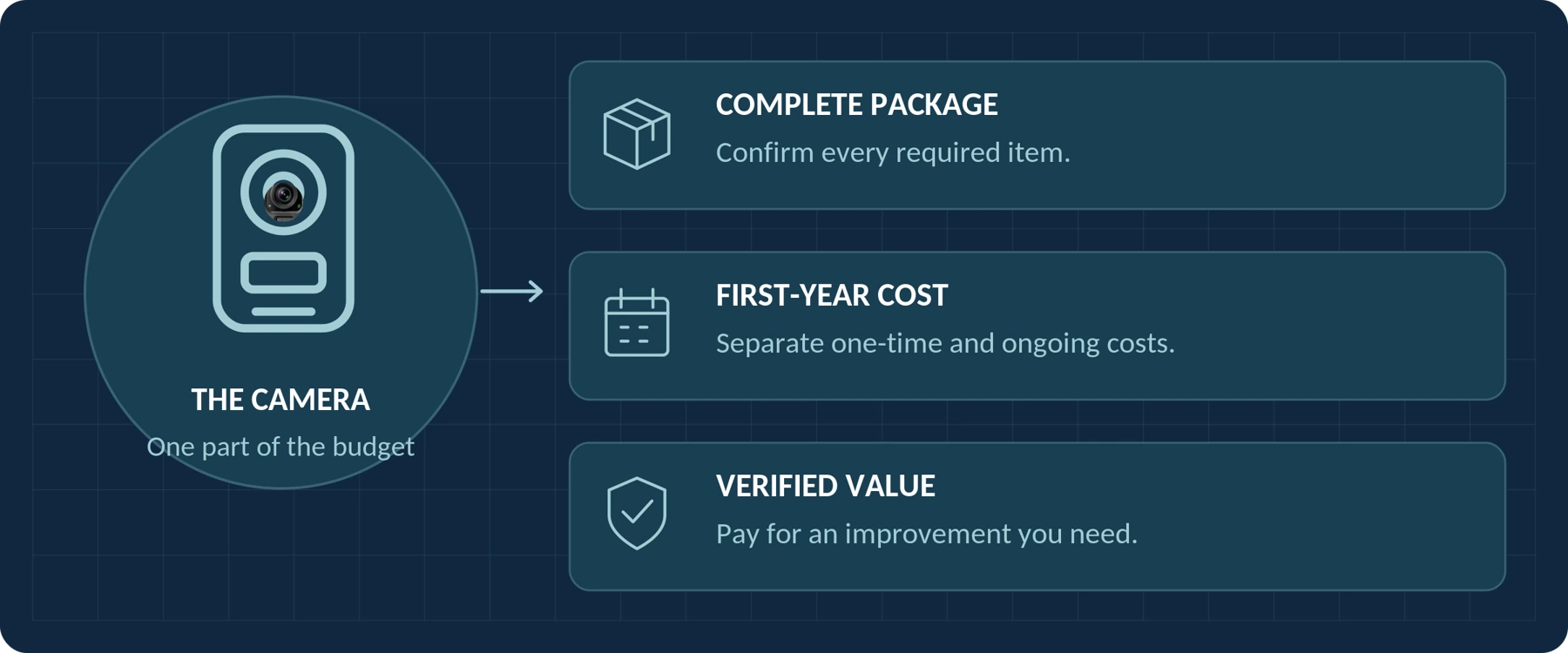
Start with a total spending limit. Then decide how much of it is available for the camera itself.
Use the contents to jump to a section. Numbered citations link to the source notes. Budget tiers are planning checkpoints—not quality grades.
What Do Actual Body Camera Prices Tell You?

The following examples show why a price needs a model, package, and date attached to it.
Manufacturer storefront prices checked September 22, 2026, with USD selected:
| Manufacturer and model | Displayed configuration | Displayed price | What to notice |
|---|---|---|---|
| BOBLOV IDV007 | 64GB option | $49.99 | The price belongs to the selected capacity, not every variant.[1] |
| BOBLOV KJ21 | Card not included | $79.00 | The selected package does not include a memory card.[2] |
| Rexing P2 | Single-camera option | $89.99 | This is the one-unit listing, not the three- or five-camera bundle. Confirm storage inclusion separately.[3] |
| BOBLOV B4K5 | 128GB option | $179.99 | The listing describes a charging dock; verify the full package before checkout.[4] |
These are displayed product prices, not verified delivered totals. No additional coupon has been applied here. Confirm the selected package, availability, shipping, applicable taxes, and any destination charges before ordering. The KJ21 page, for example, explicitly states that its online price excludes tax.[2]
The table does not establish that the cameras deliver equivalent performance or that the most expensive one is the best choice.
An organization-managed system is a different budgeting exercise. Axis, for example, documents a system involving cameras, docking stations, system controllers, and a destination for recordings. A camera-only price cannot represent that complete installation.[5]
Compare Like for Like Before Comparing Prices

First, identify the exact model, capacity, package, and condition. Compare a new single-camera package with another new single-camera package—not with an unspecified “from” price, a refurbished unit, or a multi-camera total.
Then write down what each offer includes. Do you receive the mount you need, compatible recording storage, charging equipment, and a working way to transfer footage? Mark any unclear item Unverified, not “probably included.”
“Supports 128GB” and “includes 128GB” are different statements. The KJ21 listing illustrates the distinction by offering capacity options alongside a card-not-included option.[2]
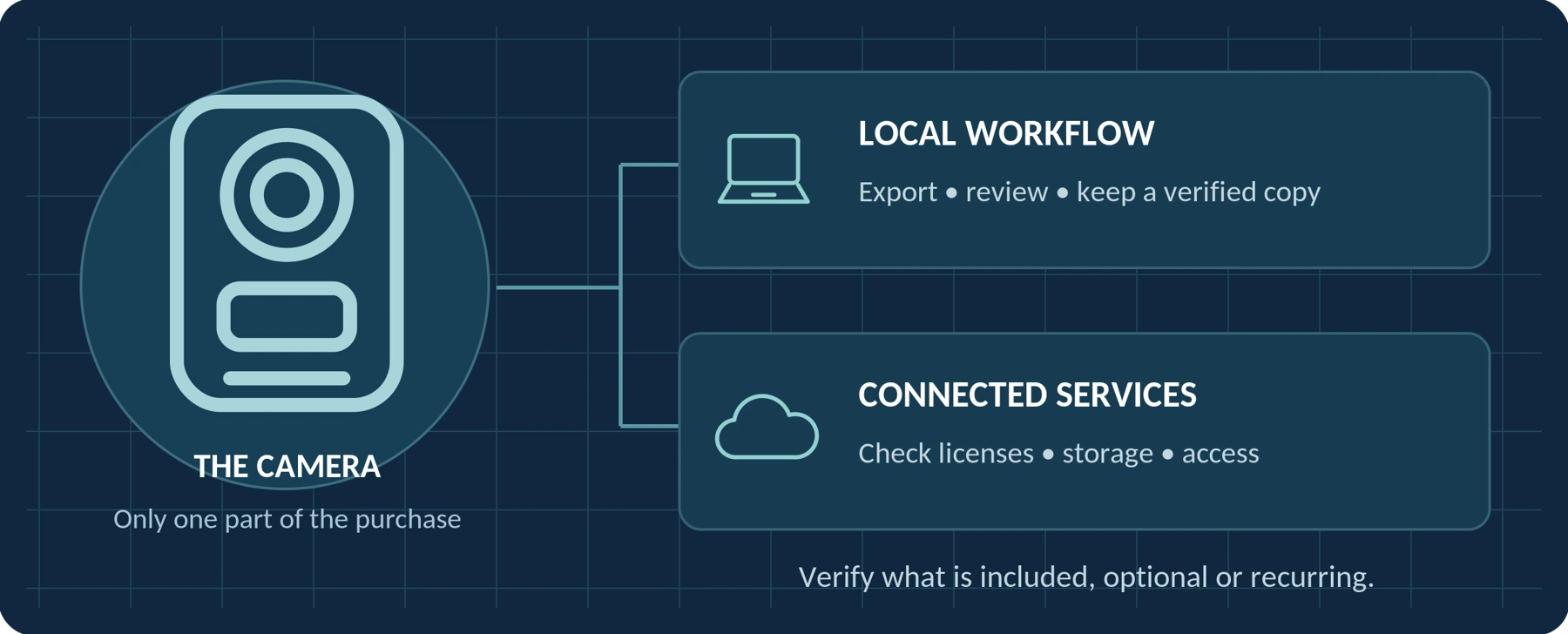
Finally, compare the same period of use. A one-time payment and a monthly figure cannot be evaluated without knowing the commitment. Motorola’s VideoManager EX licensing materials, for example, describe perpetual on-premises licenses separately from cloud licenses charged per device per month and billed annually.[8]
Record both the amount due initially and the expected first-year cost. For renewal and cancellation details, see the companion guide, Do Body Cameras Require a Subscription? Fees Explained.
For US, UK, and EU Buyers
Compare delivered quotes in the currency you will actually pay. Record whether tax or VAT is already included, which destination charges remain outside the quote, and where a return would need to be sent.
Do not assume that converting a US storefront price into pounds or euros produces the local delivered price. Equally, do not add tax again when the quote already includes it. Obtain the destination-specific breakdown rather than applying an assumed universal tax rate.
Keep these details with each quotation
| Exact model / package | Quote date | Currency / destination |
|---|---|---|
| Not specified | Not specified | Not specified |
How Should You Plan a $50, $100, or $200 Budget?

The following scenarios are editorial budgeting recommendations, not promises about what every product in a price bracket can do. In each scenario, treat the amount as your complete initial spending limit unless you have explicitly set aside a separate accessories and delivery budget.
Around $50: Keep the Requirement Narrow and Testable
At this spending limit, begin with a clearly defined task: an authorized recording of a known duration, followed by a file transfer to equipment you already own.
Before paying, confirm that the complete package fits the limit. A $49.99 listing leaves almost no room within a $50 total for anything missing or for checkout charges. That is budget arithmetic—not a judgment of the camera’s quality.
Prioritize the ability to start recording, confirm that recording has begun, keep the camera securely positioned, and retrieve a usable file. Ask for the manual and representative sample footage before committing.
Do not trade away an essential requirement simply to stay below the price ceiling. A camera that cannot cover your required recording period is not a suitable substitute just because it is affordable.
| Our recommendation: start here only when a verified package meets a modest, specific need. When none does, narrow the intended use, postpone the purchase, or revise the budget—not the facts about the product. |
|---|
Around $100: Compare Complete Packages, Not Feature Counts
A $100 spending limit gives you a different question: “Which package leaves the fewest essential purchases unresolved?”
Look at the included mount, recording storage, charging equipment, and transfer method together. A package that already includes the correct accessories deserves comparison with a cheaper camera that still needs them.
Do not select by the longest specification list. Instead, establish your must-have requirements and ask each supplier to confirm them. Request recording-time conditions, usable sample files, and compatibility with your actual computer or phone.
A camera’s maximum resolution and longest advertised recording time should not automatically be read as simultaneous capabilities. For example, BOBLOV describes the B4K5’s 11-hour figure at 1080p with infrared and GPS switched off, even though the model also advertises 4K recording.[4]
| Our recommendation: use this budget to secure a complete, documented recording setup. Treat optional features as secondary until the essentials are confirmed. |
|---|
Around $200: Pay for a Demonstrable Improvement
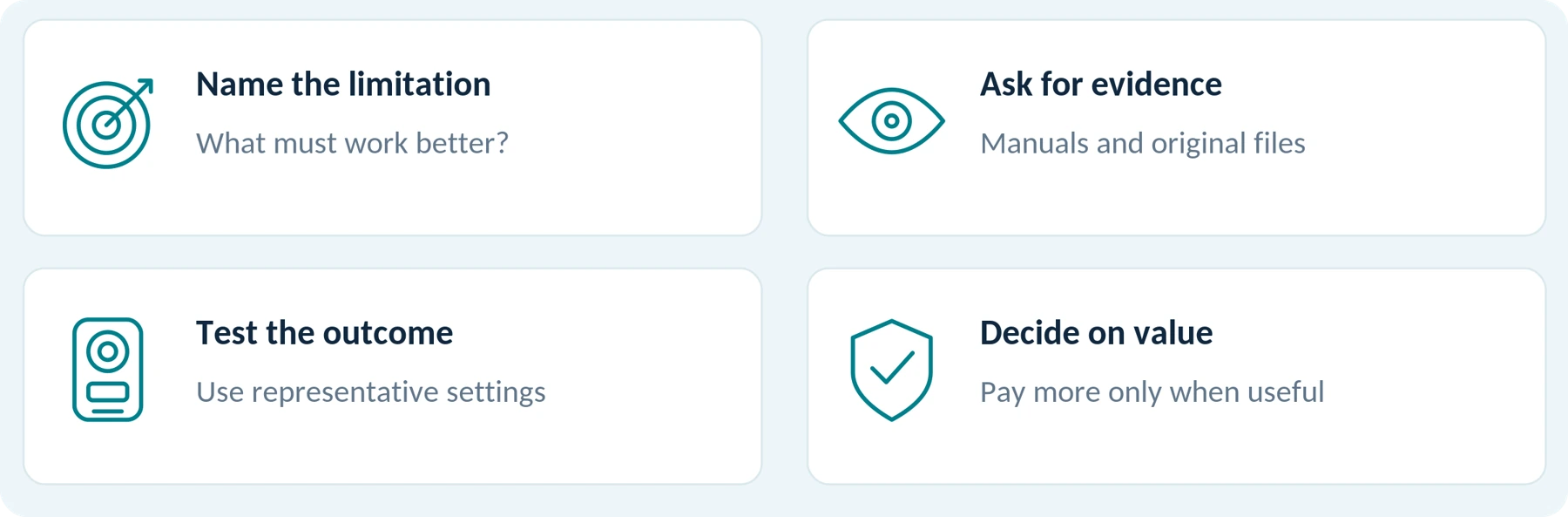
With a larger budget, identify what the extra spending would actually change.
Does a particular model demonstrably meet your required recording period? Does its original footage capture the details you need? Is its mounting arrangement more suitable for your clothing? Does the package simplify an otherwise awkward export process?
Ask for evidence relevant to your use, rather than assuming a higher price answers those questions.
You also do not need to spend the entire amount on hardware. When a lower-priced package meets all confirmed requirements, the remaining budget can stay unspent or fund necessary backup equipment, mounting, or service arrangements.
Do not assume that a $200 camera includes a team-management system. Such systems can involve equipment and software beyond the camera, as the Axis system documentation illustrates.[5]
| Our recommendation: pay more to remove a verified limitation—not merely to move into a higher price bracket. |
|---|
| BUDGET DISCIPLINE A larger spending limit is not an instruction to spend it all. Keep the difference when a lower-cost setup meets your verified requirements. |
|---|
Which Improvements Are Worth Paying For?

A useful upgrade should change an outcome you care about. Use these tests when a seller asks you to spend more.
Recording Time Under Your Actual Conditions
For a longer assignment, compare runtime under the settings you intend to use. Axis documents that wireless activity, temperature, resolution, and stabilization can affect power consumption, while storage and bitrate impose their own recording limits.[6]
Ask whether the more expensive candidate meets your requirement with an appropriate operating margin. Do not count a higher battery-capacity number as a completed runtime test.
Usable Video, Not Just a Resolution Label
Request original clips from comparable lighting and movement. Axis’s image-quality guidance explains that a stationary night scene can look sharp while moving subjects become blurred because of a slow shutter speed.[7]
Our recommendation is to pay for a demonstrated improvement in the footage you need—not simply the next resolution number. The same principle applies to intelligible audio: use a permitted sample recording to compare the result.
Less Work Handling Recordings
For a team, consider whether an additional system demonstrably reduces the work of assigning devices, locating an incident, and controlling access. Motorola documents device and user management, incident handling, and sharing capabilities in VideoManager EX.[9]
Those are features to evaluate, not guaranteed time savings. Ask the supplier to demonstrate the exact process your staff would use.
Support and Maintenance You Can Verify
Request written terms for battery service, replacement accessories, warranty handling, return shipping, and software support. Put a price against required coverage rather than assigning value to a vague “lifetime support” statement.
Software ownership and update coverage also deserve separate checks. Motorola’s licensing material distinguishes perpetual on-premises licensing from software-assurance coverage and its extensions.[8]
A higher price earns its place in your budget only when the improvement or service is both relevant and confirmed.
Calculate the Cost of a Ready-to-Use Setup
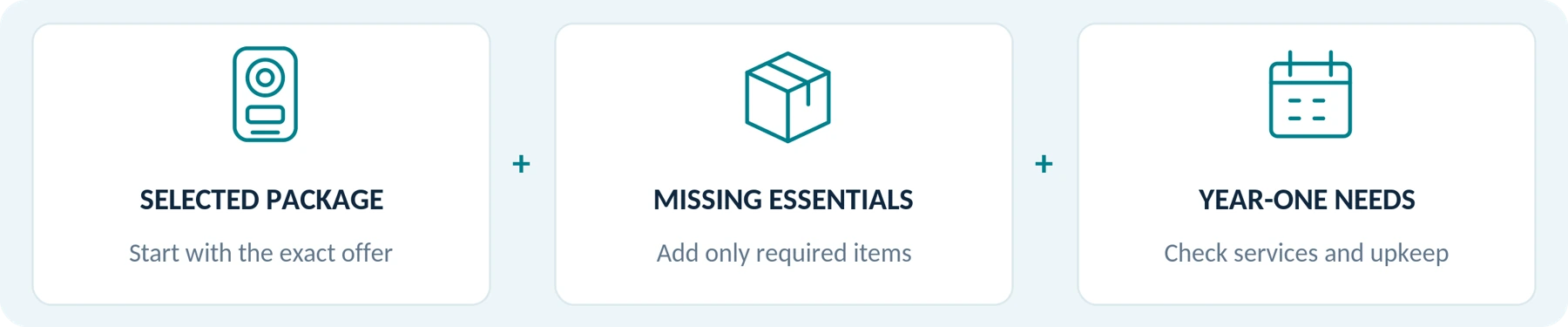
Use two totals rather than one.
| TOTAL 01 / READY TO USE Ready-to-use cost = selected package + missing required equipment + mandatory one-time setup or licensing + delivery and applicable destination charges − confirmed discounts. |
|---|
Then calculate:
| TOTAL 02 / YEAR ONE First-year cash budget = ready-to-use cost + first-year service and connectivity charges + additional backup and maintenance costs not already counted. |
|---|
Check every addition for double counting. Storage included in the package should not be purchased again in your estimate unless you actually need more. Equally, a free trial should not be entered as twelve months of free service without confirmation.
When using an existing computer or backup drive, record zero additional purchase cost only after confirming that it is compatible, has suitable available capacity, and is appropriate for the recordings. Existing equipment still needs someone to manage it.
Keep a contingency reserve separate from known costs. Money set aside for a possible repair is a planning allowance, not proof that the repair will occur or that the camera has a particular failure rate.
Cost planning worksheet
| Budget line | Your figure / status |
|---|---|
| Selected package and missing required equipment | Not specified |
| One-time setup; delivery and applicable charges | Not specified |
| Less confirmed discounts | Not specified |
| Ready-to-use total | Not specified |
| Additional year-one services, backup and maintenance | Not specified |
| First-year cash budget | Not specified |
When the Cheaper Camera Costs More
Assume two imaginary packages meet the same verified minimum requirements. Both include suitable charging equipment, both use an existing computer, and neither requires a recurring service for the intended local use.
Every price below is invented to demonstrate the calculation. These are not product offers or SpikeCam quotations.
| First-year purchase item | Package A | Package B |
|---|---|---|
| Camera package | $69 | $99 |
| Required recording storage | $18 | Included |
| Required clothing mount | $20 | Included |
| Required transfer cable | $8 | Included |
| Additional backup provision | $30 | $30 |
| Required recurring service | $0 | $0 |
| Illustrative subtotal | $145 | $129 |
Package A has a camera price $30 lower, but the illustrated package-and-backup subtotal is $16 higher after the missing items are added.
Shipping, applicable taxes, staff time, repairs, and contingency reserves are excluded from this example. Add them where relevant using the actual quote and your own assumptions. The $30 backup amount is a placeholder, not a recommendation that it will meet every storage need.
The lesson is not that bundles are always cheaper. A bundle has value only when its included items are compatible and genuinely needed.
An unsuitable mount or unnecessary accessory does not become useful because a listing assigns it a large “free gift” value.
| PACKAGE A / HYPOTHETICAL | PACKAGE B / HYPOTHETICAL |
|---|---|
| Camera $69 → Subtotal $145 | Camera $99 → Subtotal $129 |
Illustrative subtotal only. Shipping, taxes, labor, repairs and reserves are not included.
How Should a Small Team Budget Differently?

Start with the number of cameras needed at the same time, not simply the number of employees. Then account for handover, charging, file transfer, and any spare capacity your operation requires.
Do not assume one device can pass immediately from one full assignment to another. Axis’s daily-use documentation, for example, includes charging, uploading, and configuration synchronization as part of docking after a shift.[6]
Request a small-pilot quote and an expansion quote. Each should separate cameras and personal accessories from shared equipment, software, storage, setup, and ongoing services. Confirm whether a quoted dock only charges devices or also supports the file-transfer process you need.
A managed installation may need shared infrastructure: Axis specifies docking stations, a system controller, and a connected content destination, rather than cameras alone.[5]
Put a Value on Handling Time—Without Inventing Savings
Here is a separate hypothetical planning example:
5 cameras × 4 minutes of hands-on file handling per camera × 20 working days = 400 minutes, or 6 hours 40 minutes per month.
At an assumed labor value of $25 per hour, that represents approximately $166.67 of staff time per month.
This is not a measured result, an industry average, or a claim that any software will remove that work. It also is not automatically an additional cash payment when existing salaried staff perform the task.
Use a pilot to measure active handling time separately from unattended uploading. Compare any verified reduction with the additional system cost. Keep this time-value calculation separate from the supplier’s invoices.
| HYPOTHETICAL TIME VALUE — NOT A SUPPLIER CHARGE 400 minutes = 6 hours 40 minutes per month At an assumed $25/hour: approximately $166.67 of staff time. |
|---|
How Can You Reduce Costs Without Losing What Matters?
Start by removing optional purchases, not essential capabilities. Write down which features you will actually use, and decline extras that do not change your intended result.
Reuse compatible equipment only after testing it. A storage device you already own can reduce new spending, but it should still meet the required capacity, compatibility, and handling arrangements.
For multiple cameras, evaluate a sample before committing to the full quantity. Agree on the test scope and return terms, then check recording, mounting, export, and the handover between users. Do not count an unspecified future bulk discount in the budget.
For a used professional camera, require evidence that you can activate it and retrieve recordings through a supported process. In the Axis system, for example, cameras must be added to the system and assigned before use; a powered-on device is not the whole setup.[6]
Our preferred saving is avoiding an unnecessary purchase—not accepting an unverified essential feature.
Your Body Camera Budget Checklist
Complete this before comparing your final candidates. Keep unresolved prices marked Pending, rather than entering zero.
| Budget question | What to record |
|---|---|
| What is my complete initial spending limit? | Include a destination-specific allowance for delivery and applicable charges. |
| What requirements are non-negotiable? | Recording period, footage quality, mounting, file access, and organizational requirements. |
| Which exact package am I comparing? | Model, capacity, condition, quantity, included accessories, seller, currency, and quote date. |
| What else must I buy before use? | Missing storage, mounts, charging or transfer equipment, and required setup. |
| What will the first year cost? | Ready-to-use total plus required services, connectivity, backup, and planned maintenance. |
| What might change after year one? | Renewal terms, expiring coverage, replacement arrangements, and exit costs. |
| What has actually been verified? | Manual, written supplier confirmation, representative footage, and sample-test results. |
| What remains uncertain? | Pending quotes, untested features, and a separately stated contingency reserve. |
For a team, add shared infrastructure and estimated staff time as distinct lines. Do not hide them inside a per-camera figure that makes the overall budget difficult to understand.
The Bottom Line

A $50, $100, or $200 budget is a starting constraint—not a recommendation to buy the most expensive camera within it.
First, identify the recording task and the essential requirements. Next, compare complete packages and calculate the first-year cost. Finally, ask what an additional dollar would improve in your actual use.
Buy the lowest-cost complete setup that demonstrably meets your requirements. Pay more only for an improvement you need and can verify.
When requesting a SpikeCam recommendation or quotation, include your total budget, delivery country, required recording period, mounting preference, and computer or phone type. For a team, add the number of simultaneous users and how you intend to manage recordings. Ask for the exact package contents and applicable ongoing charges to be listed separately.
Your quote-request worksheet
Complete the fields below before asking a supplier for a model recommendation. Keep the quotation’s required and optional costs separate.
| Requirement | Your notes |
|---|---|
| Complete initial budget and delivery country | Not specified |
| Quantity and simultaneous users | Not specified |
| Required recording period and typical conditions | Not specified |
| Mounting preference and clothing | Not specified |
| Computer / phone and file-management method | Not specified |
| Required package contents and ongoing charges | Not specified |
Companion guides
A01: Body Camera Buying Guide: How to Choose the Right One / A02: Do Body Cameras Require a Subscription? Fees Explained
Sources and Scope
Sources and displayed prices checked September 22, 2026. The price snapshot is limited to selected manufacturer listings with USD selected; delivered prices, availability, and purchase terms must be confirmed. Product examples are not rankings, endorsements, or hands-on test results. All anonymous package prices and staff-time calculations are hypothetical. No unverified price or capability has been assigned to a SpikeCam model.
References
[1] BOBLOV, IDV007 product listing, selected 64GB configuration and displayed USD price.
[2] BOBLOV, KJ21 product listing, selected card-not-included configuration, displayed USD price, capacity options, and tax-exclusion notice.
[3] Rexing, P2 FHD Body Camera product listing, selected single-camera option and displayed USD price. Storage inclusion was not independently established for this selected package.
[4] BOBLOV, B4K5 product listing, selected 128GB option, displayed USD price, charging-dock description, and conditions attached to the 11-hour recording claim. Manufacturer claims are not independent measurements.
[5] Axis Communications, Axis body worn solution — User manual, system components, content destination, and installation requirements.
[6] Axis Communications, AXIS W110 Body Worn Camera — User manual, operating-time factors, end-of-shift handling, and system/assignment requirements.
[7] Axis Communications, Troubleshooting guide for image quality, shutter speed, motion blur, and testing under representative lighting and movement. This is imaging guidance, not a comparative body-camera benchmark.
[8] Motorola Solutions, VideoManager EX Licensing Datasheet, rendered pages 3 and 5: perpetual on-premises licensing, cloud per-device monthly pricing billed annually, and software assurance. Published licensing illustrations are not a current regional quotation.
Open source · www.motorolasolutions.com
[9] Motorola Solutions, VideoManager EX, device/user administration and incident-handling capabilities.
Open source · www.motorolasolutions.com
Reading notes
Price figures are a dated snapshot from the source article, not a fresh delivered-price quotation. Budget checkpoints and anonymous calculations are editorial examples. Illustrations explain the buying process and do not represent tested SpikeCam models or promised configurations.
Related articles
Do Body Cameras Require a Subscription? Fees Explained
Understand local recording, software licenses, cloud subscriptions and access to your recordings.
Body Camera vs. Action Camera: Which Should You Choose?
Compare everyday recording, controls, mounting and file handling before choosing a camera.

Body Camera Buying Guide: How to Choose the Right One
Choose a camera around recording controls, battery life, file access and your actual working routine.
