Body Cameras for Code Enforcement Officers: Build an Inspection Record You Can Explain
Evaluate body cameras for code enforcement with inspection scope checks, finding-to-file links, a handover index, and practical S3 and T1 trial questions.

Editorial guidance, not legal advice or a model-specific performance promise. Check the rules and requirements that apply to your location and use.
Overview
A property inspection can produce clear footage and still leave the reviewer unable to answer the central question. Which condition did the inspector observe? Where is its measurement? Did a resident describe something the inspector could not see? Those questions require a connected record, not simply a longer recording.
Body cameras for code enforcement officers are worth evaluating when an approved inspection task includes moving conversations or hands-busy observations that existing records miss. Their value depends on the view, the permitted recording scope, and whether another person can locate the relevant original afterward. This guide provides a practical inspection index and a controlled exercise for testing that workflow. It does not establish inspection powers, recording permission, or suitability for a particular agency's evidence requirements.
For broader visit boundaries, see the property and field-service guide. The body-camera buying guide covers general selection. Here, the distinct task is linking each inspection finding to its supporting observations, measurements, photographs, and conversation segments.
Decide Which Inspection Question Needs Moving Video
Separate a property finding from an interaction record
Start with a review question: “What supports finding F-03?” is different from “What was said when the inspector explained the next step?” A close photograph and a documented measurement may support the first. A moving audiovisual record may add context to the second. Neither should silently substitute for the other.
Syracuse's May 2023 announcement proposed body cameras for code inspectors and anticipated a governing policy and training if approved. It is a useful example of defining the purpose before issuing equipment; the announcement alone does not establish that the proposal was implemented or produced a measured benefit. Source: City of Syracuse.
Compare notes, still photos, phone video, and body video
A phone can be deliberately aimed at a label or a measurement. A body camera follows the torso and may miss what the inspector is looking at. Fixed or vehicle cameras supply context within their coverage, but do not follow a walkthrough. Notes can distinguish direct observations from statements, including information outside every camera's view.

| Review question | Start with | Possible body-camera contribution | Remaining gap |
|---|---|---|---|
| Where was the condition? | Location notes and contextual photograph | Movement between locations | Exact location still needs identification |
| What was its size? | Approved measurement record | Context around the measurement | Perspective is not a substitute for measurement |
| What explanation was given? | Contemporaneous interaction notes | Words and surrounding sequence, if captured clearly | Off-camera or inaudible information |
Select the smallest useful record set for the task. If an additional recording does not answer a defined question, its collection and review burden may outweigh its contribution.
Approve the Recording Scope Before the Visit
Entry authority and recording authority are separate
Treat permission to enter, permission to record video, and permission to capture audio as separate questions for the agency's authorized reviewers. Do not assume a property visit, a uniform, or a visible device resolves all three. The applicable answers depend on the jurisdiction, assignment, site, and agency policy.
Before a pilot, identify who resolves resident objections, sensitive information, recording restrictions, and requests to see footage. Staff need a usable instruction for the situation they face, rather than a collection of neighboring agencies' rules. A historical Pullman interim policy included code enforcement officers in its scope, but its 2013 provisions are not a current national template. Source: archived Pullman policy.
Give staff a rule for changing rooms or tasks
The permitted recording scope can change during one visit. A reception conversation, an inspection area, and a private room should not be treated as one undifferentiated space. Have the agency complete the following before testing equipment with real assignments.
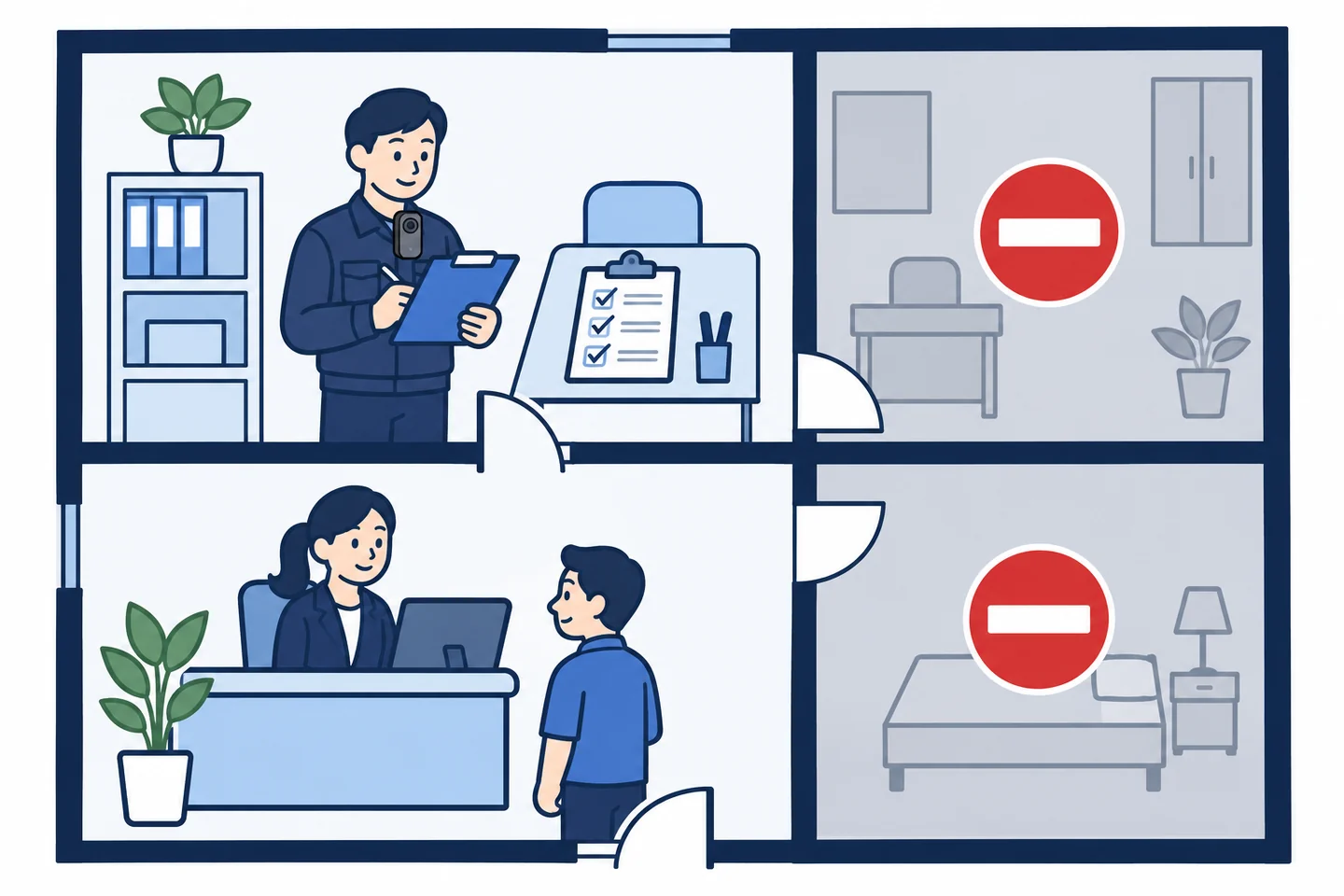
| Area or task | Recording purpose | Approved start/stop instruction | Escalation owner |
|---|---|---|---|
| Initial contact | [Define the necessary record] | [Policy reference] | [Role] |
| Walkthrough | [Define the observation or interaction] | [Boundary and exceptions] | [Role] |
| Restricted or sensitive area | [Approved decision, if any] | [Exclude, pause, or escalate as directed] | [Role] |
These are blank planning fields, not instructions granting authority. If the rule is unresolved, keep that task outside the field pilot. Test the equipment in an approved training setting while the agency resolves the operational question.
Prepare the Camera Without Replacing the Inspection Kit
Check time, storage, mounting, and activation feedback
Use a short saved test recording, not only an illuminated indicator. Confirm that the assigned device saves a playable file, records the expected audio, and lets the wearer recognize its current state. Compare its displayed time with the agency's approved reference, recording any difference. Never adjust an existing recording to hide a discrepancy.
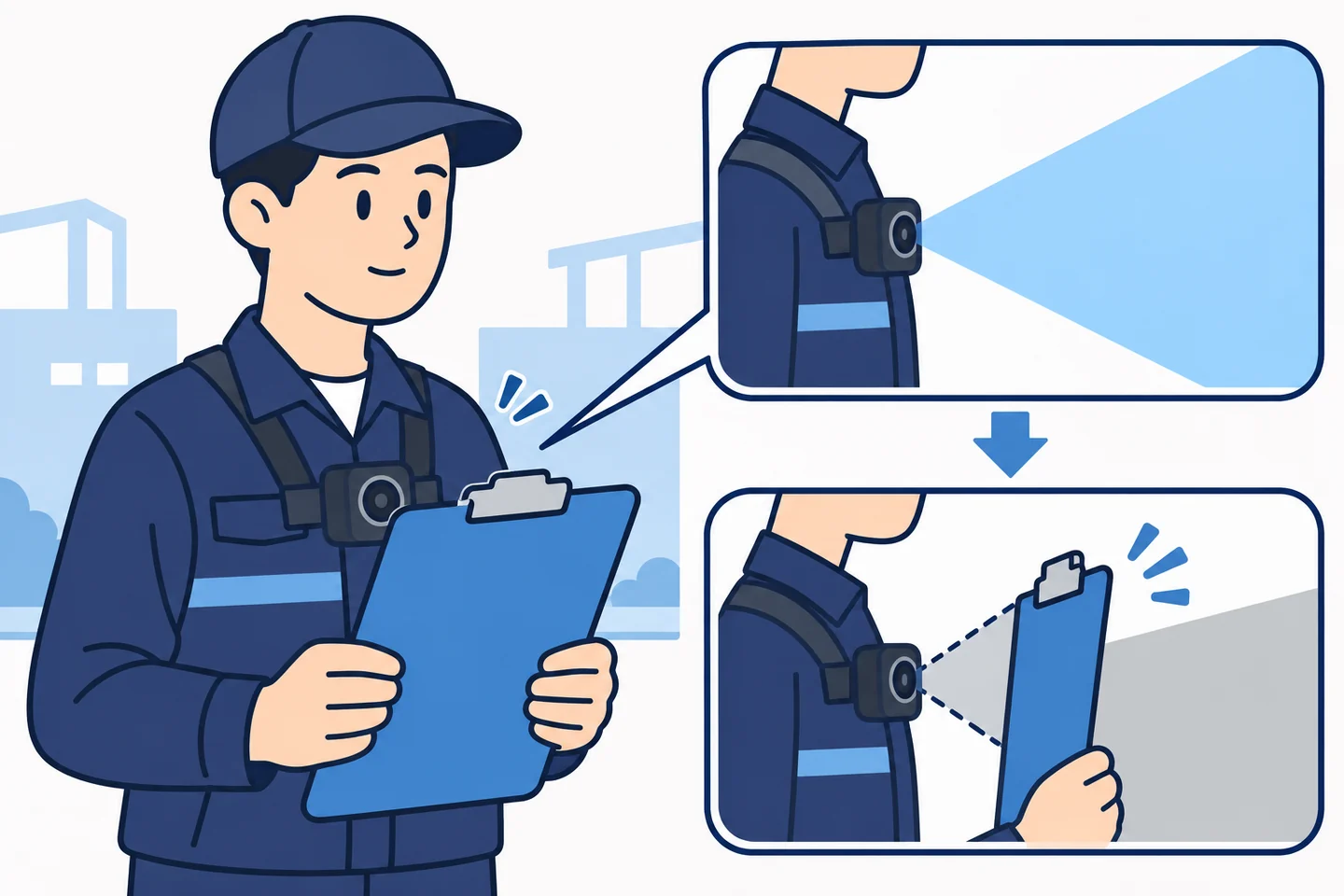
Test with the actual coat, vest, clipboard, and work posture. Walk through a doorway, reach for a notebook, and bend toward a harmless training mark. A mount that looks well positioned while standing can tilt or disappear behind clothing during the task. Repeat the check when outerwear or mounting changes.
Keep measuring and note-taking equipment available
The camera is an addition to the inspection kit. Keep the equipment needed for approved measurements, clear photographs, and contemporaneous notes. Higher resolution does not uncover a blocked lens, establish a measurement that was never taken, or separate speech from every background noise.
| Before leaving | Evidence of readiness |
|---|---|
| Correct device and wearer assignment | Assignment recorded |
| Charge and available storage | Adequate for the planned task under tested settings |
| Time and time zone | Reference and observed offset noted |
| Clothing and mount | Saved sample remains useful through normal movements |
| Start/stop feedback | Wearer can identify state without guessing |
| Playback and receiving workflow | Test file opens using approved equipment |
Set reserve requirements from a representative trial. A runtime claim without the relevant settings, temperature, display use, and duty pattern is not a shift plan. Record failed checks and the approved fallback rather than issuing equipment with an unexplained fault.
Keep Observations and Conversations on Separate Tracks
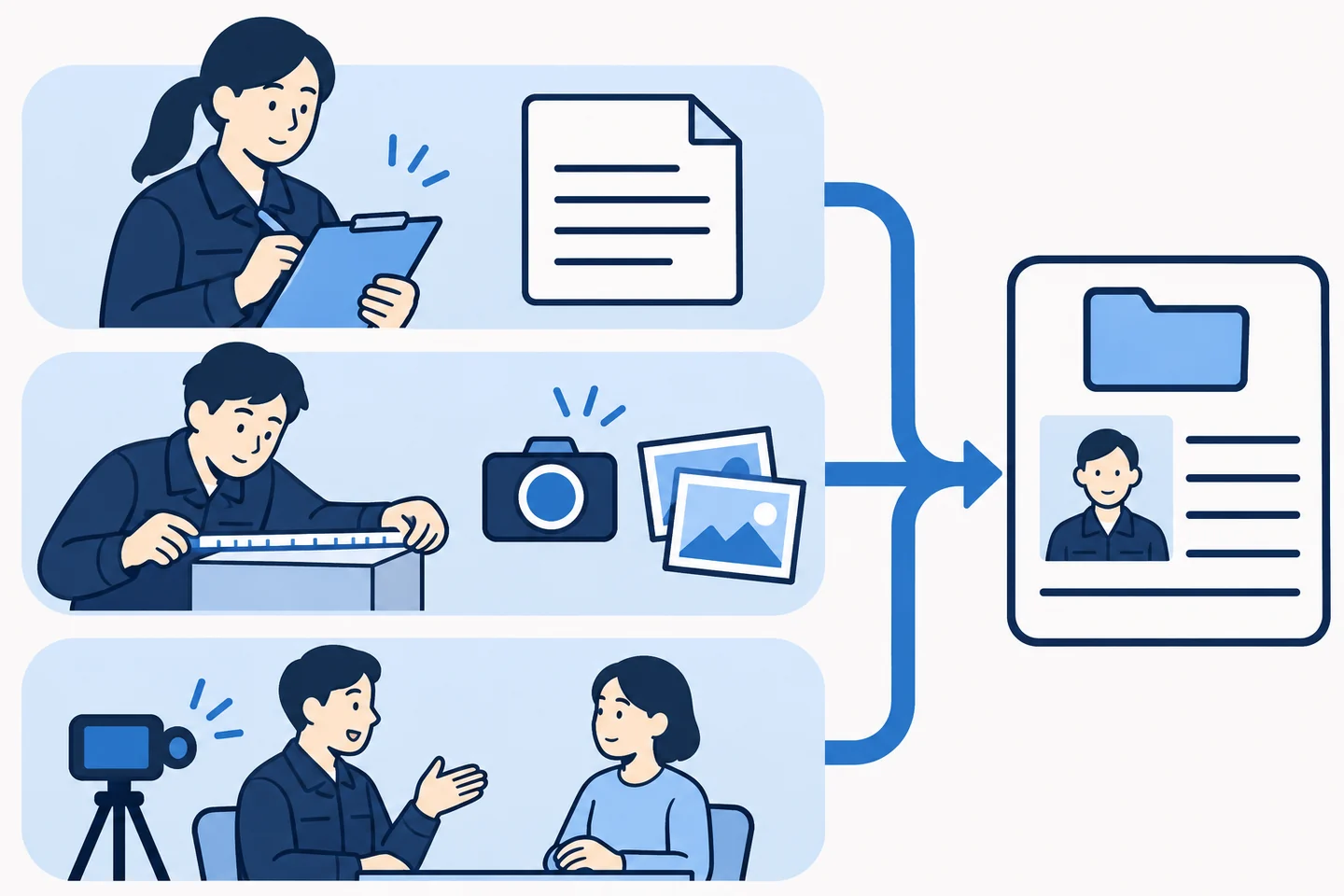
Link each finding to its own supporting material
Use one row per finding, with additional rows where sources disagree. Preserve the distinction between “I observed,” “the resident stated,” and “the recording shows.” A statement captured clearly is evidence that the statement was made; its content does not automatically become an established property condition.
The Inspection Finding and Recording Index below is an editorial working template. Adapt it to the agency's existing case and records systems. Keep the original identifiers intact so a second inspector can navigate from the report to the source without asking the wearer to reconstruct the visit from memory.
| Field | Entry to complete |
|---|---|
| Inspection and finding references | [Agency case ID / finding ID] |
| Location | [Approved location description] |
| Direct observation | [What the inspector personally observed] |
| Reported statement | [Who said what; distinguish from observation] |
| Notes and measurement | [Notebook page / measurement record] |
| Still photograph | [Original photograph identifier] |
| Video reference | [Device ID / original filename / relevant interval] |
| Time basis | [Device time, reference time, and known offset] |
| Limitations | [Obstruction, absent measurement, unclear audio, or missing file] |
| Follow-up | [Required action / responsible person / status] |
Record gaps and corrections without rewriting originals
If the clipboard covered the camera during a measurement, say so. Do not describe the measurement as visible merely because an adjacent conversation was captured. Link the separate measurement record, if it exists. If it does not, leave the question open for the authorized reviewer.
Keep later corrections as identifiable additions under the agency's process. A clarified report should not overwrite the original recording or make a later recollection appear contemporaneous. Record the basis and author of the clarification. This preserves the difference between newly supplied information and material available at the visit.
Evaluate S3 or T1 Against the Approved Record Workflow
S3 for local capture and deliberate review
The SPIKECAM S3 is a candidate for a local recording pilot because its confirmed configuration includes local 4K at 30 fps, a 2-inch IPS screen with playback, and USB-C/OTG file connections. Those facts support testing scene capture, checking a saved segment, and transferring files through an approved local process.
They do not establish readable fine cracks, accurate dimensions, stable views on every garment, or compatibility with an agency records platform. S3 has no Wi-Fi and no infrared night vision. Its IP65 protection is not permission for immersion. Demonstrate the complete receiving process with the exact supplied device and approved computer before selecting it.
T1 when wearing burden is the main comparison
The SPIKECAM T1 provides a different comparison: a confirmed 80 g body, 1080p recording, and screen playback. It may be worth evaluating when clothing movement and wearing burden are the main unresolved issues. The body weight does not include an assumption about every mount or accessory.

| Requirement | Candidate capability | What the pilot must establish |
|---|---|---|
| Local scene record and review | S3: 4K/30 fps and playback | Useful view at actual distance and movement |
| Lightweight wearing comparison | T1: 80 g body and 1080p | Comfort and stable view with the chosen mount |
| File delivery | Confirmed connections for the selected configuration | Authorized recipient can open the original |
| Agency security requirements | Not established by resolution or weight | Demonstrated access, deletion, retention, and audit controls |
T1's Wi-Fi support does not establish remote cloud streaming. For either model, a mandatory security requirement remains a purchasing gate. If the required system controls cannot be demonstrated, reject that configuration for the proposed official workflow.
Close the Visit and Hand Over a Reviewable File Set
Check the first and last saved moments
Follow the agency's approved stopping rule, then confirm that the expected recording was saved. Where authorized, review the beginning and end to identify late activation or an unexpected stop. Record the gap instead of assuming the full visit exists because one file is present.
Complete the inspection notes while the sequence is fresh. List all referenced originals, including photographs and measurements that the camera cannot replace. State whether a file is missing, unreadable, silent, or awaiting receipt. A named exception is more useful than an unexplained empty field.
Let the next reviewer locate each referenced original
The receiving person should open a referenced original from its approved location and identify the requested interval. A transfer-progress bar or a message saying “uploaded” does not establish that the correct recipient can use the correct file. Follow the organization's rules for originals, working copies, restricted access, and preservation.
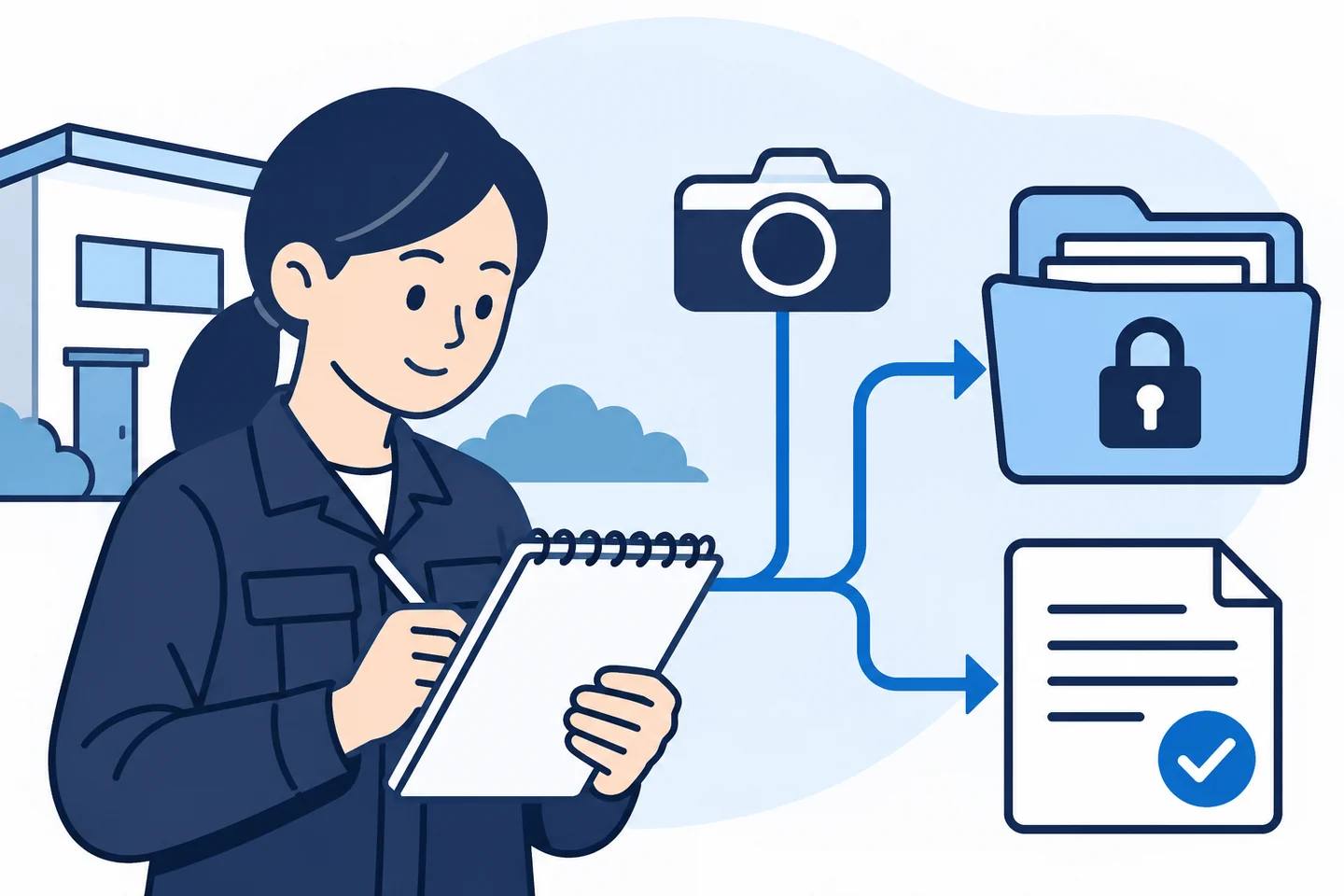
| Handover item | Record |
|---|---|
| Sender and recipient | [Named responsible roles] |
| File-set reference | [Original filenames and approved location] |
| Finding-to-file check | [Finding tested / interval located / result] |
| Exceptions | [Missing, unreadable, or unclear material] |
| Retention or preservation instruction | [Applicable rule or authorized instruction] |
| Receipt | [Who checked what, when, and outstanding action] |
Requests for access or release should go to the designated decision maker. Avoid informal copies on personal phones or messaging services. This is a proposed workflow safeguard; the agency must define the permitted systems and actual responsibilities.
Practice a Fictional Disputed Finding
Use a training mark and consenting colleagues
Fictional training exercise—not a customer case or test result: create case MOCK-CODE-01 in an approved training room. Put a removable mark on a practice board. One colleague plays the inspector and another explains a hypothetical repair. Use invented names and records, with participants aware of the exercise.
Prepare a notebook entry and a still photograph. Deliberately leave the measurement field blank. Make a short recording of the explanation under the training rules. The objective is to test record review, not to simulate a real enforcement decision or imply that a mark meets a legal definition.
Identify what the camera cannot establish
Give the resulting set to a reviewer who did not attend. Ask them to find the statement, locate the photograph, and identify what is missing. The correct process permits “not established” as an answer. A confident description of a dimension absent from all source records is a review failure, regardless of video quality.

| Exercise question | Reviewer entry |
|---|---|
| Where is the explanation recorded? | [Original file and interval] |
| What is directly visible? | [Limited observation] |
| What supports the mark's dimensions? | [Record, or missing] |
| Does a statement establish the repair history? | [Evidence still needed] |
| Who should resolve the gap? | [Role and next action] |
Discuss both camera problems and documentation problems. If the reviewer finds the interval but cannot establish a measurement, that is not automatically a camera malfunction. The exercise should reveal which component of the record process needs improvement before the next trial.
Use the Inspection Pilot Acceptance Sheet
Set a pass condition for each review question
Define acceptance before collecting trial material. Include people who wear the device, receive files, review findings, and manage records. Test routine movements and handovers, not only a quiet desk demonstration. Write down the observed result and the source supporting it; leave untested conditions marked unverified.

| Pilot requirement | Observable pass condition | Result and owner |
|---|---|---|
| Recording scope | Staff can apply the approved boundary rule | [Pass / fail / unverified] |
| Useful view | Required interaction remains visible during normal tasks | [File / interval / owner] |
| Useful speech | Reviewer can identify the required exchange | [Conditions / result] |
| Finding index | Another reviewer locates each referenced source | [Finding IDs / exceptions] |
| Controlled receipt | Approved recipient opens the correct original | [Receipt reference] |
| Required system controls | Agency reviewers verify each mandatory control | [Evidence / unresolved items] |
Approve, revise, or reject the configuration
A pilot can end with a narrower scope, a different mount, a revised file process, or no additional camera. Document which finding questions improved and which remained unresolved. Keep technical failure, staff workload, and missing authority separate so the next action addresses the actual problem.
Cody's historical project timeline describes including code enforcement in its camera deployment. It illustrates that this is an organizational implementation question, not evidence that any available device fits every inspection team. Source: City of Cody.
For a sample evaluation, send SPIKECAM the planned clothing, recording conditions, local transfer process, and mandatory system controls through the quality and samples inquiry. Ask for the exact model, hardware, firmware, and accessories to be identified. Use the completed inspection index to judge the sample on the records your team actually needs.
Related articles
Body Camera Buying Guide: How to Choose the Right One
Choose a camera around recording controls, battery life, file access and your actual working routine.
Body Cameras for Property Managers and Field Service Workers
Match recording to the job, distinguish common areas from home visits and plan file handling.
Body Cameras for Parking Enforcement Officers: A Citation-Encounter Checklist
Evaluate body cameras for parking enforcement with vehicle-side view tests, activation checks, citation links, and an original-file handover worksheet.