Body Cameras for Loss-Prevention Staff: Building an Incident Review Packet
Evaluate body cameras alongside CCTV and incident notes. Build a loss-prevention review packet with original-file references, timing gaps, and access checks.
Editorial guidance, not legal advice or a model-specific performance promise. Check the rules and requirements that apply to your location and use.
Overview
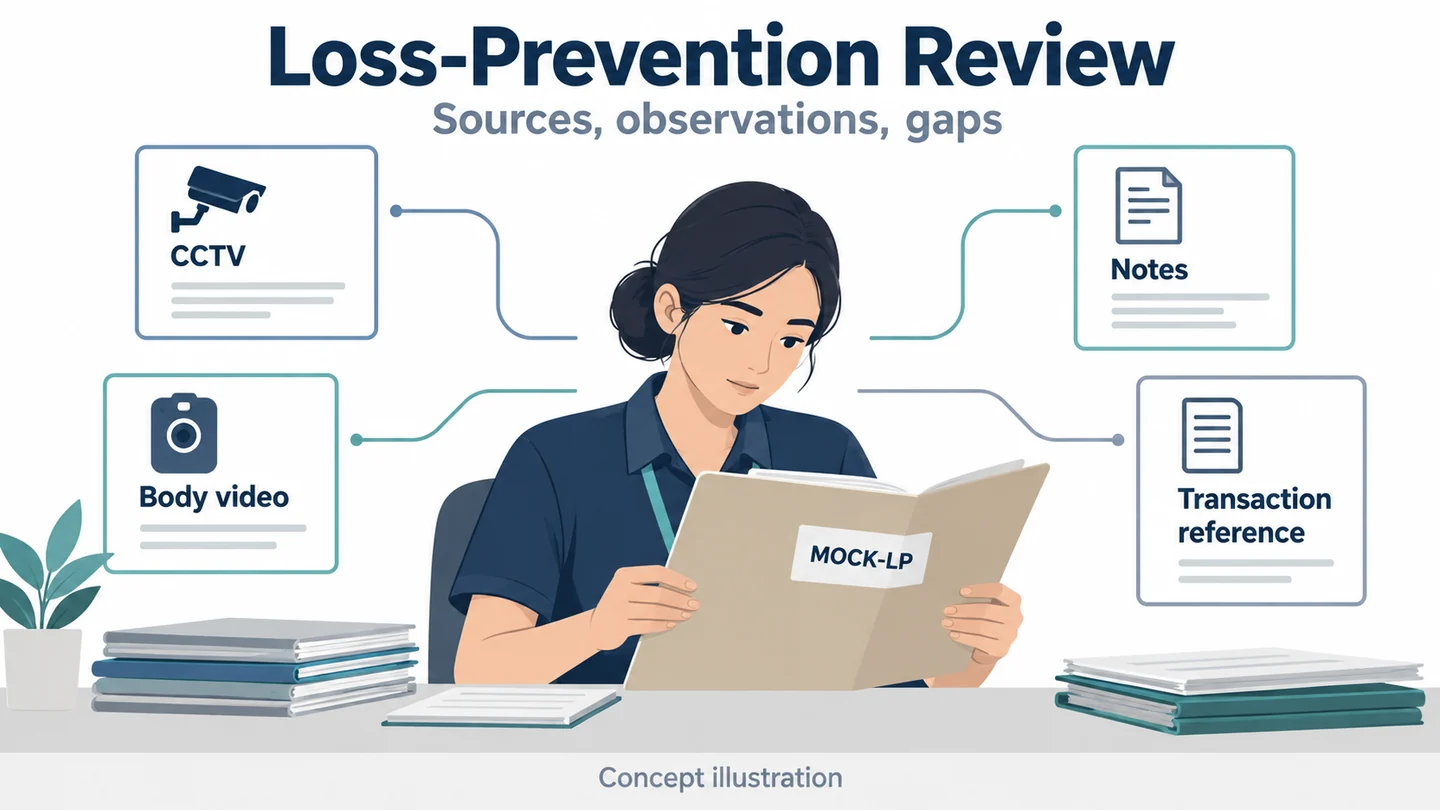
A loss-prevention reviewer needs more than a dramatic clip. They need to know where each record came from, what it directly shows, what is missing, and which conclusions remain uncertain. A body camera can contribute a particular interaction to that packet. It cannot establish a person's intent merely because a recording exists.
This guide evaluates the camera and the review process together. Its main tool is an incident-packet index linking separate original sources, timing information, observations, and unanswered questions. The fictional exercise uses a return-counter discrepancy, not a theft accusation. No customer results, loss-reduction statistics, or tested performance are claimed.
Start with the Question the Reviewer Must Answer
What body video can show beyond CCTV and a transaction record
Write the review question before choosing a camera. For example: “What explanation was exchanged at the return counter, and which parts can be checked against the transaction record?” This identifies a potential contribution without assuming what the answer will be.
The Axon loss-prevention overview places loss prevention in a broader operational context than suspected theft alone. Its marketing statistics and product claims are not adopted here. Your packet may concern a process discrepancy, an unclear handover, or an interaction that needs an authorized review.
For basic fixed-camera and wearable-camera coverage questions, see body cameras for retail staff. The additional task here is organizing the sources so a reviewer can assess them without a narrator filling in the gaps.
Why a recording is not proof of intent
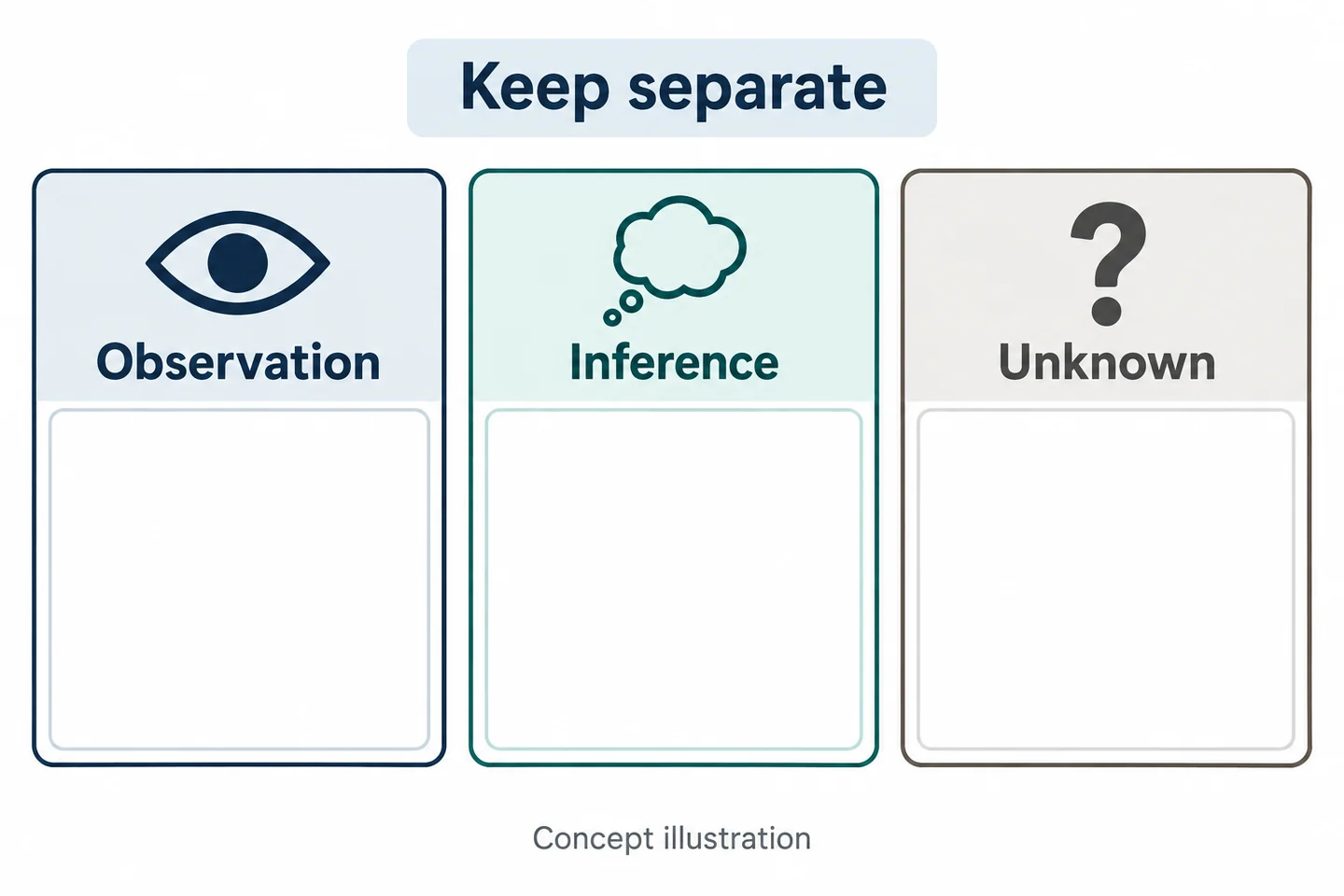
Separate three categories in every review note:
| Category | What belongs there | What does not |
|---|---|---|
| Direct observation | What is actually visible or audible in the identified source | An assumed motive |
| Inference | A clearly labeled interpretation requiring support | A statement presented as established fact |
| Unknown | An off-camera action, missing interval, or unreadable detail | A confident reconstruction |
A person placing an item on a counter is an observable action if the view shows it. Why they did so may remain unknown. A transaction reference establishes which record was consulted, not that the camera captured the entire transaction.
Use neutral descriptions and preserve alternative explanations. Camera resolution, confidence in a colleague, or the existence of several clips does not remove uncertainty. This approach helps identify the next information request without prematurely labeling a person or treating video as indisputable proof.
Set Recording Boundaries for the Actual LP Assignment
Routine observation versus an approved recording event
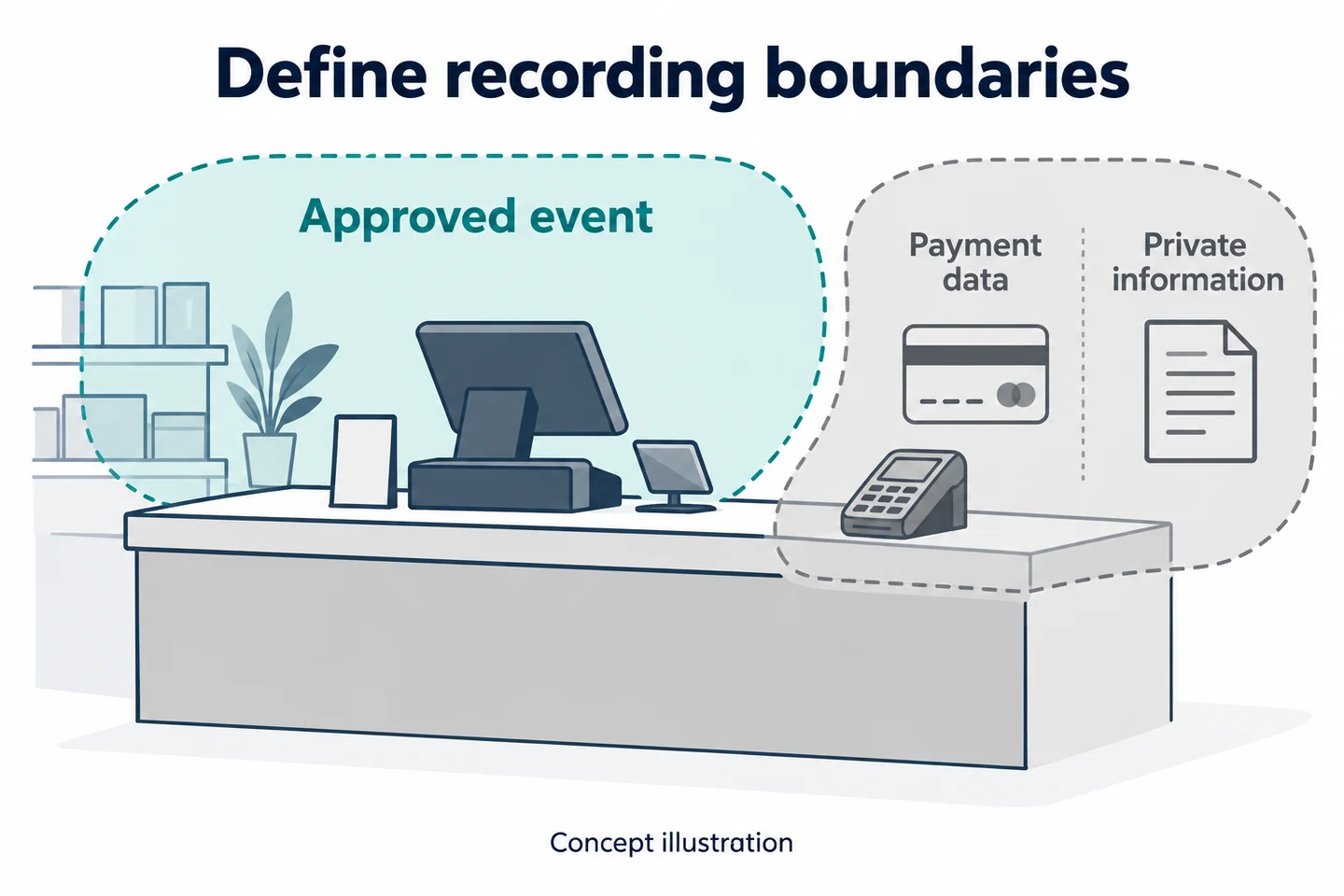
Define the permitted assignment and recording purpose before issuing a sample. The equipment should support a reviewed task, not become a reason to expand it. A camera does not supply authority for following, searching, detaining, or confronting someone; those activities are outside this article's workflow.
Identify the event trigger, required notice, stop condition, and person responsible for deciding. Rehearse that boundary with consenting colleagues. Ask the wearer to state why the exercise's event should or should not be recorded rather than treating every interaction as a recording opportunity.
The UK ICO BWV guidance discusses purpose and access decisions. It is under review and does not establish US recording permission. The retailer must resolve its own applicable rules and responsibilities.
Counters, payment data, private areas, and stopping
Map what could enter the moving view at the actual counter: a payment terminal, receipt, customer phone, staff screen, or nearby private space. Use dummy materials during the trial. Do not test data exclusions by collecting actual customer details unnecessarily.
Write the response to a boundary change before the exercise. If recording must stop or the interaction must move, staff should know the approved procedure and how to note the resulting gap. Do not assume automatic blurring or selective audio capture will repair an unsuitable recording scope afterward.
| Boundary question | Entry to resolve |
|---|---|
| Why is this event recorded? | Specific approved purpose |
| What must stay outside the record? | Data and areas to exclude |
| What changes the decision? | Stop or reassessment trigger |
| How is the gap explained? | Known reason or explicitly unknown |
Keep the scope decision with the packet so a later reviewer understands why an interval is absent without interpreting the absence as proof of an event.
Capture a Useful Interaction Without Losing Context
Shelving, counter edges, packaging, and normal movement
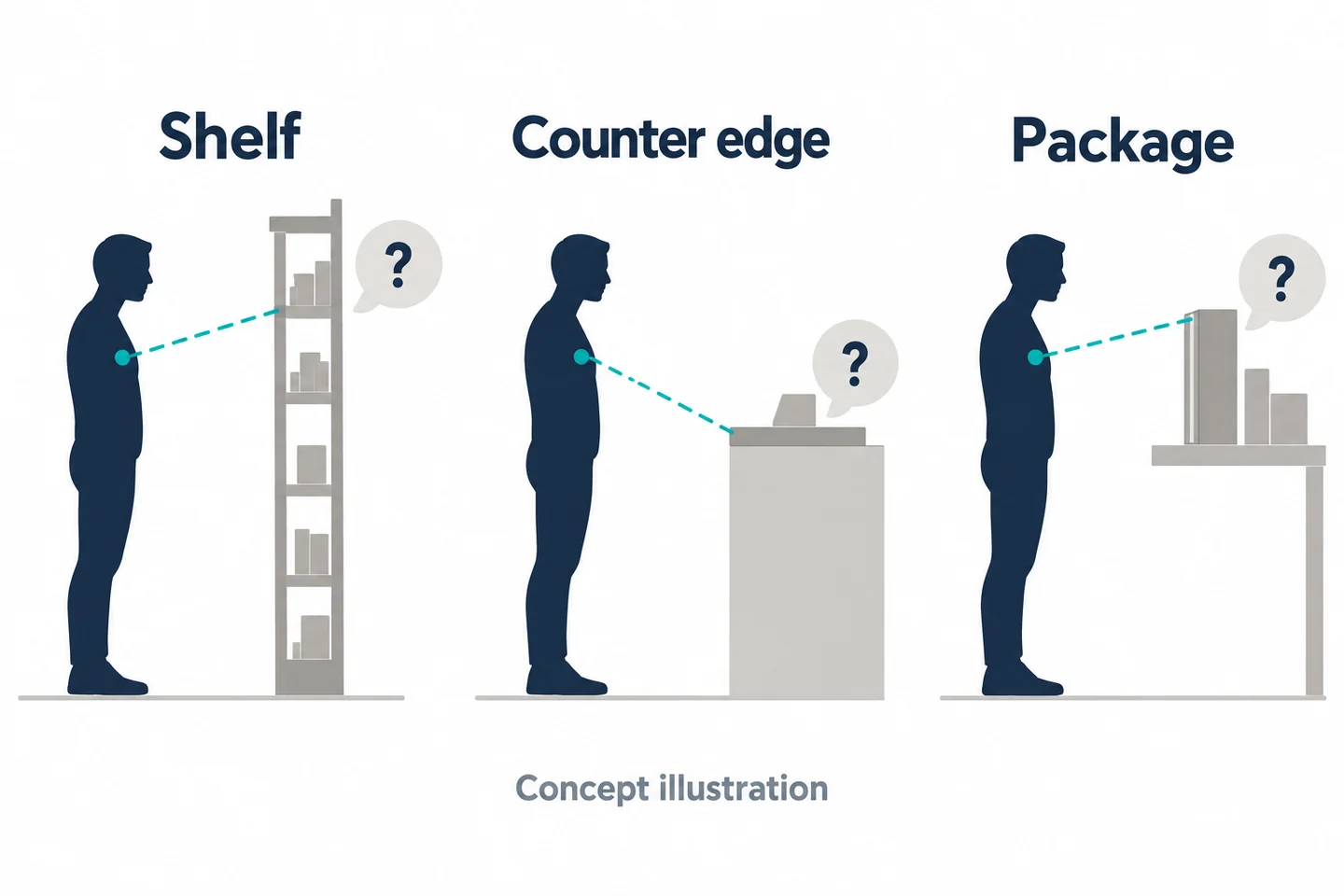
A chest-level view is not the same as a ceiling camera or a person's eye line. Rehearse the actual permitted task with ordinary work clothing and dummy merchandise. Have a colleague place a box on the counter, move a basket, and gesture during a neutral exchange. Check whether the required interaction remains visible.
Do not optimize the scene by removing every object that would normally be present. If packaging blocks a relevant action, note that limitation. If the camera sees the person's face but not the item on the counter, do not describe the record as complete.
The Home Office technical guidance offers evaluation topics around mounting and obstruction. It does not establish performance for a retail sample or convert a partial view into evidence of an unseen action.
Activation feedback and a saved-file check
Inspect the sample's actual indication of readiness and active recording. Observe staff starting the approved exercise, then inspect the file beginning. A wearer may remember an action that happened before the camera started; keep that recollection separate from what the file contains.
Test understandable speech for both participants at the real working distance. Mark unclear words as unclear. Do not complete a transcript from the exercise script and call it the recorded exchange.
| Test action | Review question |
|---|---|
| Box or basket crosses the view | Which interval or action is hidden? |
| Wearer turns toward a colleague | Does the relevant interaction leave the view? |
| Approved start cue | Does the original begin where expected? |
| End and extraction | Can the correct saved original be opened? |
The acceptance requirement is the information needed for the defined review question. A visually impressive clip that misses that information is a failed fit, even if the device otherwise operates normally.
Evaluate the SPIKECAM Camera and the File Workflow Together
S3 for local capture and direct file review
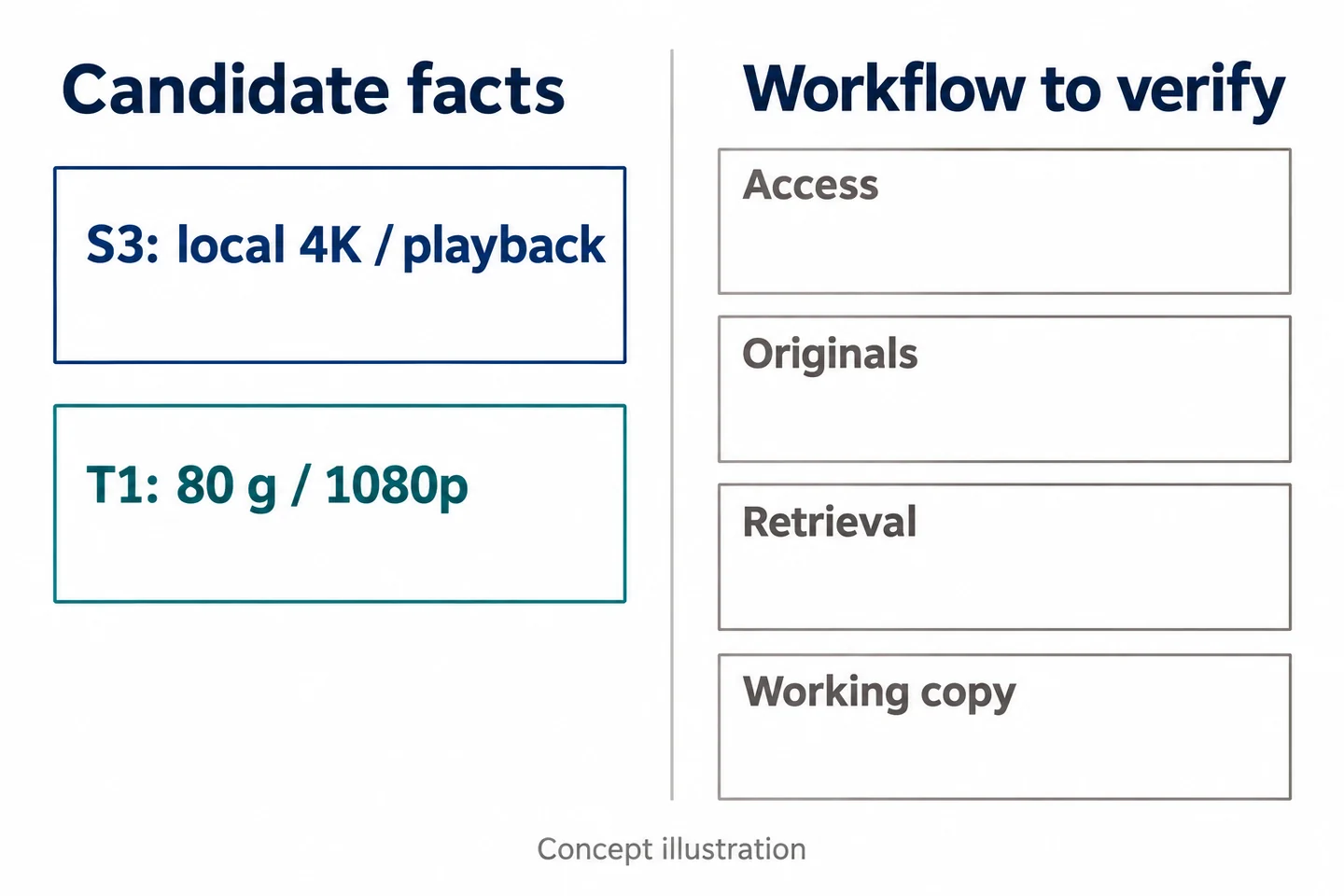
The SPIKECAM S3 is a candidate for local incident capture and later review. Confirmed facts include local 4K/30 fps recording, on-camera playback, and USB-C/OTG file connections. They allow a trial of recording, locating, and extracting a relevant clip.
S3 has no Wi-Fi or infrared night vision. Its resolution does not guarantee identification, readable documents, clear speech, or proof of intent. Do not assume the file connection includes evidence-management controls or integration with CCTV, POS, Axon Evidence, or another review platform.
The Axon Body Workforce manual illustrates how a manufacturer's file workflow can depend on its particular system. It does not establish compatibility or equivalent functions for SPIKECAM.
T1 when lighter wear is the priority to test
The T1 offers a confirmed 80 g body, 1080p recording, screen playback, and Wi-Fi. It is a candidate when lightweight wear is a specific problem to evaluate. The actual mounting behavior on a uniform still needs a trial. Wi-Fi is not a statement that remote cloud viewing or an evidence platform is included.
| Job requirement | Candidate fact | Required additional check |
|---|---|---|
| Local event review | S3 playback and file connections | Relevant original can be retrieved |
| Lighter wear | T1 80 g body | Comfort and stable view during normal movement |
| Controlled access | No blanket capability established | Approved storage and reviewer permissions |
| Working-copy redaction | No automatic capability established | Suitable process and accountable person |
If required encryption, auditing, access restrictions, or redaction cannot be demonstrated in the proposed overall workflow, stop the evaluation. Neither model is presented here as a complete digital evidence-management system. A suitable camera image cannot compensate for an unsuitable handling process.
Build the Incident Packet from Separate Original Sources
List CCTV, body-camera files, notes, and receipt references
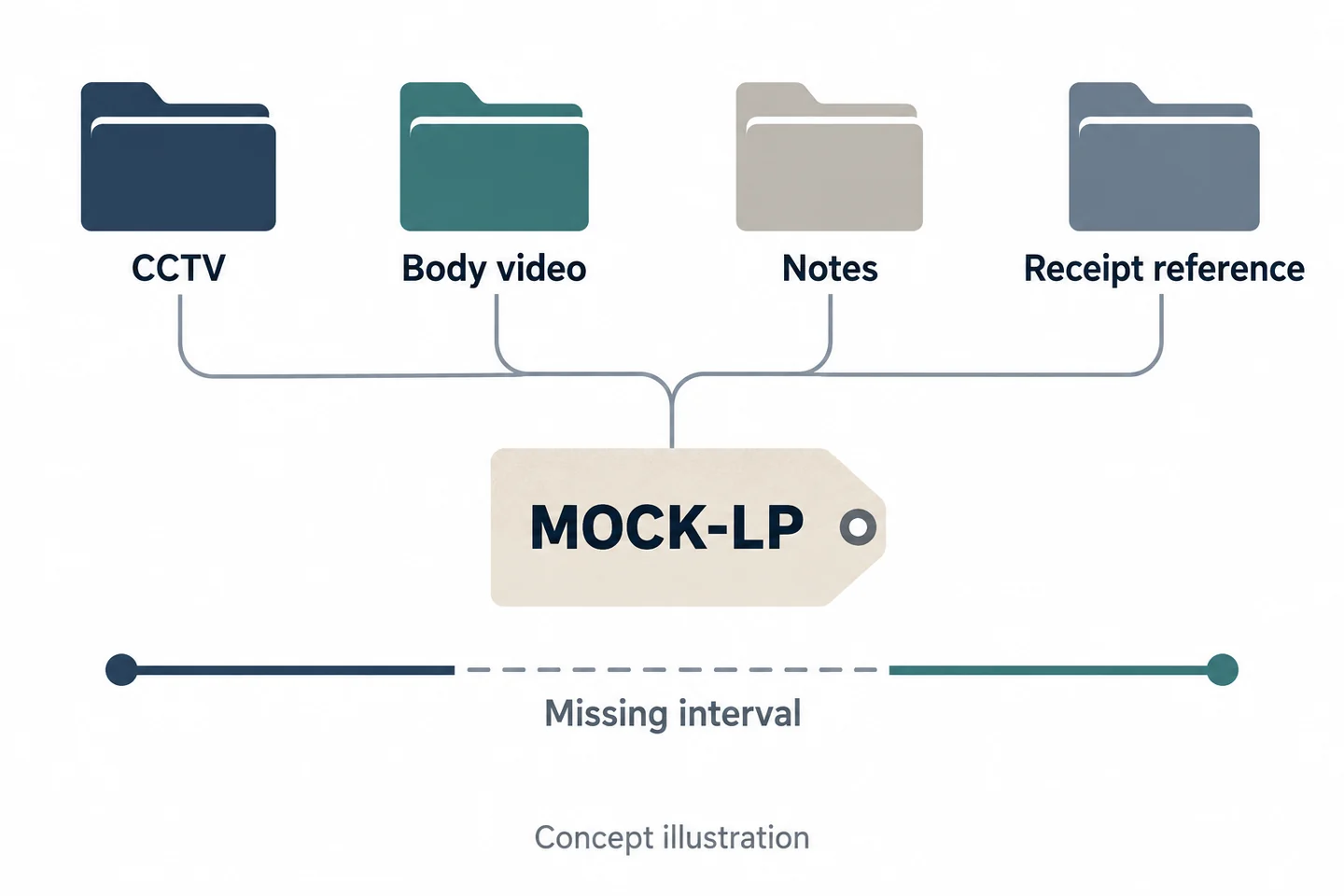
Create one index for the event while keeping sources separate. Give the packet a controlled reference such as MOCK-LP-01 during training. Use a row for each original source and state the question it can help answer. Link to the authorized source location instead of copying unnecessary customer data into multiple documents.
| Source | Original reference | Capture or record scope | Review contribution |
|---|---|---|---|
| CCTV | Enter source ID | Camera and interval | Movement within that view |
| Body video | Enter original ID | Wearer and recorded interval | Visible or audible exchange |
| Staff note | Enter note reference | Author and creation context | Labeled observations or recollections |
| Transaction/receipt | Enter controlled reference | Relevant transaction record | Data available in that system |
This is an index design, not a completed incident packet. Each row remains unverified until the source is actually located and assessed. An absent source should have an explicit status and next action rather than silently disappearing from the packet.
Record timing uncertainty and missing footage
Keep each source's original time reading. If a clock offset is established, record the basis, amount, and who checked it. Do not infer precise synchronization simply because two events seem similar.
List gaps independently: no capture, blocked view, unintelligible sound, unavailable file, or unknown timing. These limitations answer different questions. A file may exist yet not show the needed action; that is different from a missing original.
Avoid editing sources into an apparently continuous story without indicating transitions and gaps. If an authorized working timeline is useful, maintain references back to each original and label uncertain alignments. The index should make it easier to challenge an interpretation, not make an incomplete account appear more certain.
Control the Review Copy and the Handover
Keep original files separate from annotated working material
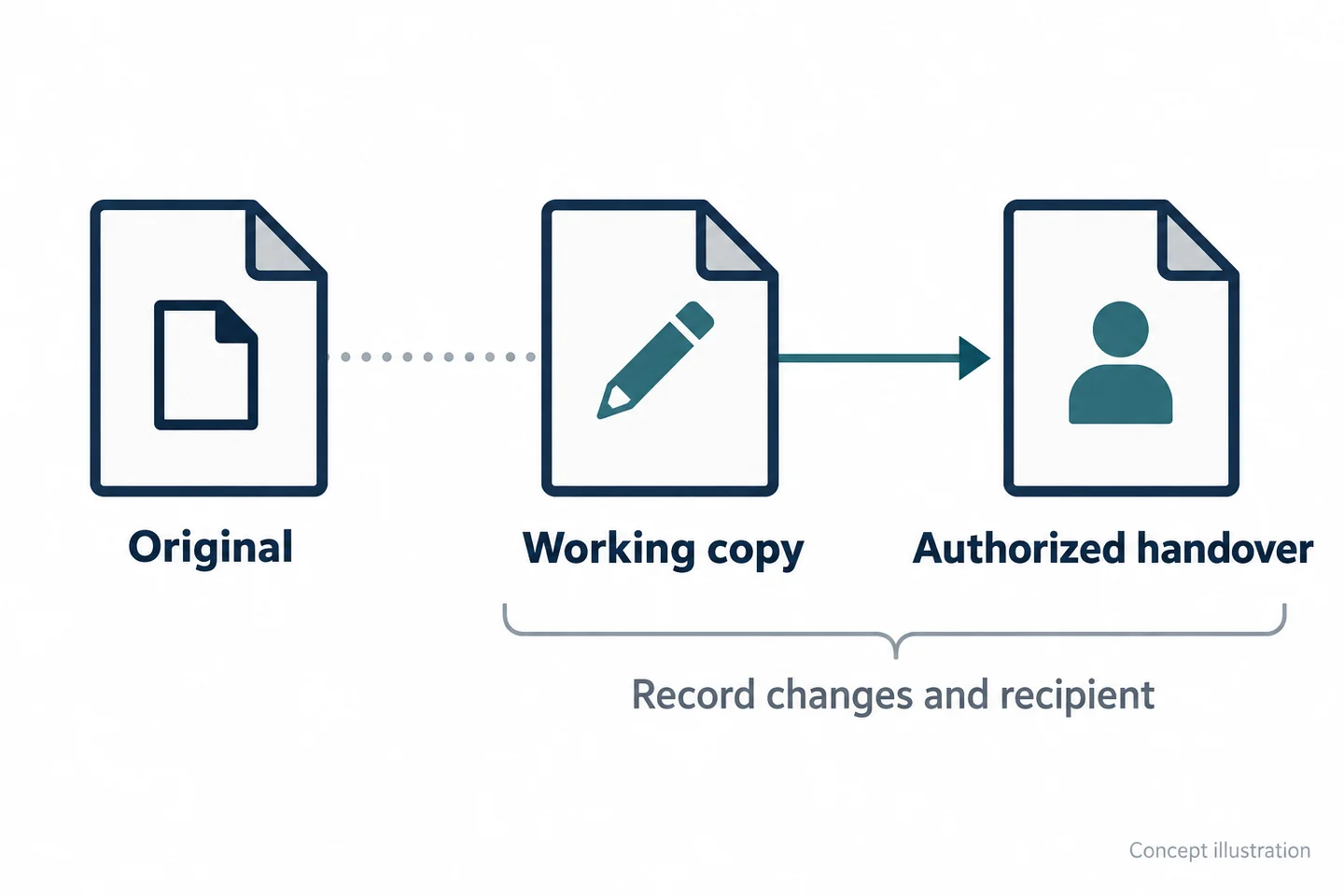
Preserve the original under the organization's approved handling process. If a reviewer makes an annotated timeline, excerpt, or redacted working copy, identify it as a derivative and record its relationship to the source. Do not overwrite the original with that working material.
Give the working record a purpose: internal assessment, a particular authorized review, or another approved use. Record what was changed and by whom. This is a proposed governance method, not a claim that either camera automatically protects originals or creates an audit trail.
Do not casually attach original video to an ordinary chat or email simply because it is convenient. Use the retailer's approved transfer and access process. If that process has not been defined, the deployment is not ready for real incident records.
Name who can view, redact, retain, and release
Resolve these roles separately. The person who collects a file may not be the person who can release it. The reviewer who identifies a privacy issue may not have the tools or authority to produce a redacted copy.
| Responsibility | Decision to document |
|---|---|
| View | Named role, purpose, and access route |
| Prepare a working copy | Permitted changes and source references |
| Retain or delete | Approved rule and responsible owner |
| Release or transfer | Authority, recipient, scope, and acknowledgement |
For handover, record the intended recipient and the exact originals or derivatives included. Ask the recipient to confirm retrieval and the expected scope. Until that happens, use an attempted or pending status; do not record successful delivery based only on the sender's action.
The docking-station guide can help frame equipment questions, but a dock should not be assumed to supply these governance decisions or compatibility with every camera.
Review a Fictional Return-Counter Discrepancy
Use mock documents and consenting staff
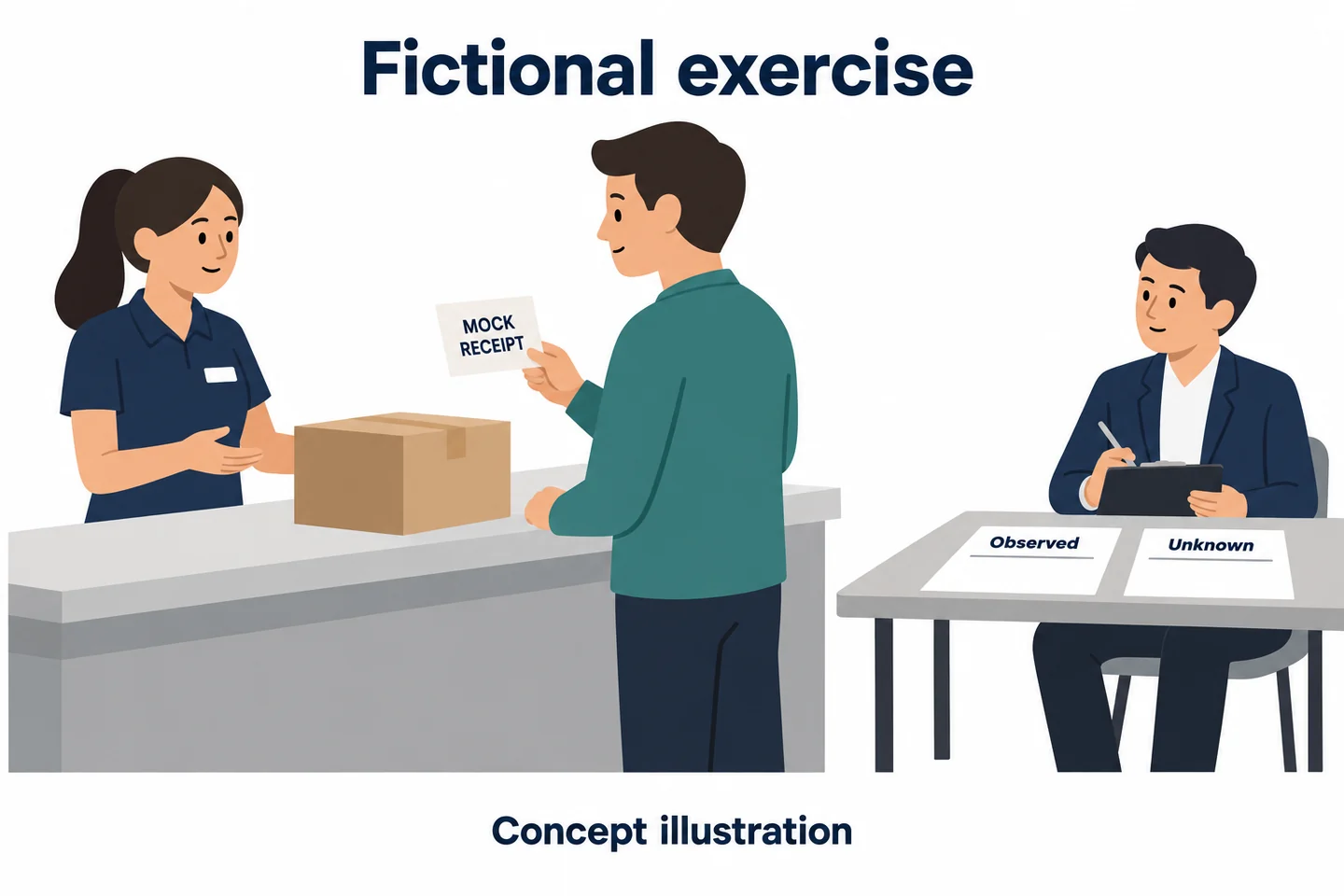
Fictional training design—not a real allegation, customer story, or test result. Colleagues enact a return-counter conversation using a blank mock receipt and dummy merchandise. The exercise script contains a difference between a spoken description and a mock transaction entry. Its purpose is to test the packet, not to decide that anyone acted dishonestly.
The organization first approves the exercise's recording scope. One participant handles the encounter; another observes the workflow. Keep real payment details, customer accounts, and identity information out of the materials.
After the exercise, assemble the actual sources that exist. Do not manufacture a CCTV record or complete a missing camera segment just because the template contains a row for it. A row can legitimately state “not available in this exercise.”
Write observations without filling gaps with assumptions
Ask an authorized reviewer who did not participate to complete three columns. They should use source references for observations and leave unsupported conclusions unresolved.
| Direct observation | Possible interpretation | Information still needed |
|---|---|---|
| Enter only what the identified source shows | Label any inference explicitly | Name the missing source or question |
| Mark an unreadable or unheard detail | Do not substitute the script as evidence | State whether another record could help |
The reviewer may find that the body video explains the conversation but cannot show the receipt clearly. That would identify a reason to consult the controlled transaction record, not a reason to claim that 4K resolves the discrepancy.
Keep this exercise's outcome blank until it has been performed. Its value lies in showing where the packet supports a conclusion and where a further review is still needed—not in generating an impressive success statistic.
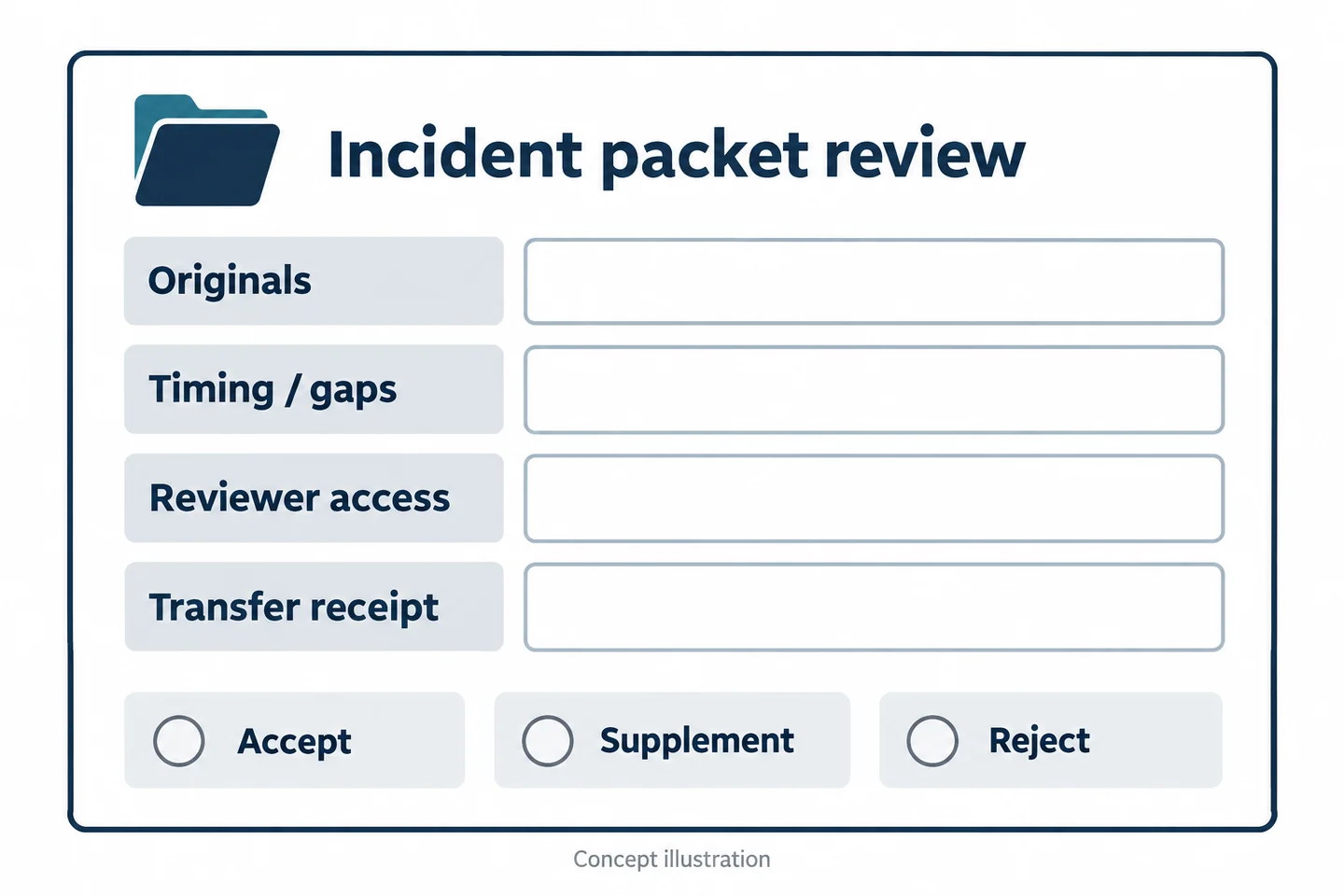
Use the LP Packet Acceptance Checklist
Can an authorized reviewer locate and interpret each original?
Use this loss-prevention incident packet and evidence-gap checklist alongside the role-specific exercise. It tests whether the record is reviewable, rather than counting how many files were collected.
| Field | Entry to complete |
|---|---|
| Fictional incident ID | Controlled packet reference |
| Source system and original ID | Where the authorized original can be found |
| Capture interval and clock offset | Original reading, known offset, or uncertainty |
| Direct observation | Source-supported visible or audible detail |
| Missing segment or uncertainty | What cannot be established and why, if known |
| Related receipt reference | Relevant controlled reference without copied personal data |
| Authorized reviewer | Named role and access route |
| Working copy | Purpose, changes, and source relationship |
| Transfer receipt | Recipient's actual retrieval acknowledgement |
| Decision and next action | Accept, supplement, or reject; accountable owner |
Check the packet with someone who did not collect it. If that person needs the collector to reconstruct the event from memory, the index or the source scope may need improvement.
Stop the rollout if essential governance checks fail
Do not accept a configuration simply because its sample clip is clear. Missing originals, undefined access, unsupported timeline assumptions, or an inability to preserve required source relationships can each make the proposed workflow unsuitable.
Bring a redacted packet template and your access-control requirements to a SPIKECAM sample-file review. A useful result may be a camera trial, a change to the surrounding file process, or a decision that a different record is needed. The standard is a defensible, appropriately scoped review packet—not an accusation strengthened by the mere presence of video.
Related articles
Body Cameras for Retail Staff: Do You Need Them Alongside CCTV?
Assess the gaps beyond existing CCTV and plan a controlled recording process for selected retail roles.
Body-Worn Camera Training for Security Teams: A Practical Checklist
Plan practical body-worn camera training for security teams, with staff exercises, supervisor checks, file-handover practice, and a pilot sign-off checklist.
Body Camera Docking Stations: A Practical Buying Checklist for Teams
Choose a body camera docking station by checking camera compatibility, return peaks, charging and upload dependencies, and a practical team acceptance test.