Body Camera Streaming Protocols: RTMP, RTSP, CMSV, and 10 Open-Source Platform Options
Understand body camera streaming protocols, compare 10 self-hosted platform routes, and use practical AI coding prompts to plan a private live video pilot.
Editorial guidance, not legal advice or a model-specific performance promise. Check the rules and requirements that apply to your location and use.
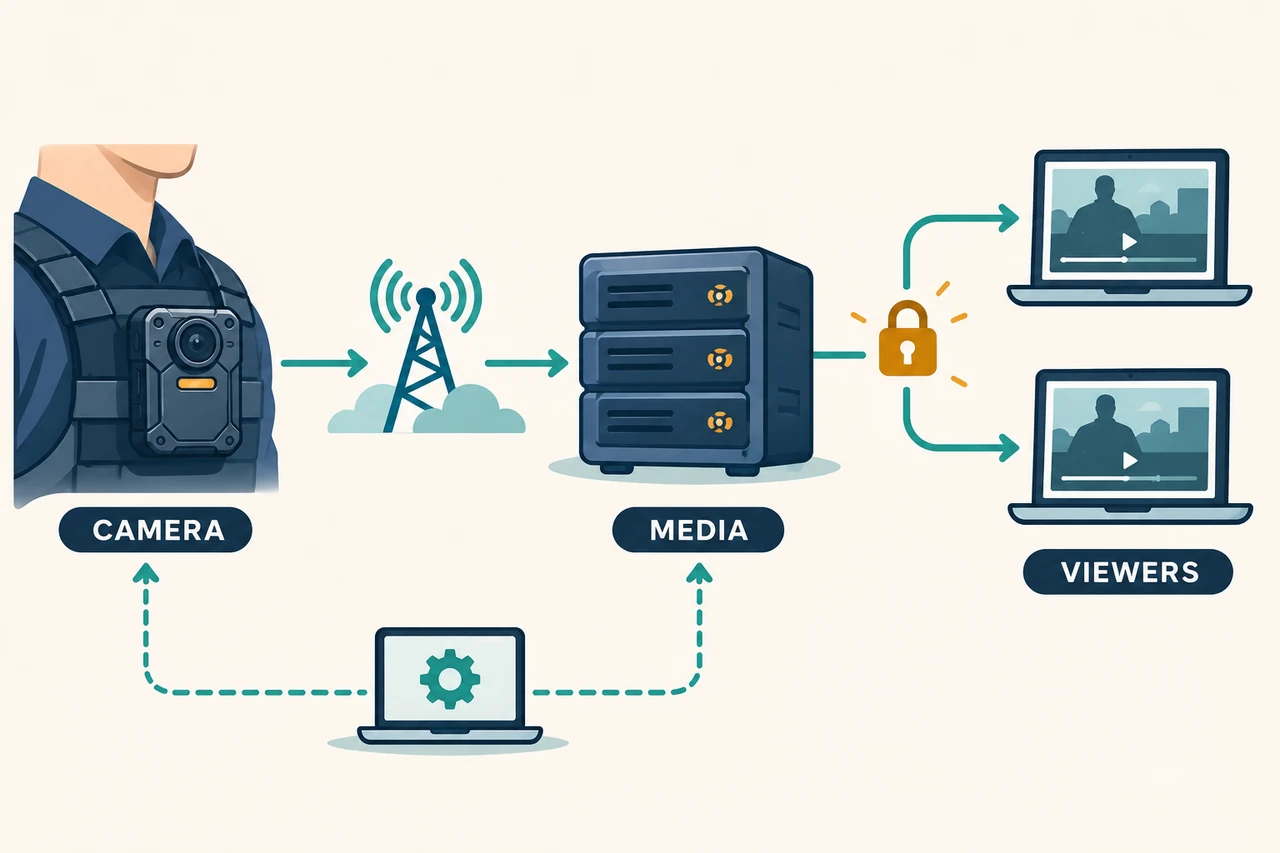
A body camera can record, connect to a network, and show live video in a vendor's application without being ready to connect to your own website.
Three questions determine the integration: What can the camera output? Can your server receive it? Can your browser play it? Maps, SOS alerts, two-way audio, and recording searches add separate device-control and application requirements.
This guide is for integrators, software teams, and technical buyers building a private body camera live streaming platform. It explains protocol names, compares 10 self-hosted open-source or source-available routes, and includes a platform-specific AI coding prompt pack. The recommendations draw on official documentation reviewed on November 8, 2026. They are engineering starting points, not results from camera interoperability or performance tests.
1. Understand the protocol options on a body camera
The Cam Manager 5.0 configuration example supplied for this guide shows RTSP, RTMP, and CMSV options, alongside separate CMSV server, RTMP host, HTTP server, GPS port, and bitrate settings. These are configuration entries. They do not establish the connected camera's model, hardware revision, firmware, or licensed capabilities. Another menu entry is truncated, so its identity is not assumed here. The original screenshot is omitted because it contains network settings and credentials.
RTMP and RTSP are general protocol names. CMSV should initially be treated as a vendor-platform integration mode, rather than an interchangeable open protocol that any media server can receive.
Where each name fits
| Name | Main purpose | Typical role in a custom platform | Confirm before integration |
|---|---|---|---|
| RTMP / RTMPS | Deliver continuous audio and video; RTMPS adds TLS | Camera publishes to a receiving server | Custom URL, path, authentication, and actual RTMPS support |
| RTSP with RTP/RTCP | Establish and control media sessions; transport media | Server pulls from a camera, or a supported implementation publishes | Connection direction, media transport, reachability, authentication, codecs |
| CMSV mode | Connect to a particular platform's device, media, and management services | Vendor platform or documented API/SDK adapter | Provider, version, device protocol, interfaces, licensing |
| SRT | Transport media across links with loss or jitter | Supported camera or gateway sends to a media server | Device support, caller/listener roles, encryption, buffering |
| GB/T 28181 | Device registration, signaling, directories, and video interconnection | Signaling platform plus media service | Standard version, IDs, domain, advertised addresses, implementation |
| ONVIF | Define interoperable device/client interfaces and profiles | Discovery, configuration, media information, related functions | Exact profile, conditional features, model conformance |
| WebRTC | Real-time media communication with browsers and clients | Browser viewing; sometimes gateway/device input | Codecs, signaling, ICE, STUN/TURN, network paths |
| HLS / LL-HLS | Deliver playlists and media segments over HTTP | Browser or app playback | Player support, resource authorization, buffering, caching |
These roles describe architecture, not market share. For a concrete device-documentation example, Dahua's Body Camera manual describes ONVIF and RTSP configuration and notes model differences. That is evidence for the documented implementation, not universal support across body cameras. Dahua manual, section 3.5.1.1
RTMP: start by proving that the camera can publish outward
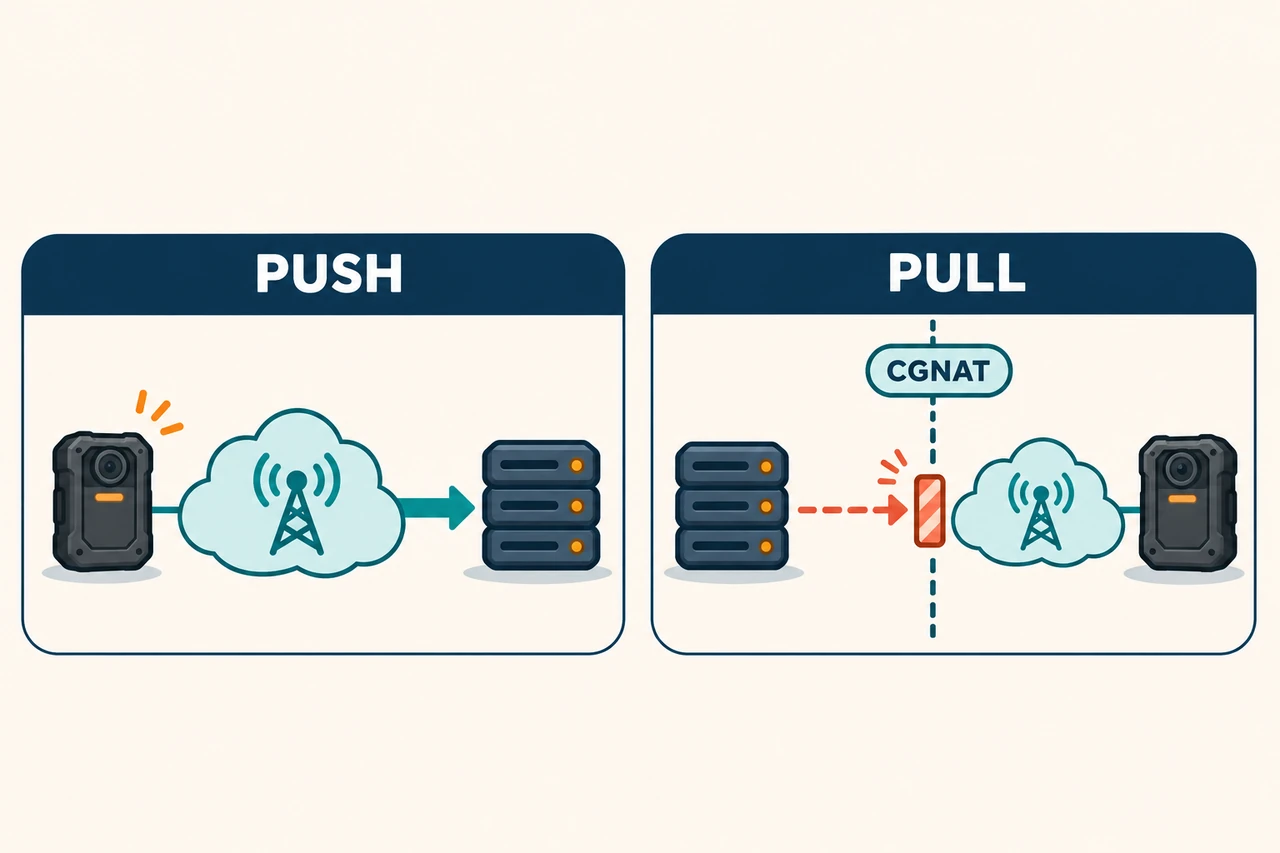
If the firmware accepts a custom RTMP destination, the camera can publish to a server you control. An outbound connection is often easier to arrange for a mobile device than an inbound connection from the cloud into its mobile network.
Use this as a structural example, not a universal camera configuration:
rtmp://<media-server-host>:<port>/<application>/<stream-name>Some devices expect a complete URL. Others separate the host, stream name, and key, or append a device ID automatically. Establish the exact rule before building your backend. An HTTP service port or GPS port is not automatically the RTMP port.
A browser normally needs a different delivery path, such as WebRTC or HLS; inserting an rtmp:// address into a web page is not sufficient. SRS documents RTMP ingest and WebRTC workflows separately. SRS RTMP, SRS WebRTC
RTMPS protects RTMP with TLS. A camera labeled RTMP does not necessarily support RTMPS, the required certificate validation, or your server's TLS configuration. Server-side TLS alone cannot protect an earlier plaintext camera-to-gateway hop. MediaMTX RTMP encryption
RTSP: establish who connects to whom
RTSP controls a media session; RTP commonly carries the media. Determine the device's actual RTSP version and supported methods instead of assuming that a standards document describes every firmware feature. IETF RTSP 2.0
A common arrangement is a camera exposing an RTSP service that a server pulls from. Other publishing arrangements exist, so “RTSP can only pull” is too broad. MediaMTX publishing and reading
For a 4G body camera, network reachability may be the main obstacle. A camera behind carrier-grade NAT, or CGNAT, typically cannot accept an unsolicited cloud connection without a routable inbound path. Being able to access the internet is different from being reachable from it.
Options include supported outbound publishing, a properly supported VPN/private network, an on-site gateway, or a vendor relay. The choice depends on the camera, SIM, router, and network permissions. Do not assume the camera can run VPN software, or that forwarding a local router port will resolve carrier-side NAT.
CMSV: obtain the integration documentation first
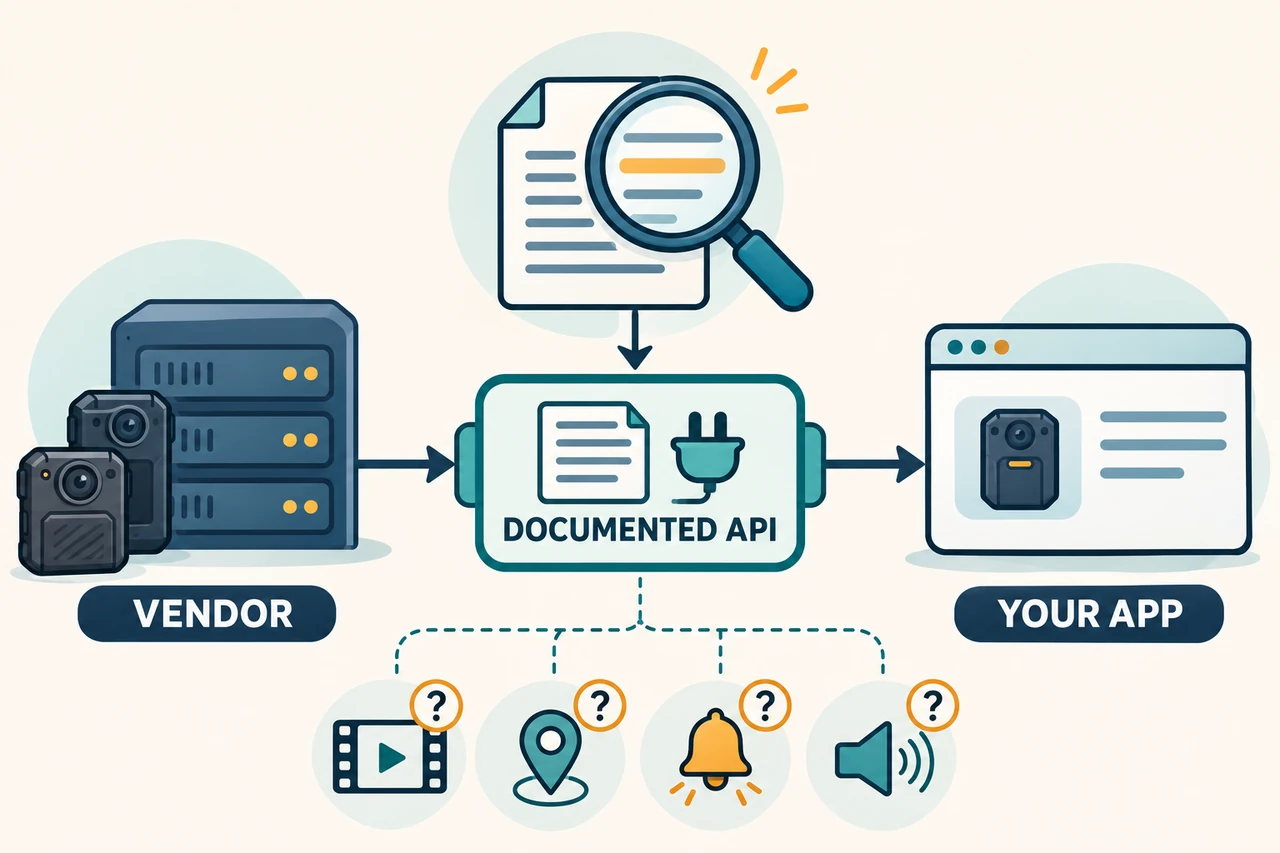
The CMSV6 help center separates HTTP APIs, web integration, video protocol integration, SDKs, and server licensing. This describes a platform ecosystem. It does not identify the exact CMSV implementation behind the supplied camera menu or prove that the device outputs standard RTMP in that mode. CMSV6 integration documentation
There are two practical routes to investigate:
- Keep the vendor platform and build your application around it. Your backend uses documented, licensed interfaces to obtain permitted device information and media, then applies your users' access rules.
- Connect the camera directly to your media service. This requires an independently supported RTMP, RTSP, or other documented output mode on the exact firmware, followed by device testing.
An AI assistant cannot derive a compatible server from a “CMSV Server IP” field. Request the platform version, device protocol, authentication/session rules, stream acquisition method, codecs, SDK runtime requirements, and license scope. When those are missing, an adapter specification and a list of unknowns are honest deliverables; a claim of CMSV compatibility is not.
Video access also does not establish GPS, SOS, two-way audio, remote recording control, or historical file access. Each needs its own device support and interface. Sending audio to a web browser does not prove that the camera's speaker can receive it.
SRT, GB/T 28181, and ONVIF: add them when the device supports them
SRT includes packet-loss recovery and optional encryption. It is worth evaluating for mobile links or gateway uplinks, but buffering, retransmission, bandwidth, and latency involve tradeoffs. It cannot maintain real-time delivery through a complete outage. The camera or a gateway must actually implement it. Haivision SRT
GB/T 28181 involves registration, signaling, and media negotiation, not just a video-receiving port. WVP with ZLMediaKit illustrates the split between signaling and media. JT/T 808 and 1078 are additional industry integration directions; a platform mentioning them does not establish that a CMSV-labeled camera uses them. WVP repository
ONVIF support needs an exact profile and model-level conformance check. “ONVIF supported” does not mean every video, audio, talkback, and event function is available. Some Profile T capabilities are conditional. ONVIF Profile T, conformance FAQ
WebRTC and HLS: the viewing side has its own requirements
WebRTC is useful for real-time viewing and interaction, but requires media negotiation, secure transport, and working network paths. It is not a wrapper that makes any RTMP URL browser-compatible. IETF WebRTC overview
HLS distributes playlists and media segments over HTTP. LL-HLS offers a lower-latency delivery approach where the server and player support it. Measure the complete system rather than assigning a fixed delay to a protocol: camera buffering, keyframes, network conditions, transcoding, and player buffering all matter. HLS RFC, OvenMediaEngine delivery options
2. Separate the media path from device management
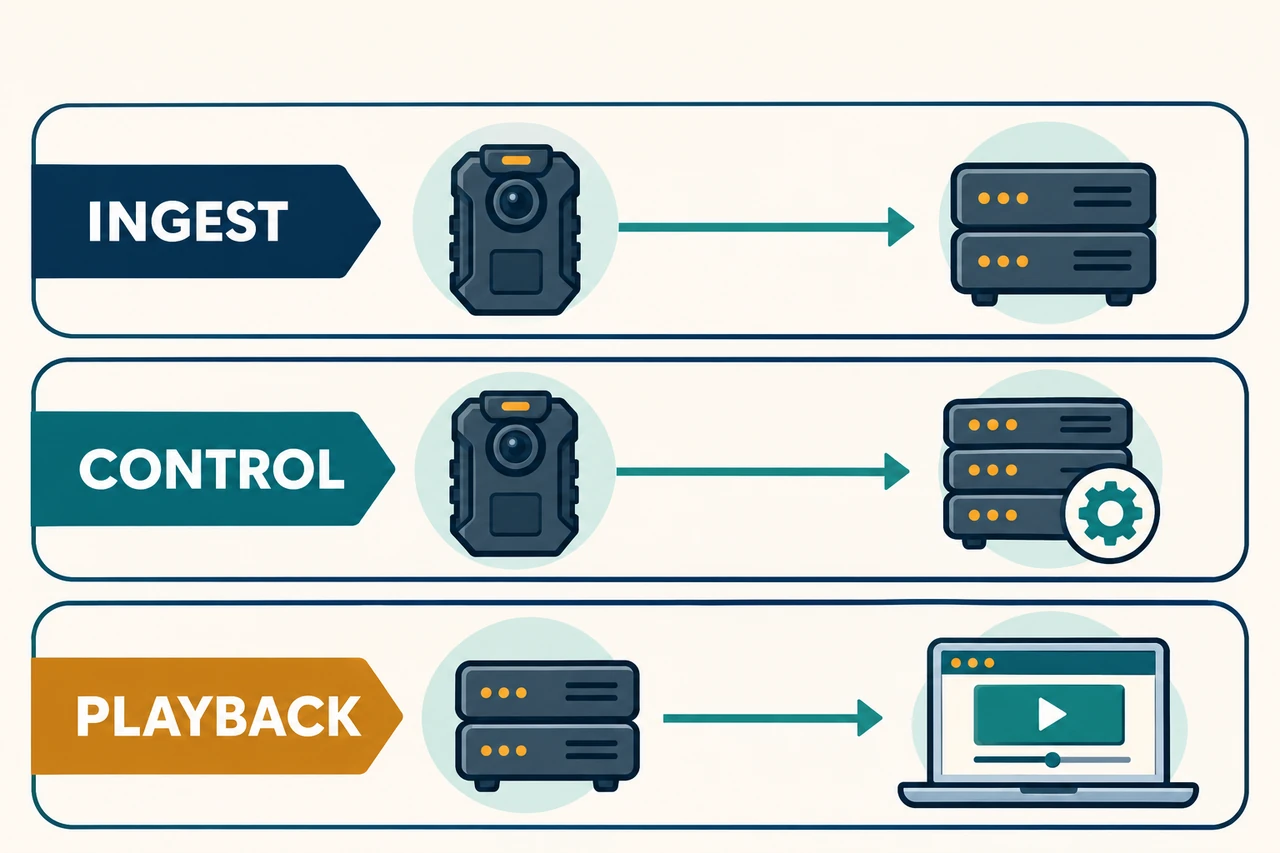
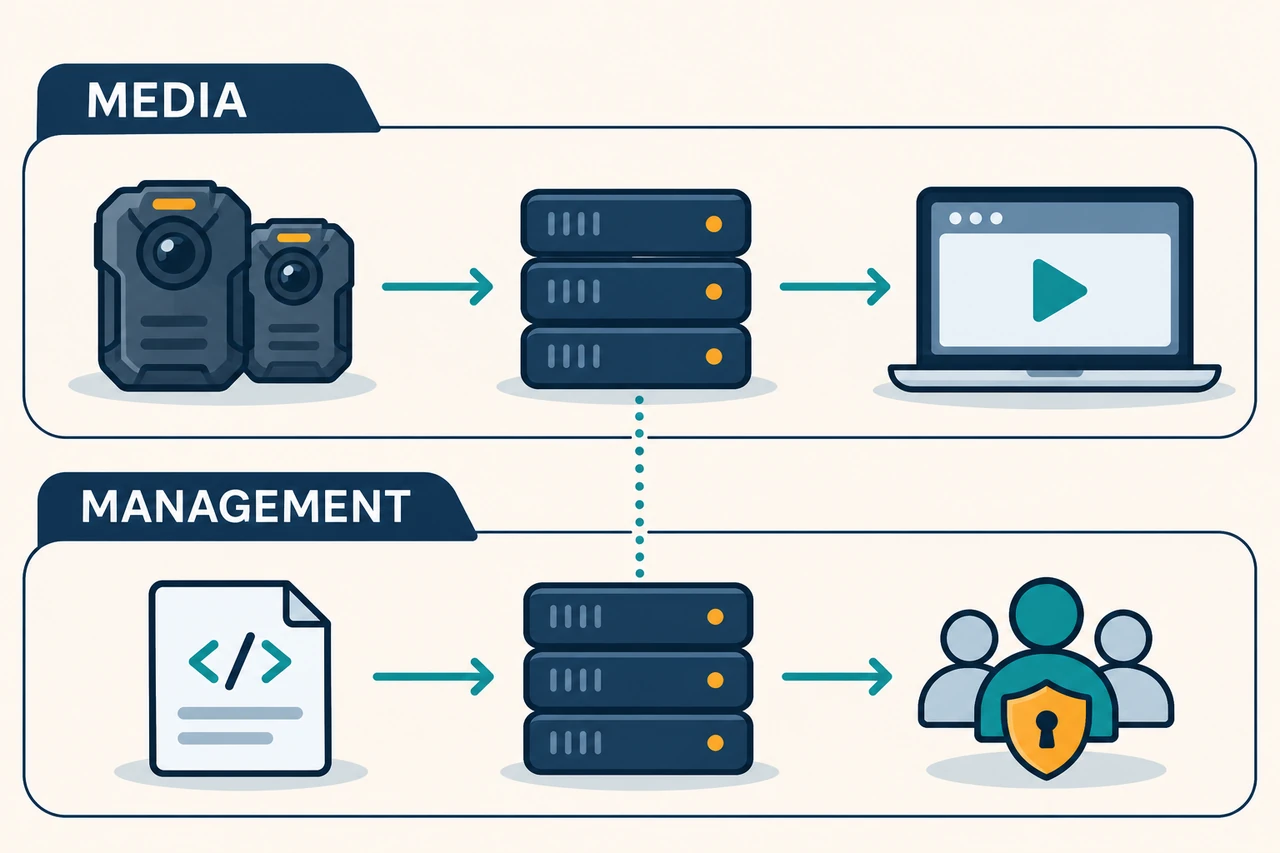
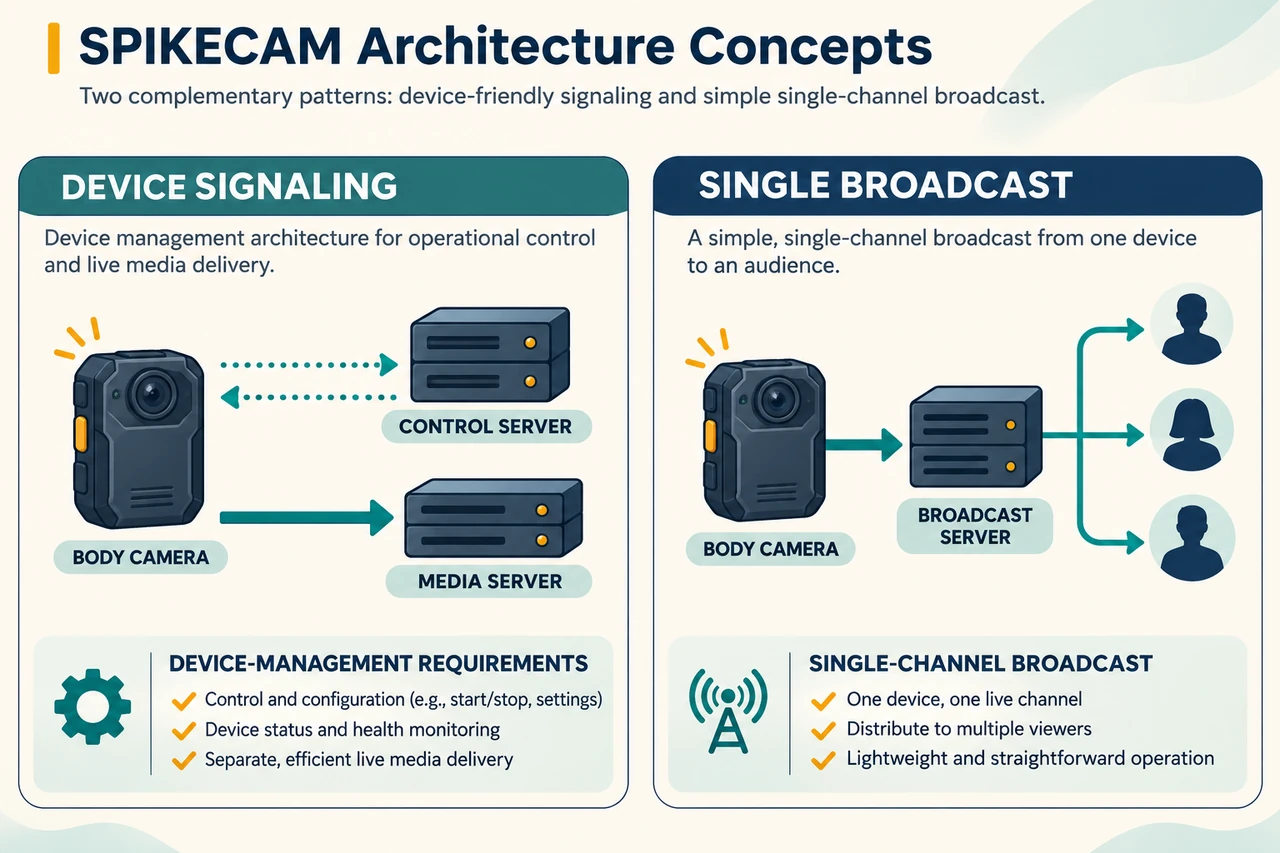
Start with two connected but distinct responsibilities:
MEDIA PATH
Camera / field gateway
  -> confirmed ingest protocol
  -> media service -> optional transcoding -> WebRTC / HLS -> authorized viewer
                  -> optional recording -> protected storage and playback

MANAGEMENT PATH
Documented device protocol / vendor API / CMSV SDK
  -> application backend -> users, device permissions, activity records
                         -> verified GPS / SOS / talkback / file operations
The media service receives and distributes streams. The application backend decides who can view a device, download a recording, or revoke a session. A working media path does not supply those business rules automatically.
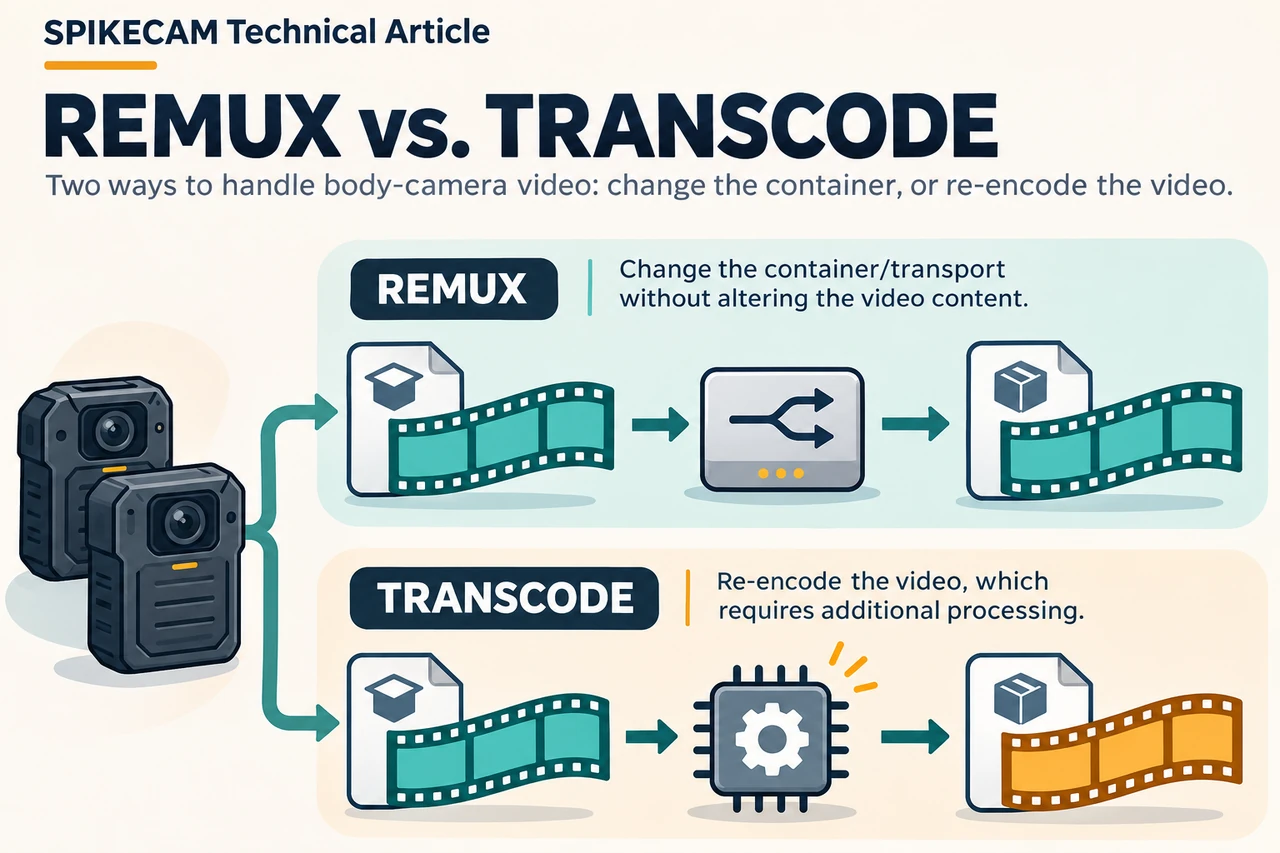
Also distinguish protocol conversion from transcoding. Moving compatible H.264 video between transport formats may not require re-encoding. Converting H.265 to H.264, or changing incompatible audio, may require additional processing. MediaMTX documents FFmpeg or GStreamer for re-encoding. MediaMTX re-encoding guide
For example, H.264 plus AAC input does not guarantee usable audio in your chosen WebRTC output. Verify whether the selected server has a suitable audio conversion path. H.265 should not be assumed to play in every browser/OS combination. Inspect the input first, then decide whether to copy video, transcode audio only, or transcode both. Blanket transcoding adds unnecessary cost when compatible tracks can pass through. MediaMTX WebRTC codec considerations
3. Compare 10 self-hosted platform routes
The following comparison is organized by application, not GitHub stars or advertised latency. Most entries are building blocks, not complete body camera, evidence-management, and talkback systems. License labels are a selection aid: inspect the actual chosen release and its dependencies before deciding your obligations.
| Route | Useful starting point | First media path to validate | License boundary to review |
|---|---|---|---|
| MediaMTX | Small pilots and multiprotocol routing | RTSP/RTMP to WebRTC or HLS | Main project: MIT |
| SRS | RTMP uplink with custom browser viewing | RTMP to WebRTC/HLS | MIT; distinguish stable and development versions |
| ZLMediaKit | Mixed camera sources and media integration | RTSP/RTMP to WebRTC/HLS | MIT-style license with additional identification terms |
| OvenMediaEngine | Transcoding, multiple renditions, low-latency delivery | RTMP/RTSP to WebRTC/LL-HLS | AGPL-3.0-only; commercial licensing is separate |
| Ant Media Community | Existing management UI with HLS viewing | RTMP or RTSP source to HLS | Community Apache license; enterprise features separate |
| NGINX + nginx-rtmp-module | A limited RTMP/HLS service | RTMP to HLS | Module: BSD 2-Clause; review NGINX/dependencies too |
| Janus | Developer-controlled WebRTC gateway | Compatible RTP/RTSP to WebRTC | Main project: GPL-3.0 |
| LiveKit self-hosted | Rooms, participants, and collaboration | RTMP to Ingress to room to browser | Main server: Apache-2.0; check each component |
| WVP + ZLMediaKit | Confirmed GB28181 device management | SIP signaling plus RTP media to browser | WVP: MIT; media/dependency terms separate |
| Owncast | A single live broadcast page | One RTMP input to its HLS page | MIT; not a fleet dispatch console |
3.1 MediaMTX: a practical first interoperability pilot
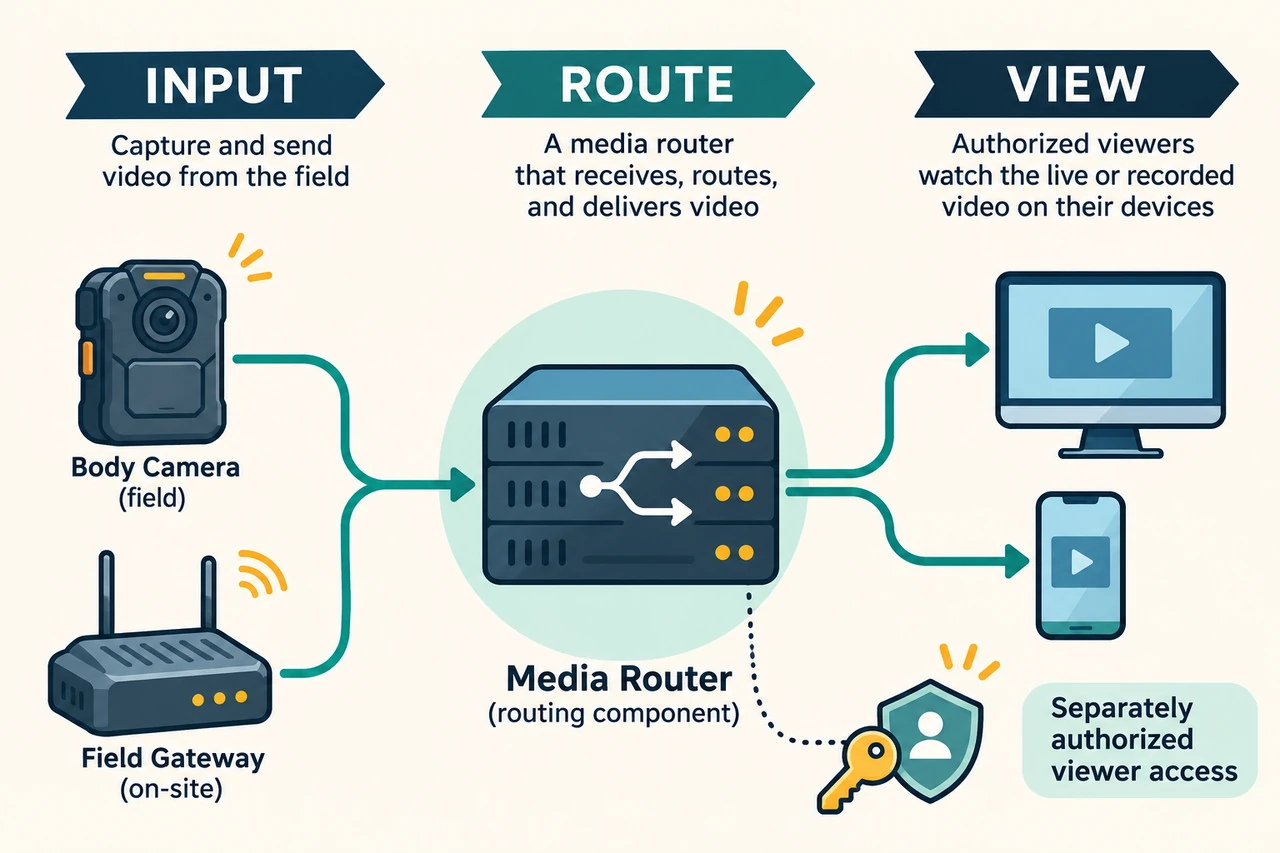
MediaMTX is a media router supporting several publishing and reading protocols, with recording, playback, authentication, control APIs, and metrics. It is a useful way to answer whether you can receive a particular camera's output. Introduction, license
Best fit: A team with an RTSP source or working RTMP publishing capability. Begin with a device ID, connection state, one player, and basic authorization.
Build around it: User-to-device ownership, permission screens, recording indexes, and any necessary transcoding processes. Automatic protocol conversion cannot make every codec work in every client.
First acceptance test: Try WebRTC and HLS against the same input. Record audio behavior, time to first frame, recovery after interruption, and whether an unauthorized user can bypass the page and read the stream directly. If RTSP works only on a LAN, solve reachability before adding features.
3.2 SRS: a strong candidate when RTMP uplink is established
SRS documents RTMP, WebRTC, HLS, and SRT workflows under an MIT license. At the review date, official materials identified 6.0 as stable and 7.0/8.0 as unstable. Do not treat every feature on the main branch as available in an installed release. Repository and releases, 6.0 RTMP documentation
Best fit: Teams whose cameras already publish RTMP and who need browser viewing, authorization, and server-side recording.
Build around it: Device management, permissions, application UI, monitoring, and retention. With an RTSP-only device, verify the target release's native capabilities or explicitly design a tested pull-and-publish bridge.
First acceptance test: Check stream-name stability, duplicate sessions after reconnects, public WebRTC address and media ports, audio handling, and an authenticated HLS fallback. A working web page is separate from a working media connection. SRS WebRTC
3.3 ZLMediaKit: flexible integration with edition boundaries
ZLMediaKit provides RTSP, RTMP, WebRTC, HLS, APIs, webhooks, and media functions useful in GB28181 integrations. Its current repository lists some transcoding and JT1078 capabilities in a closed-source professional section; do not count those as features of an open-source build. Repository feature list
Its current LICENSE begins with MIT wording but adds requirements to retain ZLMediaKit identification. This guide therefore describes it as MIT-style with additional terms, rather than unmodified standard MIT. LICENSE text
Best fit: Integrators connecting different cameras or existing video systems who can develop an application backend.
Build around it: Device signaling, user permissions, and business UI. For missing transcoding capabilities, evaluate an explicit external processor or a properly licensed extension.
First acceptance test: Use the actual open-source build for one input and two output types. Check API authentication, playback authorization, and stream-disconnect events; a commercial demo is not proof of the open-source build's capabilities.
3.4 OvenMediaEngine: when renditions and transcoding matter
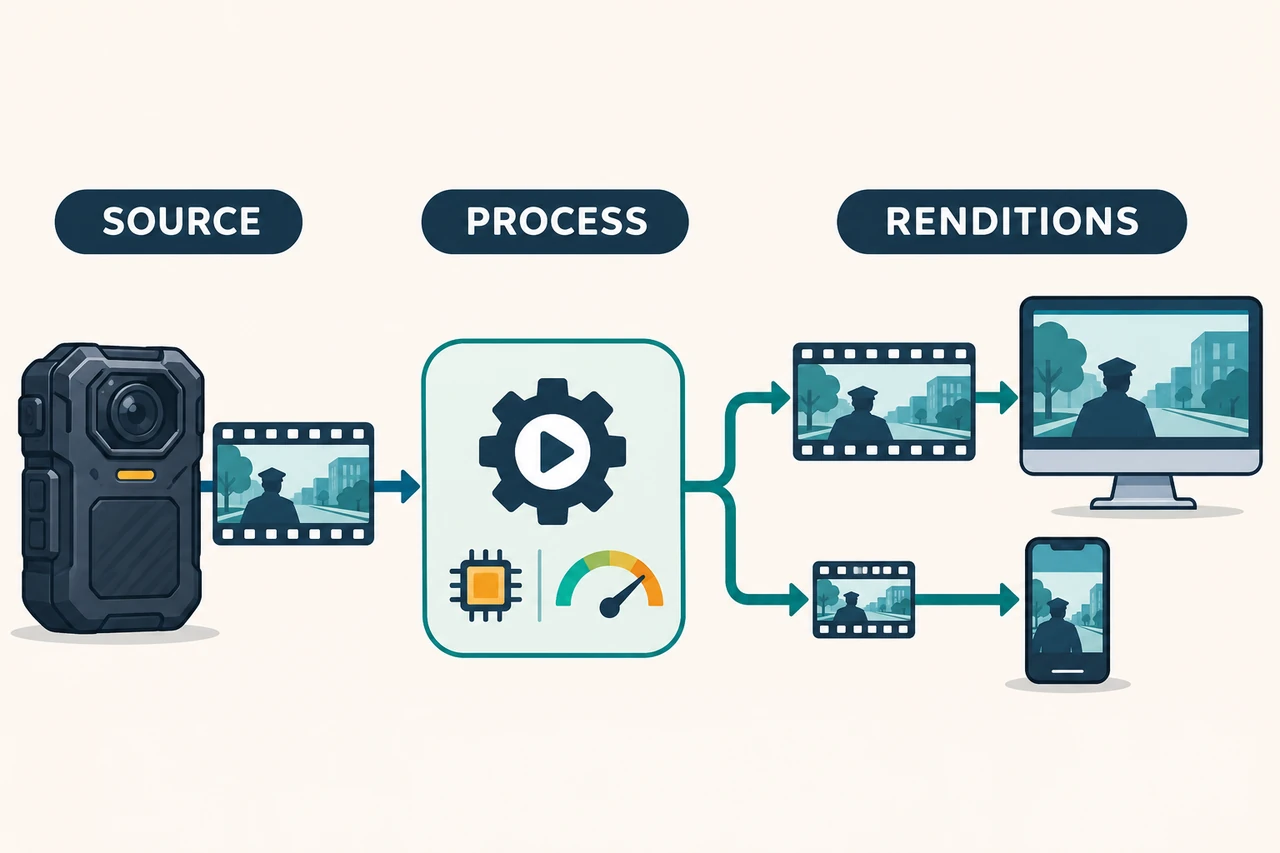
OvenMediaEngine supports inputs including RTMP publishing and RTSP pulling, transcoding/adaptive bitrate workflows, and WebRTC/LL-HLS delivery. OvenPlayer is a companion player. The open-source engine uses AGPL-3.0-only. Documentation, repository and license
Best fit: Teams serving desktop displays and phones with different bandwidth conditions, with the ability to operate video-processing infrastructure.
Build around it: Device and user management, plus a measured CPU/GPU and bandwidth budget. A small pilot does not need many renditions for every camera on day one.
First acceptance test: Compare one pass-through or minimally transcoded output with a second rendition. Check video, sound, switching, and resource use on the intended phones and networks. The project's low-latency positioning is not a measured promise for your installation.
3.5 Ant Media Community: a management interface with a defined scope
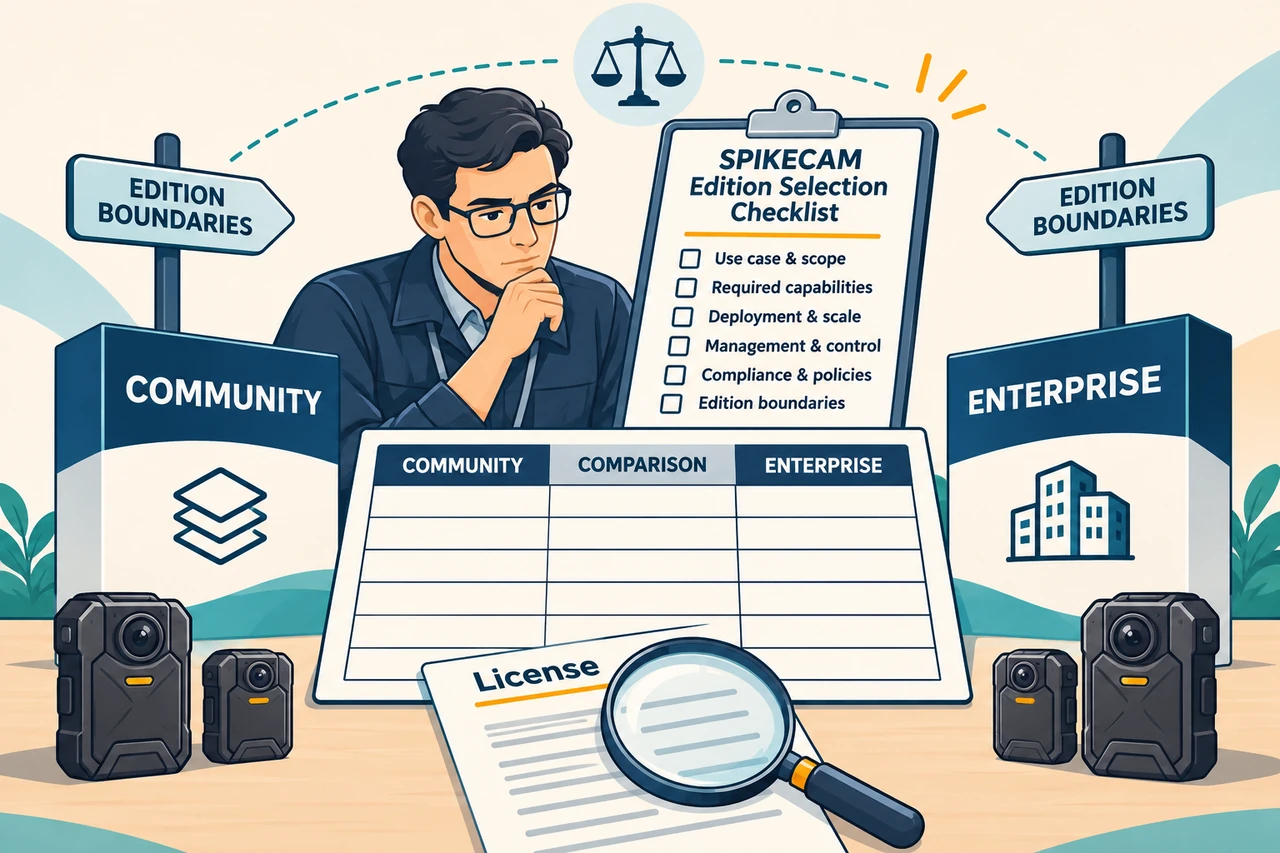
Ant Media distinguishes Community and Enterprise editions. Community supports RTMP/HLS workflows and documented source pulling. The official comparison identifies Community WebRTC as ingest, not WebRTC playback. Review Enterprise boundaries for WebRTC playback, clustering, adaptive bitrate, and advanced security features. Edition comparison
Best fit: Teams that prefer an existing management panel, accept HLS viewing, and want a contained functional pilot.
Build around it: End-user stream permissions separate from administrator login. A protected management dashboard does not establish that playback URLs are protected.
First acceptance test: Verify the installed edition, RTMP ingest, HLS delivery, recording permissions, and unauthenticated access. If WebRTC playback is mandatory, compare other open-source routes or explicitly assess Enterprise costs; do not silently substitute a trial image.
3.6 NGINX with nginx-rtmp-module: a small, clearly bounded service
The module offers RTMP, HLS, MPEG-DASH, recording, HTTP callbacks, and integration with external tools such as FFmpeg. It is an NGINX module, not a complete device platform. Its license uses the two-clause BSD form. Module repository, license
Best fit: Teams already comfortable building and operating NGINX that need RTMP ingest and HLS playback.
Build around it: Management UI, authorization, status monitoring, and recording search. This route does not assume native WebRTC or RTSP ingest. An RTSP source needs an explicit bridge, not a change of URL prefix.
First acceptance test: Reject invalid publishing keys, protect both HLS playlists and segments, test direct origin access, and handle disk exhaustion. Check module activity and compatibility with your chosen NGINX version before installation; avoid unverified third-party container images.
3.7 Janus: for teams comfortable developing WebRTC applications
Janus is a general-purpose WebRTC server. Its Streaming plugin accepts external RTP and supports an RTSP source type with build and implementation requirements. It is not a universal transcoder. Janus repository, Streaming plugin
Best fit: Developers needing detailed control of sessions, mountpoints, and subscriptions rather than a ready-made monitoring dashboard.
Build around it: User permissions, signaling integration, session lifecycle, and player behavior. RTMP typically needs a real receiving/bridging component that supplies media the plugin accepts. Verify RTSP build requirements, including libcurl support, when selecting that source type.
First acceptance test: Create one viewing mountpoint from compatible RTP or a supported RTSP source. Test multiple viewers, disconnected-session cleanup, and cross-user access restrictions. Record GPL-3.0 and dependency-license checks for the selected build.
3.8 LiveKit: for collaboration rooms, not just a video wall
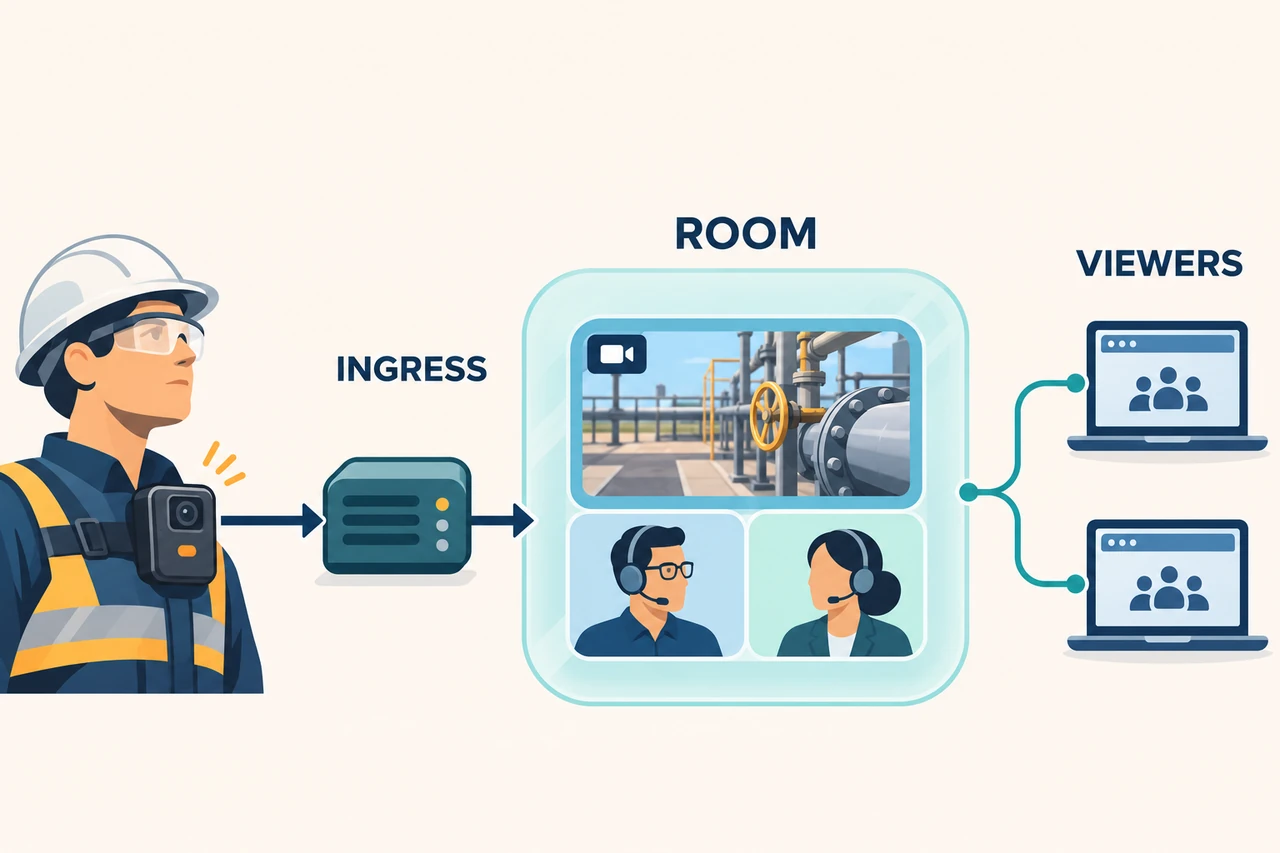
LiveKit provides rooms, participants, and media tracks. A separate Ingress service can bring RTMP into a room. Self-hosting requires deploying Ingress yourself; recording/output requirements may also need Egress. Starting the main server alone does not configure these services. LiveKit repository, Ingress workflows, self-hosted Ingress
Best fit: Teams bringing field-camera video and browser-based experts or dispatchers into a shared collaboration workflow.
Build around it: Device mapping, backend-issued room tokens, permissions, subscription policies, and operations. Do not describe RTSP as a native Ingress endpoint without documented support; use a validated bridge if necessary.
First acceptance test: Publish the camera into its designated room, restrict viewers to authorized devices/tracks, and update state correctly when it disconnects. Browser participants being able to speak to one another does not establish talkback to the body camera.
3.9 WVP with ZLMediaKit: when device signaling is part of the requirement
WVP supplies signaling, device management, and a management frontend, with ZLMediaKit handling media. Its repository describes GB28181 and additional 808/1078 directions. Verify the selected versions, media components, and camera implementation for each path. WVP repository
Best fit: A camera confirmed to support the target GB28181 version, where registration, directories, on-demand streaming, or platform cascading are required.
Build around it: Correct device/channel IDs, SIP domain, signaling and RTP addresses, authentication, and device-specific adaptation. A full signaling platform may be unnecessary for a single RTMP source.
First acceptance test: Follow registration, heartbeat, directory discovery, stream request, media arrival, browser playback, and session termination in order. An online device with no picture requires separate signaling and media checks, not repeated restarts of everything.
3.10 Owncast: a single broadcast page
Owncast includes a live page and chat. Its video pipeline receives one RTMP broadcast input and creates HLS output. The main project uses MIT licensing. Owncast repository, video pipeline
Best fit: Field events, training demonstrations, or one controlled live channel. It offers more of the viewing-page experience than a bare media server.
Build around it: Appropriate access protection for sensitive video. Official authentication documentation distinguishes website-only protection from modes that also protect video resources. Object-storage/CDN delivery requires its own access controls; a login screen is not enough. Authentication boundaries
First acceptance test: Check unauthenticated access to the page, embedded player, HLS playlist, and segments. Disable or restrict unwanted public-directory/federation features as supported. For many independently authorized cameras, start with a media service plus a device-aware backend instead.
4. Narrow the options for your body camera project
These are engineering recommendations, not compatibility certifications or benchmark rankings.
| What you already know | Compare first | Reason |
|---|---|---|
| Camera supports a custom RTMP destination; private viewing comes first | MediaMTX and SRS | Limit the pilot to ingest, viewing, and authorization |
| You have a reachable RTSP source | MediaMTX and ZLMediaKit | Evaluate pulling, conversion, audio, and reachability |
| Multiple camera/video-system sources must coexist | ZLMediaKit, with WVP if needed | Choose media and signaling functions separately |
| Viewers need different renditions | OvenMediaEngine | Evaluate transcoding and playback together |
| You want a management panel and accept HLS | Ant Media Community | Stay within documented Community capabilities |
| Rooms and interactive collaboration are required | LiveKit; Janus for experienced gateway developers | Define interaction before adapting device audio return |
| Only CMSV mode is available, with incomplete documentation | Licensed platform APIs/SDKs first | Prove stream access and authorization before replacing components |
| You need one live broadcast page | Owncast | Existing page experience, without assuming fleet management |
Where SPIKECAM fits
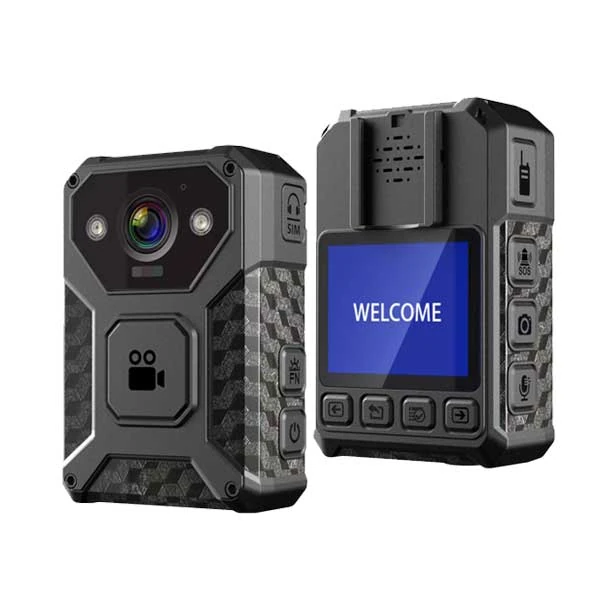
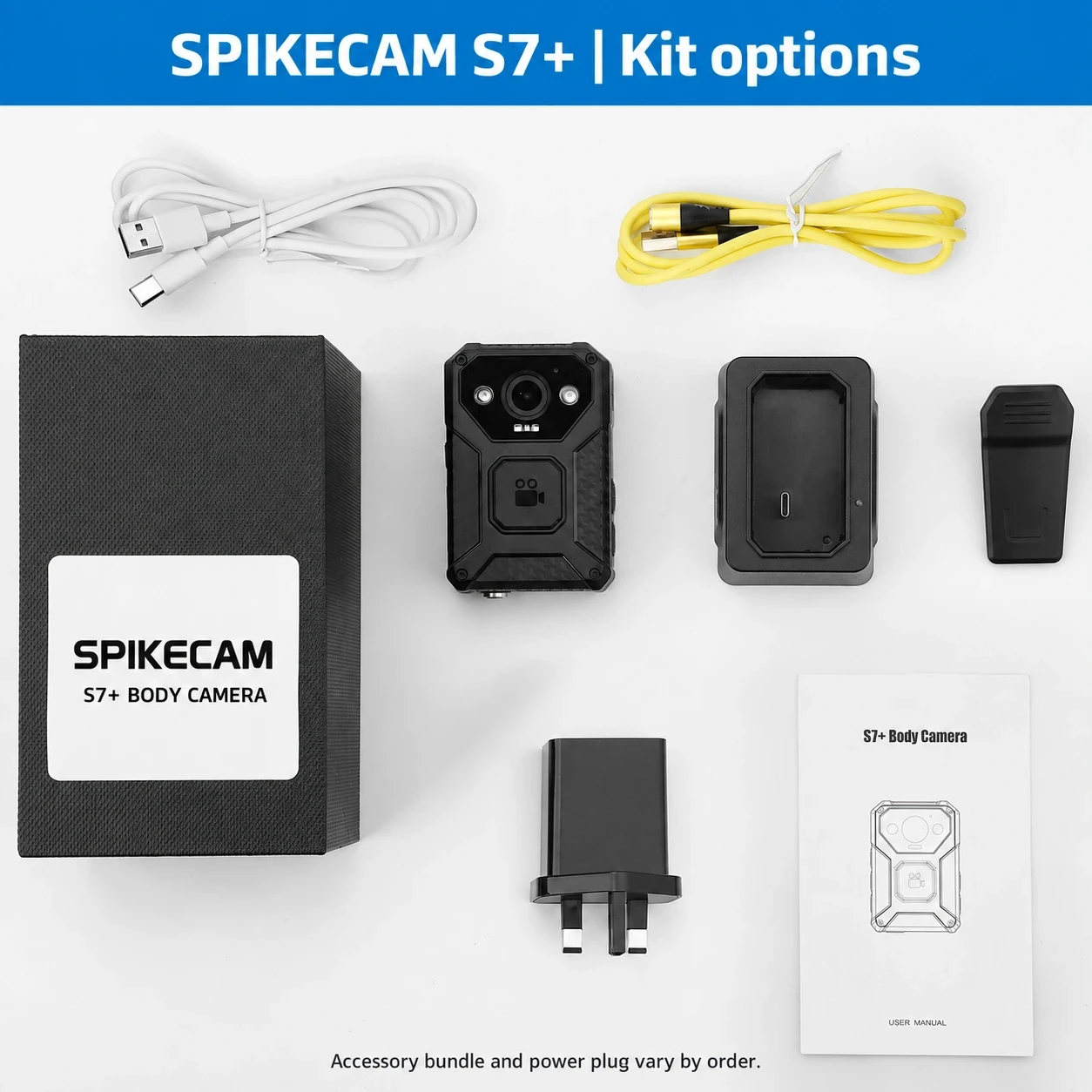
For an independent 4G uplink pilot, evaluate the specific regional and firmware configuration of the SPIKECAM S7+. The current catalog lists RTMP, RTSP, and CMSV integration information, and subsequent product-team confirmation identifies an existing RTMP solution. That supports an integration evaluation; it does not establish out-of-the-box compatibility with all 10 projects. SPIKECAM S7+
Use a task-to-evidence sequence:
A field worker needs to send live video remotely → the camera needs a usable uplink → confirm the exact S7+ RTMP and network configuration → connect one sample to one candidate service → verify audio, video, reconnects, authorization, and live-use runtime.
Local 4K recording is not a promise of 4K streaming. Local recording duration is not a promise of equal 4G streaming duration. Regional bands, SIM/carrier, bitrate, firmware, and receiving service must be checked for the actual sample and order.
If an existing vendor platform meets the need, also evaluate the version, licensing, and interfaces of the SPIKECAM CMSV solution. Keeping it as a device-integration layer may be more practical than rewriting an undocumented protocol.
For wearing, field networks, and staff procedures, pair this technical guide with the Body-Worn Camera Live Streaming Deployment Checklist. That article addresses team deployment; this one addresses protocols, platform components, and development paths.
5. Work from one sample camera to a measured pilot
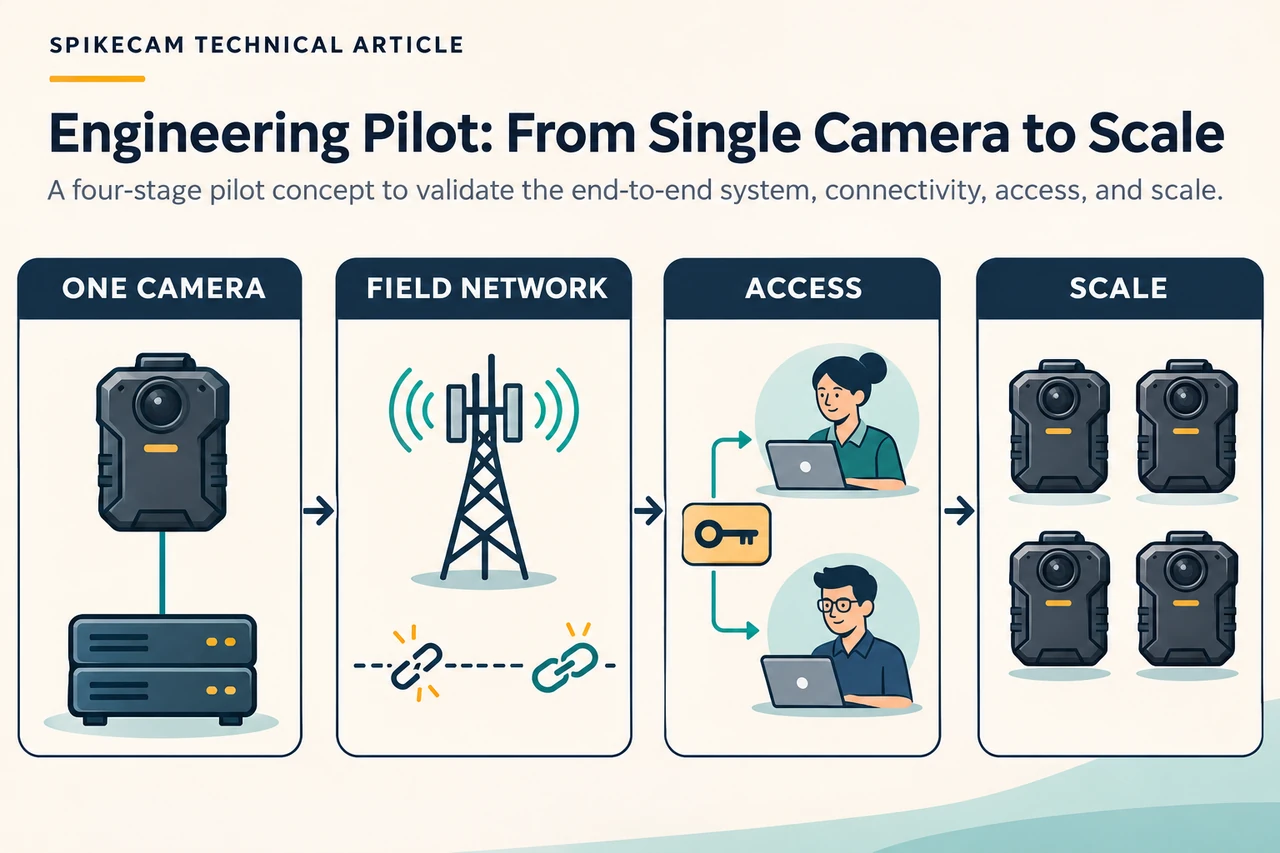
This is a fictional planning exercise, not a customer case or a test result. A field-service company plans five cameras for technicians and two office viewers. It starts with one sample confirmed to support a custom RTMP destination; the remaining devices wait for the first results.
In phase one, leave maps, talkback, and complex recording management out of scope. Prove camera uplink, server ingest, and authorized browser viewing. Inspect video/audio codecs. Measure time to first frame and end-to-end delay using a reproducible time reference, documenting clock synchronization and measurement uncertainty.
In phase two, use the intended mobile network. Disconnect and restore it, restart the camera, and vary field conditions. Observe whether it reconnects automatically and how long recovery takes. An offline stream should be labeled offline rather than leaving a frozen last frame looking live.
In phase three, add permissions and recordings. A support worker should see only assigned devices. Revocation needs a tested effect on existing sessions, not just future logins. Recordings need separate access and retention controls; knowing a file path is not authorization.
Only then expand to the planned number of cameras. GPS and SOS require separate data-source and timestamp checks. Talkback requires a device downlink, usable controls, and audio/echo testing.
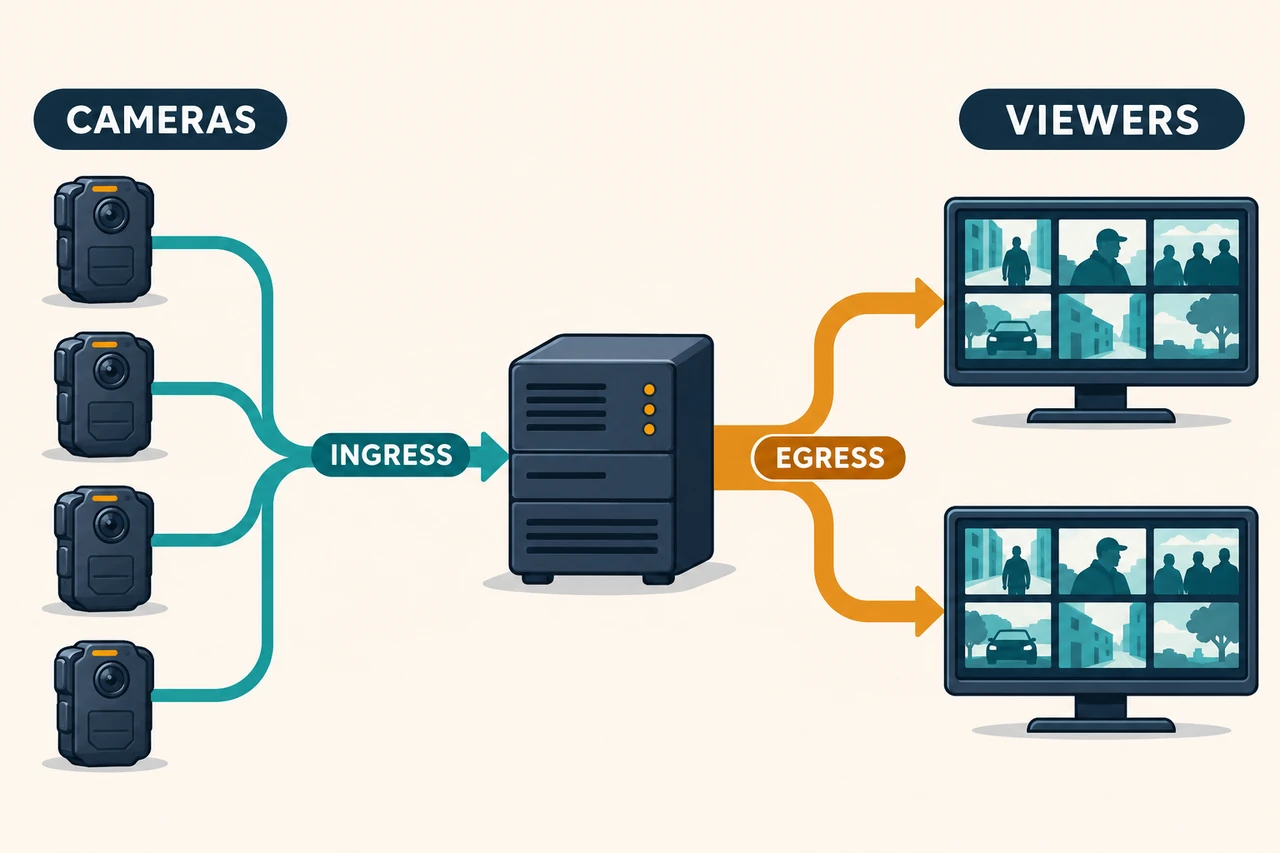
Calculate bandwidth and storage before asking how many cameras a server supports
If each camera's actual total media bitrate is 2 Mb/s, the decimal arithmetic is:
2 Mb/s × 3,600 seconds ÷ 8 = 900 MB ≈ 0.9 GB per hour
8 continuous hours ≈ 7.2 GB per camera
10 simultaneous cameras ≈ 20 Mb/s of incoming media
This excludes protocol overhead, retransmission, indexes, and extra copies. If 2 Mb/s describes video only, add audio. With variable bitrate, plan for both average and peak usage.
Viewer traffic is separate. One person watching ten 2 Mb/s streams requires approximately 20 Mb/s of outgoing media; two people each watching all ten require approximately 40 Mb/s, before overhead. TURN relaying, transcoding, and multiple renditions add network or processing load. Receiving ten streams does not prove that the server can deliver them to every planned viewer.
A sample-camera acceptance checklist
| Check | Action | Evidence to keep |
|---|---|---|
| Device identity | Record model, hardware, firmware, and region | Exact version; no whole-series assumptions |
| Destination and authentication | Try correct, incorrect, and revoked publishing credentials | Accept/reject results and redacted logs |
| Video and audio | Inspect codec, resolution, frame rate, and audio properties | Input metadata and browser behavior |
| Network path | Test field Wi-Fi, mobile uplink, and external viewing | Network conditions and failure location |
| Delay | Repeat a documented time-reference measurement | Method, samples, range, uncertainty |
| Recovery | Interrupt network; restart camera and server | Recovery time, manual steps, recording gaps |
| Browsers | Test intended desktop and phone browsers | Versions, audio/video, autoplay, full screen |
| Authorization | Try other users, expired sessions, direct URLs, segments | Denials and behavior of revoked active sessions |
| Recording | Save, search, download, and expire data as specified | Time coverage, permissions, integrity, cleanup |
| Capacity and cost | Test planned viewer combinations | CPU, memory, disks, ingress/egress, thresholds |
| Device conditions | Run at the actual bitrate and network conditions | Battery, temperature, data usage, duration |
6. Use vibe coding to build a testable system
“Build me a streaming platform” is too broad. An AI coding assistant may create a polished dashboard before producing a working ingest service, or mix obsolete configuration, development APIs, commercial features, and incompatible images.
A better sequence is shared constraints, one platform-specific prompt, then an evidence-based acceptance prompt. Start with one camera and one viewer. Add devices, recording, and control functions only after that loop works.
The companion English Vibe Coding Prompt Pack contains P00–P12: common constraints and device inputs; ten platform-specific implementation prompts; a CMSV interface investigation prompt; and a shared acceptance/troubleshooting prompt. These are instructions for a coding assistant, not scripts already deployed or compatibility results.
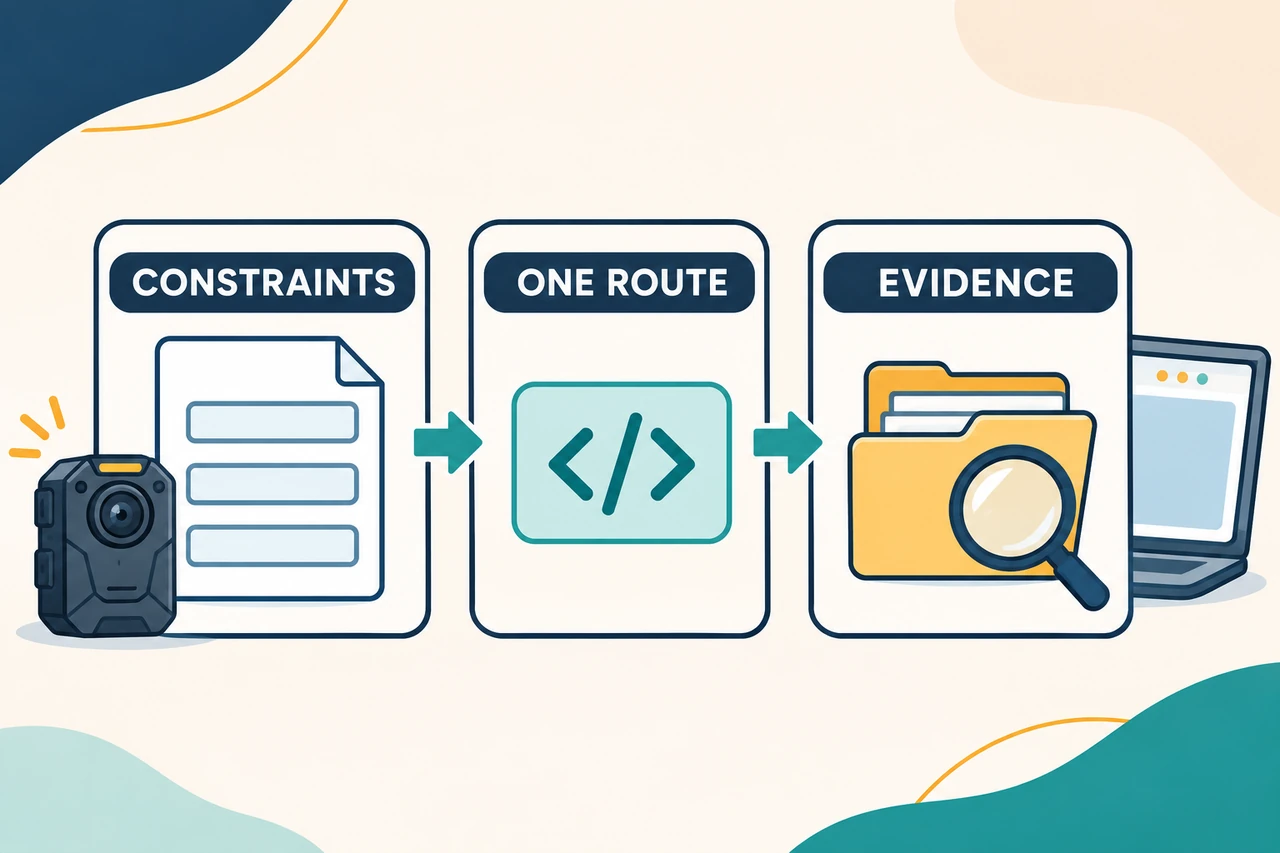
For example, after the shared constraints, a MediaMTX task can begin:
Use MediaMTX to validate one body camera's media path.
Use the provided source mode: RTMP push or RTSP pull. Do not assume it.
Follow the selected release's official documentation for one input,
one authorized viewing page, and an explicit offline state.
Preserve compatible video. If audio or video is incompatible, report
the inspected codec information and specify the FFmpeg/GStreamer path.
Do not claim that protocol conversion automatically transcodes media.
Authorize publish, read, playback, and management API access separately.
Test bad publishing credentials, cross-device access, direct media access,
reconnection, and restart recovery. Deliver pinned versions, configuration,
.env.example, a port table, run/stop instructions, and actual test evidence.
Without a physical-camera test, report simulated-media validation only.
Avoid adding maps, talkback, AI recognition, many roles, and evidence management before the initial media path works. These features can be developed, but each needs real interfaces or an independent design. Successful RTMP playback does not supply them.
7. Troubleshoot the chain in order
| Symptom | Check first | Avoid this assumption |
|---|---|---|
| Camera has internet; server receives nothing | Destination rules, publish trigger, DNS, ports, authentication, protocol | A SIM enables any platform integration |
| RTSP works locally but not from the cloud | CGNAT, routing, supported VPN/gateway, media transport | A different player fixes reachability |
| Server receives media; browser is black | Codecs, keyframes, player, WebRTC media connectivity, certificates | Web login proves media connectivity |
| Video works; audio does not | Input audio codec, server processing, browser playback policy | WebRTC automatically fixes audio |
| Device is online; picture is frozen | Heartbeat versus media activity, last-frame time | Device online means stream healthy |
| Login works; copied media URL still plays publicly | Media resources, segments, downloads, direct origin access | A website password makes every resource private |
| Local recording is complete; server recording has a gap | Uplink outage, server recording, actual backfill support | Streaming includes automatic backfill |
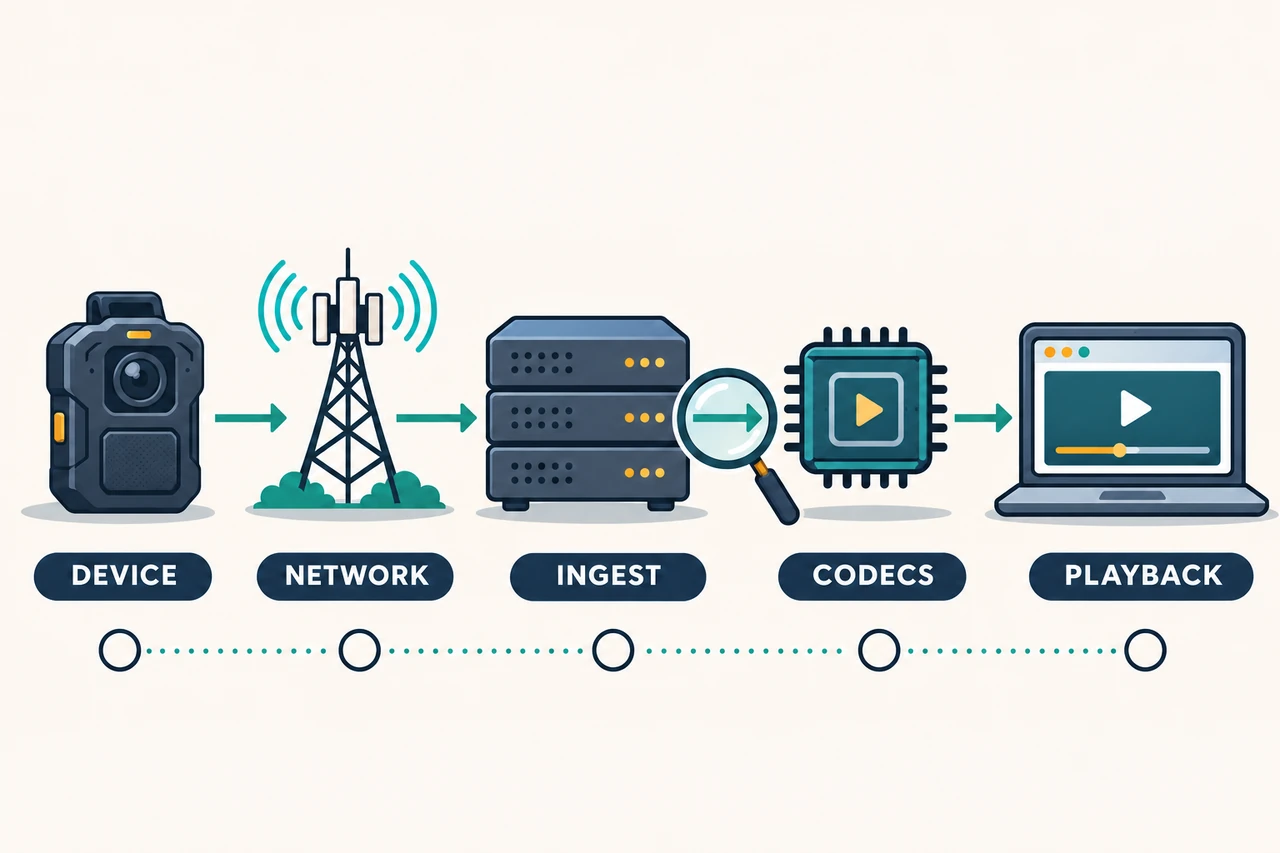
WebRTC web signaling and media connectivity are separate stages. An HTTPS reverse proxy can work while the UDP/TCP media path or TURN configuration fails. Investigate the actual path before changing the entire application. MediaMTX WebRTC connectivity
8. Choose a concrete starting point
For a few body cameras viewed privately on your website, start a one-device pilot with MediaMTX or SRS when RTMP output is confirmed. For reachable RTSP or mixed video sources, compare MediaMTX and ZLMediaKit. For GB28181 registration and device directories, evaluate WVP with ZLMediaKit. For real-time collaboration, look at LiveKit or Janus.
The device interface remains the starting point. Establishing the model and firmware, connection direction, codecs, and authentication is more useful than building a large dashboard around assumptions.
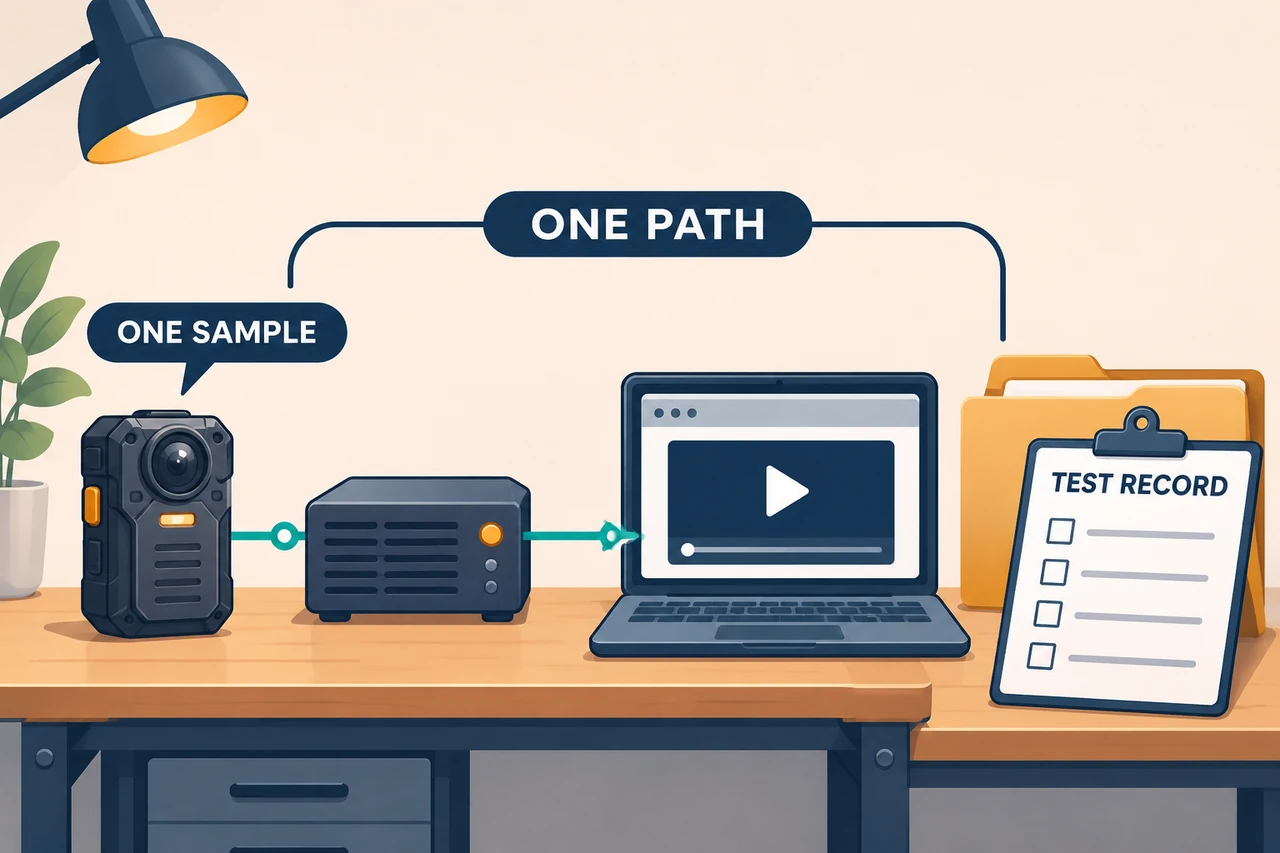
To discuss integration with SPIKECAM, prepare a one-page brief: devices and region, simultaneous cameras and viewers, viewing requirements, existing servers, required recording/GPS/SOS/talkback functions, and any target platform. Start with one sample, one reproducible media path, and a written acceptance record. Contact SPIKECAM
Appendix: copyable implementation prompts
Use P00, choose one route, then run P12. Start with P11 when CMSV interfaces are unknown. These are instructions, not executed deployments.
P00 | Shared constraints, inputs, and deliverables
Act as the audiovisual integration engineer and full-stack developer for a
private body camera live streaming prototype. Use the route I specify next.
Build a system whose behavior can be verified, with evidence for every claim.

Device and environment inputs:
MODEL=<exact model>
HARDWARE_REV=<revision or UNCONFIRMED>
FIRMWARE=<exact firmware>
REGION_AND_CARRIER=<region/carrier; do not request SIM secrets>
SOURCE_MODE=<RTMP_PUSH / RTSP_PULL / SRT / GB28181 / CMSV / UNCONFIRMED>
VIDEO_CODEC=<H264 / H265 / UNCONFIRMED>
AUDIO_CODEC=<AAC / G711 / Opus / no audio / UNCONFIRMED>
TARGET_RESOLUTION_FPS=<streaming parameters, not local recording specs>
DEVICE_AUTH_METHOD=<documented method or UNCONFIRMED>
CUSTOM_URL_RULE=<complete URL / host plus stream name / appended device ID /
  UNCONFIRMED>
TLS_SUPPORT=<device support for the relevant encrypted protocol or UNCONFIRMED>
DEVICE_NETWORK=<LAN / public mobile address / CGNAT / private APN / UNCONFIRMED>
SERVER_OS=<existing OS; otherwise propose a supported, maintained Linux release>
SERVER_ARCH=<amd64 / arm64 / UNCONFIRMED>
PUBLIC_HOST=<my domain; use stream.example.com only as an illustrative placeholder>
RECORDING=<off unless explicitly needed>
RETENTION=<my requirement; do not invent a statutory retention period>
PILOT=<one device and one viewer first; scale only to an agreed plan>

Working rules:
1. Read the project's official repository, target stable-release documentation,
   LICENSE, and security guidance. Produce sources.md and versions.lock with
   version/commit, image source and digest where available, documentation URLs,
   review date, licenses, and dependencies. Do not use latest or mix development
   configuration with a stable release. Mark newer/commercial-only features as
   limitations; do not pretend to implement them through unsupported settings.
2. Describe camera -> ingest -> optional transcoding -> viewer, including
   connection direction and ports. Separate media from GPS/SOS/talkback/control.
   Do not invent a device protocol. Do not assume cloud access to an RTSP camera
   behind CGNAT, or that the camera can install a VPN client.
3. Work in an isolated project directory. Do not overwrite another project,
   change production services, or purchase cloud resources. Use the release's
   supported deployment method: compose.yaml where supported, otherwise
   reproducible native installation steps. Avoid unverified container images.
4. Prove one media path before building the dashboard. If a physical camera is
   unavailable, use explicitly labeled simulated media for server validation
   and mark physical-device interoperability NOT_TESTED.
5. Inspect codecs, resolution, frame rate, audio, keyframes, and timestamps.
   Copy compatible video; transcode audio/video only where necessary and explain
   CPU/GPU costs. Protocol conversion is not transcoding. Do not assume H265 or
   AAC works in the intended WebRTC client.
6. Reuse an existing backend stack where appropriate. Otherwise choose a small,
   maintained backend and minimal page; avoid premature microservices/Kubernetes.
   Track device ID, media path, permissions, last media activity, and useful
   operational events. Distinguish heartbeat from active media. Without a real
   status interface, report UNKNOWN rather than simulated device health.

Access protection:
- Separate administrator, viewer, and device-publishing credentials. Each device
  may publish only its assigned stream; viewers may read only assigned devices.
- Use mechanisms actually supported by the chosen release. Adapt them through
  the backend when needed; do not assume a camera can enter an arbitrary JWT.
- Never send device stream keys, vendor SDK secrets, or management API keys to
  the browser. Keep real credentials out of chat, bundles, logs, examples, and Git.
- Protect signaling, HLS playlists/segments, snapshots, recordings, and downloads,
  not just the home page. Restrict direct-origin bypass and unused anonymous access.
- Give viewing sessions an expiration and revocation policy. Test what revocation
  does to existing connections as well as new requests.
- Store secrets in local untracked secret/config files; .env.example uses placeholders.
- Do not label plaintext media encrypted. With plaintext-only camera RTMP/RTSP,
  use an isolated test network or a protection path supported by the device/gateway.
  HTTPS or TLS at the server cannot encrypt the earlier camera-to-proxy hop.
- Explain HTTPS signaling, actual media ports, NAT public-address advertisement,
  and STUN/TURN. An HTTP reverse proxy is not a proxy for all UDP media.

Deliver in three stages:
A. docs/architecture.md, version/capability table, port table, unknowns, minimal plan.
B. Configuration, backend/page code, .env.example, start/stop/update/rollback steps,
   health checks, logs, and disk limits. Start only in the authorized test environment.
C. tests/evidence.md containing commands, time, environment, results, and redacted
   logs. Label every check PASS / FAIL / NOT_TESTED. Static validation is not a
   substitute for camera or browser testing.

Minimum acceptance: valid publishing; rejection of invalid publishing credentials;
unauthorized and cross-device viewing denied; direct media/HLS segment access;
expiration/revocation; network recovery; camera and server restart; target desktop
and phone audio/video; sustained resource use; recording search/expiry if enabled.
Ask me to set performance thresholds or explicitly label yours as proposals.
Do not promise unmeasured latency, concurrency, runtime, or compatibility.
Proceed with independent work. Consolidate questions only for missing facts that
actually determine the integration route.
P01 | MediaMTX: lightweight ingest and browser viewing
Official sources: introduction, authentication, re-encoding.
Under P00, use MediaMTX for a one-camera private viewing prototype.

1. Enable only the required input. RTMP_PUSH means the device connects outward;
   RTSP_PULL means the server pulls an authorized, reachable source. Do not expose
   every protocol by default.
2. Use the target release's configuration example. Map a device ID to a unique
   media path. Restrict the management API to the backend or controlled network;
   do not give browser clients its credentials.
3. Provide one WebRTC viewing page first. If codecs are incompatible, report
   inspected input metadata and add necessary FFmpeg/GStreamer processing, or
   explicitly choose a compatible HLS path. Authorize both paths if both exist.
4. Choose supported internal/HTTP/JWT authentication that the camera can use.
   Authorize publish, read, and playback separately. Remove unrestricted sample
   permissions. If the camera accepts only a short stream name, propose a controlled
   adapter instead of forcing a long token into an unsupported field.
5. Distinguish connecting, active media, offline/no media, authentication failure,
   and codec incompatibility. Enable recording only if requested, with supported
   formats, playback methods, and independent access control.
6. Deliver pinned binaries/images, minimal configuration, port table, backend auth,
   and evidence. Test reconnecting to the same path, invalid publishing credentials,
   cross-path access, playback expiration, and actual audio handling in the browser.
P02 | SRS: RTMP input and real-time viewing
Official sources: repository, stable-branch RTMP, WebRTC.
Under P00, use SRS for RTMP camera -> SRS -> browser.

1. Verify and pin a current stable release. Do not infer old-release capabilities
   from a newer README. For RTSP-only devices, inspect the chosen release; if a
   bridge is needed, include FFmpeg/GStreamer as a separate monitored component.
   Do not send an RTSP URL to an RTMP port.
2. Enable the required RTMP and WebRTC/HLS paths using official configuration.
   Set the public candidate, container mappings, and signaling address correctly.
   Document web ports separately from media ports.
3. Validate publishers through supported callbacks or access mechanisms. Have the
   application backend authorize viewers and identify how WebRTC and HLS access
   is actually enforced. A login page alone is insufficient.
4. Verify the input audio path to the chosen WebRTC output using capabilities
   present in this build. Do not assume any H265/AAC input will work automatically.
5. Provide a device list, single-stream viewer, offline state, and minimal event
   records. If recording is needed, do not merge reconnect sessions into a claim
   of uninterrupted footage.
6. Test republishing, duplicate stream names, service restarts, invalid keys,
   expired viewing sessions, and the failure where HTTP works but media ports do not.
Deliver reproducible configuration, authorization service, and troubleshooting notes.
A sample player is not a complete device platform.
P03 | ZLMediaKit: multiprotocol media integration
Official sources: repository, LICENSE.
Under P00, use an open-source ZLMediaKit build for a one-camera integration pilot.

1. Pin the version/commit and build options. Save LICENSE and its additional terms.
   Preserve required ZLMediaKit identification; do not create a branding-removal patch.
2. Make a capability table for RTSP/RTMP input, WebRTC/HLS output, recording, APIs,
   and webhooks. Separate professional closed-source capabilities from this build.
   Use explicit external transcoding or mark it unsupported. Do not treat Pro
   JT1078 or other commercial functions as working open-source configuration.
3. Start with one source type. Use actual versioned APIs/webhooks to associate
   streams, devices, and permissions. Keep API secrets on the backend. Validate
   callback origins so arbitrary requests cannot fabricate device health.
4. Enforce publishing and playback access at the media boundary. Reject unauthorized
   publishing, cross-device viewing, and direct-origin bypass. Distinguish control
   service health from active media; missing frames must not look healthy.
5. If GB28181 is needed, identify whether WVP must supply SIP signaling. An RTP
   receiving port is not a complete SIP/device-management service.
6. Test connect/disconnect callbacks, idempotent duplicate events, interruptions,
   audio/video across outputs, unauthorized media access, and file downloads.
Deliver the actual build capability list and unresolved requirements.
P04 | OvenMediaEngine: WebRTC, LL-HLS, and necessary transcoding
Official sources: documentation, repository.
Under P00, use OvenMediaEngine and a compatible OvenPlayer version.

1. Pin open-source engine/player versions and record AGPL-3.0-only and dependencies.
   Do not assume enterprise features are included.
2. Choose RTMP push or reachable RTSP pull from the real device information. Use
   valid configuration for this release. Begin with one rendition; add a second
   only when target clients and bandwidth justify it.
3. Compare input codecs with WebRTC/LL-HLS requirements. Specify copied and
   transcoded tracks. Do not invent available GPUs, drivers, or acceleration.
4. Use supported access controls with backend authorization for publishing/viewing.
   Protect fallback playback, segments, snapshots, and recording files too.
5. Show device, playback mode, and connection failures in the page. Record measured
   performance operationally; do not display advertised latency as our result.
6. Compare CPU/memory/bandwidth for one and two renditions. Test phone playback,
   sound, reconnects, expired access, and unauthorized LL-HLS segments. Record
   transcoding conditions and observed bottlenecks.
P05 | Ant Media Community: stay within Community Edition
Official sources: edition comparison, repository.
Under P00, use only Ant Media Server Community Edition.

1. Verify the selected Community release and cite support for each needed feature.
   Do not use an Enterprise trial image or confuse WebRTC ingest with playback.
2. Start with RTMP input and HLS output. For RTSP-only cameras, verify source-pulling
   support in this Community version before configuring it. Do not silently add
   Enterprise adaptive bitrate, clustering, or advanced stream-security features.
3. Use the management panel for media administration, with separate device access
   rules for viewers. If native Community protection is insufficient, use a controlled
   network or a verified protection layer that prevents origin bypass. State any
   protection requirement that cannot actually be met.
4. Build only missing device mapping, authorized viewing, and status functions;
   do not recreate the entire administration panel.
5. Test unauthorized HLS playlists/segments, recording downloads, management APIs,
   and reconnects. If WebRTC playback is required but unavailable in Community,
   stop that extension and list alternative open-source or licensed routes.
Clearly report the installed edition, version, license, and actual test scope.
P06 | NGINX with nginx-rtmp-module: a small RTMP/HLS service
Official sources: module repository, license.
Under P00, build a small prototype using NGINX and nginx-rtmp-module.

1. Pin a maintained NGINX version and module commit. Check build compatibility and
   provide reproducible build steps instead of an unknown, outdated container image.
2. Implement RTMP ingest, HLS delivery, and essential status only. Do not claim native
   WebRTC. If RTSP is needed, explicitly add an authorized pull bridge and monitor it.
3. Verify publishing credentials with supported callbacks. Authorize HLS HTTP routes
   separately, including m3u8 playlists and every media segment. RTMP playback auth
   does not establish HLS access control.
4. Set capacity and cleanup policies for temporary HLS data, recordings, and logs.
   Use necessary filesystem permissions, not globally writable/readable directories.
5. Configure protected transport where the selected build supports it. HTTPS for
   the website does not encrypt an otherwise plaintext RTMP source connection.
6. Test invalid keys, duplicate publishers, exposed segments, origin bypass, disk
   pressure, service restarts, and network recovery.
Deliver minimal NGINX configuration, auth service, page, build versions, and
maintenance limitations.
P07 | Janus: the WebRTC Streaming plugin route
Official sources: Janus, Streaming plugin.
Under P00, use the Janus Streaming plugin for a controlled viewing application.

1. Pin Janus, plugin configuration, and the official JavaScript integration method.
   Record GPL-3.0 and dependency terms.
2. Inspect input requirements. For RTSP, confirm plugin build support, including
   libcurl, transport, authentication, and codecs. Where unsuitable, explicitly use
   FFmpeg/GStreamer to supply compatible RTP. An RTMP source needs an actual
   receiving/bridging component, not a direct connection to an RTP port.
3. Give each device a controlled mountpoint. The backend decides which mountpoints
   each user may access. Never deliver administrative/create/delete secrets to
   viewers. Guessing an ID must not bypass authorization.
4. Build a minimal page for backend authorization, session creation, subscribing,
   error display, and cleanup. Document ICE, STUN/TURN, and media ports; proxying
   WebSocket alone does not establish media connectivity.
5. Do not assume Janus automatically transcodes. Record input/output codecs and
   explicitly place necessary conversions in the architecture.
6. Test multiple subscribers, unauthorized mountpoints, disconnected-session cleanup,
   source interruption/recovery, and mobile networks. Without a real device audio
   return interface, do not present a working camera-talkback button.
P08 | LiveKit: self-hosted collaboration rooms
Official sources: server, Ingress, self-hosted configuration.
Under P00, use self-hosted LiveKit Server and a separate Ingress service.

1. Do not depend on a LiveKit Cloud account. Pin server, ingress, SDK, and dependency
   versions. Document self-hosted deployment relationships and component licenses.
2. Use the selected release's real CreateIngress API from the backend to map the
   RTMP camera to a designated room and identity. Keep publishing URLs/keys for
   device configuration only. With RTSP-only input, propose a tested bridge rather
   than inventing a native RTSP Ingress interface.
3. Issue short-lived, least-privilege room tokens on the backend. Viewers cannot
   publish by default. Enforce actual room/track subscription permissions; hiding
   another device in the UI is not device isolation.
4. Display authorized video and media state. Add expert browser audio/video only
   when requested. Browser conversation and camera talkback require separate
   acceptance; without a documented device interface, do not provide the latter.
5. Deploy Egress only if recording is required. Distinguish track and room recording,
   authorization, storage, and cleanup. Ingress/Egress are not automatically
   configured merely because the main server container is running.
6. Test invalid stream keys, room/track access violations, permission revocation,
   stable device identity after reconnects, token expiry on existing connections,
   and external/mobile connectivity.
Report measured resources. A room demonstration is not a fleet-capacity test.
P09 | WVP with ZLMediaKit: registration, signaling, and media
Official sources: WVP, ZLMediaKit.
Under P00, connect one device confirmed to support the target GB28181 version
using WVP and ZLMediaKit.

1. Obtain the actual standard version, device/channel IDs, SIP domain, authentication,
   signaling transport, RTP transport, and codecs. Mark missing facts UNCONFIRMED.
2. Pin compatible WVP/ZLM versions. Follow their current dependency requirements;
   do not mechanically copy old database/Redis tutorials. Record component licenses
   and ZLM's additional identification requirements.
3. Map SIP registration/heartbeat/directory/INVITE separately from RTP media,
   including ports, public advertised addresses, and container mappings. Do not
   confuse the camera's address with the media server's advertised address.
4. Replace default credentials and protect WVP administration, ZLM APIs, and hooks.
   Limit public exposure. Test camera credentials separately from viewer access.
5. Record registration, heartbeat, directory discovery, stream request, media receipt,
   playback, and session termination in sequence. Keep redacted request/response
   or log evidence for each. Registration alone is not completed integration.
6. Do not enable upstream platform cascading in the first prototype. If needed,
   scope a separately authorized test. For 808/1078, recheck actual open-source
   capabilities of WVP and the media component plus the device protocol. CMSV
   labeling alone is not a reason to configure a device as JT1078.
P10 | Owncast: one controlled live broadcast page
Official sources: project, video pipeline, authentication.
Under P00, use Owncast for a single body camera demonstration channel.

1. Define this as one input, not a completed fleet platform built from several
   pages. Pin the version and configure RTMP input/HLS output according to its
   documentation, including required FFmpeg and other dependencies.
2. Retain the existing page, customize necessary title/offline messaging, and
   disable unwanted chat or public discovery features where supported.
3. For internal video, verify this release's auth plugin/protection layer. Do not
   select a website-only mode and claim the media is protected. Test the player,
   HLS playlists, segments, and status endpoints. New documentation does not
   establish that an older installed release supports the same feature.
4. Prefer controlled local delivery for the first prototype. If adding object
   storage/CDN, design separate segment authorization; entrance login does not
   protect public object URLs.
5. Keep stream keys separate from administrator access. Do not expose keys through
   public configuration endpoints.
6. Test logged-out page access, embedding, native playback, and direct media URLs.
   Document compatibility limits introduced by authentication. Test source stopping,
   reconnecting, and old-segment cleanup.
If requirements expand to grouped device dispatch, GPS/SOS, or complex permissions,
recommend reevaluating the architecture. A visual reskin does not implement them.
P11 | CMSV: investigate interfaces before building an adapter
Reference: CMSV6 API categories. This does not prove that every CMSV-labeled product uses the same version or protocol.
I want to integrate a body camera labeled CMSV in its configuration tool with
my application. Investigate first; do not invent a compatible protocol server
from the name or screenshot.

Create an evidence table:
- Exact camera, hardware, firmware, configuration-tool version, platform provider,
  and platform version.
- Device protocol documentation/SDK; license scope and test-account setup process.
- Login, session expiration/refresh, device/channel identifiers, meaning of online.
- Live media acquisition, delivery protocol, codecs, URL lifetime, stream stop method.
- Separate documented/licensed support for status, GPS, SOS, talkback, recording
  queries, and downloads.
- SDK operating systems, CPU architectures, dependencies, redistribution terms,
  and version constraints.
Mark unavailable facts UNCONFIRMED. Do not infer them from familiar ports or a
different vendor's documentation.

When documentation is sufficient and licensing permits, design a backend adapter:
1. Keep platform credentials and SDK secrets on the backend. Use our own short-lived
   sessions in the frontend.
2. If the platform supplies an authorized standard media URL, verify its lifecycle
   and concurrency rules before choosing controlled direct playback or a relay
   through MediaMTX/ZLM or another service.
3. If a proprietary SDK is mandatory, identify the separate deployment and licensing
   boundary. Do not call the entire solution a purely open-source CMSV replacement.
4. Separate device and media state. Gate GPS/SOS/talkback by verified capability.
   Unsupported functions are unavailable, not simulated coordinates or success.
5. Test revoked stream access, expired platform sessions, offline devices, and SDK
   reconnection using the actual integration.

Deliver capability-matrix.md, interface-source index, adapter interface design,
the smallest executable documented path, and blocking unknowns. Without documents,
clearly labeled stubs can support UI work, but do not claim device integration.
Do not bypass authentication or licensing.
P12 | Shared acceptance, troubleshooting, and handover
Review the streaming prototype. Inventory the real environment and running service
versions, then verify device -> network -> ingest -> codecs -> playback -> access
-> recording/control. Container health or an HTTP 200 home page is not completion.

For each check, report PASS / FAIL / NOT_TESTED with reproducible evidence:
1. Physical device model/firmware, input codecs, resolution, frame rate, audio,
   and timestamps. Separate simulated input from real-camera input.
2. Publishing access: invalid, expired, and revoked credentials; camera A must
   not take camera B's stream.
3. Viewing access: logged-out users, user A accessing B, direct players/media URLs,
   HLS segments, snapshots, recording downloads, administration APIs, and direct
   origin access bypassing the reverse proxy.
4. Expiration/revocation: test new requests and existing connections separately,
   recording when enforcement actually takes effect.
5. Network recovery, device/server restart, duplicate publishing, duplicate events.
   A frozen last frame must not appear to be a continuing live stream. Save states
   and logs that make the difference observable.
6. Target desktop/phone audio, video, autoplay, and full screen. Where available,
   also inspect 1440/720/390/320px page layouts. Without a browser test, use NOT_TESTED.
7. End-to-end delay: method, time reference, sample count, range, and uncertainty.
   Do not substitute the project's advertised latency for measurement.
8. Planned concurrency: CPU, memory, ingress/egress, transcoding, disk, and TURN
   traffic. Record hardware, bitrates, viewing combinations, and duration. Do not
   extrapolate a result to untested capacity.
9. If recording is enabled: authorization, time search, gaps, low-disk behavior,
   expiration. Local camera recording, server live recording, and outage backfill
   are separate capabilities requiring separate verification.
10. Test GPS/SOS/talkback only where actual interfaces exist. A clicked button is
    not evidence that a device completed the operation.

Deliver README, version/dependency inventory, architecture/port table, actual test
evidence, limitations, start/stop, backup/restore, upgrade/rollback, and credential
rotation procedures. Distinguish demonstrable prototype, completed device
integration, readiness for a pilot, and satisfied production requirements.
Keep untested items visible. Do not fabricate logs, expand production access,
or change device permissions outside the authorized scope.
What the first iteration should establish
Can one specific camera, on the intended network, send usable audio and video to an authorized browser and recover from an interruption? Apply the same evidence requirements when adding devices, recording, and control functions.
This pack contains no real credentials and makes no untested one-click deployment promise. Recheck project configuration, authentication, and edition boundaries using P00 when implementation begins.
Related articles
Body-Worn Camera Training for Security Teams: A Practical Checklist
Plan practical body-worn camera training for security teams, with staff exercises, supervisor checks, file-handover practice, and a pilot sign-off checklist.
Body Camera Docking Stations: A Practical Buying Checklist for Teams
Choose a body camera docking station by checking camera compatibility, return peaks, charging and upload dependencies, and a practical team acceptance test.

Body-Worn Cameras with Live Streaming: A Team Deployment Checklist
Plan a live-streaming body camera pilot: check connectivity, the receiving workflow, video quality, data use, battery demand, and recovery before ordering.