Body Cameras for Personal Safety: Walking, Dog Walking, and Commuting
Understand the limits of recording and keep safety, getting help and privacy ahead of equipment.
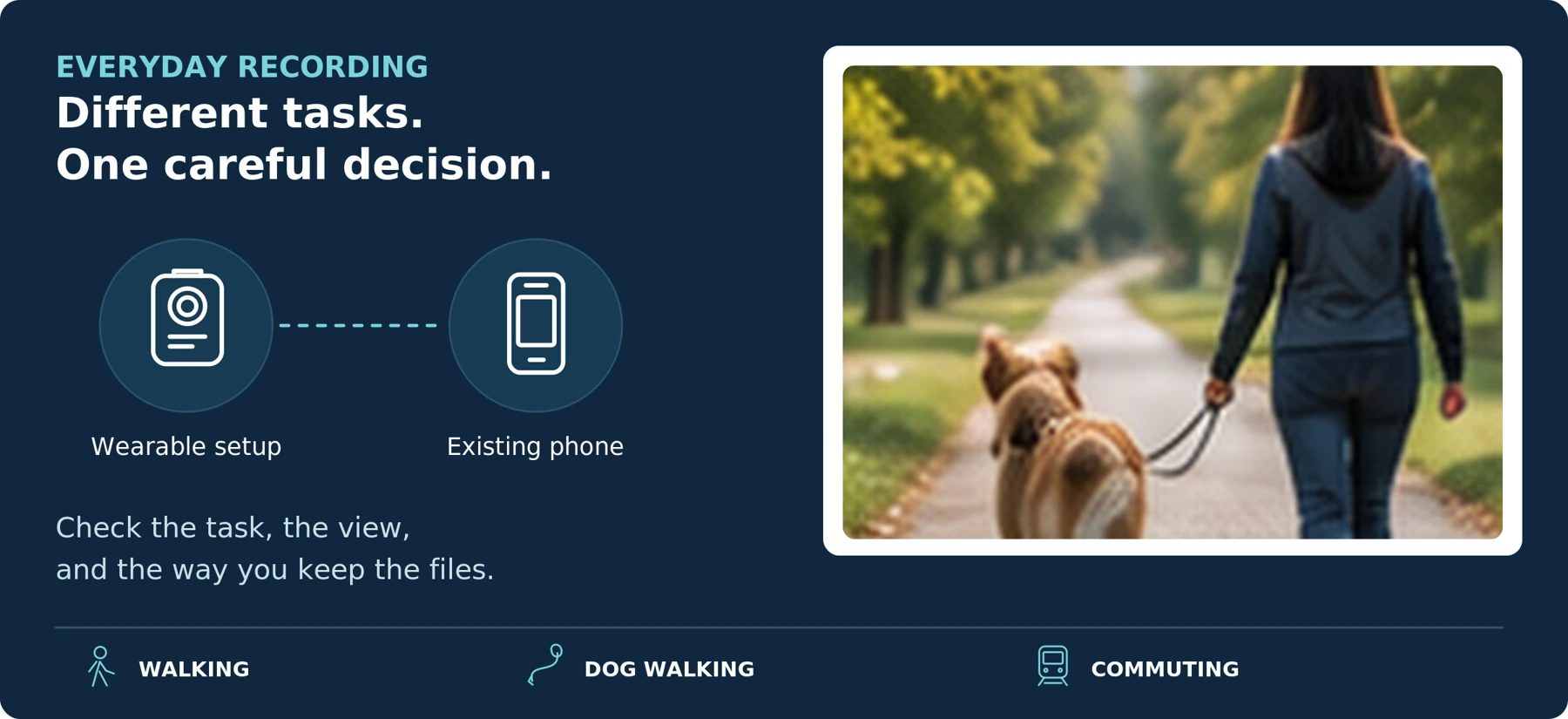
Editorial guidance, not legal advice or a model-specific performance promise. Check the rules and requirements that apply to your location and use.
A Camera Records Events; It Does Not Make an Encounter Safe
A body camera may be useful for a specific, lawful hands-free recording need. It is not something everyone needs for an ordinary walk, and it should not be treated as a guarantee of protection. Our recommendation is to test what you already own before adding a device.
The practical question is:
“Can this setup record the information I need without distracting me from my surroundings, my dog, or getting help?”
Start with the outing, the clothing you will wear, and what you expect the recording to show. Then check whether a wearable camera genuinely improves on your phone—and whether you can retrieve the files afterward.
This guide covers everyday adult use on foot, including dog walking and commuting. It is not an employer deployment policy, a guide to covert recording, or a claim that cameras prevent attacks. The scenarios and tests below are proposed planning tools, not measured product results.
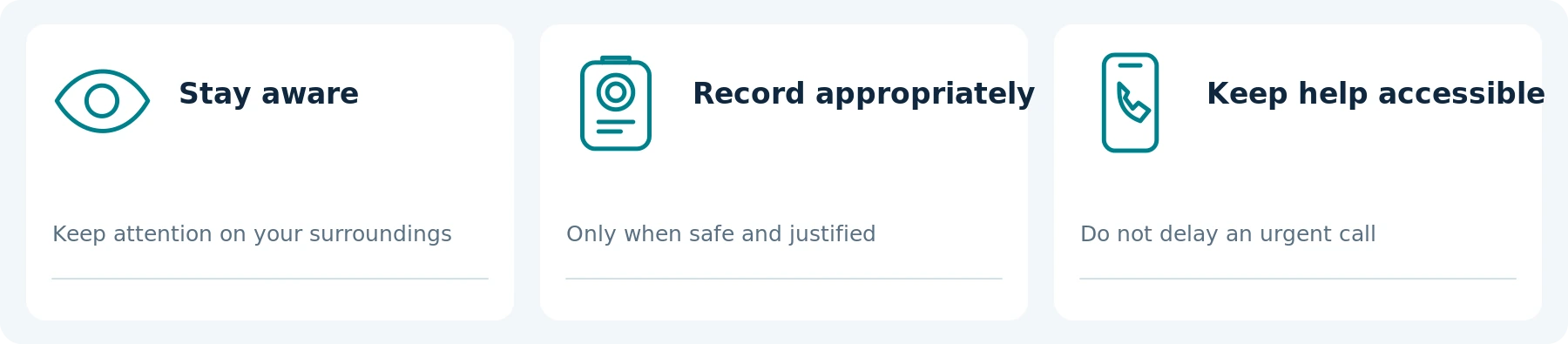
Do not change your route, approach someone, or remain in an uncomfortable situation to obtain better footage. Make your decision about leaving or seeking help independently of whether the camera is working.
Merseyside Police’s street-safety guidance recommends planning journeys, remaining aware of surroundings, and not risking personal safety to protect property when threatened with violence. Apply that priority to the recording device too: a camera or its memory card is not worth a physical struggle. [1]
Do not buy on a promise that displaying a camera will make everyone behave differently. This guide does not establish that wearing one deters crime or reduces your personal risk. Nor does choosing not to carry one make you responsible for another person’s behavior.
For immediate danger, contact local emergency services when it is safe to do so. Do not delay the call to start a recording, adjust its angle, or find a saved clip.
02 / RECORDING IS NOT A RESPONSE PLAN
Recording, Location Sharing, and Getting Help Are Separate Tasks
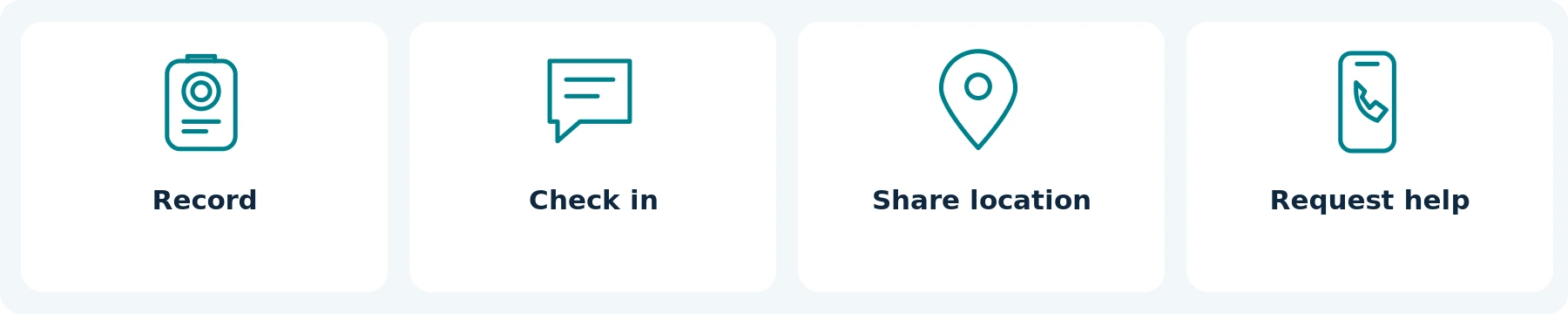
Use these questions before paying for a device described as a “personal safety camera”:
| Your actual need | What must be demonstrated |
|---|---|
| Keep a record for later review | The camera saves a usable file that you can retrieve. |
| Let a trusted person know you arrived | An agreed check-in method reaches that person, who knows what to do if you do not check in. |
| Share your location or a live view | The exact service, connection, permissions, and receiving device work as intended. |
| Request urgent assistance | You have an accessible way to contact the appropriate help; recording alone is not the request. |
For example, Apple documents Emergency SOS for contacting emergency services, subject to connectivity, model, and regional conditions. Separately, its Check In feature can notify a chosen contact about the phone’s arrival or share selected details when a check-in is not completed. These are different functions, not interchangeable guarantees of a response. [2][3]
Set up any chosen check-in with a trusted person and explain what you expect from them. Review the manufacturer’s instructions; use a supported demonstration where available rather than placing an emergency call to test equipment.
Likewise, ask what a camera’s GPS or Wi-Fi label actually means. Axis documents recording location coordinates separately from its live-streaming arrangements. A location saved with a video does not establish that a family member can track you in real time. [4]
Verify the recipient as well as the feature. Agree on what a chosen contact should do; do not place an emergency call to test equipment.
03 / START WITH WHAT YOU OWN
When Is Your Existing Phone Enough?
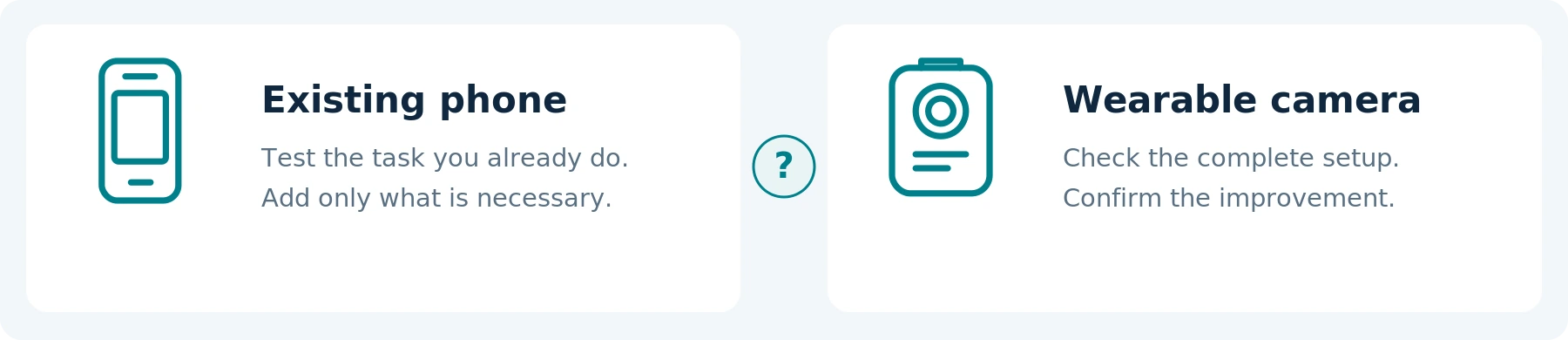
Keep your phone in the comparison when you only need occasional, deliberate footage that you can safely frame and record. A short permitted video of a stationary issue, for example, may not require a continuously worn device.
Check the full task: can you position the phone appropriately, complete the recording, and preserve a usable copy? Do you also need it for a call, directions, or a ticket during that period? Test the particular phone and app instead of assuming the answer.
A separate camera becomes worth evaluating when keeping your hands available is an essential requirement and a tested wearable setup meets it. It does not earn the purchase merely by looking more specialized.
| Situation | What to evaluate first | What could justify a separate camera? |
|---|---|---|
| Occasional personal documentation | The phone you already use and a short, deliberately framed recording. | A specific capture or wearing requirement the existing setup cannot meet. |
| Walking a dog | Whether any recording is necessary, and whether you can operate your existing equipment without losing control of the dog. | Hands-free capture that passes both the leash-handling and actual-view tests. |
| Walking to public transport or home from work | The relevant journey segment, communication needs, and applicable recording rules. | A defined need that requires the phone to remain available for other tasks. |
| Ongoing threats or a specific dispute | Appropriate local help and a safe reporting plan. | Equipment only as part of a considered documentation arrangement—not a reason to investigate or confront someone yourself. |
These are editorial decision prompts, not assumptions that the listed situations require surveillance. The companion guide Body Camera vs. Smartphone: Do You Need a Separate Camera? covers the broader device comparison.
04 / PERSONAL USE & PRIVACY
Check Personal-Recording Rules Before You Start
Personal use needs its own assessment. Do not copy a police or company recording policy and assume it gives you the same permissions. Equally, do not assume every recreational recording requires a business surveillance program.
United States: check the rules for your state and circumstances, especially for conversations. California Penal Code section 632, for example, addresses recording confidential communications without all-party consent and qualifies what counts as confidential. It is not a nationwide rule that every conversation has the same treatment. [5]
United Kingdom: the ICO explicitly says its organizational surveillance guidance does not cover recordings made in a purely personal or household context. That scope distinction matters, but it does not establish that every use described as “personal safety” qualifies or is unrestricted. Its guidance is also marked as under review. [6]
European Union: the EDPB’s video-device guidance recognizes the household exemption and gives a recreational action-camera example. It also says the exemption is interpreted narrowly and distinguishes private use from publication to an indefinite online audience. Assess your purpose, recording pattern, and sharing plans alongside national rules rather than assuming every walk is either exempt or prohibited. [7]
Check video, audio, and later disclosure separately. Find out what information or consent is required for the actual situation. A visible device or “recording” light is not proof that every obligation has been met.
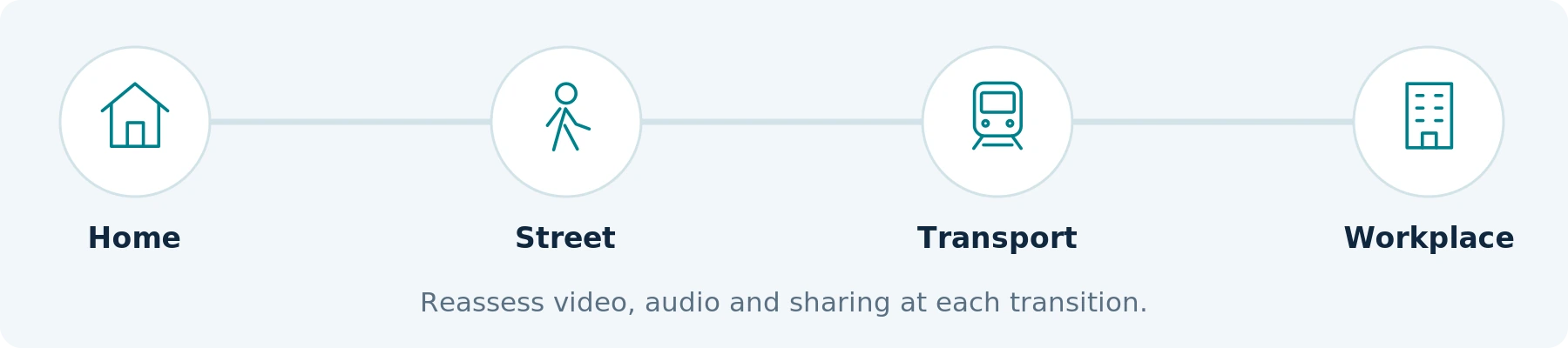
Also check the relevant premises and transport rules when moving between a street, station, vehicle, workplace, or private home. Our recommendation is to plan where recording will stop before reaching those transitions, rather than leaving the device running by habit.
This is purchasing guidance, not a legal determination. Obtain qualified local advice for uncertain uses. This article does not establish permission to record inside homes, restrooms, changing areas, or other sensitive spaces.
Write down the boundary before the outing: where capture should start, where it should stop, and which audio setting is appropriate.
05 / WEAR THE COMPLETE SETUP
Test the Clothing and Bag You Actually Wear
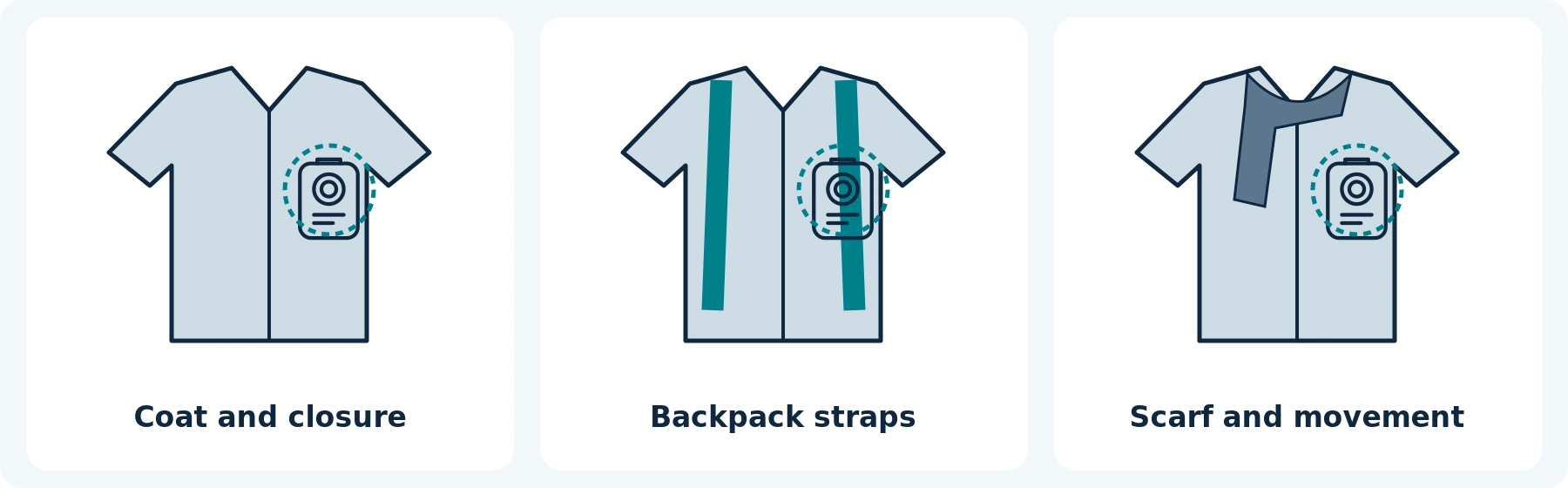
Choose a mount by its saved view and practical operation, not by how tidy it looks in a product photograph. Test with the camera and mount attached to your normal clothing.
In a permitted practice area, walk, sit, reach for a pocket, put on a backpack, and zip up your coat. Repeat with any scarf, bag strap, or outer layer you regularly use. Check whether the lens is covered, the mount sags, or the microphone rubs against fabric.
Compare a shirt in mild weather with the jacket you wear on the evening journey. A setup that works before you put the jacket on has not demonstrated that it works afterward.
A torso-mounted lens follows your torso, not your gaze. In a controlled exercise, look to the side while keeping your shoulders still and review what remains outside the frame. Do not assume a forward-facing camera records what happens behind you.
Try the recording control with your normal gloves and preferred hand. Check comfort over the intended wearing period and whether the camera interferes with reaching your phone or using a handrail or mobility aid. Follow the mount manufacturer’s instructions; do not modify safety equipment or accept a loose attachment to improve the angle.
A very small camera is not automatically the easiest to use. Compare the complete arrangement, including its controls and mounting hardware, against your actual needs.
EDITABLE WEARING CHECK
| Condition to test | Your observation / adjustment |
|---|---|
| Coat closed; usual scarf and bag | Not specified |
| Reaching, sitting and normal movement | Not specified |
| Controls, phone access and comfort | Not specified |
06 / DOG WALKING
Dog Walking: Keep Leash Control Ahead of the Shot
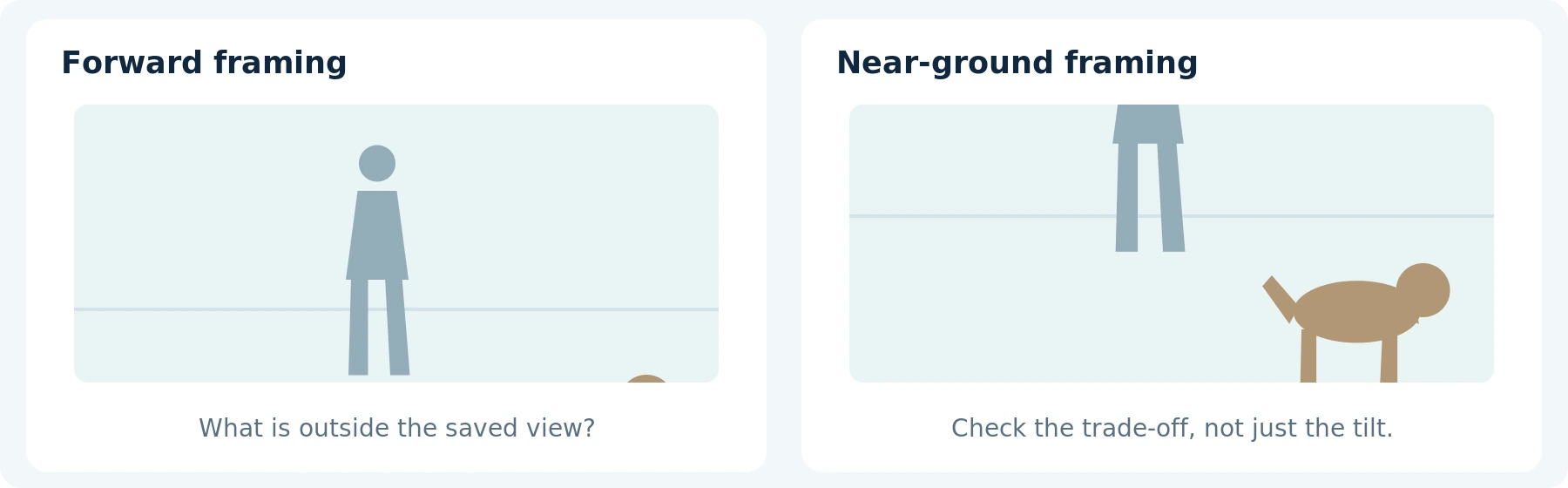
The main equipment question is not whether the camera can record a dog. It is whether you can carry out your normal walk without the recording setup interfering with control, movement, or attention.
Begin the control test without a dog, in a safe practice location. Hold the leash or lead as you normally would and rehearse finding the camera button. Do not attach a leash to a camera mount, change a secure grip to improve footage, or use a loose cable arrangement that interferes with handling.
Only progress to a calm, familiar exercise that is appropriate for your dog, with help where needed. Do not arrange an encounter with an unfamiliar dog or provoke barking, pulling, or an approach as a “realistic” test.
Will the Camera Show the Relevant Action?
Check the near-ground view as well as the view ahead. A camera framed for an adult conversation may omit a dog close to your feet; a camera tilted downward may omit a person’s face. Review the actual trade-off rather than assuming a wide-angle lens solves both.
Use a toy or floor markers for an initial framing test. Rehearse bending, reaching for a waste bag, and standing again. Check whether your hand, sleeve, leash, or bag blocks the view or presses a button.
A useful fictional exercise is to have a consenting helper walk past marked positions while the wearer holds an unattached training leash. The goal is to identify what the setup misses—not to manufacture a confrontation.
During a real incident, prioritize safety and control. Do not move closer to obtain identifying detail, follow another owner, or delay seeking help to check the clip. A partial video also does not establish every action, the full lead-up, or responsibility for an event.
Reject a setup that needs you to handle the dog less safely, even when its sample footage looks excellent.
07 / THE OUTING AND THE RETURN
Commuting: Plan the Return Journey and the Recording Boundaries
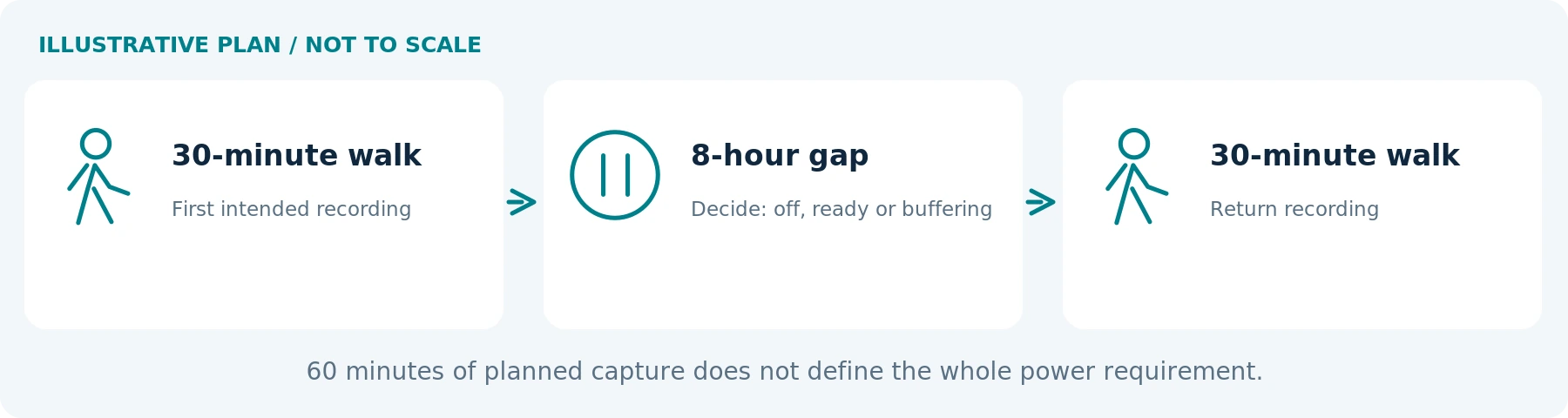
For commuting, assess the journey in segments: leaving home, walking, entering transport, arriving at work, and returning later. Decide which segment has an actual recording purpose and which should remain unrecorded.
Ask whether the device can remain available for the evening trip without recording your whole working day. Consider where it will be stored, whether charging is permitted and practical, and whether recording or buffering really stops when intended.
Check your usual outerwear again in the evening. Test ordinary tasks such as accessing a travel card or phone, carrying a bag, sitting, and standing—first in a controlled setting, not by filming unsuspecting passengers.
For an illustrative power plan, two 30-minute walks may mean 60 minutes of intended recording separated by eight hours. That does not by itself establish the required battery capacity: powering off, staying ready, and buffering during the gap are different operating patterns. Test the pattern you intend to use.
Configure equipment while stopped somewhere appropriate, not while crossing a road, boarding, driving, or cycling. Do not reduce your attention to traffic or other passengers to monitor the recording.
A personal commute also does not automatically extend into permission to record colleagues or customers after arrival. Keep work-related deployment questions separate from this personal-use guide.
EDITABLE TWO-JOURNEY PLAN
| Stage | Intended camera state / check |
|---|---|
| First journey | Duration: Not specified Recording scope: Not specified |
| Gap between journeys | Off / ready / buffering: Not specified Storage: Not specified |
| Return journey | Required duration: Not specified Verified result: Not specified |
08 / FEATURES TO VERIFY
Which Camera Features Matter for Everyday Use?

Activation You Can Recognize
Check the difference between power-on, ready, and recording. The AXIS W110 manual, for example, describes distinct readiness and recording indications, with vibration and audible feedback. Use the instructions for the actual model you are considering; do not transfer those behaviors to another camera. [8]
Practice starting and stopping while wearing the device, then inspect the first and last saved moments. Check that a pocketed phone, folded arm, or bag does not accidentally press a control.
Pre-Recording and Post-Recording You Understand
When earlier footage matters, verify whether the device supports a buffer and when it runs. Axis documents prebuffering, separately configured buffer audio, and a standby mode that cannot be combined with that buffer. Its system also offers postbuffering that continues capture after the stop action. These are model-and-setting examples, not standard features on every camera. [4]
Test both ends with a harmless numbered-card sequence. Confirm that the chosen settings do not retain private moments before leaving home or after recording should have ended. Do not interpret a covered lens as confirmation that audio has stopped.
Moving Detail at Night—not Just a Bright Preview
Request original clips in representative conditions or make a permitted trial with a consenting helper. Include normal walking movement, the distances that matter, and transitions between street lighting and darker areas.
Axis’s image-quality guidance explains that slow shutter speeds can produce a sharp static scene while blurring moving subjects. A bright nighttime preview or a 4K label is therefore not a substitute for reviewing moving detail. [9]
Ask whether “night vision” means infrared illumination, available-light recording, or another documented mode. Test the specific function rather than assuming an advertised distance guarantees recognizable faces. Do not seek a more isolated or hazardous location just to make the test harder.
Appropriate Audio and Enough Operating Time
Decide whether audio is needed and permitted. Verify that it can be switched off independently when required, and check the setting in the exported file. For an agreed audio test, listen to another consenting speaker as well as your own voice, using normal background conditions.
Define the recording period, time spent ready, and any charging opportunity. The W110 manual identifies battery capacity and storage as separate limits and describes effects from temperature, wireless activity, resolution, and stabilization. Check your candidate’s own stated conditions. [8]
Test your intended outing with a reasonable planning margin rather than relying on the last advertised minute. Confirm rain-use conditions and operating, charging, and storage limits; follow the exact instructions instead of assuming “outdoor” means suitable for every environment.
Keep enough phone power for the communication and navigation you still need. Do not give up an essential way to contact help merely to extend camera runtime.
09 / YOUR FILES AND YOUR PRIVACY
Decide What Happens to the Files Before an Incident
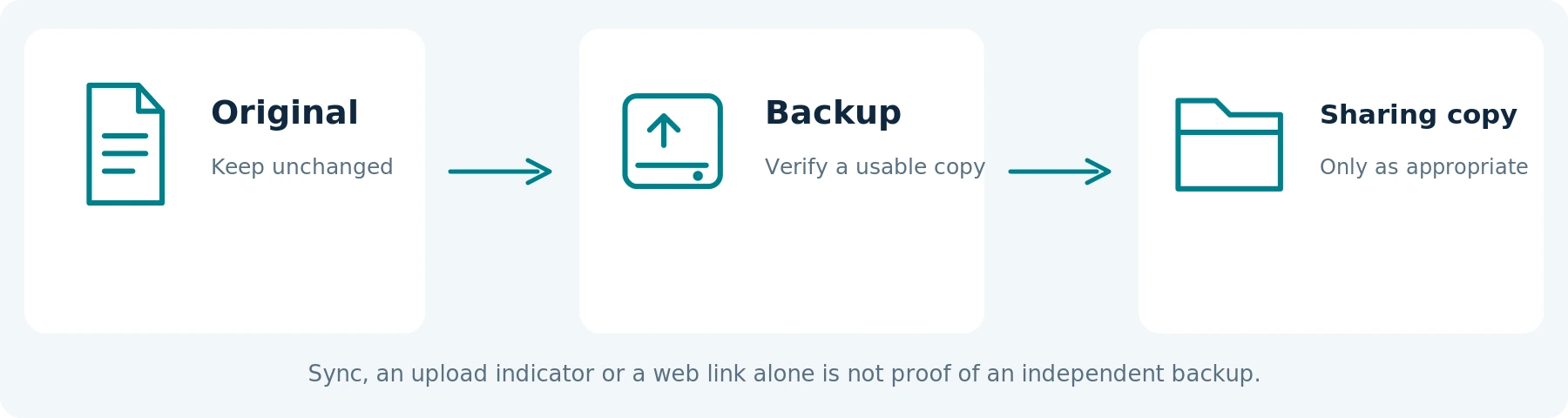
Ask the seller to demonstrate a new recording, transfer, and playback on your own computer or phone. Identify required storage, cables, software, accounts, and recurring fees. An individual user needs a legitimate setup they can operate without borrowing an organization’s credentials.
Check what happens when storage fills. Does recording stop, overwrite older clips, or behave differently? Learn any event-protection feature and its limits before relying on it. Treat a protected clip as something to preserve appropriately, not as a verified backup.
For a significant event, once safe, preserve relevant original files and adjoining context through the supported process. Note the date, approximate time, location, and any late start, obstruction, or missing sound. Report what you observed separately from what you later saw on video.
Keep originals unchanged and make separate copies for permitted trimming or redaction. Do not replace the only original with a reconstruction or AI-generated detail presented as capture. Follow the receiving organization’s submission instructions and seek help promptly rather than waiting for perfect footage.
Protect Your Own Privacy Too
Before sharing, inspect what a clip exposes about you: home entrances, addresses, regular routes, workplace access, conversations, and any saved location information. Provide relevant details privately to the appropriate recipient; do not post an entire outing to ask strangers to identify someone.
Use access controls on stored copies and check who can reach any shared account. Keep only the material you have a continuing reason or obligation to retain, with appropriate preservation for a reported incident. Do not build a permanent searchable archive of everyone you pass.
Cloud synchronization is not automatically an independent backup. Apple explains that deletions propagate across devices using iCloud Photos and that those files are not duplicated in the separate iCloud device backup. Verify a separate protected copy where needed before deleting the original source. [10]
Public posting is a different decision from private preservation or reporting. The EDPB’s household-exemption guidance expressly distinguishes private uses from making identifiable footage available to an indefinite audience. Blurring a face should not be treated as a universal permission to publish. [7]
For persistent harassment or a specific neighbor dispute, seek appropriate local assistance. Detailed event documentation belongs in that separate assessment; do not turn an everyday camera purchase into an informal investigation of another person.
10 / MAKE IT A SIMPLE ROUTINE
A Simple Before–During–After Routine
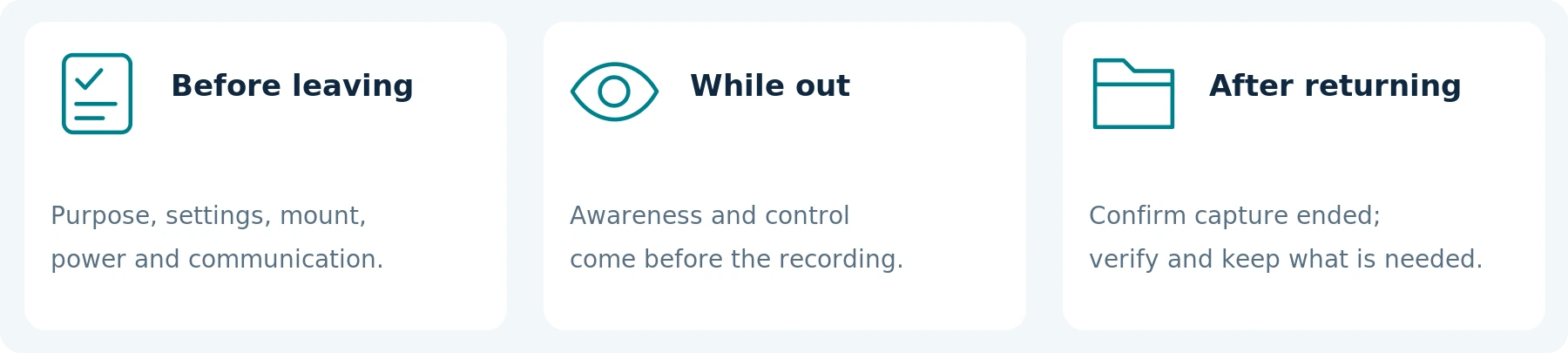
Before leaving: confirm the purpose and applicable recording boundaries, lens and mount, charge and storage, clock, audio, and any buffer. Check your separate communication arrangement. Make a short permitted test after changing clothes or equipment.
While out: prioritize walking, traffic awareness, and dog handling. Operate only when safe and appropriate; do not approach someone for a clearer image. When entering a space outside the planned recording scope, use the verified stop procedure.
After returning: confirm recording has ended before storing the device. Preserve necessary footage, verify playback and any required backup, and prepare the next use. Review uneventful recordings for appropriate deletion rather than retaining every journey by default.
This is a suggested routine, not a legal policy or an emergency-response procedure. A failed camera is a reason to adjust the recording plan—not to postpone a necessary call or remain in danger.
EDITABLE OUTING PREPARATION
| Check before leaving | Your notes |
|---|---|
| Recording purpose and start / stop boundaries | Not specified Not specified |
| Chosen check-in method and contact agreement | Not specified Not specified |
| Mount, audio, power, storage and file destination | Not specified Not specified |
A failed camera changes the recording plan—not the priority of getting help.
11 / TEST BEFORE YOU BUY
Try a Controlled Test Before Buying
Use consenting participants, fictional details, and a permitted practice area. Compare your existing arrangement first. Do not create an argument, arrange a threatening encounter, or use strangers as test subjects.
This is a proposed acceptance test, not a report of hands-on results. Record the model, software or firmware version, settings, clothing, mount, lighting, and duration.
| Test | What to do | What the result should establish |
|---|---|---|
| Clothing and movement | Walk, sit, reach, and add the normal coat and bag. | The necessary view remains usable without discomfort or interference. |
| Hands and controls | Practice with normal gloves and, where relevant, an unattached training leash. | You can operate the camera without sacrificing grip, balance, or attention. |
| Actual field of view | Use a consenting helper and near-ground markers. | You understand what is visible ahead, nearby, and outside the frame. |
| Start and stop | Use harmless markers around activation and stopping. | The first and last saved moments, sound, and buffering match your intended boundaries. |
| Outing and return | Reproduce the required readiness and recording pattern safely. | Usable operation across the planned period, including the return journey. |
| Retrieval and privacy | Find a specified test moment, open the file, and verify its permitted backup. | Reliable access without unintended sharing or loss of necessary context. |
Use Pass, Fail, or Unverified for essential requirements. A superior optional feature should not outweigh a failed requirement such as secure attachment, usable coverage, or the ability to stop unwanted recording.
A ten-minute trial does not establish performance over a much longer outing. Recheck relevant behavior after changes to the mount, clothing, settings, or firmware. Passing this trial establishes only the tested recording behavior—not protection against harm.
Pass / Fail / Unverified. Passing a recording test does not demonstrate protection against harm. Use the record in this guide to document your findings.
12 / DEFINE THE COMPLETE REQUIREMENT
Your Personal-Use Requirements Sheet
Before requesting a recommendation, describe the task without sending your exact routine, home address, or private incident footage.
| Requirement | What to write down |
|---|---|
| Location and purpose | Country and state or region; the specific lawful recording need. |
| Outing pattern | Walking, dog walking, or commuting; recording duration and time between uses. |
| Hands and clothing | Coat, bag, gloves, leash handling, mobility aids, and preferred operation. |
| Required view and sound | The action to capture, relevant lighting, and whether audio is appropriate. |
| Existing equipment | Phone or camera already owned; any demonstrated limitation. |
| Files and complete budget | Playback device, backup method, necessary accessories, software, services, and support. |
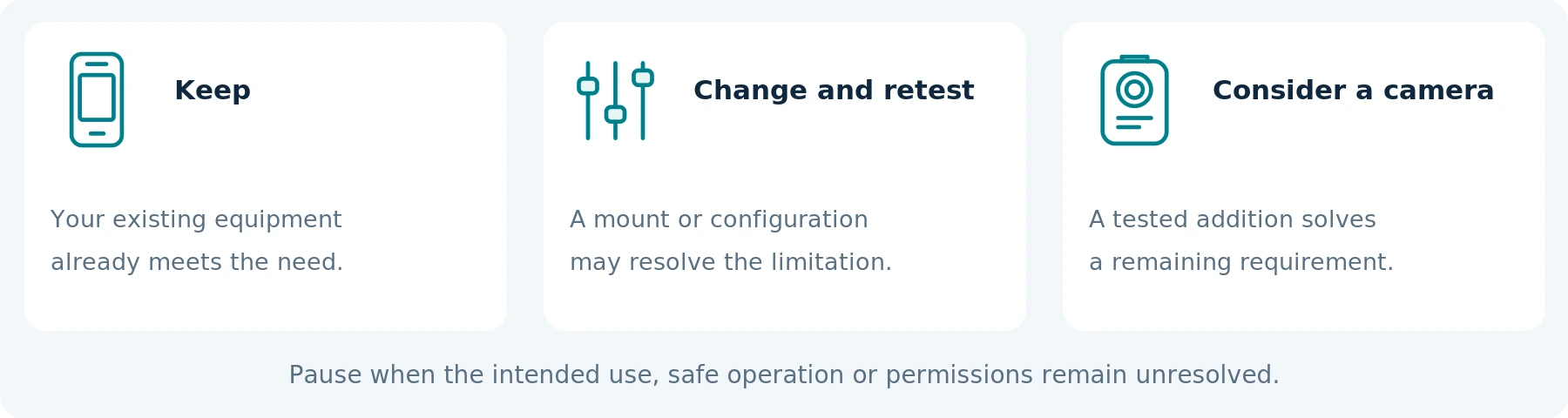
Keep your current equipment when it meets the need. Change the setup and retest when a suitable mount or configuration may resolve the problem. Consider a body camera when it demonstrably addresses a remaining requirement without creating an unacceptable safety or privacy issue. Pause when the intended use or permissions remain unresolved.
Count only the additional cost of making the setup usable, not the full historical price of a phone you already own. The companion guides Do Body Cameras Require a Subscription? Fees Explained and How Much Does a Body Camera Cost? A Buyer’s Budget Guide cover those costs in detail.
13 / DECIDE FROM VERIFIED NEEDS
The Bottom Line
For walking, dog walking, and commuting, a body camera should be a considered recording tool—not something you feel compelled to buy to leave home.
Start with the task and your existing equipment. Test ordinary clothing, the real view, safe controls, operating time, and access to the files. Keep recording separate from location sharing and emergency assistance, and plan where capture should stop as carefully as where it starts.
When asking about a SpikeCam model, share the requirements above and request confirmation for the exact device and package. This guide does not imply that every model has pre-recording, post-recording, independent audio control, encryption, GPS, live monitoring, or emergency-alert features.
Choose a setup that fits your life without distracting you from it. Keep personal safety ahead of obtaining a recording.
EDITABLE ACCEPTANCE RECORD
Use fictional details and a permitted practice setting. This form records your observations; it is not a safety certification.
| Record field | Your notes |
|---|---|
| Device / phone, mount and version | Not specified |
| Clothing, setting, light and duration | Not specified |
| Essential requirement tested | Not specified |
| Result and saved-file reference | Pass / Fail / Unverified: Not specified |
| Gap, adjustment and next decision | Keep / Retest / Consider / Pause: Not specified |
Recorder: __________________ Date: __________________
Review again after changes to clothing, mounting, settings or firmware.
SOURCE NOTES
References & edition notes
Numbered citations link to the sources below. The source article records its checks as September 24, 2026; this illustrated edition preserves that reference date.
01 Merseyside Police — Protect yourself from street robbery
Official advice on route planning, awareness, and prioritizing personal safety over property. This is not an evaluation of civilian body-camera effectiveness.
02 Apple — Use SOS to contact emergency services on your iPhone
Emergency-contact functions and connectivity, device, and regional conditions. Not a recommendation to place a test emergency call.
03 Apple — Use Check In on iPhone to let your friends know you have arrived
Check In notifications, selected information sharing, requirements, and limitations. A notification is not a guarantee that a person will respond.
04 Axis — Body worn solution user manual
Camera-profile settings for prebuffer, buffer audio, standby and postbuffer; location data and streaming arrangements. Features are model- and configuration-specific; the managed system is not recommended here as a personal purchase.
05 California Legislature — Penal Code section 632
A specific California statute concerning confidential communications. Its qualifications matter; it is not a summary of all US recording law.
06 ICO — What does this guidance address?
The stated scope of the UK organizational surveillance guidance and its exclusion of purely personal or household processing. The page was marked as under review when checked.
07 European Data Protection Board — Guidelines 3/2019 on processing personal data through video devices
Section 2.3, printed pages 7–8: household exemption, its narrow interpretation, recreational examples, and public online publication. National requirements remain relevant. These pages were visually checked.
08 Axis — AXIS W110 Body Worn Camera user manual
Readiness and recording indications; operating time and separate battery/storage limitations. Product-specific examples, not specifications for all body cameras or SpikeCam.
09 Axis — Troubleshooting guide for image quality
Motion blur, shutter speed, and the limits of judging moving detail from a static night demonstration. General imaging guidance, not a measured result for a wearable camera.
10 Apple — Set up and use iCloud Photos
Synchronized deletion and the distinction between iCloud Photos and iCloud device backup. Applies when footage is actually stored through that service.
EDITORIAL SCOPE
Sources checked September 24, 2026. Manufacturer examples illustrate documented functions, not purchase recommendations, product rankings, or hands-on results. Personal, workplace, and household uses must be distinguished; UK, EU, and California references have their stated scopes. The cited ICO scope guidance is marked as under review. Scenarios, worksheets, and tests are editorial tools. No personal-protection outcome, legal compliance, dispute result, or unverified SpikeCam capability is guaranteed.
Illustrations are conceptual; the cover context image is AI-created. Device drawings are unbranded and do not establish a SpikeCam model’s appearance, features or performance. Worksheets are editable planning tools. Illustrated edition prepared September 25, 2026.
Related articles
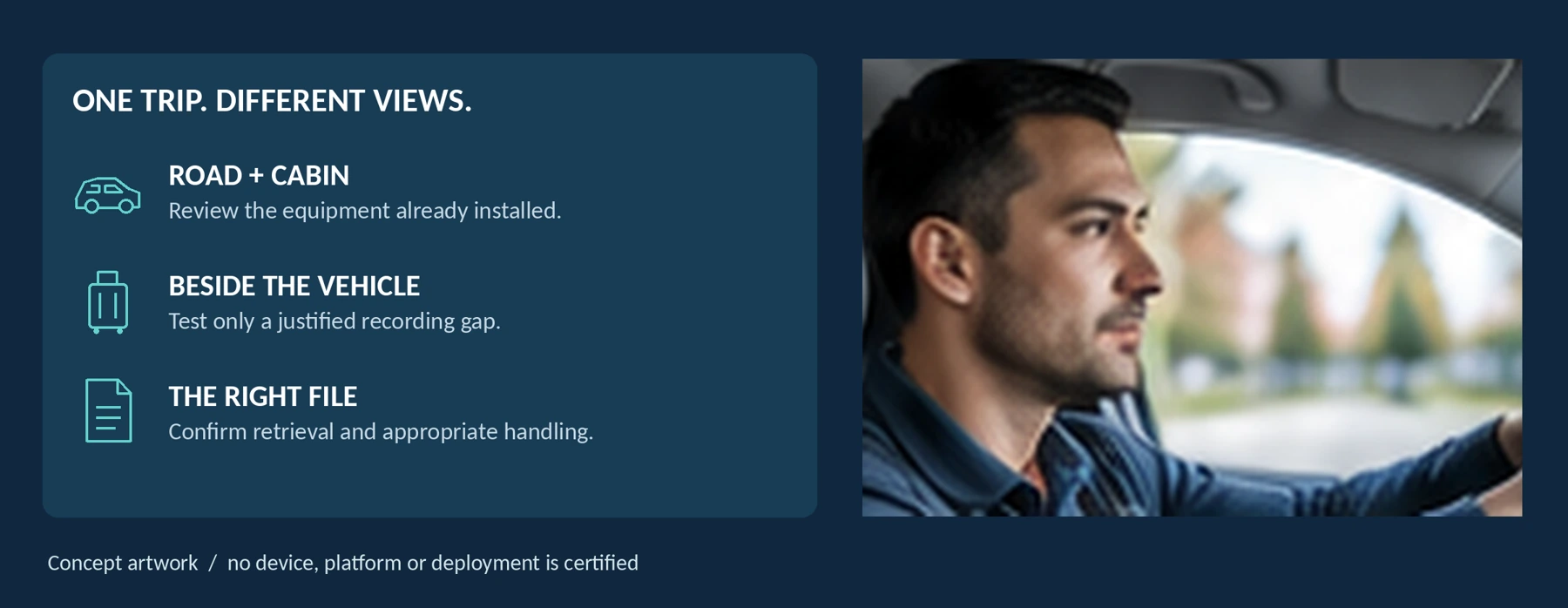
Do Rideshare and Taxi Drivers Need a Body Camera?
Consider the recording gap, seated view, passenger privacy and approved file-sharing procedures.
Using a Body Camera to Document Harassment and Neighbor Disputes
Put safety first and consider appropriate ways to document incidents without escalating a dispute.
Body Camera Buying Guide: How to Choose the Right One
Choose a camera around recording controls, battery life, file access and your actual working routine.
