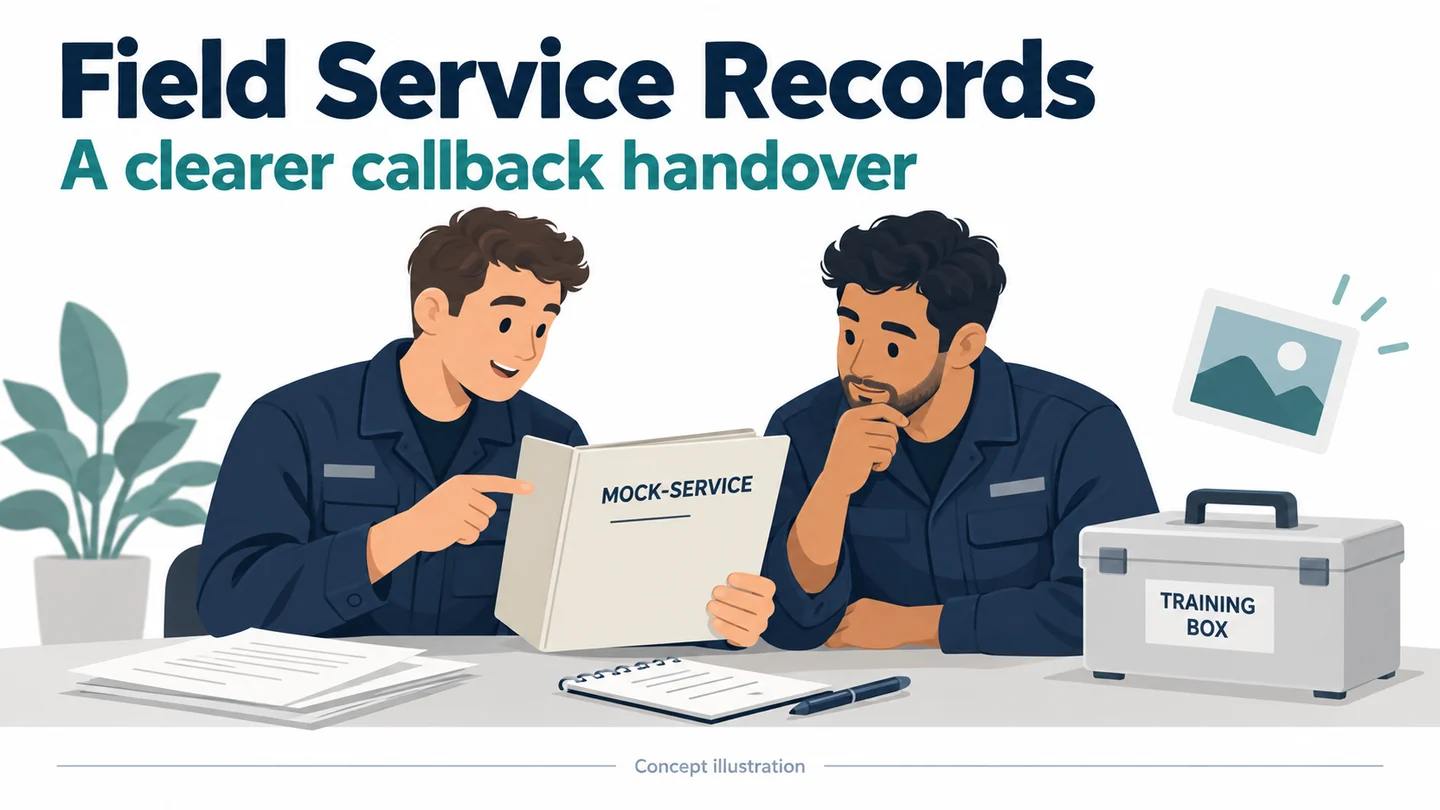
Body Cameras for Field Service Technicians: Repair Records That Help With Callbacks
Evaluate body cameras for field service with a callback-ready record template, chest-view checks, original-file links, and conditional SPIKECAM options.
Editorial guidance, not legal advice or a model-specific performance promise. Check the rules and requirements that apply to your location and use.
Overview
A callback technician does not need to watch an entire visit to learn that the important detail was outside the camera's view. They need a concise record of the reported symptom, what the first technician directly observed, the authorized work, the result, and the questions left unresolved.
A body camera may contribute selected visual context to that record. It does not replace measurements, close-up photographs, the work order, or an appropriate completion check. This guide evaluates deliberate recording moments and the resulting handover packet, with conditional SPIKECAM candidates and a fictional exercise on harmless training equipment. It is a documentation method, not a repair procedure or evidence that cameras improve first-time fix rates.
Define the Information a Callback Technician Actually Needs
Reported symptoms, observed conditions, work scope, and unresolved items
Begin with the question a second technician would ask before returning. “What was reported, what was actually observed, and what remains uncertain?” is more useful than “Was the visit recorded?” The first question guides a record; the second only confirms that a file might exist.
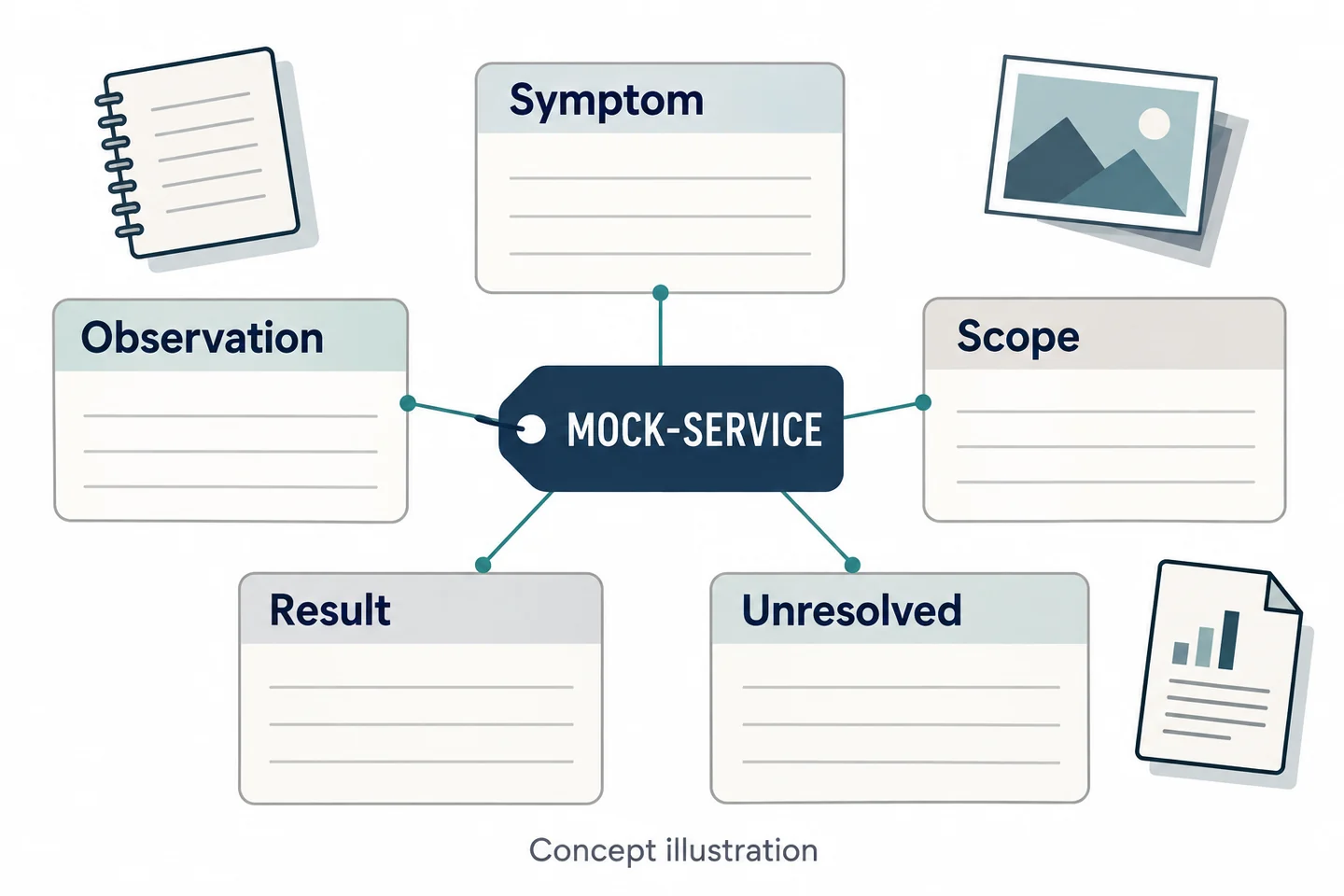
Use five headings for the service packet. Keep customer-reported symptoms separate from a technician's direct observations. Record the authorized scope and the result of the applicable work or checks without expanding either beyond the source. Preserve unresolved items even when the visit has ended.
| Packet field | What belongs in it |
|---|---|
| Reported symptom | The reported behavior, labeled as a report |
| Direct observation | What the technician actually observed |
| Work scope | The work authorized and documented |
| Result | The specific observed or measured outcome |
| Unresolved item | What still needs inspection, measurement, or clarification |
Where notes, instrument records, and close-up photos work better
Assign a suitable medium to each field. A work-order note may be the clearest way to state a symptom. An instrument record is the appropriate source for a measurement. A deliberately framed photograph may show a small label more clearly than a moving chest-level recording.
Use body video where it adds useful context, such as the sequence of a permitted visible action or the relationship between a component and its surroundings. Do not use a longer clip to avoid writing the short observation the next technician actually needs.
This five-field structure is an editorial proposal for testing record quality, not an industry certification. The property and field-service guide covers broader visit considerations; the focus here is whether a later technician can understand the packet without reconstructing the first visit from memory.
Separate Recording Permission from the Work Order
Agree on the specific record before the visit
Authorization to perform a service task should not be treated as blanket permission to record the entire premises. Define the particular recording purpose, responsible organization, intended recipients, applicable notice, and stopping conditions before a real visit. Resolve those requirements through the service provider's reviewed process.
The ICO's UK BWV guidance addresses purpose and governance. It is currently under review and does not provide US recording authorization or a universal consent rule. The actual arrangement must fit the location, task, and applicable requirements.
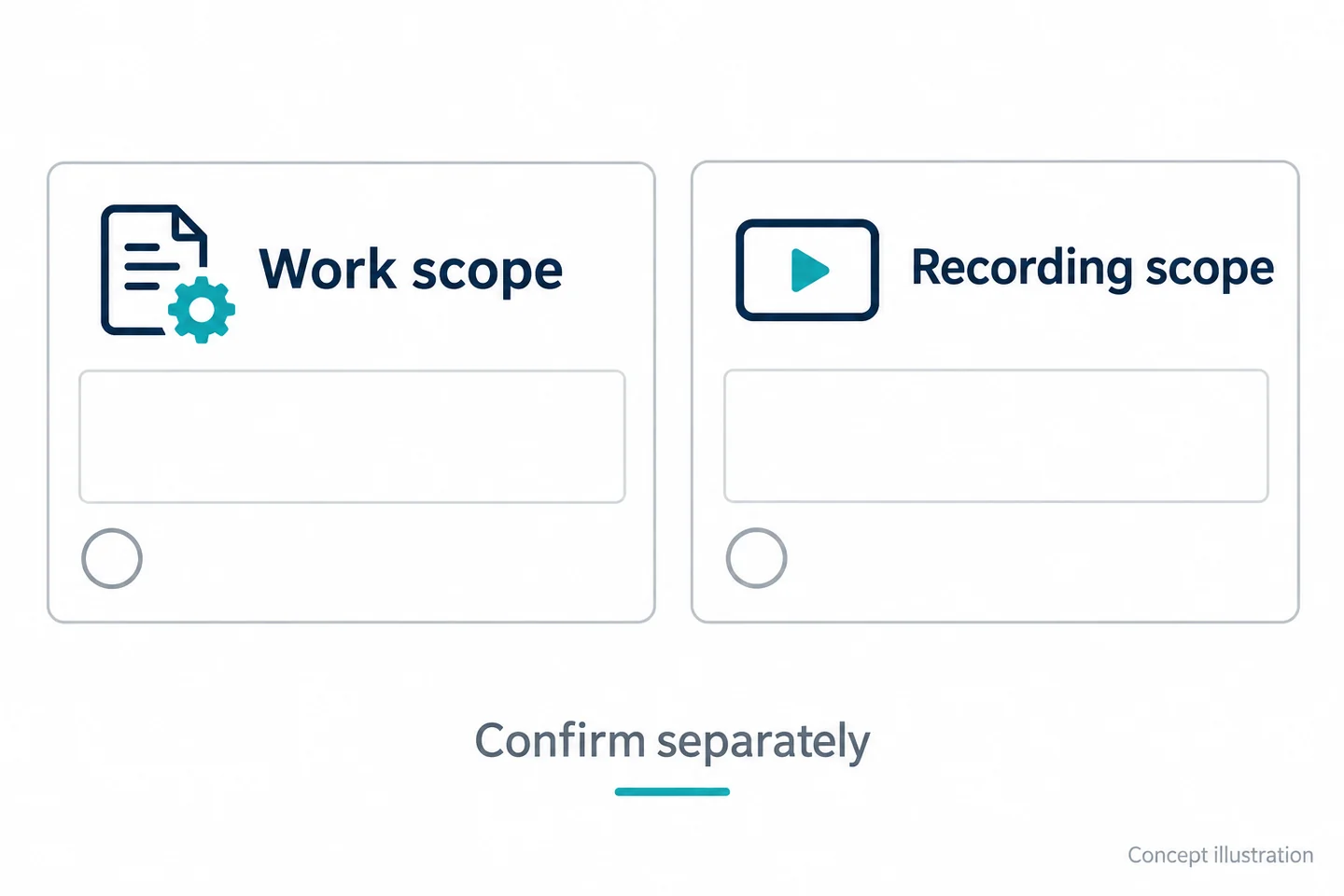
For the trial, use a fictional work order and a clearly bounded training task. Write separately what work is permitted and what record is permitted. A person should be able to explain both without assuming that one automatically includes the other.
Stop around customer screens, personal spaces, and changed scope
Identify information that does not belong in the record: passwords, customer screens, personal documents, private spaces, and unrelated conversations. Use blank props during practice. Do not collect real sensitive information simply to test whether it later needs removal.
Prepare the decision when the work or location changes. An inspection moving behind an enclosure, a customer opening a private screen, or a new task request may change the recording scope. Follow the approved stop or reassessment process and note the resulting limitation.
| Separate decision | Field to complete |
|---|---|
| Work authorization | Task and scope reference |
| Recording authorization | Specific purpose and reviewed procedure |
| Excluded information | Data, spaces, and conversations outside scope |
| Changed task or location | Stop/reassessment point and responsible person |
No automatic masking, password removal, or selective recording capability is assumed here. A workable boundary must exist in the actual process.
Choose Deliberate Recording Moments in the Visit
Prepare, mount, start, stop, and confirm the saved file
Prepare the sample before the training task. Record its exact model, firmware, mode, mount, storage condition, and time setting. Make a short practice file and open it. A powered-on device is not proof that the intended file will be available later.
Mount it on the actual work clothing, including the jacket or tool belt used for the job. Inspect how the viewpoint changes when the technician moves. The Home Office technical guidance provides general mounting and feedback topics; it is not a field-service performance test.
Inspect the sample's actual recording feedback. After each planned segment, verify what was saved rather than relying only on the technician's memory of pressing a control. Do not invent a pre-record buffer or automatic recovery feature to explain a missed beginning.
Before-work observations, a permitted action, and a completion record
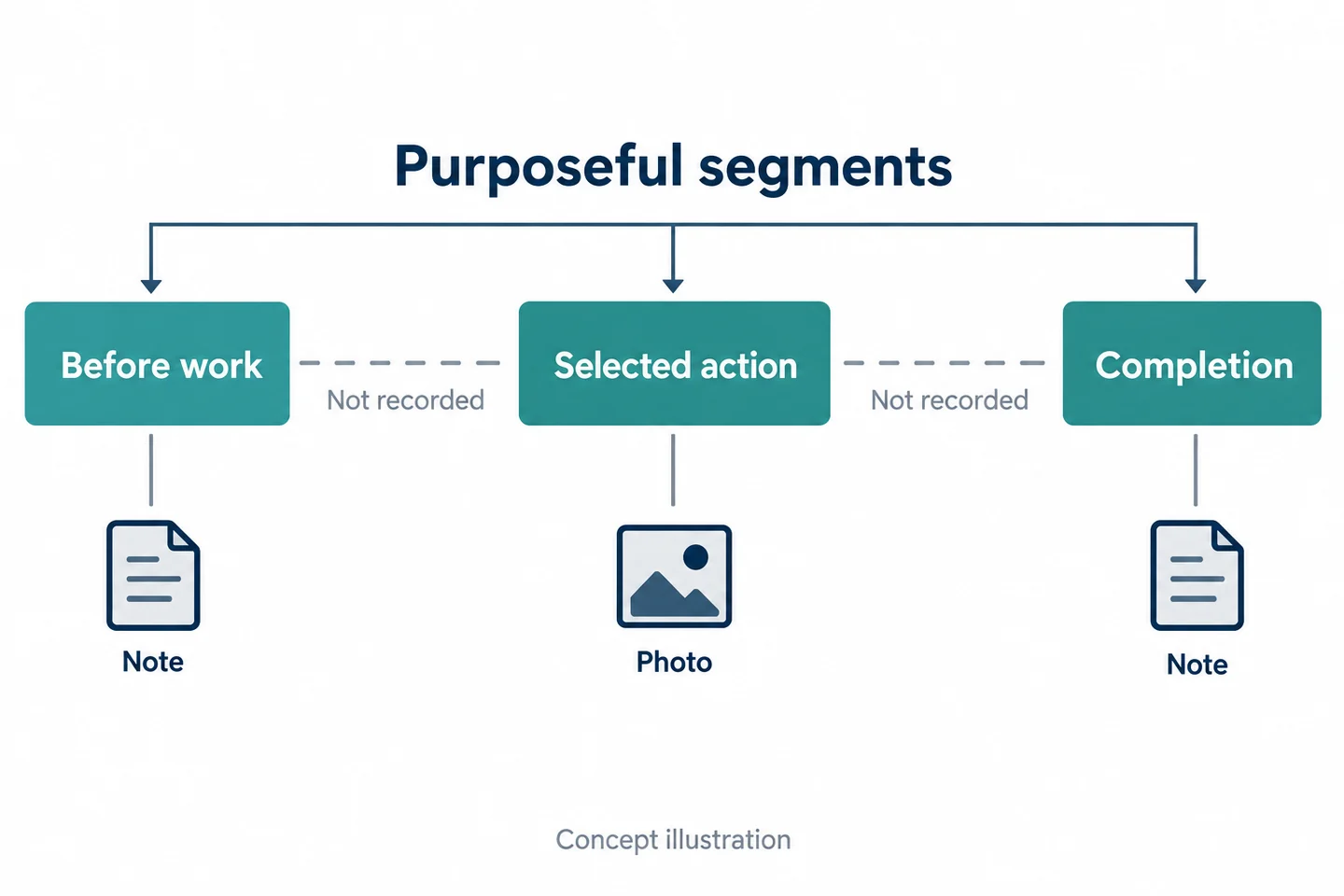
Select moments with a clear purpose. A before-work segment might show a visible condition. A second might document a permitted action that is actually within view. A completion record might link the relevant observation to a separate measurement or photograph.
| Moment | Record question | Companion source |
|---|---|---|
| Before work | What visible condition was present? | Note or close-up photo |
| Selected action | Which part of the authorized action is visible? | Work-order entry |
| Completion | What outcome was actually checked? | Applicable measurement or result record |
Keep gaps between those moments visible in the packet. Do not describe three short clips as continuous documentation of the whole visit. Recording every minute can still miss the important detail while adding unrelated customer information and review effort. The objective is a well-chosen record, not maximum footage.
Find the Camera's Blind Spots Before Relying on It
Kneeling, reaching, tool belts, and an enclosed component
Use harmless, de-energized training equipment with no dangerous stored energy. This exercise evaluates documentation only; actual technical work must follow the equipment's appropriate procedures and qualifications.
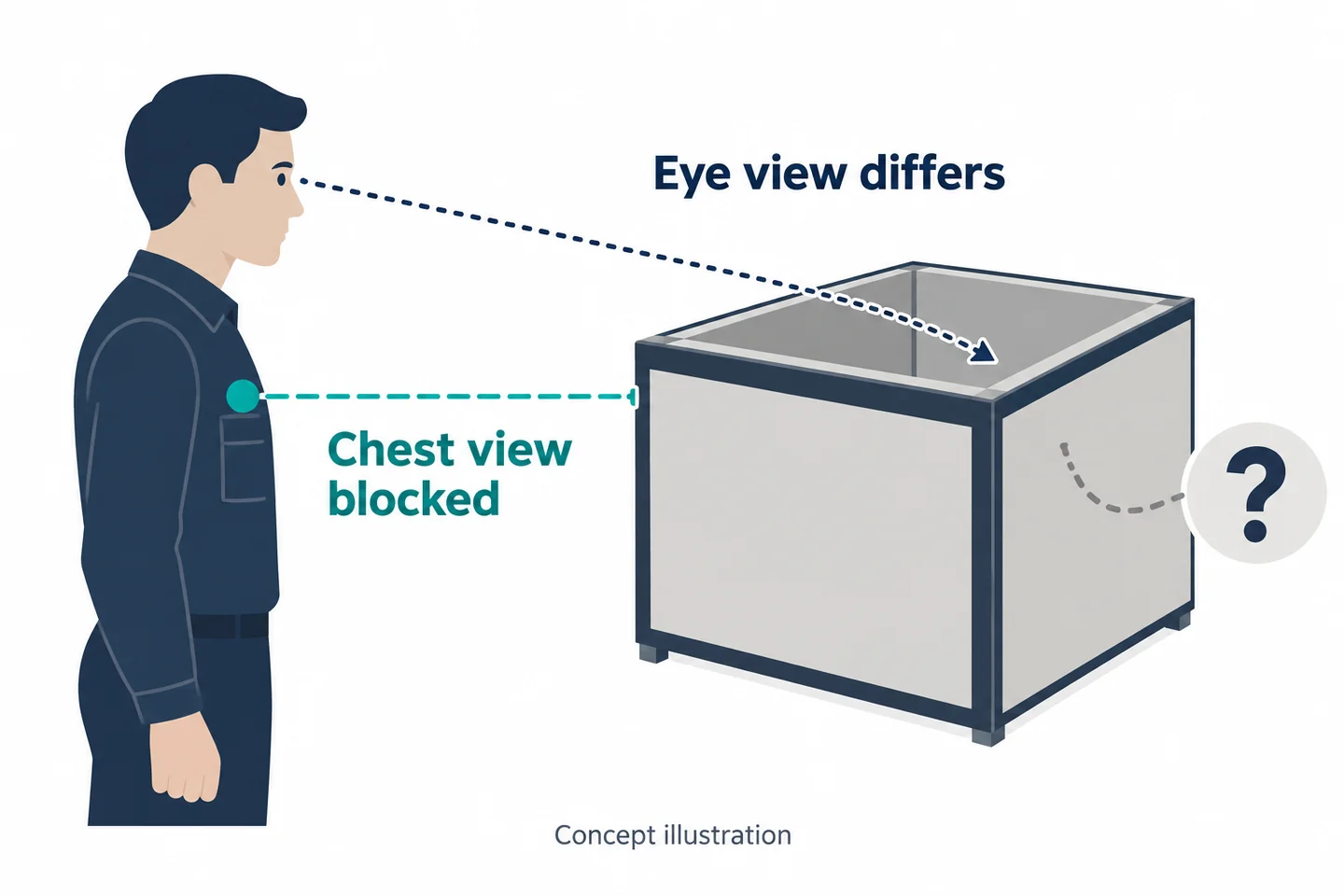
Have a colleague adopt the normal working positions without performing a hazardous repair: standing, kneeling, reaching, and looking toward a recessed dummy component. A chest-mounted viewpoint can remain outside an enclosure even when the technician can see inside. An arm or tool pouch can block the lens at the exact moment the record is meant to capture.
Do not reposition a worker into an awkward or unsafe posture merely to improve the camera view. If the task cannot be shown from a reasonable approved position, use a more suitable record or reject the camera for that purpose.
Can the saved file show the specific detail the reviewer needs?
Identify the detail before the test. It might be a visible connection state, the location of a dummy part, or the sequence of an allowed training action. Ask a reviewer who was not present to identify that detail from the original. Record “not visible” when it is hidden.
The Axis image-quality guide explains why movement and lighting affect usable detail. A nominal resolution is not a guarantee of close-focus readability, nor does it establish that missing information can be recovered later.
| Problem | More useful next step |
|---|---|
| Tiny unreadable label | Appropriate deliberate photograph |
| Measurement not recorded | Instrument result with conditions and reference |
| Action behind an enclosure | Document the limitation and use an approved alternative |
| Arm blocks the required moment | Retest a suitable mount or reject that use |
Do not infer a successful repair from a clip that merely shows someone working. Visible activity and a verified technical outcome are different records.
Evaluate S3 for Local Records and S7+ for a Defined Remote Task
S3 playback, mounting, and USB-C/OTG file transfer
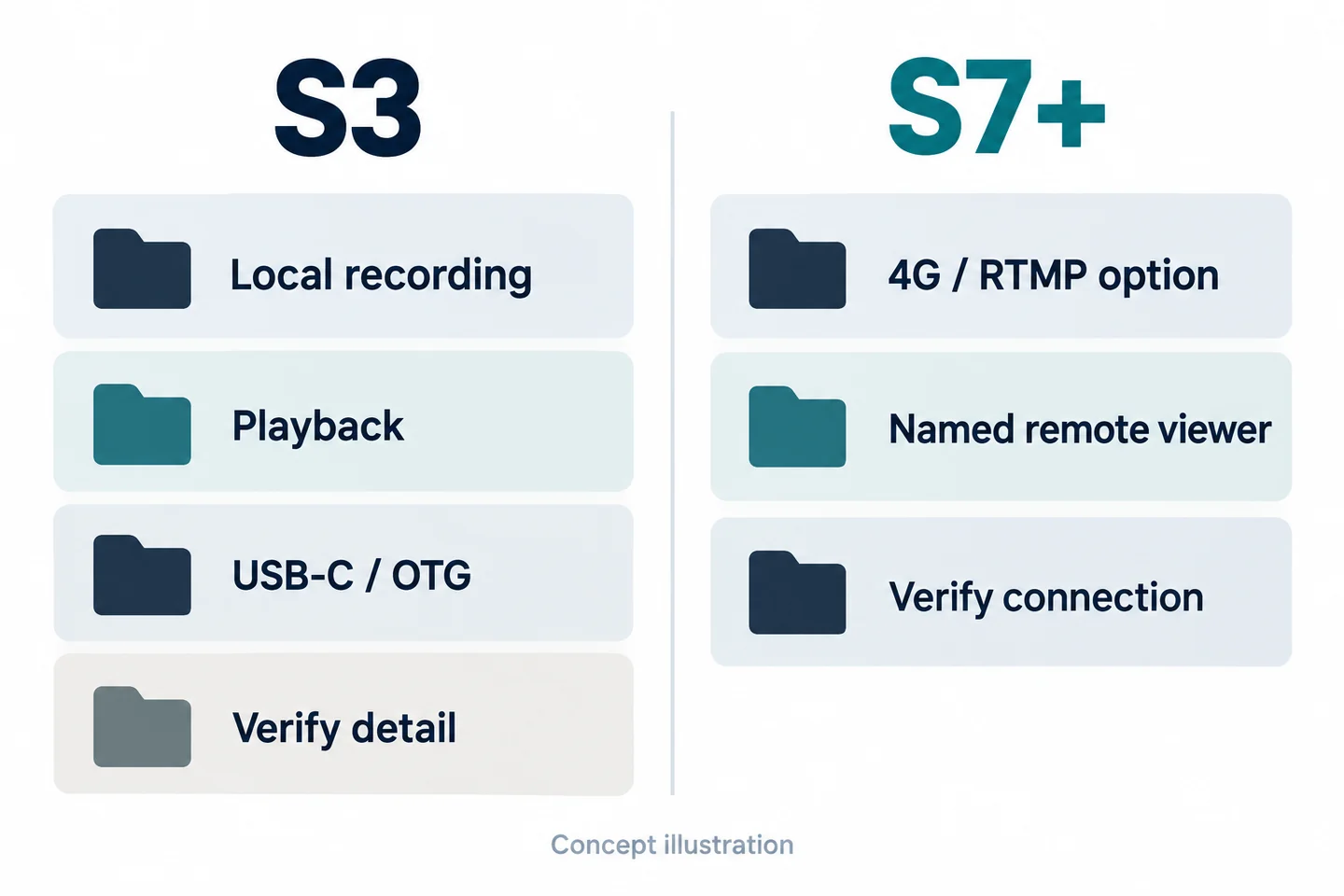
The SPIKECAM S3 provides confirmed local 4K/30 fps recording, on-camera playback, USB-C/OTG connections, and rotating and magnetic clip options. Those facts make it a candidate for testing selected local records and later retrieval.
The mounting options still need to work with the actual clothing and movement. File connectivity does not establish automatic attachment to a work order, approved storage, encryption, or a complete review system. S3 has no Wi-Fi or infrared night vision, and 4K does not guarantee readable small components or instrument displays.
| Service task | Confirmed starting point | What the trial must establish |
|---|---|---|
| Selected visible action | S3 local recording | Required detail is in the saved view |
| On-site file existence check | S3 playback | Correct segment can be found |
| Handover packet | USB-C/OTG connection | Authorized recipient retrieves the original |
| Working posture | Available clip options | Stable, appropriate view without interfering with work |
S7+ remote viewing with verified coverage and a named receiver
Consider the S7+ when a named, authorized remote specialist has a specific viewing task. It has regional 4G LTE variants and an RTMP option confirmed by SPIKECAM for the referenced configuration. Verify the exact firmware, bands, carrier, platform, licensing, access, and receiving process.
A video stream does not establish remote control, two-way instruction, automatic work-order integration, or technical approval of the work. Keep staff contact and qualified technical decisions separate. See the live-streaming checklist for connection evaluation.
Test what happens when coverage is interrupted and whether the local file is recoverable through the agreed process. The 18-hour recording figure does not mean 18 hours of streaming. Ask for the recording conditions and verify the proposed service-visit duty cycle. Reject the connected option if the defined remote task cannot be reliably demonstrated under the intended conditions.
Assemble a Callback-Ready Record
Keep measurement results separate from visual observations
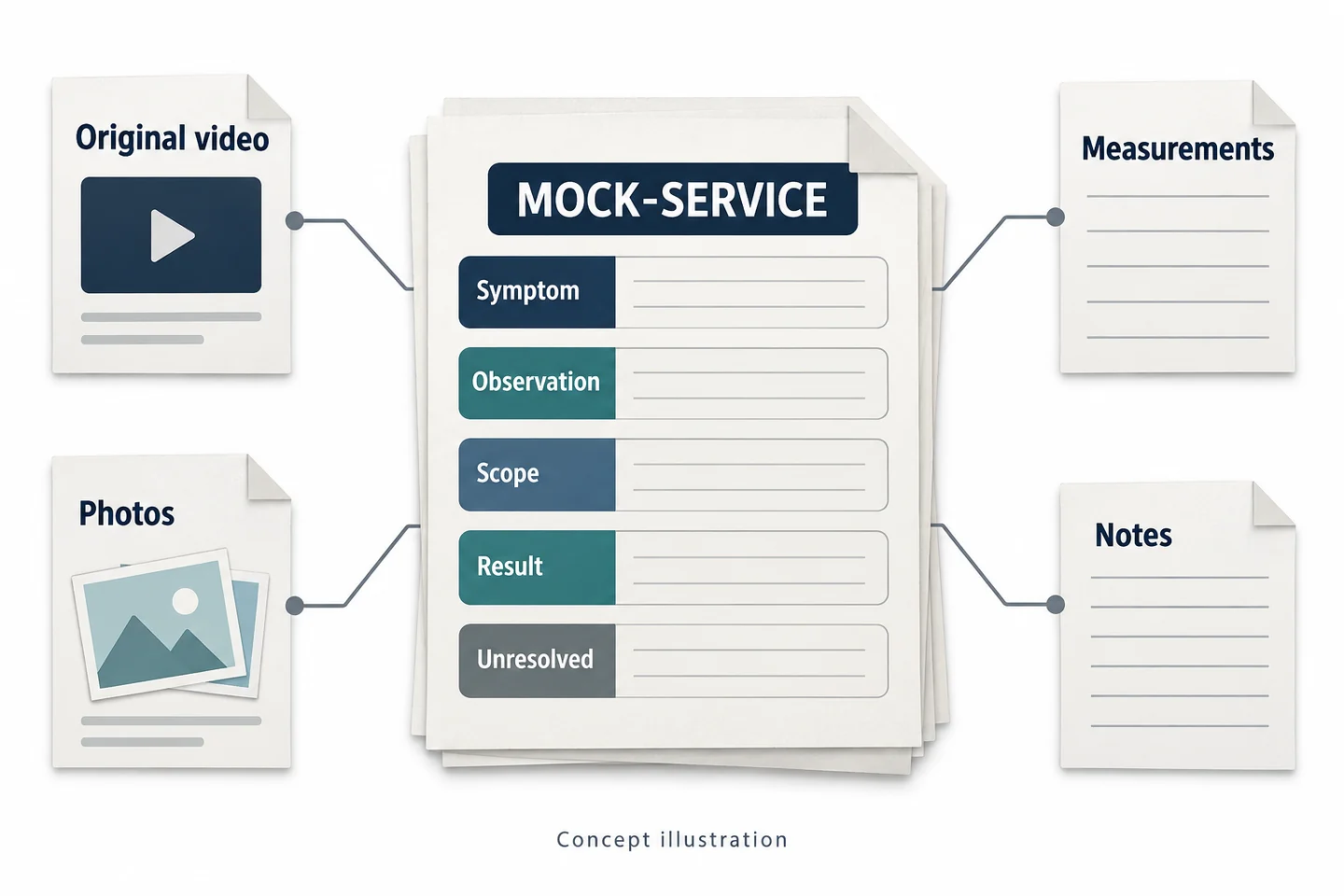
Build the packet around the five questions rather than the order in which files happened to be created. A video may show a display, but that does not necessarily preserve a readable result, the measurement conditions, or the instrument's identity. Use the appropriate measurement record as its own source.
Label reported symptoms, direct observations, and interpretations separately. If the customer described intermittent behavior that did not occur during the visit, record that distinction. Do not convert a report into an observed fault or a brief normal-looking clip into proof that no fault exists.
| Packet field | Source to attach or reference | Limitation to retain |
|---|---|---|
| Symptom | Work-order report | Reported rather than observed |
| Observation | Note, image, or specific clip | What was outside the view |
| Scope | Authorized work record | Work not included |
| Result | Applicable check or measurement | Conditions and unresolved uncertainty |
| Open item | Follow-up question | What still requires inspection |
Link originals, working notes, and open questions to the work order
Use a controlled work-order reference and preserve each original identifier. Keep a concise index that states the relevant interval and what the clip contributes. Do not duplicate unrelated customer data just to make a filename descriptive.
If a working summary or annotated copy is needed, label it and retain the relationship to the original under the organization's process. Explain timing uncertainty and missing segments rather than editing them into apparent continuity.
Ask the receiving technician to locate the intended source without coaching. A packet that can only be interpreted through a phone call with the first technician is a signal to improve the index or notes. This is an information-quality test; it does not establish that the underlying repair was correct.
Try a Fictional Callback Review on Training Equipment
Let a second technician review the packet without coaching
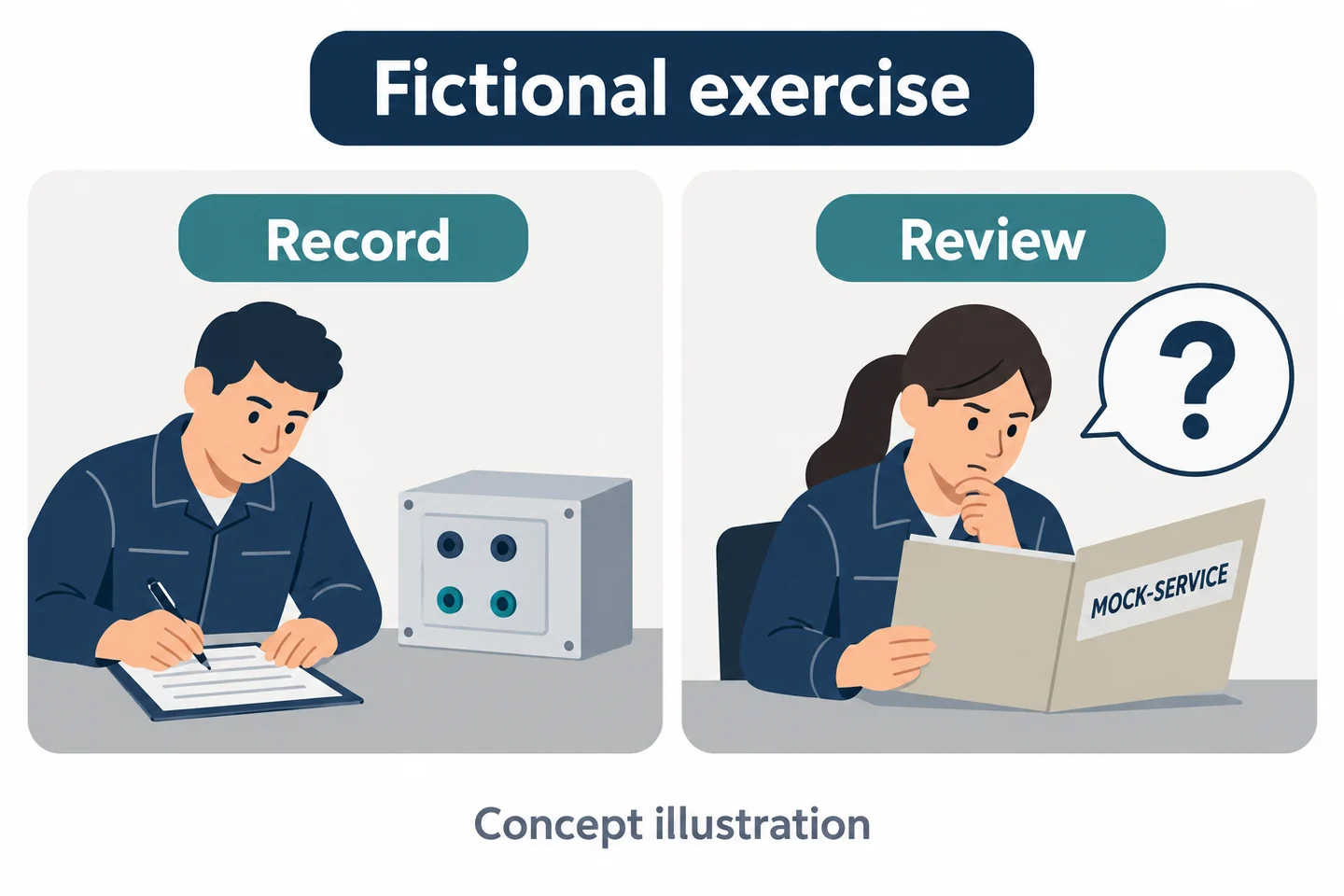
Fictional controlled exercise—not a repair instruction, customer case, or measured improvement. Use a harmless training assembly, no energized or hazardous components, and the work-order reference MOCK-SERVICE-01. One colleague documents a visible dummy-part task within the preapproved scope. A second colleague receives the packet later.
Prepare the reported symptom, intended observation, authorized training action, and completion question in advance. Keep this exercise script separate from the sources produced during the task. The reviewer should assess the actual records, not be handed the intended answer as if it were evidence.
The HSE's lone-worker guidance addresses contact and supervision arrangements. It does not make camera viewing a substitute for appropriate technical supervision or establish a repair result.
Mark what still requires inspection rather than guessing
Ask the second technician to complete the five-field packet using only the authorized sources. They should identify the recorded action, locate a companion photograph or measurement reference where applicable, and list unanswered questions. Do not reward a confident guess about a hidden component.
| Reviewer question | Entry after the exercise |
|---|---|
| What was reported? | Report source and wording summary |
| What is directly visible? | Original reference and relevant interval |
| What result is supported? | Appropriate source, conditions, and limits |
| What remains unknown? | Inspection or record still needed |
Compare the reviewer's questions with the packet's intended purpose. If a close-up photo answers the missing question more efficiently than video, add that medium to the workflow. If video contributes no necessary information, record that outcome. Leave all results blank until the trial is actually performed; do not invent callback reductions or customer satisfaction gains.
Use the Service-Record Acceptance Sheet
Test detail, continuity, retrieval, and appropriate scope
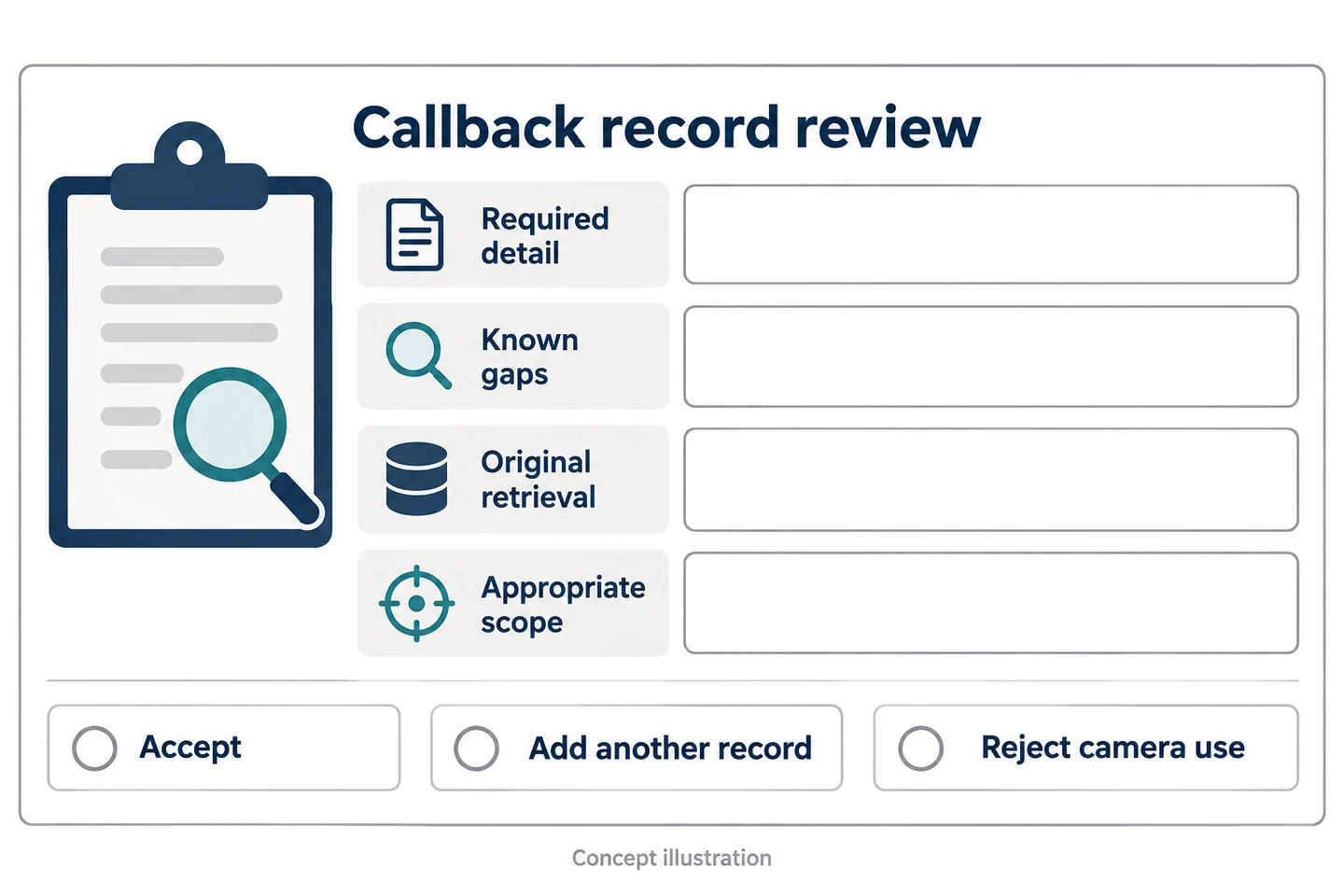
Use this callback-ready service record template for each sample trial. It connects camera evaluation with the next technician's needs.
| Field | Entry to complete |
|---|---|
| Mock work order | Controlled training reference |
| Reported symptom | Report source, distinct from direct observation |
| Direct observation | What was actually seen and its source |
| Measurement/photo reference | Separate record and relevant conditions |
| Authorized scope | Work and recording boundaries |
| Sample configuration | Model, firmware, settings, mount, clothing |
| Clip ID and visible action | Original reference, interval, and actual coverage |
| Result observed | Supported outcome without an inferred repair claim |
| Unresolved item | Missing detail or inspection still needed |
| Excluded customer information | Boundary check and any unwanted collection |
| Receiving technician's question | What the packet still cannot answer |
Check that the original is retrievable, the required detail is usable, the scope is appropriate, and gaps are explicit. Do not substitute a large file count or a long recording duration for these checks.
Accept the workflow, add a better record, or reject the camera use
Accept only the tested documentation task. Add a better record when a photograph, instrument output, or short note answers a particular question more effectively. Reject a camera use that interferes with work, repeatedly misses the necessary view, or cannot meet the agreed information boundaries.
Bring a redacted callback form, representative work clothing, and a harmless training task to a SPIKECAM camera-and-file-workflow trial. The useful outcome is a packet the next technician can interpret accurately, including a clear account of what they must still inspect for themselves.
Related articles
Body Cameras for Property Managers and Field Service Workers
Match recording to the job, distinguish common areas from home visits and plan file handling.
Body-Worn Camera Training for Security Teams: A Practical Checklist
Plan practical body-worn camera training for security teams, with staff exercises, supervisor checks, file-handover practice, and a pilot sign-off checklist.
Body-Worn Cameras with Live Streaming: A Team Deployment Checklist
Plan a live-streaming body camera pilot: check connectivity, the receiving workflow, video quality, data use, battery demand, and recovery before ordering.