Body Cameras for Hotel Front Desk Staff: Night-Shift Incidents and Guest Data
Assess hotel front desk body cameras with guest-data boundaries, counter-view checks, night-shift handovers, and a practical acceptance worksheet.
Editorial guidance, not legal advice or a model-specific performance promise. Check the rules and requirements that apply to your location and use.
Overview
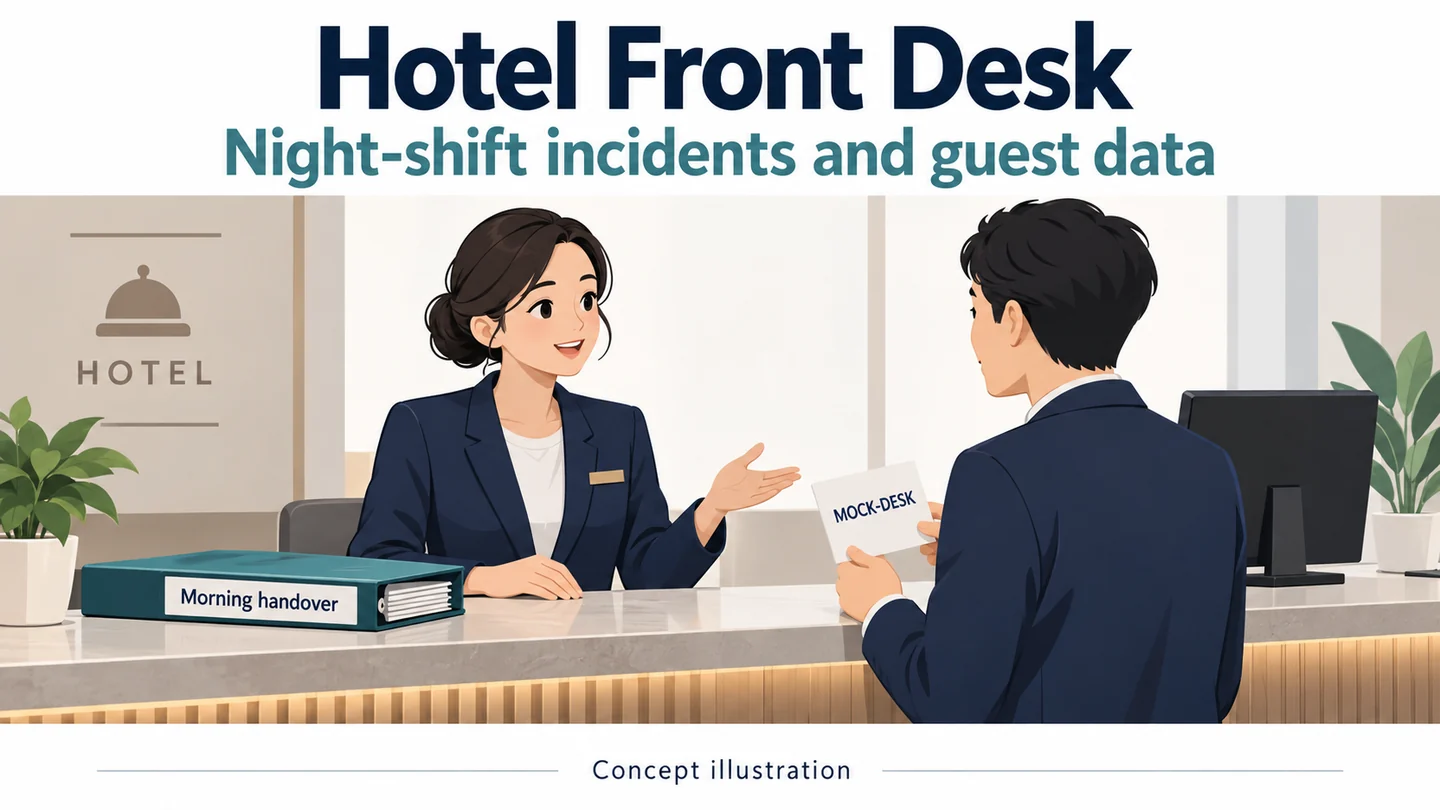
A hotel front desk handles ordinary service, payment, identity checks, and occasional incidents in the same small space. A wearable camera moves with the employee, so a recording aimed at a conversation may also include a booking screen or a document on the counter. The first decision is whether a narrowly defined incident record adds enough value to justify that moving view.
This guide follows one night-shift interaction from service to an approved recording event and then to morning handover. It provides a desk-specific trial sheet and conditional SPIKECAM options. It does not assume that complaints should always be recorded, that all reception employees need cameras, or that video replaces staff assistance and service-recovery procedures.
Find the Gap Beyond Lobby CCTV and the Service Log
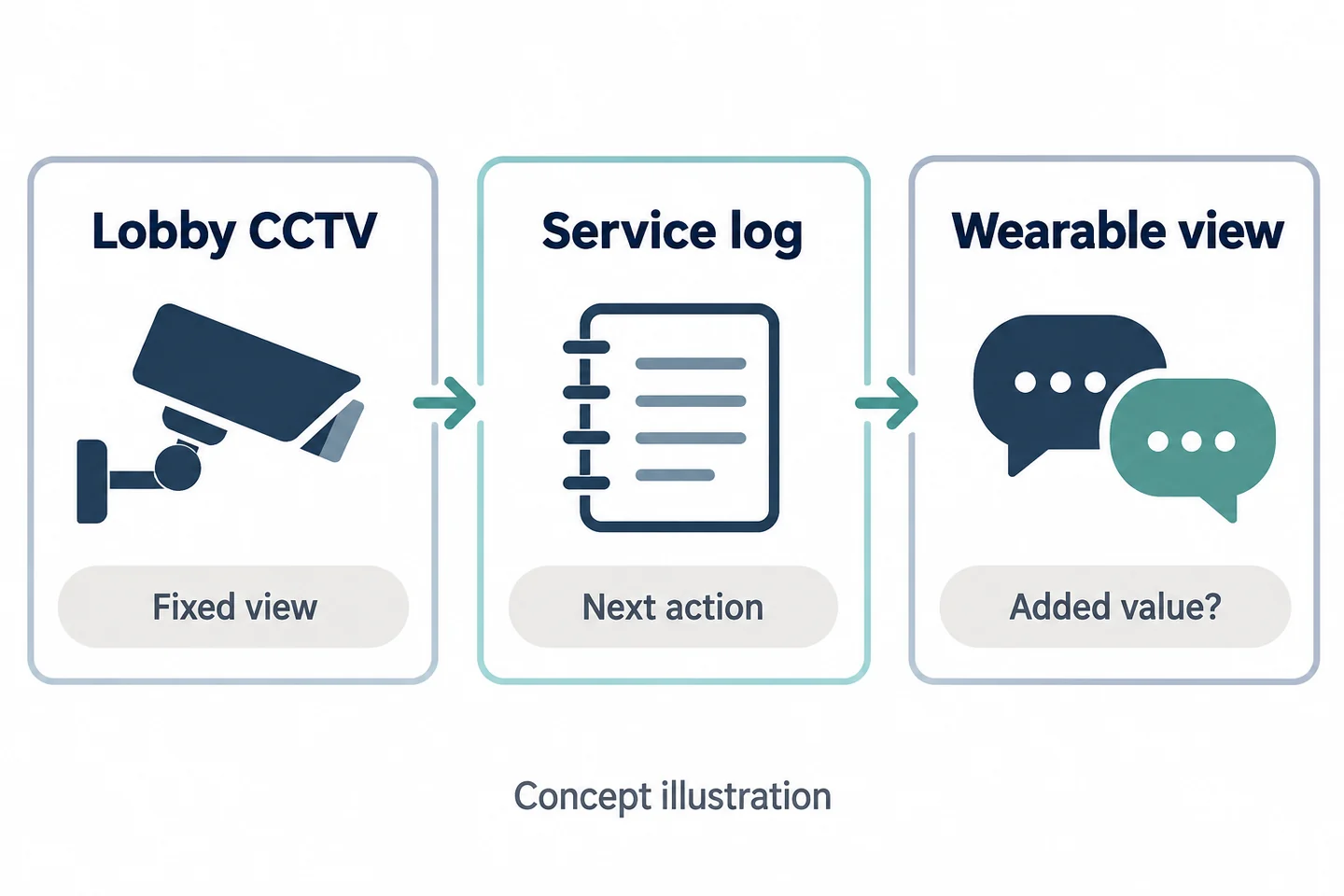
What the desk camera and booking system already record
Choose one recurring review problem without using actual guest information in the trial. Perhaps the morning supervisor needs to understand an explanation exchanged away from the fixed camera's useful view. Perhaps the real problem is an incomplete service note that better handover could solve without another device.
Compare the current sources before proposing wearable recording.
| Existing source | What it may contribute | What to check |
|---|---|---|
| Lobby or desk CCTV | Activity within its fixed view | Conversation coverage and access |
| Booking or service system | Recorded request and follow-up | Whether the relevant explanation is documented |
| Shift handover note | Current status and next action | Whether a named owner receives it |
| Proposed body video | An authorized interaction from the wearer's position | Added information versus unnecessary guest data |
The Motorola hospitality brochure describes a manufacturer-specific hospitality use case. Its live-support and upload features do not establish equivalent SPIKECAM functions or a benefit at your desk.
When an extra wearable view has no clear benefit
If the missing information is a simple next-action note, fix that note first. If fixed CCTV already supplies the permitted view and reviewers can find it reliably, another recording may be redundant. If the moving viewpoint repeatedly captures information outside the intended purpose, narrowing the task or using another record may be the better decision.
State the intended benefit as a question that a reviewer can answer from a trial file. Avoid broad goals such as “improve safety” unless the organization has a separate method to evaluate them. This trial does not measure incident reduction.
The broader hospitality and event staff guide covers deployment context. This article focuses on the transitions inside a single front-desk interaction.
Define the Transition from Service to an Approved Incident
Routine complaints, supervisor requests, and actual policy triggers
Put the hotel's recording decision beside its existing service process. A guest asking for a refund, disputing a charge, or requesting a supervisor does not automatically answer whether recording is necessary and authorized. The hotel must define the actual trigger, notice, exceptions, and person responsible under its applicable requirements.
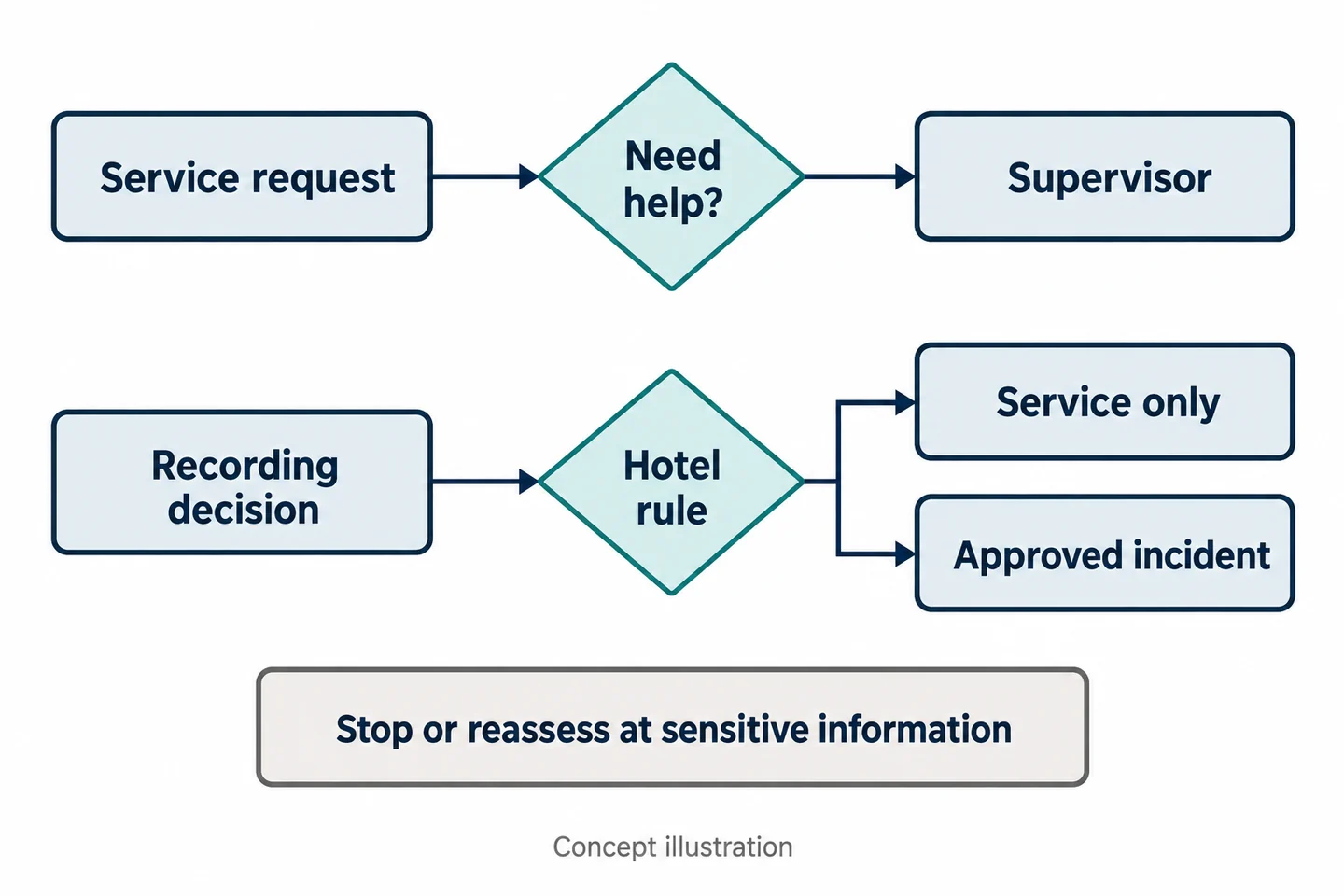
Use a decision card with three states: routine service, supervisor assistance, and an approved incident-recording purpose. The states may overlap operationally, but they should not be treated as interchangeable. Calling a supervisor is not proof that a recording should begin.
The ICO's UK BWV guidance addresses recording purpose and privacy information. It is currently under review and does not authorize recording for a US hotel. Obtain the local policy decision before a live deployment.
Starting and stopping without making the guest repeat a distressing account
Rehearse the transition with colleagues rather than using a real guest as a test subject. Staff should be able to recognize the approved trigger, operate the actual sample, and explain the recording boundary without disrupting ordinary service.
If a recording starts after part of an account has already been given, document that limitation. Do not ask a distressed guest to repeat an account merely to create a more complete-looking clip. Use the hotel's approved note and assistance procedures for information not recorded.
| Transition | Decision to prepare |
|---|---|
| Service request | Ordinary service record and owner |
| Supervisor needed | Assistance channel and incoming responsibility |
| Approved incident trigger | Recording purpose and notice procedure |
| Purpose ends or sensitive information begins | Stop or reassessment procedure |
Keep a record of interruptions and changed scope. A continuous-looking story is not the objective; a truthful account of what was and was not recorded is.
Mark What the Camera Must Not Collect at the Desk
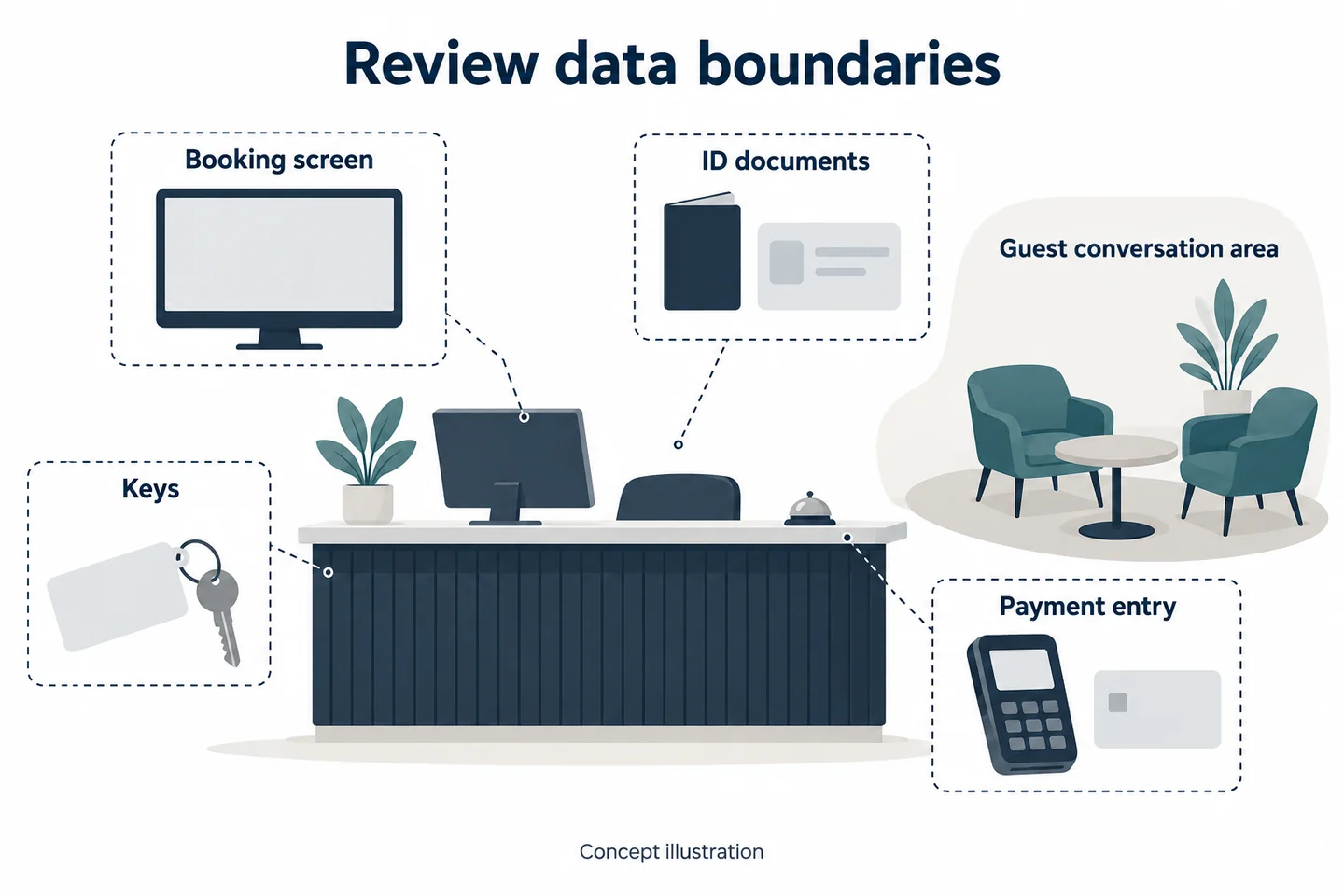
Booking screens, identity documents, keys, and payment entry
Use an anonymized desk sketch to identify possible data exposure. Mark screen positions, document handling areas, payment entry, key handling, and reflections in glass or polished surfaces. The sketch is a planning aid, not proof that a camera's actual field of view stays within a boundary.
During the trial, use blank mock documents and a training payment prop with no real account data. Review the saved file when the employee sits, stands, reaches, and turns. A screen outside the direct view may appear in a reflection, and a document that was face down may be lifted into view.
Do not assume the device automatically blurs a screen, masks a key, or removes spoken information. No such automatic capability is established for the candidates in this guide. Decide whether the intended interaction can be recorded within an acceptable scope before proceeding.
Private rooms, welfare discussions, and staff breaks
The front-desk use case does not create permission to record inside guest rooms or during every staff activity. Set explicit boundaries for private spaces, breaks, and sensitive welfare conversations. The hotel should define what staff do when an interaction changes into one of these contexts.
| Potential exposure | Controlled trial check |
|---|---|
| Booking screen or reflection | Can any unnecessary detail enter the saved view? |
| Identity document or key | Does ordinary handling cross the lens? |
| Payment entry | Does the planned stop boundary work in practice? |
| Private or sensitive conversation | Can staff recognize the scope change? |
If the same unwanted information repeatedly enters the record, the solution may be a different position, a narrower recording task, or no wearable recording at that desk. Do not use a clean illustration of the counter as evidence that the real trial passed.
Test the Front-Desk View in Working Clothing
Sitting, standing, reaching, and stepping around the counter
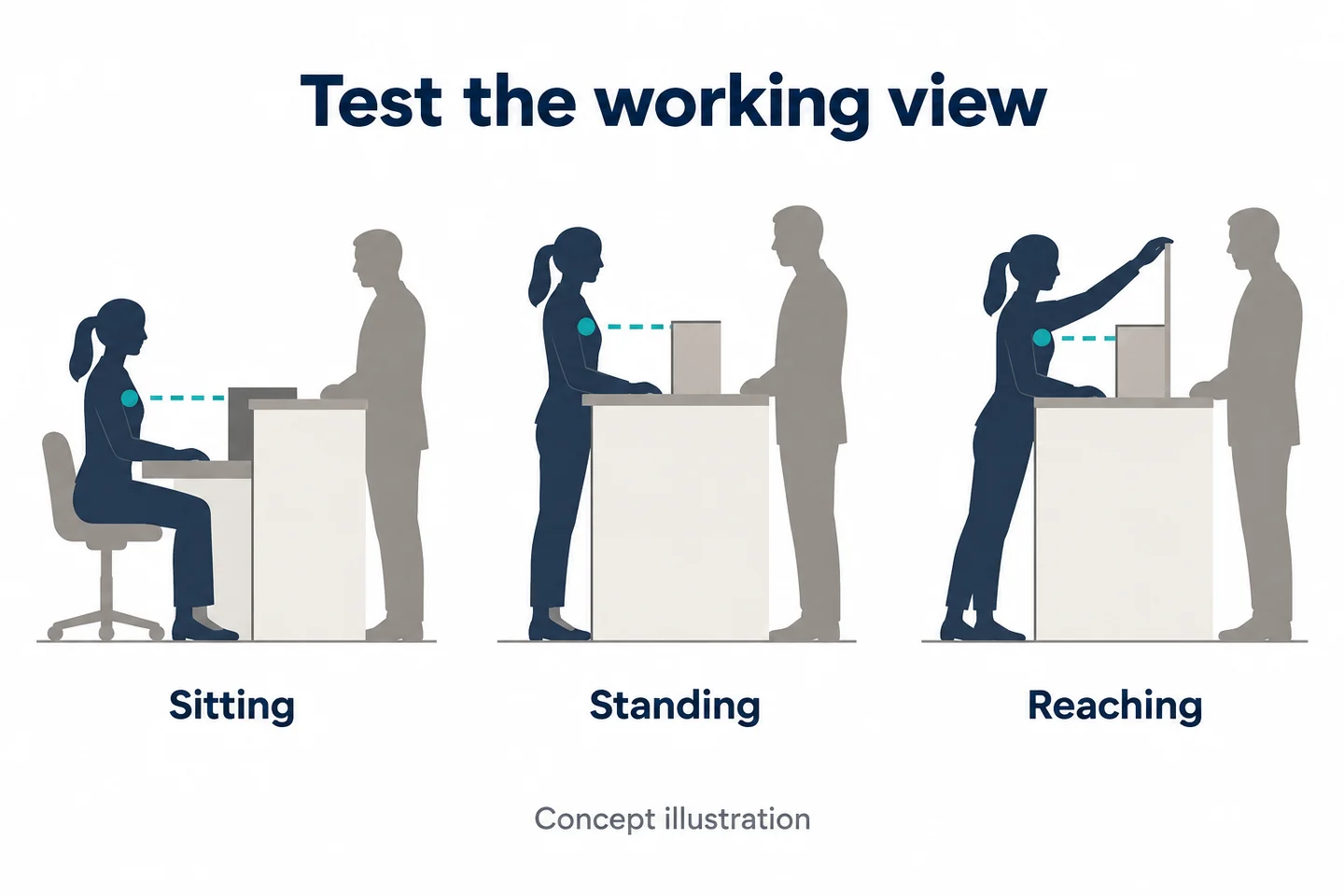
Reception is a mixed-posture task. A mount that faces the guest while standing may face the counter edge while seated. A loose jacket can change position when the employee reaches for a document, and stepping around the counter can expose areas excluded from the initial view.
Use the actual work clothing and a representative, harmless service sequence. Record the sample model, firmware, settings, mount, and wearing position. Ask the reviewer what the file shows rather than what the employee remembers seeing.
| Movement | Information to inspect |
|---|---|
| Seated conversation | Counter obstruction and speaking direction |
| Standing to assist | Whether the intended exchange remains in view |
| Reaching for a mock document | Arm obstruction and data exposure |
| Moving around the counter | Changed viewpoint and recording scope |
Backlighting, normal conversation, and silent missed starts
Include the entrance light and desk lighting used during the night shift. A bright lobby window or sign can change the image even when the guest is nearby. The Axis image-quality guide explains relevant lighting and movement effects; its device settings are not SPIKECAM specifications.
Check both sides of a normal-volume conversation on the saved file. Then compare the employee's intended start with the actual beginning. Inspect the sample's real feedback rather than assuming a particular vibration or sound that might be missed during work.
Keep assistance independent. The HSE's lone-worker guidance addresses supervision and contact arrangements; it does not establish that a recording device summons help. During the rehearsal, confirm the hotel's separate assistance procedure and who acknowledges it. A usable image and an acknowledged assistance request are different observations.
Where T1 or S7+ Might Fit the Front-Desk Task
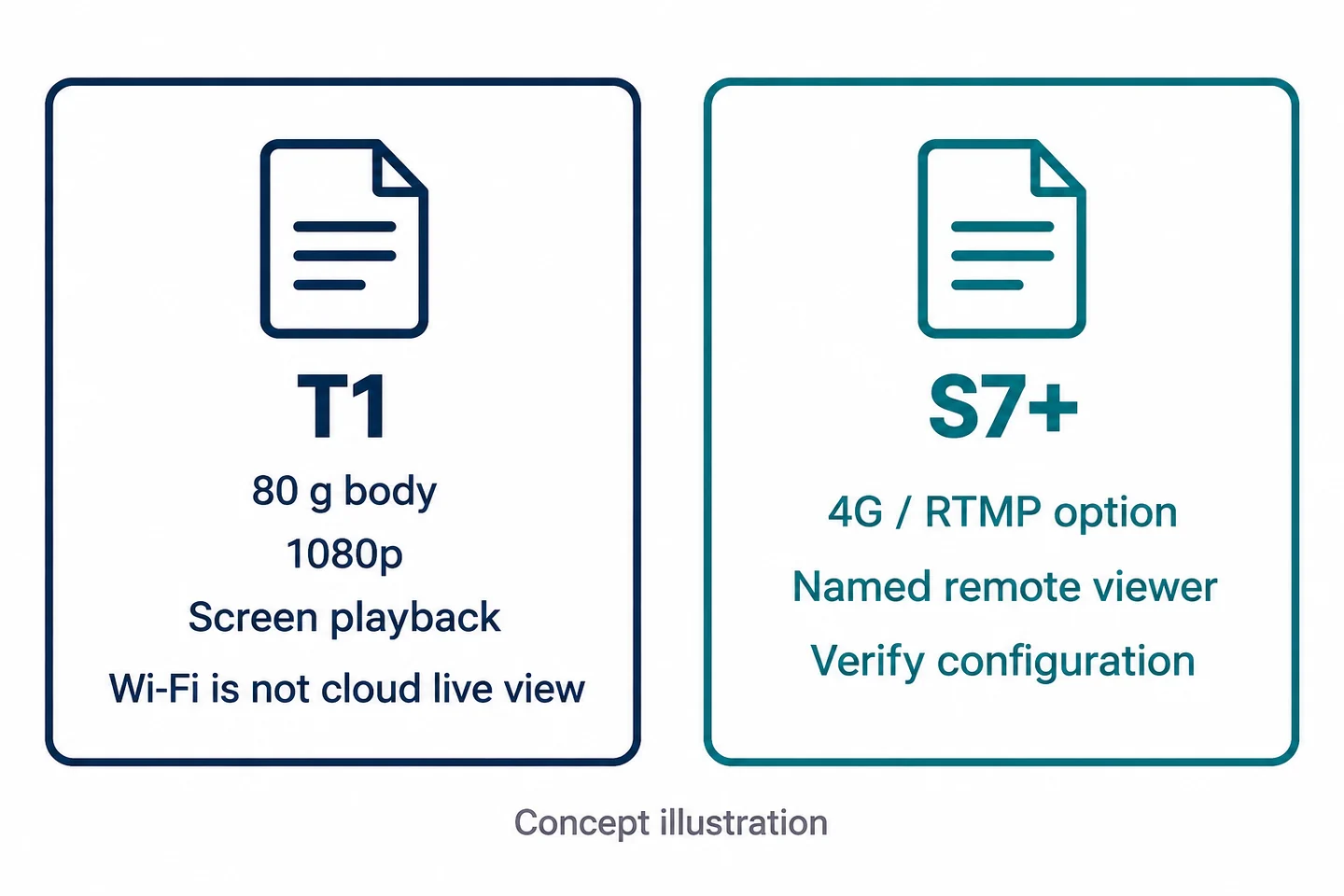
T1 as a lightweight local-recording candidate
The SPIKECAM T1 is a candidate when lightweight wear and local recording are the needs to evaluate. Confirmed facts include an 80 g body, 1080p recording, screen playback, and Wi-Fi. The rotating clip gives the team a mounting arrangement to assess on its actual clothing.
These facts do not guarantee a stable view, comfortable all-shift wear, understandable speech across a counter, or a particular file-governance system. Wi-Fi does not establish remote cloud live viewing. Test the precise connection and retrieval process required by your hotel.
A useful T1 trial asks whether an authorized short encounter can be captured with acceptable data boundaries and then found by the permitted reviewer. It should include seated and standing positions, not just a device demonstration held in someone's hand.
S7+ only for a specified, staffed remote-viewing workflow
Consider the S7+ only when a named receiver has a defined reason to view an approved event remotely. It has regional 4G LTE variants and an RTMP option confirmed by SPIKECAM for the referenced configuration. Platform, firmware, carrier compatibility, licensing, permissions, and actual receiving behavior still require verification.
| Front-desk need | Candidate | Limit to resolve |
|---|---|---|
| Lighter local recording | T1 | Mount stability, desk view, sound, and retrieval |
| Authorized remote view | S7+ configuration | Staffed receiver, coverage, and scope |
| Assistance to the employee | Separate hotel procedure | Acknowledged contact; no automatic response assumed |
| Controlled guest-data handling | Whole workflow | Access, retention, and approved transfer |
The S7+ recording figure of 18 hours is not a streaming-runtime guarantee. Ask for the recording conditions and test the proposed night-shift pattern. The live-streaming checklist helps structure that separate evaluation. Neither candidate is presented as a complete emergency-response service.
Make a Morning Handover That Protects Guest Data
Keep service recovery and video access responsibilities separate
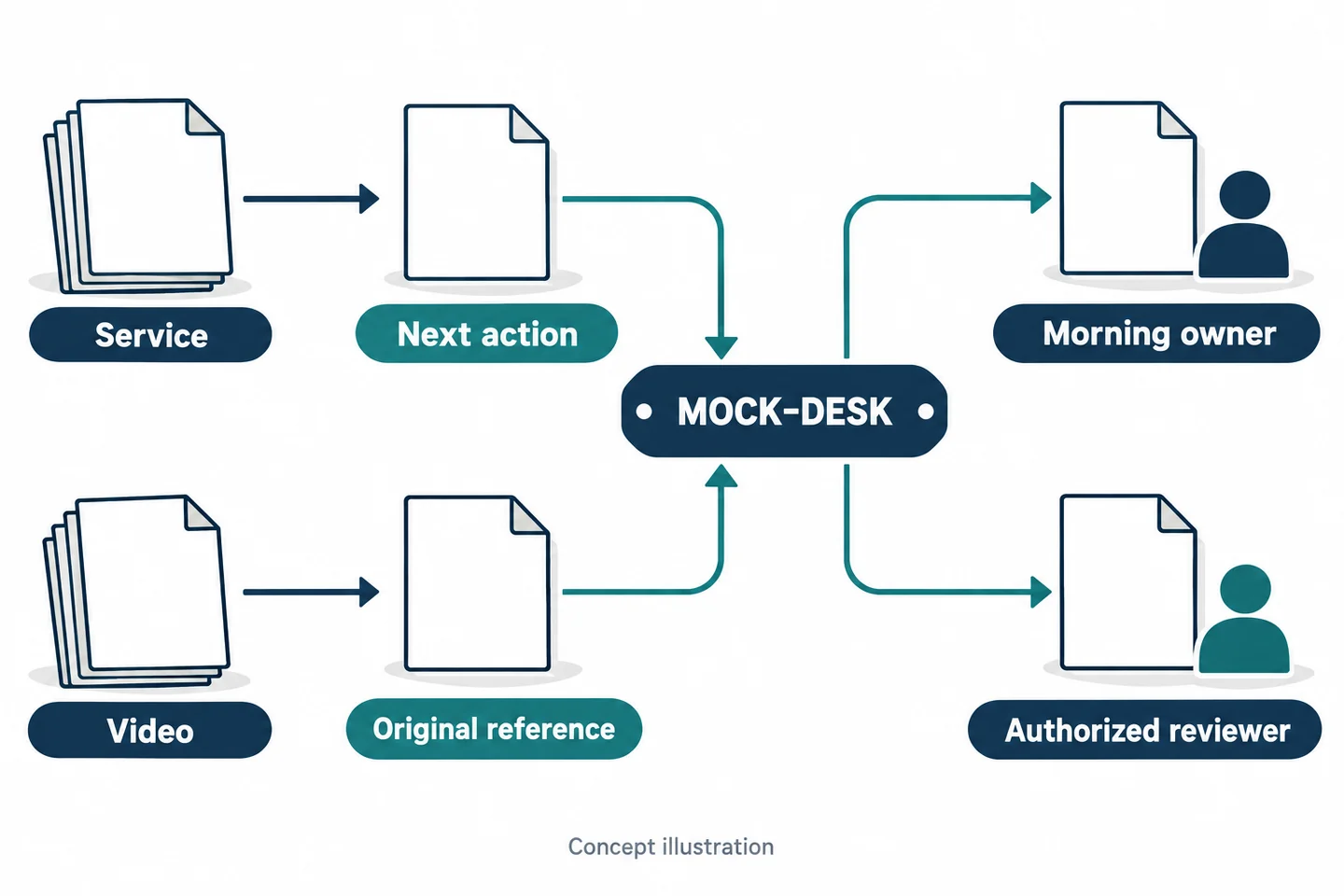
The morning team may need to follow up on a service request without needing unrestricted access to video. Keep the service track focused on the current issue, responsible person, and next action. Keep the recording track focused on original references, capture scope, permitted reviewer, and retrieval status.
Connect the tracks through a controlled event reference. Avoid duplicating booking details, identity documents, payment information, or key data in a video handover sheet. The recipient should have the information needed for their role, not every detail gathered during the night.
| Track | Main question | Handover completion |
|---|---|---|
| Service | Who handles the outstanding guest issue? | Incoming owner acknowledges the next action |
| Video | Who may retrieve the relevant original? | Authorized recipient confirms retrieval |
These can be different people. A supervisor accepting the service issue does not establish that a file has been transferred or that they should receive unrestricted access.
Record missing footage and a named next action
List the original's identifier and recorded interval. Note a late start, stop boundary, obstructed view, or unavailable file. Give a known reason only when it is supported; otherwise record the limitation as unknown.
If a working summary is needed, keep it separate from the original and distinguish recorded content from staff recollection. Do not ask the next shift to infer an entire interaction from a selected excerpt.
Use an actual retrieval check before marking video handover complete. An outgoing employee saying “it should be uploaded” is an unresolved action. Assign someone to verify it and preserve the status until confirmed. Retention, access, release, and deletion rules must come from the hotel's approved process; no automatic camera capability is assumed here.
Rehearse a Fictional Desk Interaction
Practice a boundary before payment or sensitive information
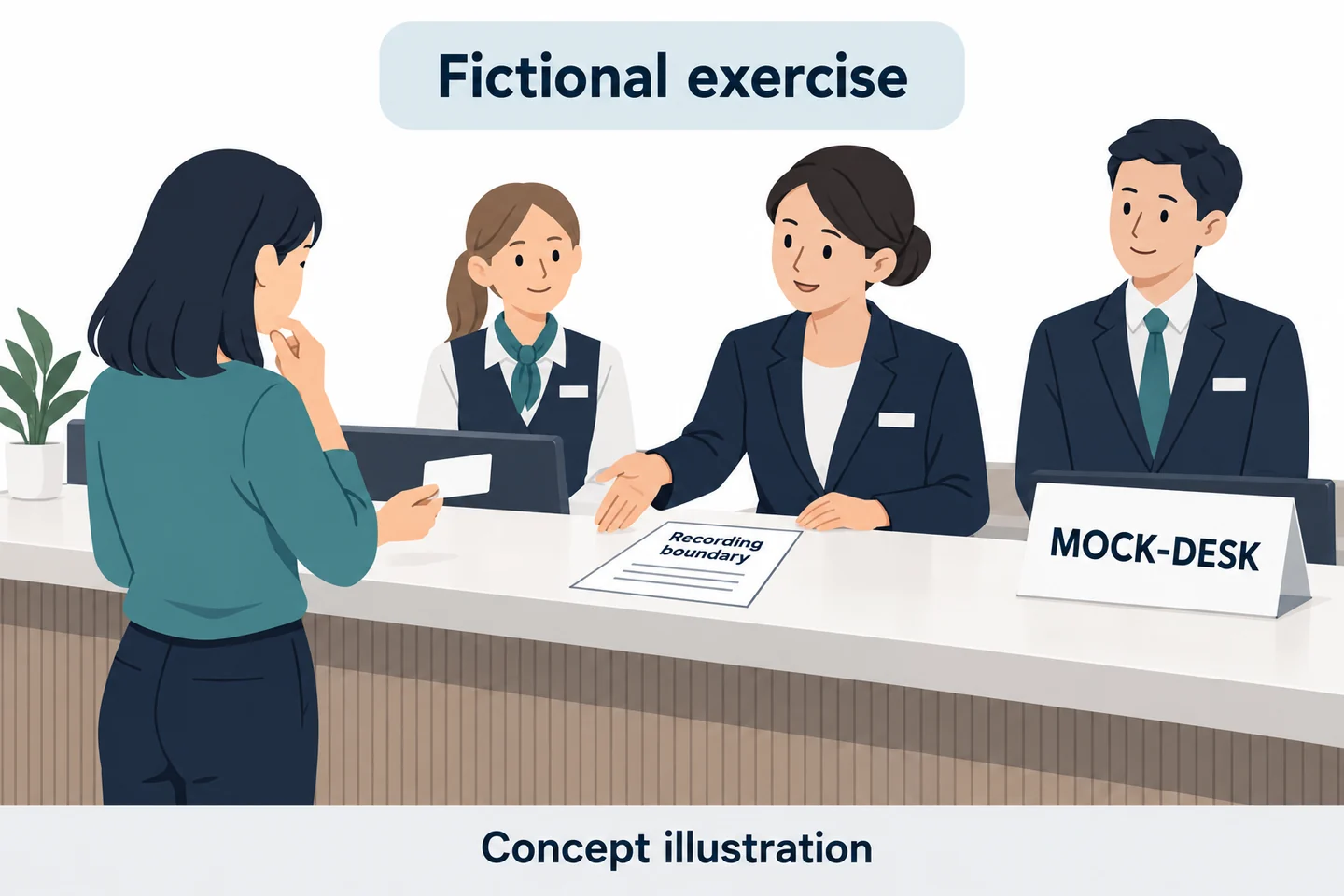
Fictional training exercise—not a guest complaint or a measured result. Use consenting colleagues at an available training desk, a blank booking prop, and the reference MOCK-DESK-01. One participant asks an ordinary refund question. A supervisor is then asked to assist. The team applies a preapproved recording decision rather than assuming that referral itself triggers recording.
Introduce a planned boundary before a participant enters mock payment information or discusses a sensitive matter. Staff follow the hotel's agreed stop or reassessment procedure. No real payment data, identity documents, guest names, or room numbers should be used.
An observer records the intended transitions separately from the sample file. This makes it possible to compare the planned boundary with what was actually saved, without presenting the exercise as an operational success in advance.
Check what the incoming shift can actually retrieve
Give a different authorized colleague the completed morning-handover sheet. Ask them to identify the service owner and locate the relevant original through the approved route. They should not need the departing employee to reconstruct the filing system from memory.
| Exercise question | Result to record after testing |
|---|---|
| Was the service/incident decision understood? | Actual decision and reason |
| Did the planned data boundary work? | Saved endpoint and any unwanted exposure |
| Can the morning team act on the service issue? | Named owner and next action |
| Can the permitted reviewer find the original? | File reference, retrieval result, and gaps |
If the clip is useful but includes unnecessary mock data, revise the scope and retest. If the service handover is complete without any meaningful video contribution, record that finding too. The exercise is meant to test the need for the workflow, not prove that the hotel must buy it.
Complete the Front-Desk Decision Checklist
Does the proposed record add enough value?
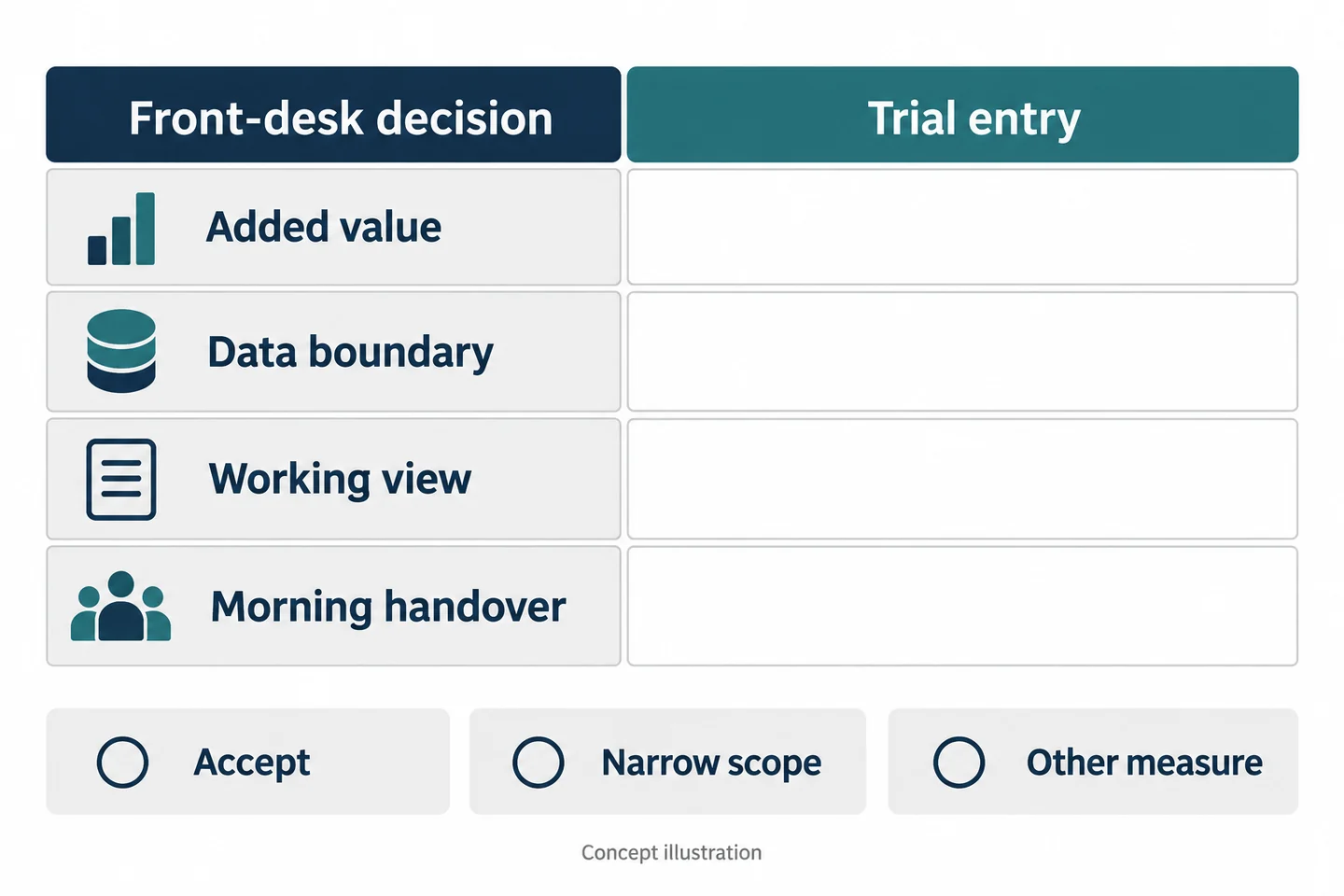
Use this front-desk event transition and morning-handover sheet to evaluate each configuration. All entries should reflect the actual trial, and unresolved fields should remain unverified.
| Field | Entry to complete |
|---|---|
| Mock service reference | Controlled training identifier |
| Service or approved incident | Decision state and permitted purpose |
| Trigger and stop decision | Rule used; actual saved boundaries |
| Sample and work conditions | Model, firmware, mount, clothing, posture, light |
| Screen/document exclusion | What was visible; any unwanted exposure |
| Separate help channel | Intended recipient and acknowledgement |
| Service event owner | Person responsible for the next action |
| Original file and missing part | Exact reference, interval, and limitation |
| Morning receiver | Service recipient and authorized video recipient |
| Follow-up | Action and owner without copied guest data |
Evaluate the added information alongside the risk of overcollection, the staff effort involved, and whether recipients can use the record. A technically successful recording can still be the wrong choice for a particular desk task.
Accept, narrow the scope, or choose another measure
Accept only a demonstrated, appropriately governed use. Narrow the scope when a specific short event is useful but broader recording is not. Choose another measure when better service notes, a fixed view, or a clearer assistance procedure addresses the actual problem more effectively.
For a SPIKECAM sample review, bring a fictional desk interaction and an anonymized counter layout. The goal is a practical answer about your front-desk task, including the option to leave wearable recording out of the workflow.
Related articles
Body Cameras for Hospitality and Event Staff: What to Consider
Assess selected roles, venue conditions, recording boundaries and a reliable handover of footage.
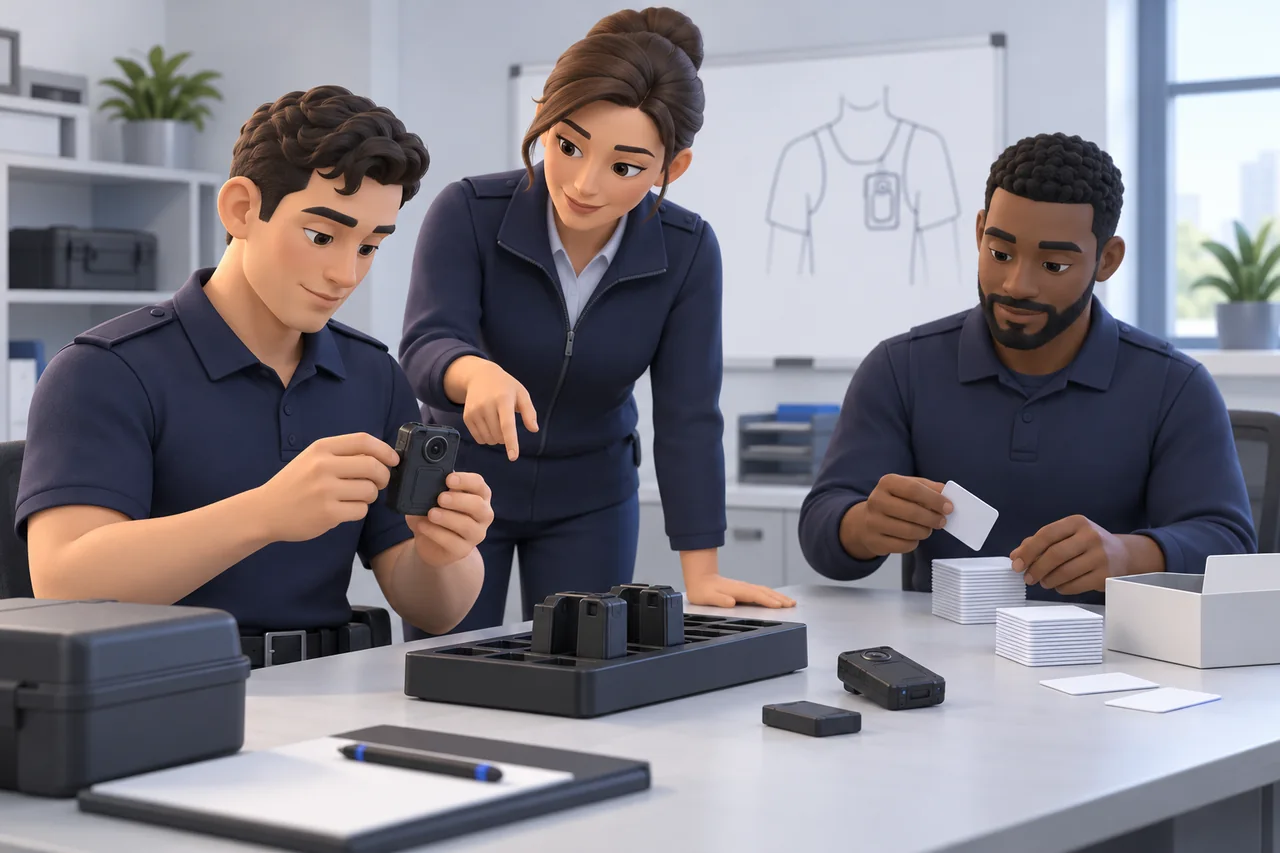
Body-Worn Camera Training for Security Teams: A Practical Checklist
Plan practical body-worn camera training for security teams, with staff exercises, supervisor checks, file-handover practice, and a pilot sign-off checklist.
Body-Worn Cameras with Live Streaming: A Team Deployment Checklist
Plan a live-streaming body camera pilot: check connectivity, the receiving workflow, video quality, data use, battery demand, and recovery before ordering.