Body Cameras for Delivery Drivers: What to Check Before You Buy
Review delivery recording, customer privacy, mounting and how footage complements delivery confirmation.
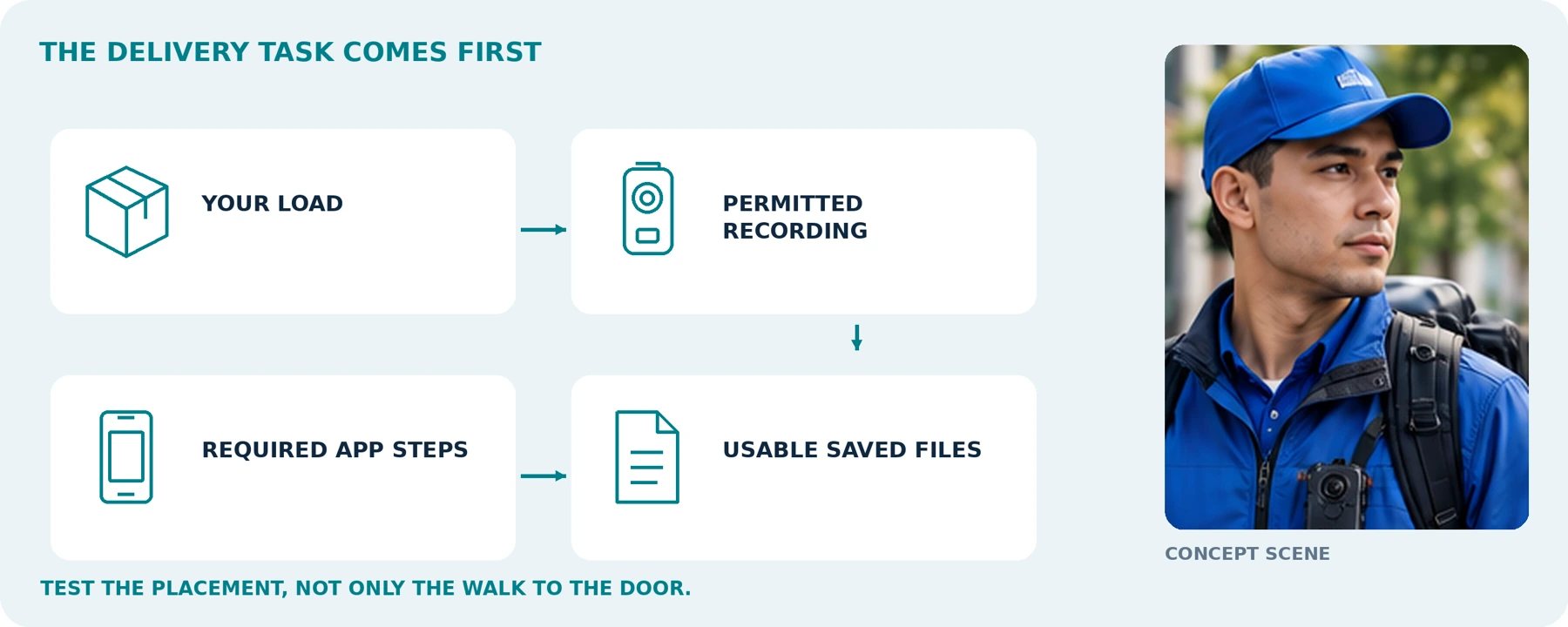
Editorial guidance, not legal advice or a model-specific performance promise. Check the rules and requirements that apply to your location and use.
The starting point
For delivery work, a body camera is worth considering when it meets a clearly defined, permitted recording need while leaving your hands and phone available for the job. Start by checking whether it captures the actual placement or handover—not just the walk to the door.
Our recommendation is to prioritize a stable view with your usual parcels, practical controls, suitable recording time, and a way to find the correct footage afterward. Do not buy a camera on the assumption that it will prevent complaints, guarantee a successful appeal, or replace the delivery platform's required steps.
The central question is:
“Can I document the relevant part of this delivery appropriately, complete the required app process, and retrieve the right recording when needed?”
This guide covers parcel couriers, food and grocery delivery workers, and small delivery teams. It includes a package-obstruction test, a delivery-record checklist, and a proposed trial—not a ranking of cameras or a claim that any platform has approved a particular model.
A Body Camera Does Not Replace the Required Delivery Confirmation
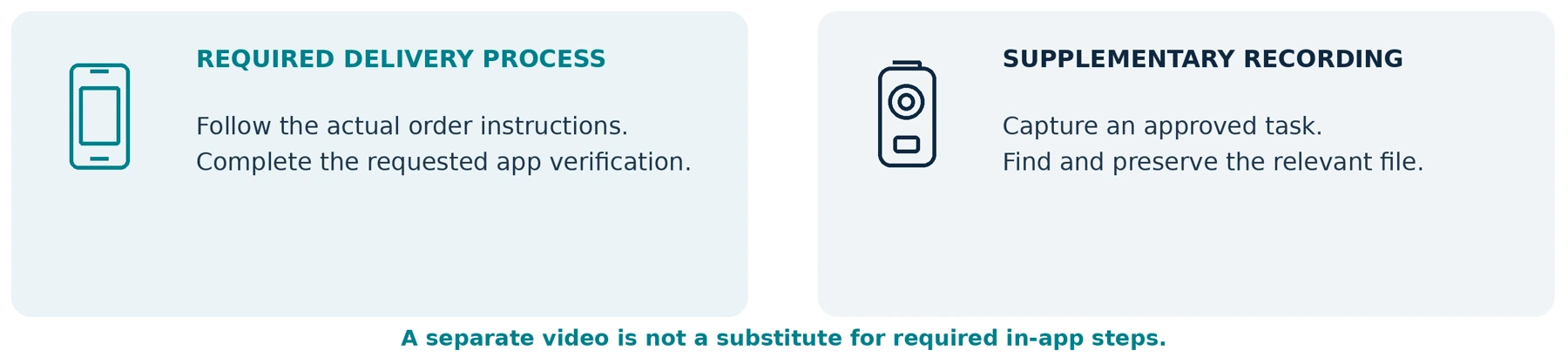
Separate completing an order in the delivery system from keeping an additional recording.
DoorDash's U.S. guide instructs Dashers to follow the customer's drop-off instructions and take the confirmation photo requested by the app. Uber's delivery help similarly describes in-app photos and updating the delivery status for its “Leave at Door” process. These are platform workflows, not instructions to substitute a separate video. [1] [2]
Some assignments have a different verification step. Uber's Courier package-delivery FAQ describes entering a recipient's PIN in the app when that verification is requested. This example concerns Courier package deliveries; it should not be treated as the workflow for every Uber Eats order. [3]
Complete the steps required for the actual order. Do not skip a requested photograph, scan, signature, PIN, or other check because your wearable camera was recording. Where an app or delivery problem prevents completion, use the current support procedure rather than inventing a replacement.
Our recommendation is also to avoid assuming that a frame extracted from a body-camera video will satisfy an in-app photo requirement. Confirm any supported alternative through the platform before relying on it.
Follow the current instructions for your service, country, and order type. Ordinary doorstep delivery, direct handover, and restricted-item delivery should not be treated as interchangeable tasks.
Keep the official completion step and your supplementary record as separate checks.
Before a trial, note which confirmation the actual service requires. Use a mock or training process; do not create a real order-completion record for practice.
Map the Delivery Before Comparing Cameras

Use this sequence to identify what you need:
Collect → travel → approach → place or hand over → complete the app process → preserve relevant records.
The map below is a planning tool, not a recommendation to record every stage. Decide which stages have a justified recording purpose and which should remain unrecorded.
| Delivery stage | The question to assess | What to check in a permitted trial |
|---|---|---|
| Collecting the order | Is there a specific need beyond the normal collection record? | Any relevant visible package condition, without filming unrelated customers or screens. |
| Driving or riding | Do you need a road record, an on-foot record, or both? | Whether existing vehicle equipment already covers the driving task. |
| Carrying the order | Does the package or bag hide the required view? | The actual load, clothing, straps, and normal carrying position. |
| Placement or handover | Does the saved file show the action you intended to document? | The moment the item is placed or transferred, not only the approach. |
| Completion and retrieval | Can you finish the official process and later find any relevant recording? | App completion, correct time settings, file references, and successful playback. |
For example, a hypothetical courier may want to document the placement of a bulky parcel at an agreed location. Footage of the approach followed by an obstructed view during placement would not meet that particular requirement—even when the camera recorded continuously.
Define the missing information first. More recording time does not necessarily fill the gap.
Can You Use Your Own Body Camera on a Delivery Job?

Before buying for work, ask your employer or contracting company, where applicable, and the relevant platform what arrangements apply to personally supplied recording equipment. Resolve the permitted purpose, locations, audio setting, file destination, and handling of customer questions.
For Amazon parcel work, DoorDash, Uber Eats, or another service, do not interpret the appearance of a platform name in a camera listing as approval. This guide does not verify blanket permission to use a personal body camera on any of those services.
Check recording law separately from contractual or site rules. An employer's approval is not a substitute for applicable law, and permission to deliver an item is not a reason to assume unrestricted recording is appropriate.
United States: check the state and circumstances, especially for conversations. California Penal Code section 632, for example, addresses confidential communications recorded without all-party consent and includes qualifications in its definition of confidentiality. It is not a rule that every interaction in every US state requires the same treatment. [4]
United Kingdom: the ICO's organizational guidance addresses justified use, privacy information, impact assessment, and additional concerns around private homes and audio. Its body-worn video page is currently marked as under review. [5]
European Union: use the EDPB's video-device guidance as a starting resource alongside the relevant national requirements; do not treat “Europe” as a single answer to every recording question. [6]
For uncertain uses, obtain qualified local advice before deployment. This article does not decide whether a particular recording is lawful or admissible in court.
Plan for Doorstep Privacy Before an Objection Happens
Set an appropriate start-and-stop procedure, including how to provide any required notice or obtain consent where required. Do not assume that a small visible camera or indicator light answers every privacy requirement.
Design the setup to avoid unnecessary capture of home interiors, children, access codes, identity documents, payment information, and other customers' labels. Do not hold an ID up to your body camera as a substitute for an authorized verification process.
When someone objects, follow the applicable recording and delivery procedure without arguing or obstructing the handover. Use official support when the situation is unclear. A missed recording is not a reason to return later and recreate the encounter.
Test the Parcel, Not Just the Mount
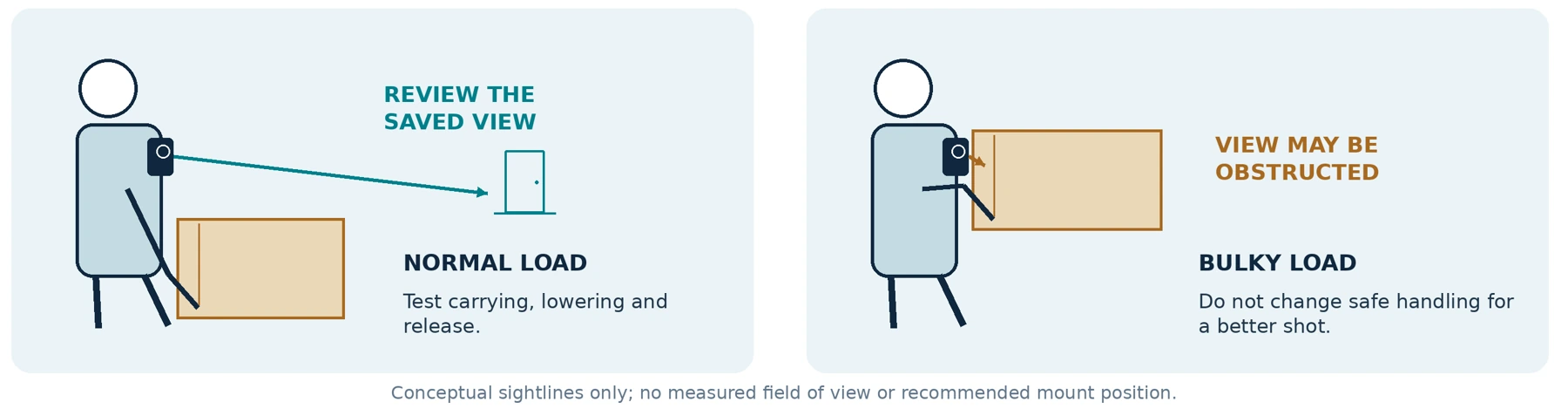
A mount that works when you are empty-handed has not passed a delivery test. Evaluate the complete camera-and-mount arrangement with your usual clothing and loads.
Use empty or safely weighted training packages, fictional labels, and a permitted practice location. No real customer information is needed. Repeat the test with your normal coat, high-visibility layer, bag straps, and gloves where relevant.
| Test load or action | What to inspect in the saved footage |
|---|---|
| Empty hands | Establish the baseline view, angle, and access to controls. |
| Small parcel or padded envelope | Check whether reaching, holding the phone, or scanning covers the lens. |
| Large box held in both arms | Check whether the required view survives carrying, lowering, and releasing the box. |
| Food bag or stacked pizza boxes | Check the normal carrying position and the final set-down, not an artificially lowered load. |
| Grocery bags or a drinks carrier | Check swinging handles, arm movement, balance, and whether the camera interferes with safe handling. |
| Doorway approach and handover | Check normal changes in posture, turning, and reaching without entering private space unnecessarily. |
Do not select the chest, shoulder, or collar automatically. Compare manufacturer-supported positions on your own clothing. A higher position may clear one package but point away from a low placement; let the recorded result decide.
Never carry a heavy box awkwardly, compromise a drinks carrier, or alter protective equipment simply to improve the shot. Change the camera arrangement—or reject it for that task—rather than making delivery less safe.
Check the Final Placement, Not Only the Approach
In a staged exercise, place the training item at the agreed practice location using your normal movement. Separately rehearse the required photo or confirmation step using a mock screen or training process, without creating a real delivery record.
Ask another consenting reviewer what the clip actually shows: the item arriving, the placement, the location, or only your arms moving out of frame. Repeat with a direct handover to a consenting participant.
Do not ask real recipients to reenact a completed handover or stand for extra footage. The equipment should fit the legitimate task; the task should not become a production for the camera.
Keep Your Phone Available for the Delivery

DoorDash's app guide describes using the phone for offers, navigation, pickup, delivery instructions, and completion. Those functions are part of the work the additional camera must fit around. [1]
Our recommendation is to compare your existing phone setup with a camera that can perform the required recording independently. Confirm that independence for the exact model; do not assume its app must remain open or that it never needs a phone connection.
In a controlled test, use mock order details, scan a training label, and switch to the navigation or communication tools you normally need. Inspect the camera's saved file afterward. Check that its connection does not interfere with the phone's connectivity or normal work functions.
Set up and adjust equipment while safely stopped. Do not review a clip, reposition a camera, or change recording settings while driving or riding.
Keep the vehicle and on-foot tasks separate. A body camera's view while seated should not be assumed to provide the road coverage you require. Our companion guides Body Camera vs. Smartphone: Do You Need a Separate Camera? and Can a Body Camera Replace a Dash Cam? cover those comparisons in detail.
Choose Features Around Repeated Stops
Controls You Can Use Without Juggling the Load
Practice activation before lifting a two-handed load, at a point where recording is permitted. Verify what indicates ready, recording, and an error. On the AXIS W110, for example, readiness and recording have different indications; the manual also describes vibration and audible feedback. These are model-specific behaviors, not universal ones. [7]
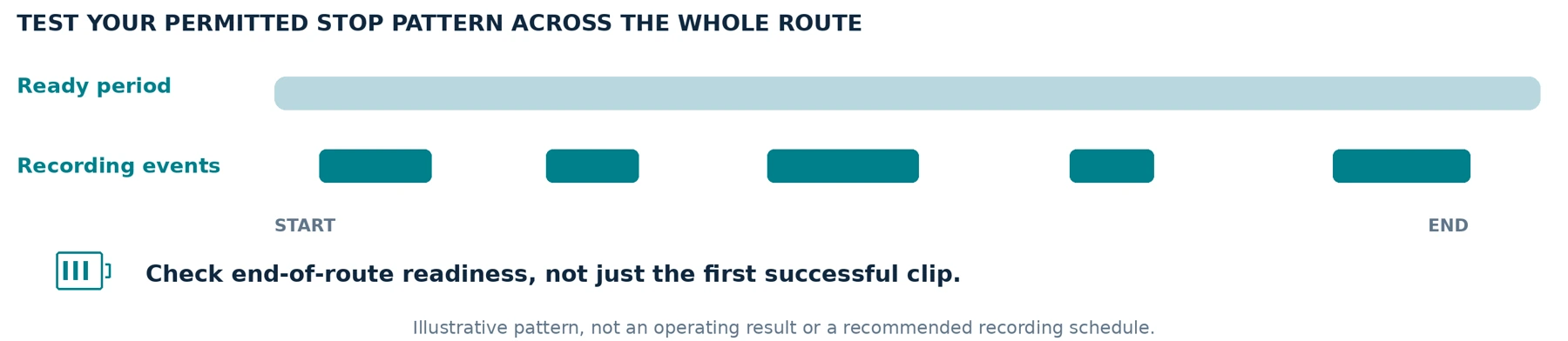
Repeat normal starts and stops during the trial. Check for accidental button presses against a box or bag. A camera that records one clip correctly still needs to demonstrate dependable operation across your intended stop pattern.
Recording Time That Matches Your Route
Decide when recording is justified before calculating the capacity needed. The ICO's UK body-worn guidance calls for strong justification for continuous recording and also addresses excessive buffering. It does not treat a long battery life as a reason to record everything. [5]
Define the time the camera must remain ready, the expected recording periods, and any planned charging opportunity. Test that pattern across the intended route duration, including activation near the end.
The W110 manual identifies battery and storage as separate operating-time limits, with settings and conditions affecting both. It also warns against leaving that model in a parked car where temperature limits may be exceeded. Check your candidate's specific operating, charging, and storage requirements. [7]
Do not assume a car USB port or power bank supports recording while charging. Obtain confirmation for the exact adapter and connection, and test within the manufacturer's limits.
Route-readiness planning notes
| Planning item | Your test requirement |
|---|---|
| Total time the camera must remain ready | Not specified |
| Permitted recording pattern / audio setting | Not specified |
| End-of-route check and approved charging plan | Not specified |
Planning worksheet only. Do not interpret blank fields as a tested capability.
Image, Audio, Pre-Event Capture and Files

Useful Moving Images and Appropriate Audio
Test a participant moving normally between the lighting conditions you encounter. Review the placement or handover in the saved file. Axis explains that slow exposure can produce a clear stationary scene but blurred moving detail, so a static night sample is not a complete test. [8]
Where a night mode is advertised, establish the illumination method and test it with the actual parcel and clothing. Do not treat the resolution or “night vision” label as proof of readable faces, labels, or numbers.
Decide separately whether sound is needed and permitted. Check independent audio control, then test normal conversation with consenting participants only where appropriate. Listen for the other speaker as well as your own voice, including effects from clothing, bag movement, and street noise.
Pre-Event Capture Only When You Need and Can Use It
When capturing the lead-up is an approved requirement, ask when the buffer runs, what stops it, and whether it contains sound. Axis documents separate prebuffer-audio settings and incompatibility between prebuffering and its standby mode. [9]
Do not expect footage from before the camera was powered on or before its buffer was running. A feature called “pre-record” should pass a staged test, not remain an assumption in the purchase plan.
Storage, Export, and Access You Understand
Ask what happens when storage fills: stopping, overwriting older footage, or another behavior. Check any event-protection feature and how its limits work. Do not wait for a complaint to discover that the relevant file is gone.
Demonstrate a new recording, transfer, playback, and verified backup on your approved computer or phone. Identify any required card, cable, software, account, or recurring payment. For sensitive recordings, verify protection on both the camera and exported copies; a menu password alone is not your data-handling plan.
What Can Footage Establish in a Delivery Dispute?
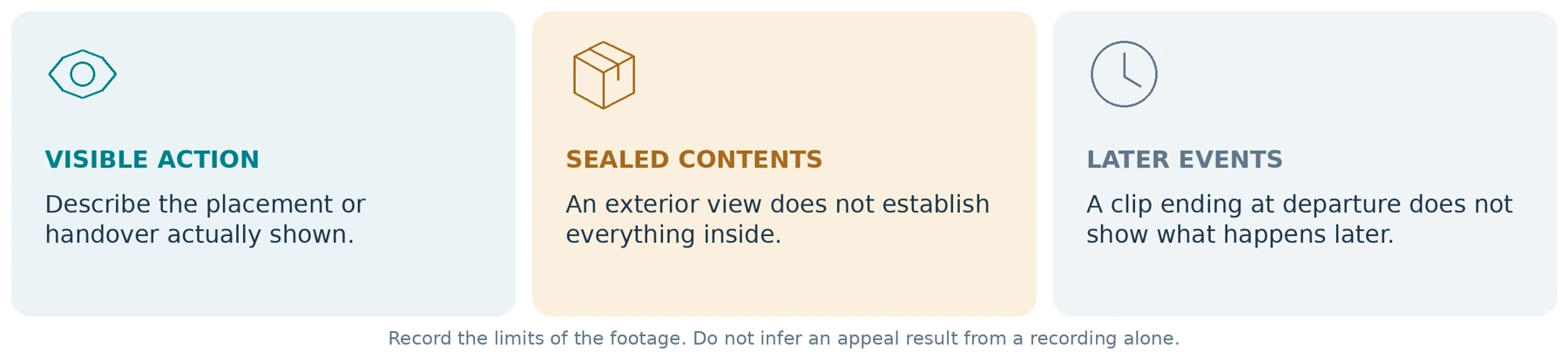
Start with the question being investigated, not an assumption that the customer or driver is at fault.
A visible handover may help explain what happened at that moment. A recording of a sealed food bag's exterior cannot establish everything inside it. A clip ending when you leave cannot establish what happened to an unattended package later. These are limits of what the footage observes—not judgments about either party.
Do not open sealed food packaging to improve your evidence. Uber's delivery guidance expressly prohibits tampering with or opening packaging during delivery. Follow the applicable reporting process for concerns instead. [10]
Where supplementary footage can be submitted, ask the platform or employer for the accepted format and secure channel. Do not assume a general photo-upload field accepts video or that a support agent can open any public-cloud link.
Submit a factual explanation of what the file shows, together with any known obstruction, delayed start, or time discrepancy. Do not label footage “proof of fraud” merely because it differs from someone's initial account.
Do not buy on a promise that recordings will guarantee appeal success, prevent deactivation, or establish liability. This guide makes none of those claims.
Prepare a Small, Relevant Record—not Your Entire Route
For a specific issue, our suggested record contains the authorized order or incident reference, approximate time and time zone, relevant original file references, a brief factual note, and any necessary adjoining clips. Use only the information needed by the authorized recipient.
Keep your original files unchanged and prepare separate copies for permitted trimming or redaction. Do not overwrite the only original with a social-media edit, reconstructed scene, or AI-enhanced version presented as the capture.
Do not return to confront a customer or demand that they withdraw a report. Uber's U.S./Canada Community Guidelines restrict unwanted post-delivery contact and prohibit public sharing or streaming of people's recordings. Treat reporting through the proper channel and publishing online as different activities. [11]
Make the Correct Recording Easy to Find

Set the camera's clock and time zone before use. At the start of a controlled trial, compare a test clip with a trusted clock and document any discrepancy. When you discover a time error later, preserve the original and explain the offset; do not disguise the error by altering the only recording.
Use an approved order or incident index rather than creating a new personal database of customer identities. Avoid putting full addresses, access codes, PINs, or customer names in ordinary filenames.
Here is a fictional training example, not a real order or a prescribed platform form:
| Record field | Illustrative entry |
|---|---|
| Training reference | DEMO-DEL-014 |
| Time and time zone | 2026-09-24, approximately 14:35, UTC−07:00 |
| Location reference | Mock Door A, controlled practice site |
| Original file reference | Original filename retained; relevant file or adjoining files indexed |
| Observed action | Training box placed at the agreed practice location |
| Known limitation | The box obstructed the approach; placement is visible |
| Confirmation and preservation | Mock app step checked; original and backup playback verified |
For real work, follow the organization's approved system and minimize any additional records. Do not export other people's orders merely to make your own index more convenient.
Set a justified routine deletion schedule and an appropriate preservation process for relevant incidents. The ICO's surveillance guidance ties retention to purpose and does not set a universal minimum or maximum period for all footage. Storage capacity should not determine your retention policy. [12]
Where footage must be retained, verify the required export and backup before clearing it from the camera. When retention ends, apply the approved deletion process to the copies too. An event lock, charging light, or cloud preview is not evidence that a usable backup has been checked.
A Delivery-Day Routine to Rehearse
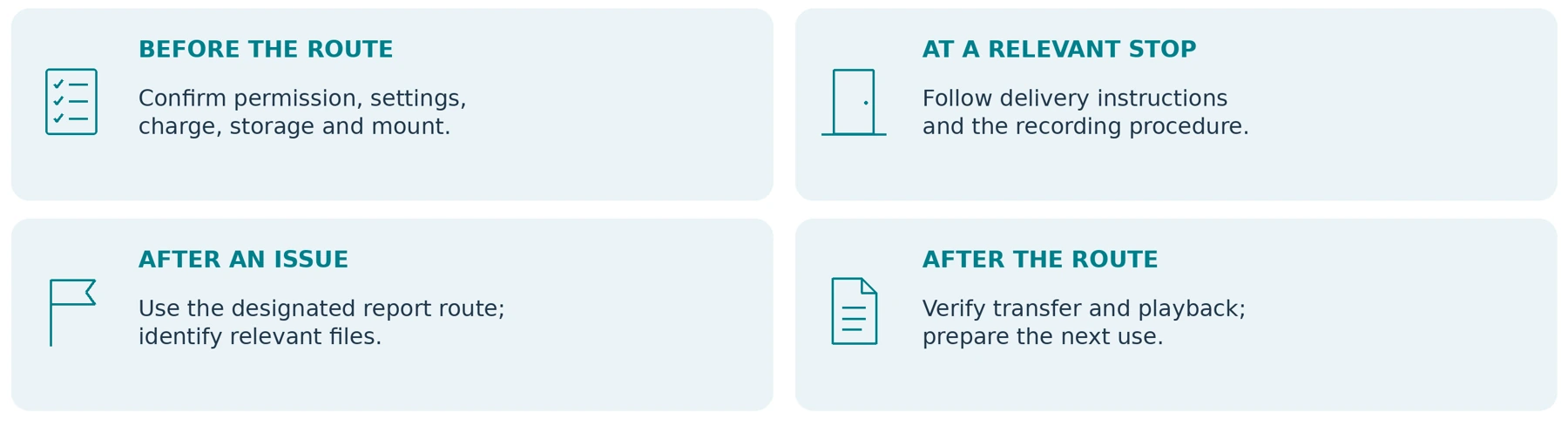
Before the route: confirm the permitted use, audio setting, clock, charge, storage, mount, and file destination. Test your normal load and clothing, and establish who handles a failed camera or a preservation request.
At a relevant stop: follow the current delivery instructions and the agreed recording procedure. Check status only when safe. Complete the platform's actual verification steps even when the camera appears to be working. Report delivery problems through the designated channel.
After an issue: record the necessary reference and time when safely stopped, identify footage requiring preservation, and report gaps honestly. Do not delay urgent help to troubleshoot a recording.
After the route: transfer or dock as required, verify relevant files at the approved destination, and prepare the camera for the next use. For shared devices, assign responsibility for recordings before reassigning hardware.
Keep your safety plan separate. HSE's lone-working guidance emphasizes training, contact arrangements, alarms where appropriate, and testing emergency procedures. A camera should not be assumed to summon help or replace those measures. [13]
Exception-handling plan
| When something fails | Record the approved response |
|---|---|
| Camera or recording problem | Contact / reporting route: Not specified |
| An order-completion step cannot be finished | Official support process: Not specified |
| A relevant file must be preserved | Responsible person / destination: Not specified |
Added planning worksheet. Recording difficulties do not change the platform’s required delivery procedure.
Run a Trial Before Buying for Yourself or a Team

Begin with consenting participants, fictional delivery details, and a permitted practice location. Do not test by manufacturing a customer disagreement, provoking an animal, filming unsuspecting residents, or recreating a completed delivery.
The following is a proposed acceptance test, not a report of hands-on results. Record the camera model, firmware, settings, mount, clothing, lighting, and duration with each result.
| Trial | What to demonstrate | Evidence to review |
|---|---|---|
| Package and clothing test | Empty hands, normal parcels, food bags, drinks, and relevant outerwear. | Clear or obstructed views during carrying and placement. |
| Repeated activation | The approved start-and-stop pattern across several mock stops. | Correct start points, status recognition, and any missed recordings. |
| Phone coexistence | Mock navigation, scanning, communication, and completion tasks. | Whether normal phone use and required camera capture both remain practical. |
| Day and night capture | A consenting participant moving and handing over a training item. | Original footage and permitted audio under the intended conditions. |
| Route-duration operation | The intended readiness and recording pattern, not just one short clip. | Saved files, warnings, remaining resources, and end-of-route operation. |
| Retrieval and handling | Find a specified mock delivery, export it, and verify the approved backup. | Correct file identification, usable playback, appropriate access, and actual handling time. |
Mark essential requirements Pass, Fail, or Unverified. An optional feature should not compensate for failure to capture the action you need.
For a team, include the dispatcher or supervisor who will retrieve the footage. Check the effect on staff workload and delivery tasks without introducing pressure to rush. Measure handling time during the pilot instead of promising that cameras will automatically save time.
A successful short practice run does not establish full-route reliability. Recheck relevant behavior after changes to clothing, mounting, firmware, phone configuration, or recording settings.
Your Delivery-Camera Requirements Sheet
Complete this before requesting a model recommendation or quote.
| Requirement | Your answer should specify |
|---|---|
| Work arrangement and location | Country and state or region, service or employer, and the approval process. |
| Delivery type | Parcels, food, groceries, or another task; vehicle and on-foot stages. |
| Recording purpose | The specific action or incident to document, with defined start and stop conditions. |
| Typical load and clothing | Package sizes, bags, drinks, outerwear, straps, and gloves. |
| Time and conditions | Route duration, recording pattern, lighting, weather, and charging opportunities. |
| Phone and file requirements | Essential app tasks, approved export destination, and who handles recordings. |
| Complete budget | Camera, suitable mount, storage, transfer equipment, necessary software or services, and support. |
Ask for written confirmation of supported requirements and identify anything that remains unverified. A photograph of a courier wearing the product is not an acceptance test.
For cost planning, use How Much Does a Body Camera Cost? A Buyer's Budget Guide. Keep an existing phone or vehicle camera in the comparison when it already meets the task; buying an additional device is not the default outcome.
The Bottom Line
For delivery drivers, a suitable body camera should document the relevant action without getting in the way of carrying, driving, phone use, or the required delivery process.
Start with permission and a specific need. Test the actual parcels and clothing, inspect the final placement or handover, and prove that you can retrieve the correct file afterward. Keep supplementary recordings separate from platform verification and avoid promises about dispute outcomes.
When asking about a SpikeCam model, share the requirements above without sending real customer footage, addresses, order credentials, or identity documents. Request confirmation for the exact model and package; this guide does not imply platform approval, automatic order matching, pre-recording, encryption, or team-management capabilities for every SpikeCam product.
Choose the setup that passes the delivery task—not simply the one that records the longest video.
Route-Trial and Footage-Retrieval Record
Use this added worksheet with fictional delivery details in a permitted trial. It is not a platform form, a record of real orders or evidence of product performance.
| Test setup | Your record |
|---|---|
| Camera model / firmware / settings | Not specified |
| Date / time zone / permitted practice location | Not specified |
| Clothing / mount / phone configuration | Not specified |
| Required duration / recording pattern | Not specified |
Parcel and task check
| Trial item | Status¹ | Original file / time | What was visible or missing? |
|---|---|---|---|
| Empty hands / baseline | Not specified | Not specified | Not specified |
| Usual parcel / large box | Not specified | Not specified | Not specified |
| Food / grocery / drinks² | Not specified | Not specified | Not specified |
| Final placement / handover | Not specified | Not specified | Not specified |
| Required phone tasks | Not specified | Not specified | Not specified |
| End-of-route operation | Not specified | Not specified | Not specified |
¹ Pass / Fail / Unverified. ² Mark Not needed when the load is outside your intended work.
Retrieval and decision
| Verification item | Result / evidence |
|---|---|
| Fictional reference and original file(s) | Not specified |
| Playback and approved backup checked by | Not specified |
| Known gaps / remaining unverified items | Not specified |
| Overall decision and required next step | Not specified |
A failed essential requirement is not cancelled out by optional features.
Keep actual customer names, addresses, PINs and private footage out of this general-purpose worksheet.
Sources and Edition Notes
Source-check date recorded in the supplied article: September 24, 2026. Links below preserve the article’s original references. Product and platform examples have their stated scope.
[01] DoorDash — How to Use the DoorDash Dasher App: The Complete Guide (U.S.) Accessed September 24, 2026.
[02] Uber Help — Delivery & Location Accessed September 24, 2026.
[03] Uber Help — Courier Delivery FAQ Accessed September 24, 2026.
[04] California Legislative Information — Penal Code section 632 Accessed September 24, 2026.
[05] Information Commissioner's Office — Body Worn Video (BWV) Accessed September 24, 2026.
[06] European Data Protection Board — Guidelines 3/2019 on processing of personal data through video devices (publication page) Accessed September 24, 2026.
[07] Axis — AXIS W110 Body Worn Camera user manual Accessed September 24, 2026.
[08] Axis — Troubleshooting guide for image quality Accessed September 24, 2026.
[09] Axis — Body worn solution user manual Accessed September 24, 2026.
[10] Uber — Additional guidelines for Uber Eats: food safety and proper delivery Accessed September 24, 2026.
[11] Uber — Community Guidelines (United States and Canada) Accessed September 24, 2026.
[12] Information Commissioner's Office — Data protection principles when using surveillance systems Accessed September 24, 2026.
[13] Health and Safety Executive — Lone working: training, supervision and monitoring Accessed September 24, 2026.
Edition notes
Sources checked September 24, 2026. Platform examples describe the cited services and workflows, not blanket authorization for wearable recording. Actual order instructions, local rules, contracts, and software versions must be checked for the intended use. Named hardware illustrates documented features, not product rankings or hands-on results. The scenarios, training record, and tests are proposed editorial tools. UK, EU, and California references have their stated scopes; the cited ICO guidance was marked as under review. No appeal outcome, legal compliance, or unverified SpikeCam capability is guaranteed.
Illustration and worksheet note
Illustrations show concepts and fictional test conditions, not real customer footage, camera output, measured performance or platform endorsement. The added planning forms are editable tools, not approved procedures. No specific SpikeCam feature is inferred from another manufacturer’s example.
Related articles
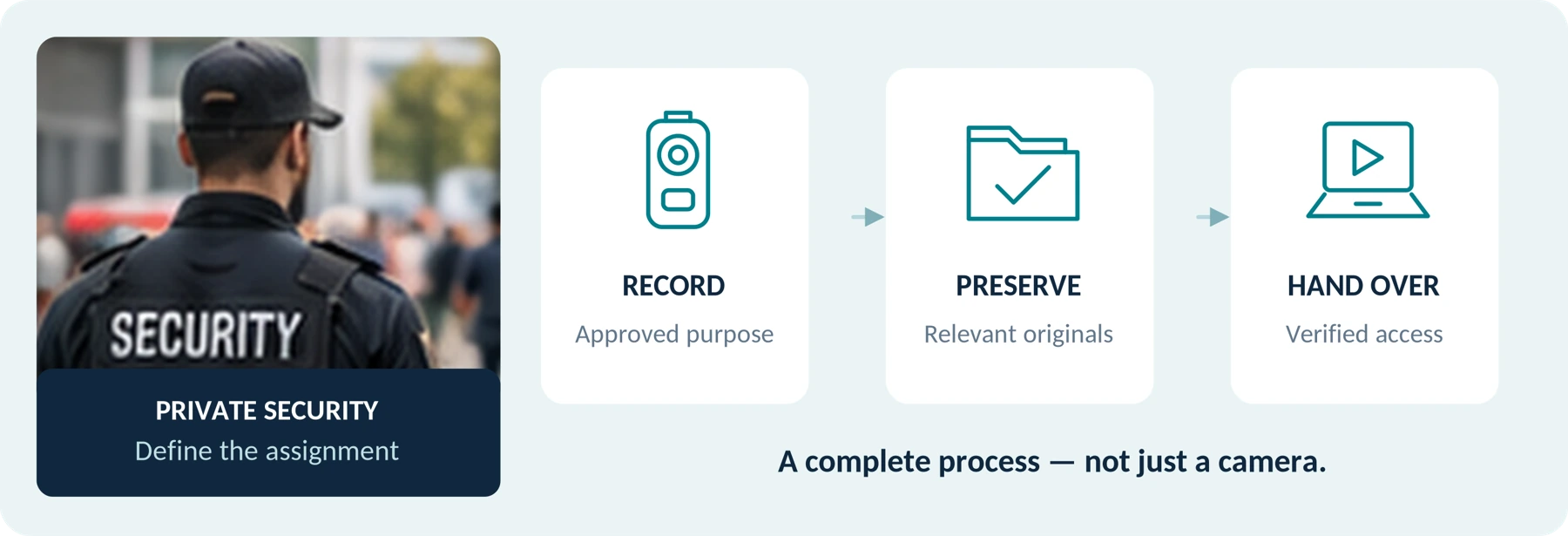
Body Cameras for Security Guards: What to Look For
Plan around the security assignment, approved recording process and handover of incident footage.
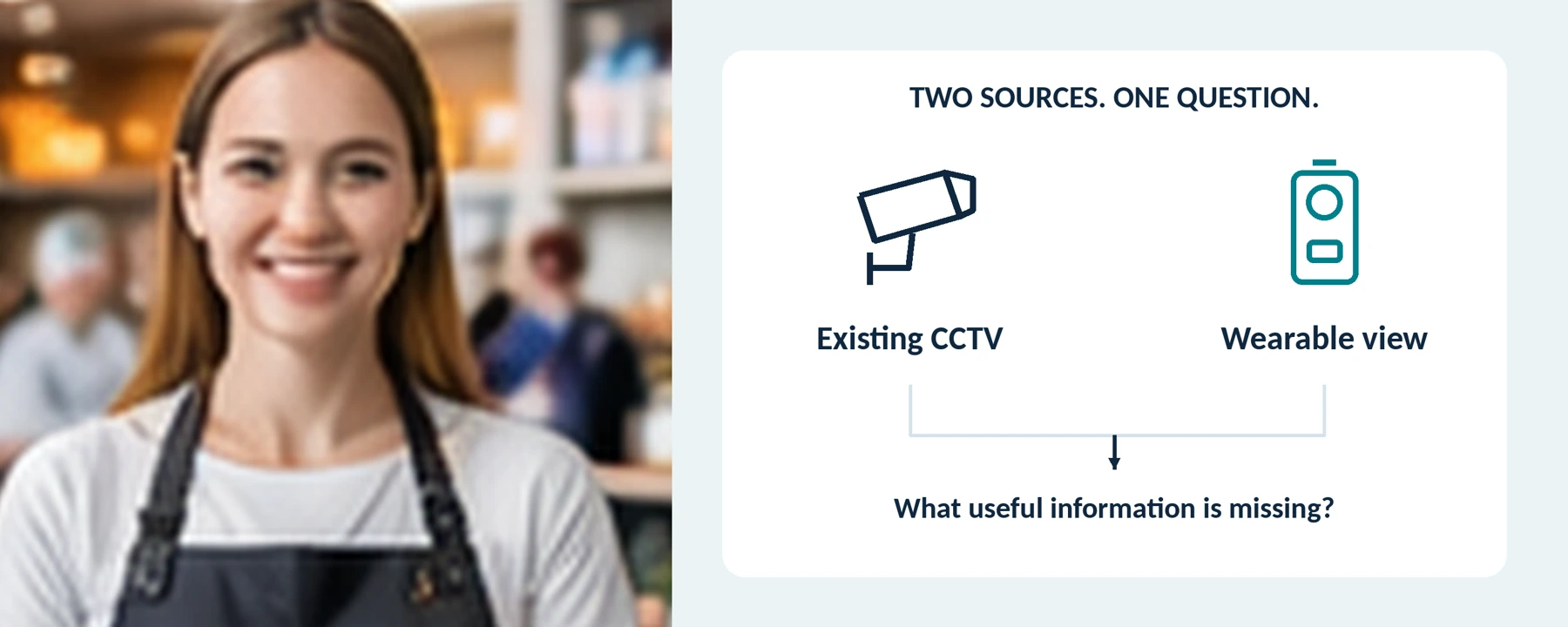
Body Cameras for Retail Staff: Do You Need Them Alongside CCTV?
Assess the gaps beyond existing CCTV and plan a controlled recording process for selected retail roles.
Body Camera Buying Guide: How to Choose the Right One
Choose a camera around recording controls, battery life, file access and your actual working routine.
