Body Cameras for Security Guards: What to Look For
Plan around the security assignment, approved recording process and handover of incident footage.
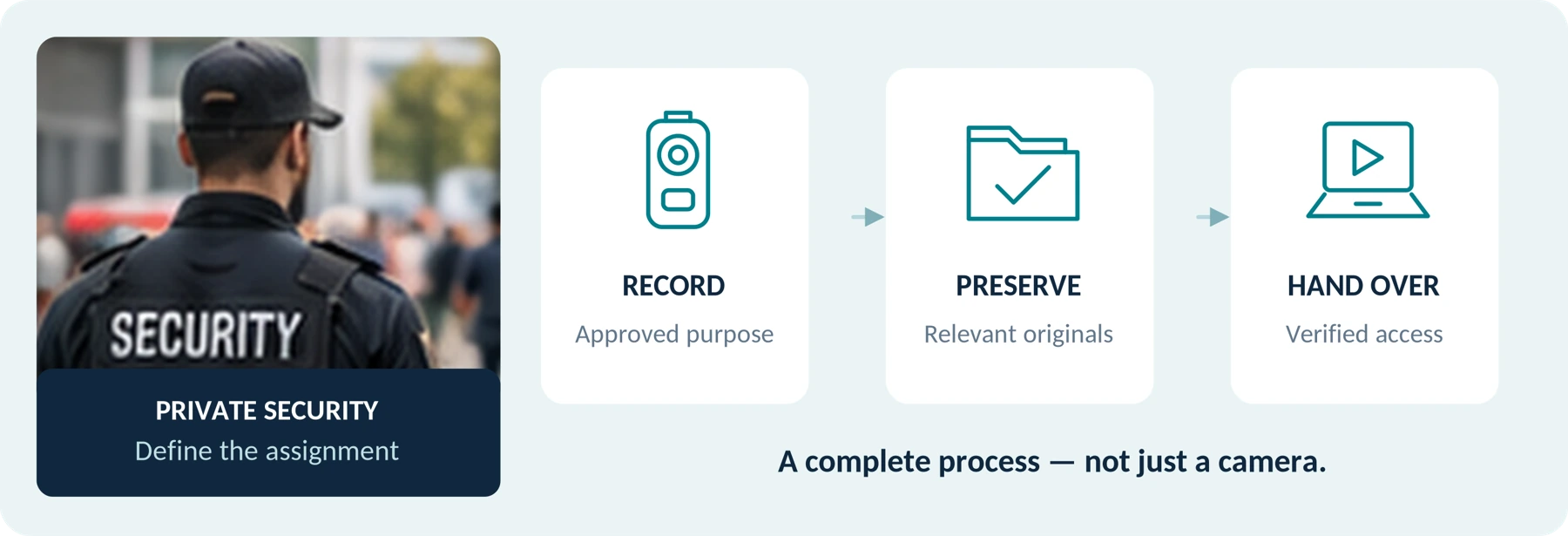
Editorial guidance, not legal advice or a model-specific performance promise. Check the rules and requirements that apply to your location and use.
The starting point
For private security work, choose a body camera around an approved recording process—not simply the highest resolution or a “police-grade” label. Start with controls you can operate while wearing it, a mount that keeps the intended scene in view, enough operating time for the assignment, and a reliable handover of the saved footage.
The practical question is:
“Can I use this camera appropriately during my shift, and can the authorized person find the right recording afterward?”
A camera should be evaluated alongside—not instead of—your other safety arrangements. The UK’s Health and Safety Executive includes body-worn cameras among possible workplace controls while emphasizing that a combination of measures is usually needed. [1]
This guide is for private security guards, patrol staff, supervisors, and small security companies. It covers buying requirements, a before–during–after shift routine, and a trial checklist. It is not a police operating procedure or a substitute for your organization’s training.
Start with the Security Task, Not a Universal Feature List

Describe a situation you need to document before comparing cameras. For example:
“We need authorized incident recordings at an entrance and during outdoor patrols. Guards wear a shirt indoors and a coat outside. A supervisor must be able to retrieve the relevant clip after the shift.”
This is an illustrative requirement, not a description of a tested deployment. It identifies several questions that a specification sheet alone cannot settle.
Use this planning framework to identify the differences between assignments:
| Assignment | Questions to answer before choosing | A useful trial task |
|---|---|---|
| Entrance or reception security | What needs recording beyond the existing CCTV and visitor log? Can the wearer capture an appropriate interaction at the desk? | Rehearse a permitted visitor interaction using consenting staff and fictional details. |
| Indoor patrols | Does the camera remain usable while opening doors, using a radio, and moving between lighting conditions? | Walk an approved route and inspect the actual saved files. |
| Outdoor or parking-area patrols | What lighting, weather, clothing, and distances must the setup handle? | Test a moving participant at relevant distances without staging a confrontation. |
| Relief or shared-camera duties | Who receives the device, which settings apply, and who handles the previous user’s recordings? | Rehearse assignment, return, file retrieval, and the next user’s preparation. |
These are test prompts, not instructions to record every interaction. When existing cameras and reports already meet the identified need, our recommendation is to avoid adding a device without a clear purpose.
Can You Bring Your Own Body Camera to a Security Job?

Obtain the relevant employer and site approval before bringing a personal camera into operational use. Our recommendation is to get the recording arrangement in writing, including who controls the files and what happens when you leave the assignment.
A supervisor agreeing to a clip on your uniform should not be your only check. Ask who has assessed the proposed use, whether client requirements have been addressed, and which devices, apps, storage locations, and transfer methods are approved.
For UK organizations, the ICO’s body-worn guidance calls for a privacy-impact assessment, clear information for people being recorded, staff training, and defined retention and retrieval arrangements. Its page remains marked as under review. [2]
Do not start an unofficial personal archive of workplace incidents. Agree on an approved reporting and preservation route, including how to raise a concern about an incident involving your own employer or colleagues.
Check Your Location and Role Separately
United States: have the organization check the relevant federal, state, and local requirements, especially for sound. California Penal Code section 632, for example, addresses recording confidential communications without all-party consent and defines circumstances excluded from “confidential communication.” That is a specific statute—not a universal rule for all US recordings. [3]
United Kingdom: check licensing as well as privacy. SIA guidance distinguishes wearing a camera from viewing footage for security work, with licence requirements depending on the activities performed. Do not assume that every wearer needs a CCTV licence—or that viewing recorded footage is automatically covered by any existing licence. [4]
European Union: review the EDPB’s video-device guidance together with national requirements. The guidance calls for clearly defined purposes, appropriate security, and purpose-specific retention; it is not blanket permission to record because the wearer works in security. [5]
Resolve uncertainties with the responsible organization and qualified local advisers before deployment. This article does not determine the lawfulness of a particular recording or whether a court will accept it.
Does a 12-Hour Shift Require 12 Hours of Continuous Recording?
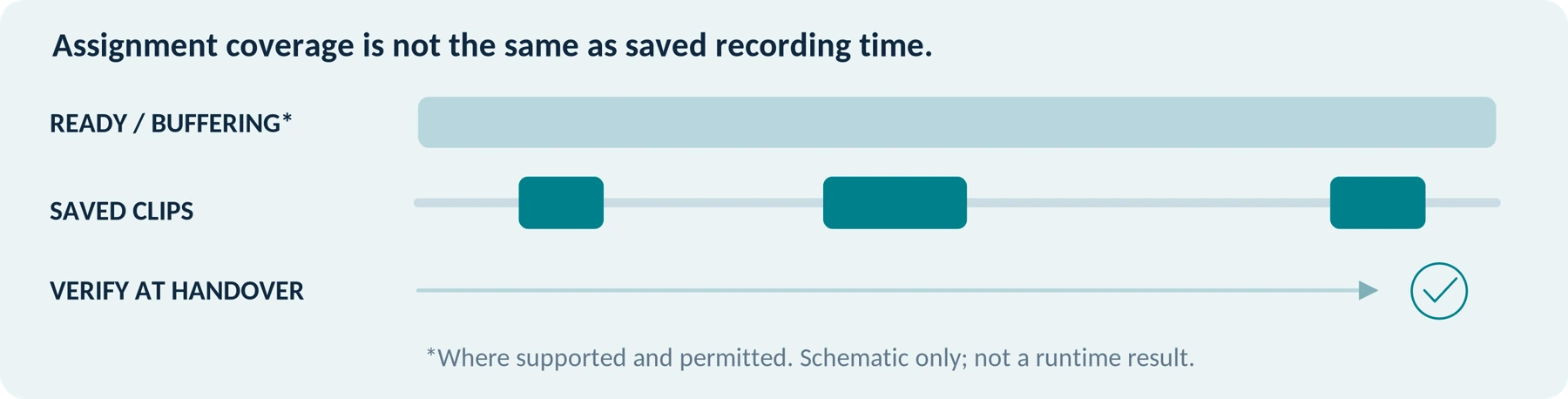
Not necessarily. Shift coverage and continuous recording are different requirements. Decide when recording is appropriate before deciding how much continuous-recording capacity to buy.
The ICO’s UK guidance says continuous body-worn recording needs strong justification and contrasts an aggressive encounter with an ordinary request for directions. It does not recommend recording every routine exchange simply because the battery allows it. [2]
For purchasing, define both the period the camera must remain ready and the pattern of recording it must support. Include any pre-event buffering, wireless functions, and permitted longer incidents in the trial.
A camera that passes a short recording test early in the shift has not demonstrated readiness near the end. Likewise, a small total of saved clips does not establish how much power the device used while waiting or buffering.
Axis’s W110 manual identifies battery and storage as separate operating-time limits, affected by factors including temperature, wireless use, recording quality, and scene content. Use the stated conditions rather than a bare “all-day” claim. [6]
For a continuous-recording requirement that has been properly justified, test that duration specifically. For event-based use, test the intended readiness and activation pattern over the assignment. Keep these results separate.
Plan charging, transfer time, and any approved spare-device arrangement before the next shift. Do not make coverage depend on an untested last-minute battery change or an assumption that docking is instantaneous.
Record your intended operating pattern
| Assignment period | Recording pattern / settings | Charging or approved spare |
|---|---|---|
| Not specified | Not specified Not specified | Not specified Not specified |
Will It Work with Your Actual Uniform and Equipment?
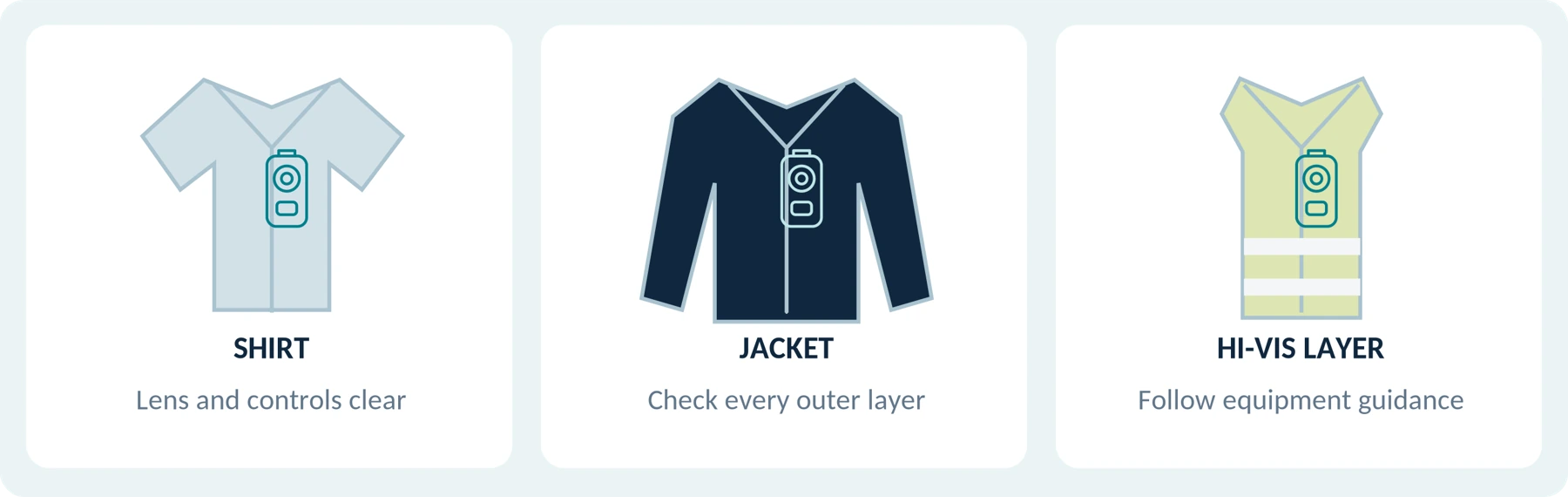
Evaluate the camera and mount together, on the clothing the guard will actually wear.
In a controlled trial, try the shirt, jacket, high-visibility vest, and other approved layers used on the assignment. Check normal radio use, reaching for an access pass, sitting, bending, and walking through a doorway. Review the resulting footage rather than approving the mount from a front-facing photograph of the wearer.
A useful test is whether putting on a coat covers the lens or changes the angle. Also check whether a radio microphone, lanyard, clipboard, or normal arm movement enters the required view. These are things to investigate—not reasons to assume one mounting style always wins.
Try the controls with the gloves actually used. Ask whether the wearer can distinguish the recording button from another control without staring down at the device.
Check comfort over a representative wearing period, not just a few minutes. Include the mount in the weight comparison and confirm that the attachment follows the equipment manufacturers’ instructions. Do not modify protective equipment or interfere with access to safety equipment to accommodate a camera.
The preferred position is the one that meets your approved visibility, comfort, and operation requirements—not automatically the chest, shoulder, or collar.
Use normal movements in a controlled trial
| Movement or change | What to review in the saved clip |
|---|---|
| Walk, sit and bend | Framing stays useful; the mount remains secure. |
| Use radio, pass or clipboard | Normal equipment does not block the intended view. |
| Add an approved outer layer | Lens and controls remain accessible. |
Suggested practice prompts only. Follow site and equipment instructions.
Which Recording Features Matter Most for Security Work?
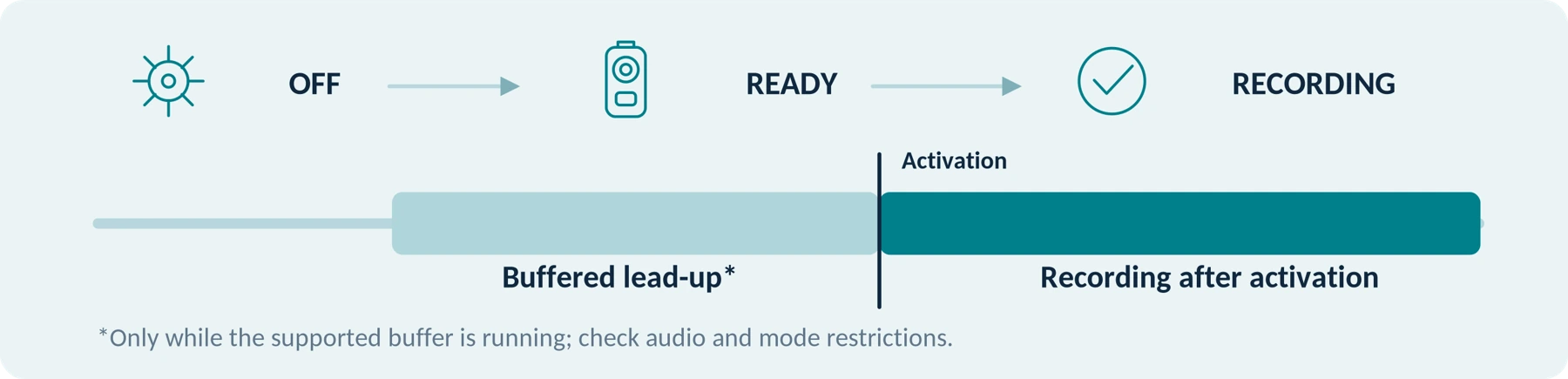
Clear Activation and Recording Feedback
Test three states separately: powered off, ready, and actively recording.
The W110 manual, for example, distinguishes startup from readiness and describes vibration, audible feedback, and a red indicator when recording begins. Those cues are model-specific; use the manual for your candidate. [6]
During practice, ask the wearer to start a recording from the expected carrying state and explain how they know it started. Then inspect the beginning of the saved clip. Repeat a normal activation after changing clothing or settings.
Choose the approved feedback settings for the site, and make sure the guard recognizes failure and low-battery indications as well as the normal recording cue.
Pre-Event Recording, When Your Use Requires It
A pre-event buffer can save footage from before the activation press when the feature is supported and already running. Axis documents separate buffer-audio settings and says its standby power-saving mode cannot be combined with prebuffering. Its manual also notes that immediate recording after startup can provide a shorter buffer. [7]
Ask for the actual retained lead-up in your permitted configuration, not simply whether a listing says “pre-record.” Test video and sound separately.
For example, use a staff-only exercise in which a consenting participant performs an agreed action before the wearer presses record. Inspect how much of that action was saved. Do not stage real disorder to test the feature.
Pre-recording is not a substitute for appropriate activation. Nor should you assume every body camera—including every SpikeCam model—supports it.
Practice the complete start sequence. Then review the beginning of the saved file—not only the preview or status light.
Test Moving Detail, Speech and Operating Limits

Moving Detail in Relevant Lighting
Test the light changes a guard encounters: a reception area, a darker corridor, or an outdoor route. Use original saved files and a consenting participant moving normally at relevant distances.
Axis’s image-quality guidance explains that slow shutter speeds can make a stationary night scene look clear while blurring a moving subject. That is why a static demonstration does not settle suitability for an incident involving movement. [8]
Ask which details the recording must show, then evaluate those details. Do not assume a 4K setting guarantees identification, or that a “night vision” label describes the actual illumination method. Verify any infrared mode on the specific model and in the intended environment.
Understandable Speech and Appropriate Audio Control
Record a permitted test conversation with normal speech, using the intended mount. Include relevant background noise and normal radio use. Listen to both the wearer and the other participant on the exported file; do not use a clear recording of the wearer’s own voice as the only test.
The ICO recommends considering independent audio and video controls during procurement for UK organizational use. Confirm the approved sound setting and how the wearer checks it. [2]
Suitable Operating Limits and Available Support
Request the exact model’s operating and charging limits, weather-protection conditions, cleaning instructions, and warranty terms. Compare them with the assignment and the proposed charging location.
For equipment used by successive guards, confirm replacement mounts, battery-service arrangements, repair turnaround, and the response to a failed unit. An unavailable required part should remain an unresolved purchase issue—not disappear behind a “rugged” description.
Do You Need Live Streaming or a Managed System?
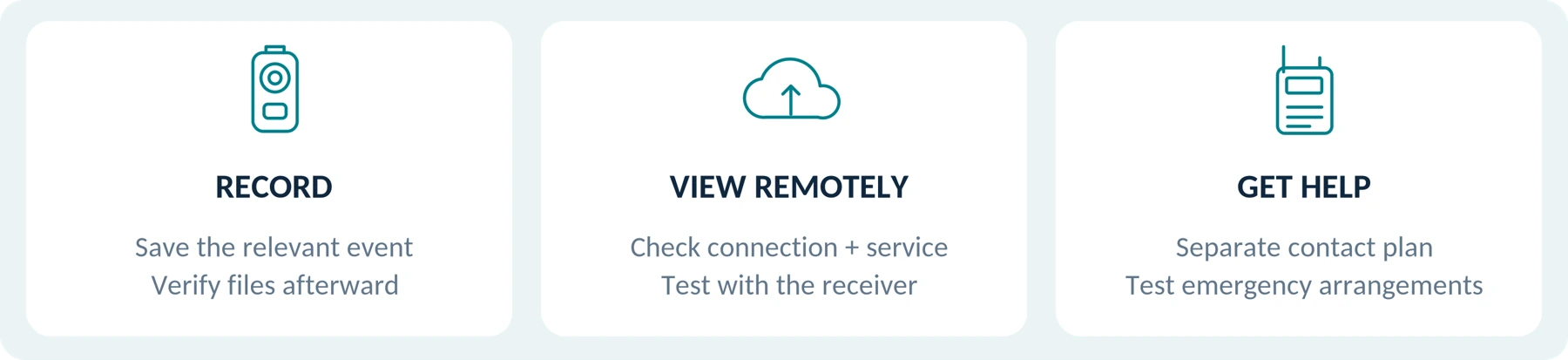
Separate three requirements: recording an event, letting someone view it remotely, and getting help.
Ask who would receive a live view, what connection is required, and what happens where connectivity is unavailable. Axis documents live streaming as part of its wider body-worn solution, with network and hosting arrangements—not as an assumption attached to every camera. [7]
For lone-working assignments, retain a separate, tested contact and emergency plan. HSE’s guidance emphasizes scheduled contact, alarm arrangements, supervision, and checking that workers return; it also recommends testing the relevant systems and procedures. [9]
For a team, specify who may change settings, retrieve footage, make sharing copies, and authorize deletion. Ask for a demonstration using the proposed software and accounts. Verify device access protection and file encryption separately; do not use a camera-menu password as proof of either an encrypted export or a complete security arrangement.
The EDPB’s guidance addresses both technical security and organizational procedures, including authorized access and external requests. Our recommendation is to compare complete arrangements, not a stand-alone camera with a managed service as though they were identical purchases. [5]
A simple approved local-transfer process may meet a defined requirement. A team needing controlled assignment and retrieval should test those capabilities explicitly. Neither configuration is automatically the right answer for every security contract.
Clarify responsibilities before comparing systems
| Responsibility | Person or approved role |
|---|---|
| Device settings and assignment | Not specified |
| Retrieval, sharing and deletion | Not specified |
| Contact and emergency arrangements | Not specified |
A Practical Before–During–After Shift Routine

The following is a proposed operating checklist for review by your employer—not a ready-made policy for every site.
Prepare and verify → record when appropriate → preserve and hand over → confirm readiness for the next user.
Before the Shift: Confirm the Device and the Arrangement
Check that the camera assigned to you is the expected unit and uses the approved settings. Verify charge, available storage, lens condition, attachment, clock and time zone, and the intended audio mode. Use a permitted short test or status check to confirm operation.
For a shared camera, make sure the previous assignment’s files have been handled through the approved process. Do not clear unknown files yourself to make room.
Confirm the recording rules for this site, the point of contact for equipment failure, and your separate communication arrangements. A replacement unit should undergo the same preparation rather than inheriting assumptions from the one it replaces.
During an Incident: Recording Must Not Distract from the Response
Follow your training and site procedure on activation and stopping. Provide the required notice when and as appropriate; do not assume the camera’s visibility supplies all necessary information.
For an already authorized audio-and-video use, training might include wording such as: “I am recording video and audio of this incident.” This is example wording only, not a legal notice or a substitute for required consent. Say only what accurately describes the approved recording.
Prioritize communication, assistance, and safe actions. Do not provoke, prolong, or pursue an encounter to obtain footage. HSE’s violence guidance includes de-escalation and emergency arrangements rather than treating a camera as a sufficient response. [1]
If the camera fails, follow the escalation procedure and report the recording gap. Do not delay an urgent call for help to troubleshoot it. Handle objections or access requests through the designated process rather than offering on-the-spot deletion or making a blanket claim that recording must continue.
After the Incident and Shift: Verify the Handover
Raise any urgent preservation need promptly rather than automatically waiting for the end of the shift. Record the incident reference, approximate time, location, camera identifier, and known interruptions through the approved reporting route.
Transfer or dock the device as required. The W110 documentation describes docking as part of charging, uploading, and synchronizing the camera. For your system, verify completion at the approved destination—not merely the presence of a charging light. [6]
Have the responsible recipient confirm that the relevant recording can be located and opened. Escalate failed uploads or missing segments; do not format a device containing potentially relevant material as a troubleshooting shortcut.
Finally, confirm charging and assignment readiness for the next user. Returning the hardware and successfully handing over its recordings are separate checks.
Keep the Recording and the Incident Report Connected
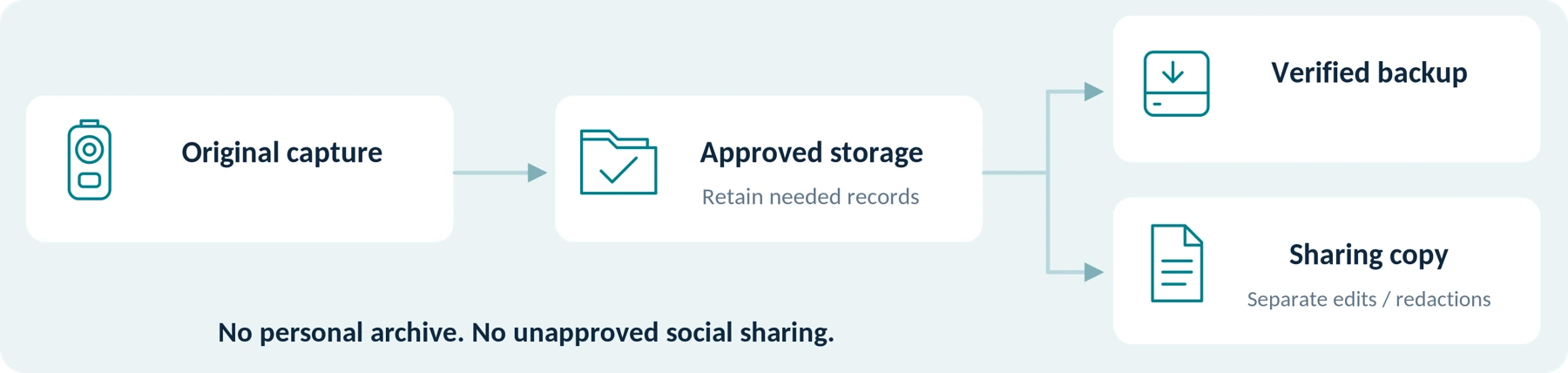
A recording should support a report, not become a reason to skip it. California’s BSIS training manual emphasizes recording observations as facts rather than conclusions and identifying what happened, when, where, and who was involved. That is useful reporting guidance within its California training context. [10]
Follow your organization’s reporting procedure and distinguish your own observations from information learned by reviewing footage. Note an obstruction, delayed start, audio gap, or uncertainty rather than claiming the camera captured everything. Do not alter your account merely to make it appear consistent with an incomplete view.
As a suggested handover note, capture the incident reference, site, date and time zone, wearer and camera identifiers, relevant file references, known gaps, receiving person, and transfer status. Include only the personal information required by the approved reporting process.
Preserve relevant originals and required accompanying records in approved storage. Make any permitted edits or redactions in a separate sharing copy. Do not send work footage through a personal chat group or upload it to social media as a substitute for official reporting.
Have the responsible organization set routine deletion periods and authorized incident-preservation exceptions. The EDPB requires retention to be justified by the purpose and notes that some member states have specific provisions; this guide therefore does not prescribe a universal 30-, 60-, or 90-day period. [5]
If a device or recording is lost, notify the designated contact promptly and follow the incident-response process. Do not attempt an unauthorized remote wipe or retrieve another person’s credentials.
Post-incident work also includes support for staff. HSE recommends supporting affected workers, recording and reviewing incidents, and considering whether further controls are needed. [11]
Describe known gaps. Delayed activation, obstruction, missing sound or incomplete transfer belongs in the approved reporting route.
Run a Trial That Includes the Person Receiving the Files

Before purchasing for a team, our recommendation is to run a small, authorized pilot covering the roles and conditions that matter. A few short demonstrations should not stand in for a complete assignment and handover.
Use consenting staff, fictional visitor details, and permitted locations. Start with controlled exercises before operational use. Record the model, firmware, settings, mount, clothing, light conditions, duration, and result. This is a proposed test method—not a report of tests performed for this article.
| Test | What to do | Evidence to keep |
|---|---|---|
| Assignment and preparation | Have the intended user collect and prepare the correct camera. | Correct user/device identification, approved settings, and readiness confirmation. |
| Uniform and normal movement | Repeat ordinary tasks with the actual clothing, radio, and gloves. | Saved clips showing the required view and notes about obstruction or discomfort. |
| Activation and lead-up | Stage an agreed, non-confrontational event; test the required start state and buffer. | First saved frame, actual pre-event content where required, and audio status. |
| Light and speech | Record a moving participant and normal conversation in representative conditions. | Original files that the authorized reviewer can evaluate. |
| Assignment-length operation | Run the intended readiness and recording pattern within operating limits. | Duration, settings, warnings, remaining resources, and recording continuity. |
| Retrieval and permissions | Ask the designated recipient to find a specified test incident. | Working playback, appropriate access, file references, and measured handling time. |
| Failure and next shift | Rehearse the response to a reported failure and prepare the next user. | An understood escalation route, a workable spare or fallback plan, and confirmed readiness. |
Mark each essential requirement Pass, Fail, or Unverified. Several attractive optional features should not outweigh one failed essential requirement.
Our suggested pilot measures are practical: missed activations in exercises, unusable views, unclear speech, incomplete handovers, retrieval time, and wearing problems. They are not evidence that a camera reduces violence, complaints, or liability.
Your Security-Role Requirements Sheet
Complete this before requesting a recommendation or quotation.
| Requirement | Record your answer | Your notes |
|---|---|---|
| Location and assignment | Country, state or region, site type, and guard duties. | Not specified Not specified |
| Approved recording purpose | What should be recorded, when it should start and stop, and who approves the arrangement. | Not specified Not specified |
| Time requirement | Shift duration, expected event-based pattern or justified continuous requirement, and charging opportunity. | Not specified Not specified |
| Wearing setup | Uniform layers, mount, radio position, gloves, and relevant protective equipment. | Not specified Not specified |
| Capture requirement | Lighting, movement, conversation, audio controls, and any necessary pre-event capture. | Not specified Not specified |
| People and handover | Simultaneous users, shared-device arrangements, and who receives recordings. | Not specified Not specified |
| Files and access | Approved destination, export needs, access controls, retention responsibility, and backup arrangements. | Not specified Not specified |
| Budget and support | Complete initial budget, acceptable ongoing costs, required accessories, and repair or spare-device expectations. | Not specified Not specified |
Ask the supplier to separate confirmed capabilities, unsupported requirements, and anything still unverified. Request evidence for the exact model and package rather than accepting an answer about the brand’s range as a whole.
Compare the complete cost, including necessary mounts, storage, transfer equipment, software, and support. Do not count an unquoted required service as free.
For the detailed equipment and fee questions, use the companion guides Body Camera Buying Guide: How to Choose the Right One, Do Body Cameras Require a Subscription? Fees Explained, and How Much Does a Body Camera Cost? A Buyer’s Budget Guide.
Working notes / unresolved requirements:
________________________________________________________________________________ ________________________________________________________________________________
Planning aid only. Do not enter private incident footage, sensitive site details or unnecessary personal information.
Pilot and Handover Record
Use this additional planning worksheet alongside the trial in this guide. Record fictional test references; follow the organization’s approved reporting and privacy arrangements.
| Test identification | Your record |
|---|---|
| Model / firmware / configuration | Not specified |
| Approved clothing / mount / site type | Not specified |
| Test date / time zone / planned duration | Not specified |
| Wearer role / designated recipient role | Not specified |
| Essential check | Pass / Fail / Unverified | Evidence or unresolved issue |
|---|---|---|
| Assignment and readiness | Not specified | Not specified |
| Uniform, movement and operation | Not specified | Not specified |
| Activation / permitted pre-event capture | Not specified | Not specified |
| Moving detail and speech | Not specified | Not specified |
| Assignment-length operation | Not specified | Not specified |
| Retrieval and permissions | Not specified | Not specified |
| Failure response / next-user readiness | Not specified | Not specified |
Verify a harmless test-file handover
| Handover item | Your record |
|---|---|
| Test incident / camera / file reference | Not specified |
| Known gaps or missing segments | Not specified |
| Approved destination / playback checked | Not specified |
| Recipient confirmation / transfer status | Not specified |
Decision / next action: __________________________________________________________
Owner role and review date: ____________________________________________________
A proposed worksheet, not a completed test, legal determination or approved incident-report form.
The Bottom Line

For a security guard, a suitable body camera is one that works within an approved assignment—from preparation to recording to a verified handover.
Start with the task, test the actual uniform and operating conditions, and involve the person who will receive the footage. Keep training, communication, safe working, and appropriate reporting at the center of the process.
A recording tool is not an expansion of your authority. California’s BSIS manual explicitly distinguishes private-security duties from those of peace officers; for any assignment, work within the powers and limits applicable to your role. [10]
When discussing a SpikeCam product, share the role requirements above without sending private incident footage or sensitive site details. Ask which requirements the exact model and proposed package support. This guide does not imply that every SpikeCam model provides pre-recording, encryption, live streaming, or team-management functions.
Buy only when the complete setup meets a need you can identify, approve, and verify.
Related guides in the SpikeCam series
B00 Body Camera Uses: Find a Guide for Your Work or Everyday Needs
A01 Body Camera Buying Guide: How to Choose the Right One
A02 Do Body Cameras Require a Subscription? Fees Explained
A03 How Much Does a Body Camera Cost? A Buyer’s Budget Guide
References and Edition Notes
The numbered citations in the text link to this list. Each source title opens the official reference retained from the original article.
[1] HSE — Control measures to prevent violence and aggression
United Kingdom · workplace violence controls
[2] ICO — Body Worn Video (BWV)
United Kingdom · organizational body-worn video guidance
[3] California Legislative Information — Penal Code section 632
California, United States · statute on confidential communications
[4] Security Industry Authority — Check if you need an SIA licence to use a bodycam
United Kingdom · activity-specific SIA licensing guidance
[5] EDPB — Guidelines 3/2019 on processing of personal data through video devices, version 2.0
European Union · video-device data protection guidance
[6] Axis — AXIS W110 Body Worn Camera user manual
Product-specific example · camera operation and handover
[7] Axis — Body worn solution user manual
Product-specific example · system functions and prebuffer conditions
[8] Axis — Troubleshooting guide for image quality
Technical guidance · image quality and motion blur
[9] HSE — Lone working: Training, supervision and monitoring
United Kingdom · lone-worker contact and emergency arrangements
[10] California BSIS — Powers to Arrest and Appropriate Use of Force Training Manual, July 2023
California, United States · reporting and role-specific training context
[11] HSE — Reporting and learning from incidents
United Kingdom · support, incident review and learning
About this edition
Sources checked September 24, 2026. Named products illustrate documented functions, not rankings or hands-on test results. The scenarios, worksheets, and trial measures are proposed editorial tools. UK, EU, and California references have their stated scopes; the cited ICO body-worn guidance was marked as under review. No specific security deployment, legal compliance, performance outcome, or unverified SpikeCam capability is certified by this article.
Related articles
Body Camera Uses: Find a Guide for Your Work or Everyday Needs
Find guidance for your role, from private security and delivery work to personal recording and care settings.
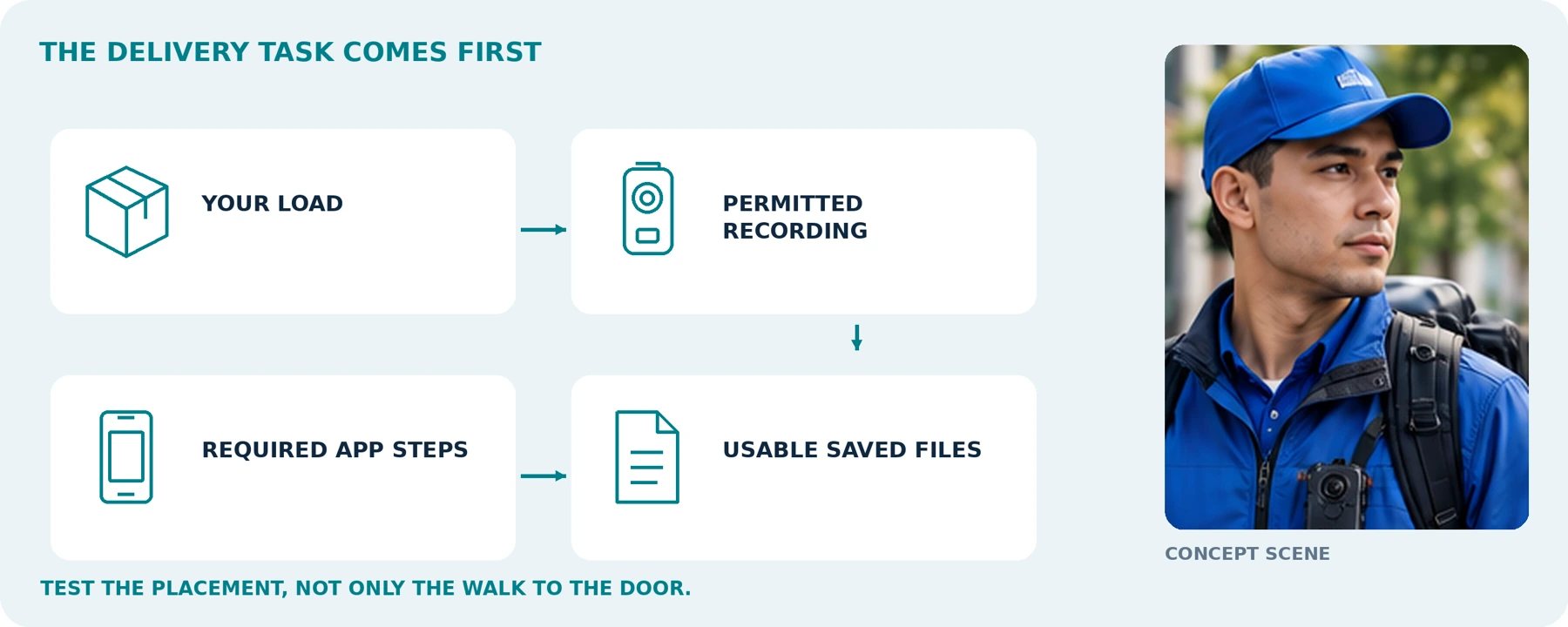
Body Cameras for Delivery Drivers: What to Check Before You Buy
Review delivery recording, customer privacy, mounting and how footage complements delivery confirmation.
Body Camera Buying Guide: How to Choose the Right One
Choose a camera around recording controls, battery life, file access and your actual working routine.
