Do Body Cameras Require a Subscription? Fees Explained
Understand local recording, software licenses, cloud subscriptions and access to your recordings.
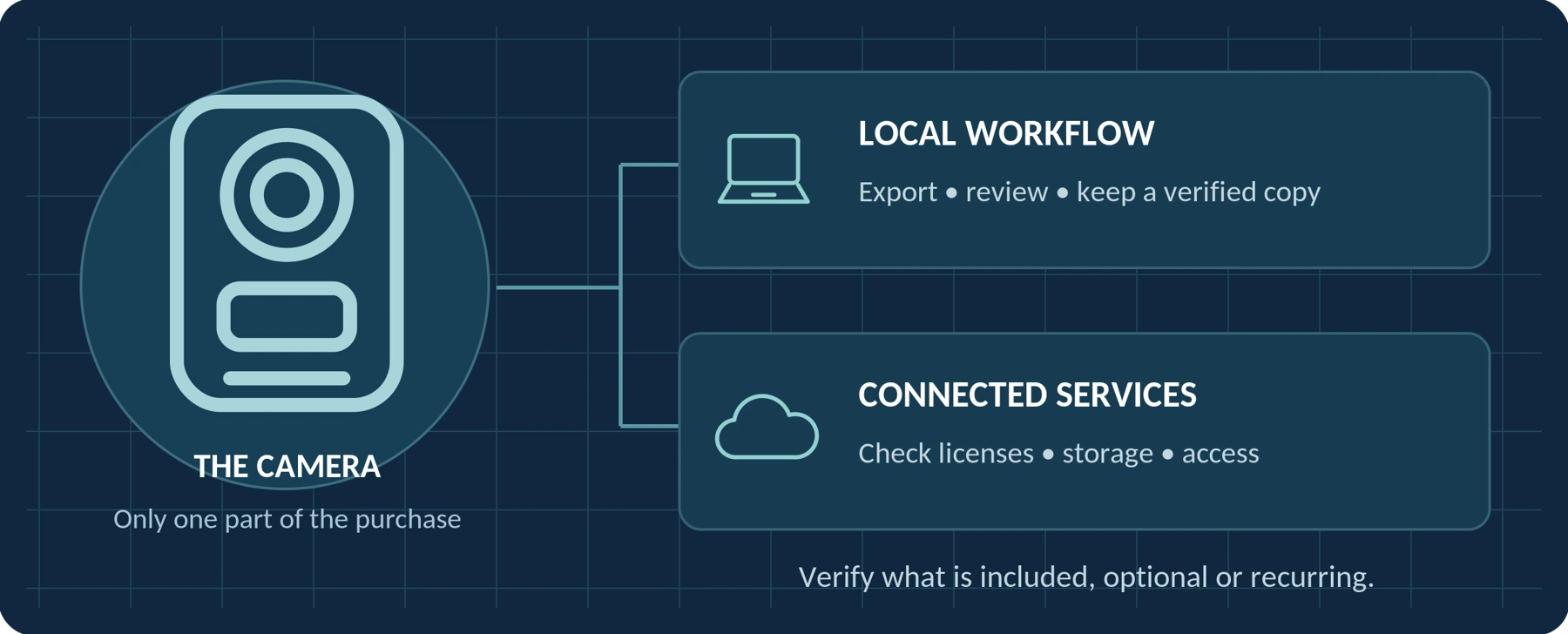
Editorial guidance, not legal advice or a model-specific performance promise. Check the rules and requirements that apply to your location and use.
Amounts in this guide are historical or illustrative examples, not SPIKECAM quotations. Contact us for a current project quote.
No subscription is automatic
No—not every body camera requires a monthly or annual subscription. Local-recording devices and systems with one-time software licenses are available. Other configurations charge for hosted software, cloud storage, or additional connected services. The requirement depends on the complete setup, not simply on the camera’s appearance or advertised recording features.[1][2]
The useful question is not just, “Does this camera have a monthly fee?” It is:
“Can I record, retrieve, and keep usable copies of my footage without an ongoing payment—and which additional services would cost extra?”
This guide explains how to separate those costs, compare subscription and non-subscription options, and plan for access to your recordings when a service ends.
What Should “No Subscription Required” Mean?
For the purposes of this buying guide, a no-subscription setup is one in which your essential recording, playback, and file-export tasks do not depend on a mandatory recurring camera or platform payment.
Start by defining those essential tasks. For an individual buyer, the requirement might be:
Record on the camera → transfer the files to your computer → open them → keep a backup.
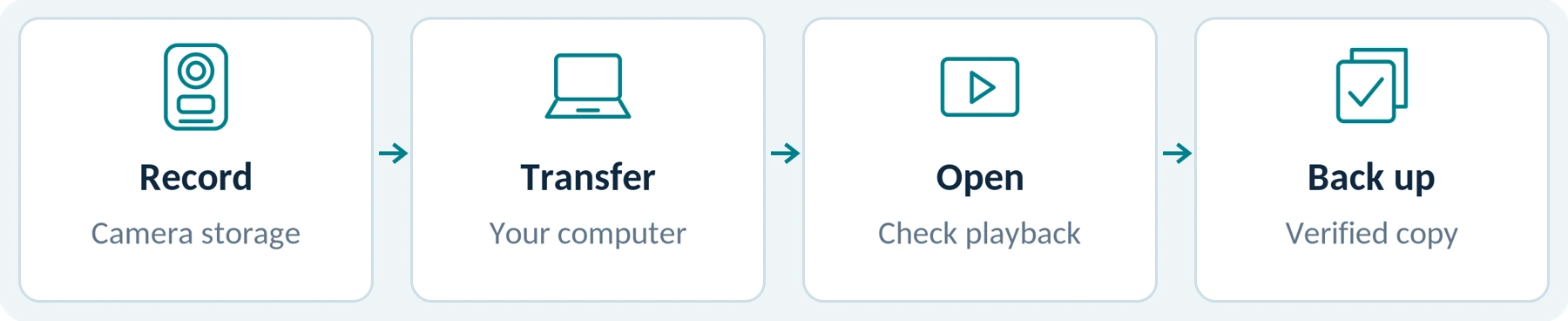
A local workflow is a real product option. For example, Rexing’s P2 documentation describes onboard recording storage and transferring footage to a computer through USB. That establishes a local file-handling route; it does not replace checking the purchase terms and any software you intend to use.[1]
Before paying, ask the supplier to confirm that your required tasks remain available without activating a paid trial or renewing a service.
Also separate no subscription from no other costs. A memory card, replacement mount, backup drive, or repair belongs in your budget even when it is not a recurring platform fee. BOBLOV’s KJ21 listing, for example, offers both card-included and card-not-included packages.[3]
Our buying rule: accept a no-subscription claim only when it covers the complete process you actually need.
Define your required workflow
| Record your requirement | Your answer |
|---|---|
| My camera and computer / phone | Not specified |
| How I will open and keep the files | Not specified |
| Where the verified backup will be kept | Not specified |
Camera Hardware, Software, and Cloud Storage Are Different Purchases
When comparing quotes, separate the physical device from the services around it. Use this table as a purchasing framework, not a promise that every manufacturer uses the same billing model.
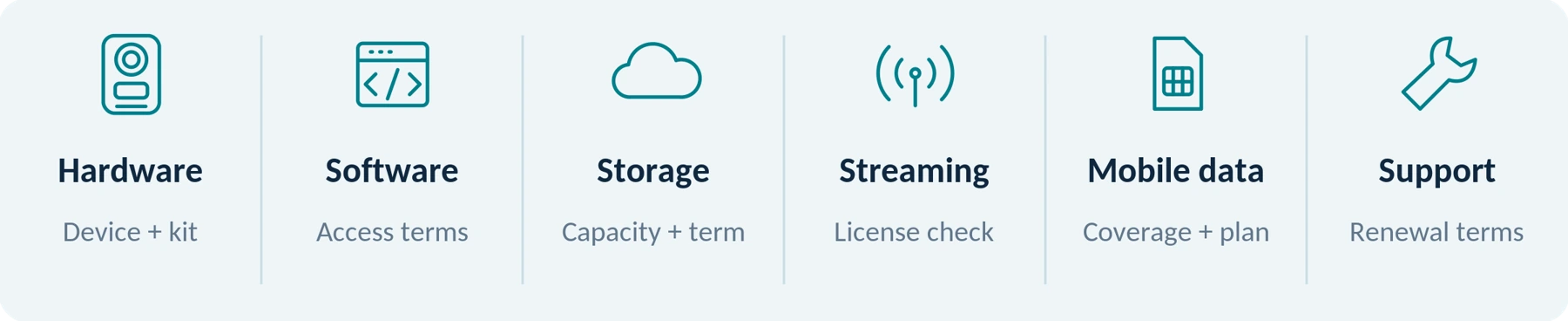
| Part of the setup | What to ask the supplier |
|---|---|
| Camera and necessary accessories | What must I buy before I can record and retrieve a file? |
| Playback or management software | Is access included, licensed once, or renewed periodically? |
| Cloud storage | Is it optional, included for a limited period, or billed separately? |
| Remote live-streaming service | Does this exact model support it, and what license is required? |
| Mobile connectivity | Is cellular data included, purchased separately, or unnecessary for my use? |
| Updates and support | What is included initially, and what requires renewal? |
A quote should make these distinctions explicit. “Camera included” does not answer whether the software and storage required for your chosen setup are included too.
For managed systems, there can also be required equipment beyond the camera. Axis documents a setup involving cameras, docking stations, system controllers, and a destination for the recordings. This is a different purchase from a stand-alone device you simply connect to a computer.[4]
Ask for one complete quote: identify what is required, what is optional, and what renews.
Quote reference: ____________________ Date: ____________________
Does Local Storage Mean There Are No Subscription Fees?
No. Where the footage is stored and how the software is licensed are separate questions.

A locally managed system can use a one-time software license. Motorola’s published VideoManager EX licensing sheet, for example, distinguishes perpetual on-premises licenses from recurring cloud licenses.[2]
But self-hosting does not automatically remove subscriptions. The AXIS Body Worn Live, Self Hosted manual includes subscription activation and license-renewal requirements for that live-streaming service.[5]
That comparison matters: “local,” “on-premises,” and “self-hosted” describe a deployment arrangement. They do not, by themselves, settle the payment terms.
When comparing local options, request separate answers about the camera, playback software, management software, and any optional live service. Do not assume that a requirement for one component applies to every component—or that avoiding the vendor’s cloud makes the whole system free to operate.
A one-time license is not the same as lifetime updates
Check continued-use rights and maintenance coverage separately. Motorola’s VideoManager EX software-assurance document distinguishes support and update coverage from the underlying software, with extended assurance available for purchase.[6]
For your proposed system, ask what happens after that coverage ends. Can you continue using the licensed version? Which updates remain available? What happens when you replace a computer or move the installation?
For a business, include your own storage, backups, administration, and maintenance in the local-deployment budget. Avoiding a cloud subscription is a billing decision—not a plan for handling those tasks.
Keep these answers separate
| Continued use | Updates and support |
|---|---|
| What remains usable after coverage ends? | Which updates and assistance still apply? |
What Can a Body Camera Subscription Pay For?
A subscription is worth evaluating by the work it performs, not by the fact that it is a subscription.

Hosted storage and video management
A managed platform can do more than hold video files. VideoManager EX, for example, provides tools for administering cameras and users, organizing incidents, redacting footage, and sharing recordings. Redaction means obscuring information that should not be disclosed, such as a face in a shared copy.[7]
For a team, our recommendation is to compare the proposed service against a concrete task: “Can an authorized manager locate and share the correct incident recording without asking several employees to search their devices?”
Ask for a demonstration using your planned number of users and cameras. Confirm which capabilities are included in the quoted tier rather than assuming every feature on the platform’s website is included.
Also check storage separately. Motorola’s licensing documentation describes cloud device licensing and cloud storage charges as distinct items.[2]
Request the included capacity, the retention rules, and the process when the allowance is reached. Ask whether ordinary downloads, bulk exports, or migration assistance carry charges. These are questions to resolve in your quote—not claims that all providers charge for them.
Remote live streaming
Watching a saved recording and watching a wearer from another location are different tasks. Axis documents direct mobile review through Body Worn Assistant separately from its Body Worn Live streaming service.[4]
A live-streaming license may be an additional requirement. The Axis-hosted Body Worn Live manual, for example, describes licensing and identifies an expired license as a reason streaming may not start.[8]
There is another important distinction: live viewing is not necessarily a long-term video archive. The same manual states that recent streams are retained for 24 hours. That is a specific service behavior, not a general retention rule for body cameras.[8]
When evaluating a live service, ask where the original recording is kept and how it is retained after the live-viewing window ends.
Mobile data
A streaming-service license and cellular connectivity are separate items to verify. Axis’s hosted-service documentation discusses both service licensing and mobile-network subscriptions or data credit.[8]
Ask whether the package includes a SIM or eSIM, an allowance for data, and use in your intended country. For cross-border work, request the applicable coverage and roaming terms.
A Wi-Fi label should not be treated as a price statement. First establish whether you need nearby file access, a connection through an existing network, or remote streaming. Then check the charges for that exact function.
“Per Month” Does Not Necessarily Mean “Cancel Any Month”
Read three things separately: the displayed rate, the billing schedule, and the commitment period.
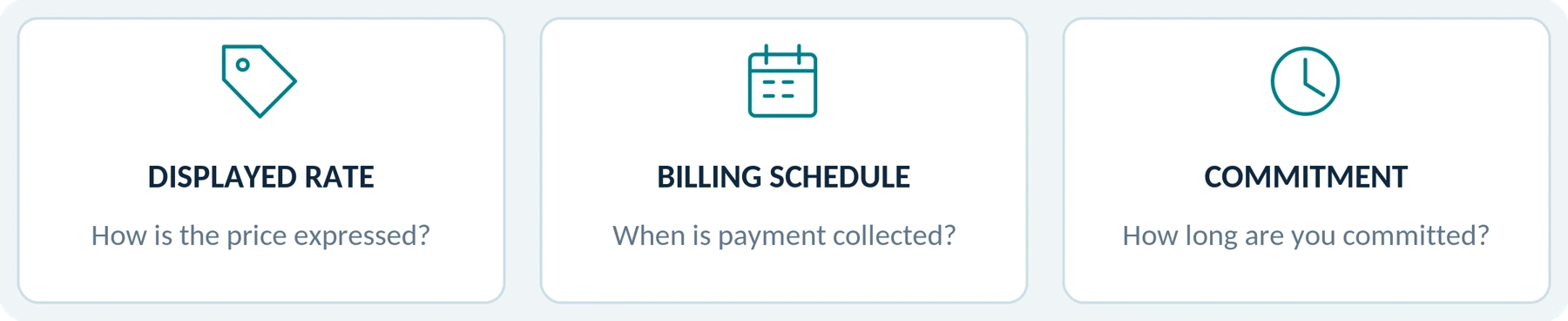
Motorola’s published licensing sheet, for example, describes cloud licenses priced per device per month but billed annually.[2]
That does not establish the terms of another supplier’s offer. It demonstrates why a monthly-looking number is not enough to understand a contract.
Here is a hypothetical calculation—not a current quote from SpikeCam or any other manufacturer. Suppose a service costs $10 per licensed camera per month, with no price changes or discounts:
| Licensed cameras | Service fees over 12 months | Service fees over 36 months |
|---|---|---|
| 1 | $120 | $360 |
| 5 | $600 | $1,800 |
| 10 | $1,200 | $3,600 |
These figures include only the assumed service charge. They exclude hardware, storage add-ons, connectivity, taxes, and other costs. They also do not establish that a subscription product and a non-subscription product provide equivalent features.
For each real quote, record the renewal date, minimum term, cancellation-notice deadline, and price after any introductory period. Ask how spare cameras, inactive devices, and changing user numbers affect the bill.
Compare the complete commitment—not just the number printed beside “per month.”
Calculation: licensed cameras × monthly rate × number of months.
Illustrative arithmetic only. The table is not a current product price or service quotation.
What Happens to Your Footage When You Cancel?
Treat this as three separate access questions. Do not accept a general “you own your videos” answer without confirming how you can retrieve and use them.

Files already exported to your own storage
Our recommendation is to export important recordings in a form you can open independently of the hosted account, wherever the system permits it. Test playback on your own equipment before ending the service.
Do not count a saved web link, a thumbnail, or a shortcut as a verified local copy. Check that the file opens without signing back into the service, and keep any necessary accompanying records or permitted playback tools.
Where recordings need to retain their evidentiary context, have the responsible person specify what else to export, such as timestamps, event identifiers, metadata, and access records. Preserve the original export alongside any edited sharing copy.
Files still stored by the provider
Confirm the exact access deadline and export procedure in the agreement that applies to your purchase.
For example, the publicly linked Edesix/Motorola Master Subscription Agreement places responsibility on the customer to arrange export before service termination and states that service access ceases at termination. It also recognizes customer ownership of customer data. Together, those provisions show why ownership and continued hosted access must be checked separately.[9]
This is an example from a published agreement, not a universal cancellation policy. Do not assume every provider offers a 30-day or 90-day retrieval window, or that retaining data temporarily means you will still have account access.
Ask when access ends, when deletion occurs, what assistance is available, and whether the agreed export includes everything your organization needs.
Files still inside the camera
Do not assume that canceling a managed service turns its camera into an ordinary USB storage device.
Motorola’s VB400 documentation states that recorded footage is encrypted and accessed by authorized users through VideoManager. That illustrates why “the video is still on the camera” does not establish independent access.[10]
For the exact setup you are considering, request written confirmation of what happens to activation, recording, docking, playback, and export after each relevant license or service ends. The answer may differ by component.
A practical exit sequence
Before closing an account, arrange the export while access is active. Verify the exported files and accompanying records, and make the backups your use requires. Then move ongoing recording to a confirmed working setup before ending the old service.
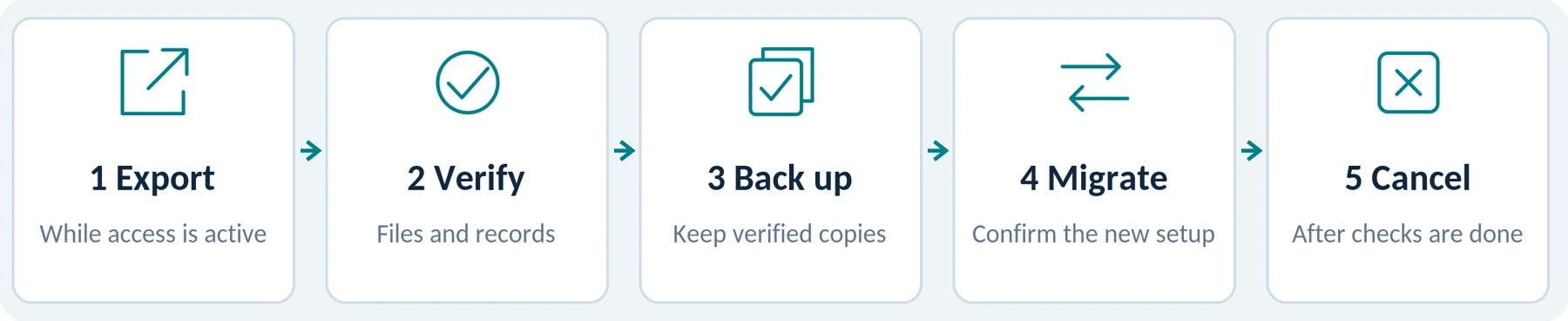
Do not test cancellation behavior on your only copy of important footage. Use disposable test recordings or a supplier-supported demonstration instead.
When Is a Subscription-Free Setup the Better Fit?
For an individual who only needs authorized recording, playback, and occasional file transfer, our recommendation is to start by evaluating a clearly documented local setup. Pay for additional services only when they solve a requirement you can name.
For a small team, start with the handover and file-management process. Decide who collects recordings, who can see them, and who is responsible for backups. Then compare a local managed system with a hosted alternative; do not select either solely because of the billing label.
For a team that needs remote supervision, shared incident handling, or centrally administered access, evaluate the relevant service directly. Ask the supplier to demonstrate the specific task before committing to its recurring cost. Managed video platforms document capabilities such as device administration, incident creation, redaction, and sharing, but those capabilities still need to match your purchase and procedures.[7]
Neither “subscription-free” nor “cloud-connected” should decide the purchase on its own. The better fit is the setup that meets your requirements with understandable costs and an acceptable exit plan.
Your Body Camera Fee-Verification Checklist
Use three status labels when reviewing a quote:

Required means the item is necessary for your intended use. Optional means you can decline it without losing that use. Unverified means the supplier has not provided a clear answer.
Separately record whether the price is included, paid once, or recurring. An included service can still be required—and “included for one year” is not the same as included indefinitely.
| Item to verify | Written answer to obtain |
|---|---|
| Basic recording | Does it remain available without a paid trial or recurring plan? |
| Viewing and export | What software, account, license, or accessory is required? |
| Local storage | Is storage included, and who manages backup copies? |
| Cloud service | Can I decline it? What capacity and retention are included? |
| Live viewing and mobile data | Which charges are separate, bundled, or not applicable? |
| Software updates and support | What ends when coverage expires, and what can continue? |
| Billing and renewal | What is the complete initial commitment and renewal amount? |
| Cancellation and migration | When must I export, what can I export, and are there exit costs? |
For each answer, record the model, software edition, country, quote date, and supporting document. Leave unanswered items marked Unverified, rather than assuming they are included or free.
Record the proposal you reviewed
| Model / software edition | Country / quote date |
|---|---|
| Not specified | Not specified |
| Supplier / proposal reference | Supporting document or link |
| Not specified | Not specified |
A message you can send to the supplier
| I am considering [model] for [personal use / a team of X users] in [country]. Please confirm the complete setup needed to record, view, export, and keep usable copies of the footage. Please separate required charges from optional services and show which are included, one-time, or recurring. Identify any trial period, minimum term, renewal charges, cloud-storage allowance, and separate connectivity cost. Please also explain what continues to work after each service ends, and how and when I must export existing recordings before cancellation. | 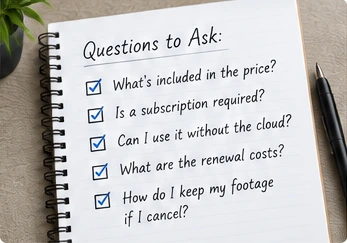 Concept illustration. Review costs and exit terms. |
|---|
The Bottom Line
You do not need to treat a subscription as an automatic part of buying a body camera. But you should not treat local storage, a free app download, or a one-time hardware payment as proof that the entire setup has no ongoing charges. Published manufacturer documentation shows both perpetual software licensing and subscription-based configurations—including a self-hosted live service.[2][5]
Before buying, establish three things: what works without renewal, what additional services cost, and how you keep usable recordings when a service ends.
When asking about a SpikeCam model, describe whether you need only local recording and export, or whether your requirements also include team management or remote access. Request confirmation of the supported setup and any applicable ongoing charges for that exact model and proposal.
| Works without renewal? | Extra services cost? | Files remain usable? |
|---|---|---|
| Confirm the essential tasks. | Check the complete proposal. | Verify your export and exit plan. |
References
Numbers in the article link to these source entries. Select a source title or “Open source” to visit the original document.
01 Rexing. P2 FHD Body Camera product documentation. Supports the example of local recording storage and USB footage transfer; it is not used as a blanket statement about all software or future service pricing.
02 Motorola Solutions. VideoManager EX Licensing Data Sheet, especially the on-premises/cloud licensing explanation and storage section. The published document describes perpetual on-premises licensing and cloud licensing priced per device per month, billed annually. Regional packaging and included storage must be confirmed in a quote.
03 BOBLOV. KJ21 product listing. Supports the example of card-included and card-not-included packages.
04 Axis Communications. Axis body worn solution — User manual, introductory system description.
05 Axis Communications. AXIS Body Worn Live, Self Hosted — User manual, License and Troubleshooting sections.
06 Motorola Solutions. VideoManager EX Software Assurance Information. This is the published document linked from the product page; confirm the terms applying to the proposed purchase.
07 Motorola Solutions. VideoManager EX product documentation.
08 Axis Communications. AXIS Body Worn Live, Axis Hosted — User manual, licensing, recent-stream retention, and mobile-network troubleshooting sections.
09 Motorola Solutions / Edesix. Master Subscription Agreement, sections 6, 11, and 21. Cited as the publicly linked agreement, not a statement that it governs every current purchase.
10 Motorola Solutions. VB400 product documentation, Maintain Evidential Integrity section.
Editorial notes
Sources checked September 22, 2026. Product examples illustrate documented workflows, licensing arrangements, or access conditions; they are not a complete market comparison or a hands-on review. The cost calculation is hypothetical. Regional quotations, software editions, and the agreements applicable to your purchase determine actual charges and rights. Published agreements cited here are examples, not a substitute for reviewing your own contract.
Illustrations are conceptual explanations, not product photography or promises about any specific model, subscription, security capability or service. The notebook detail is AI-generated.
Related articles

Body Camera Buying Guide: How to Choose the Right One
Choose a camera around recording controls, battery life, file access and your actual working routine.
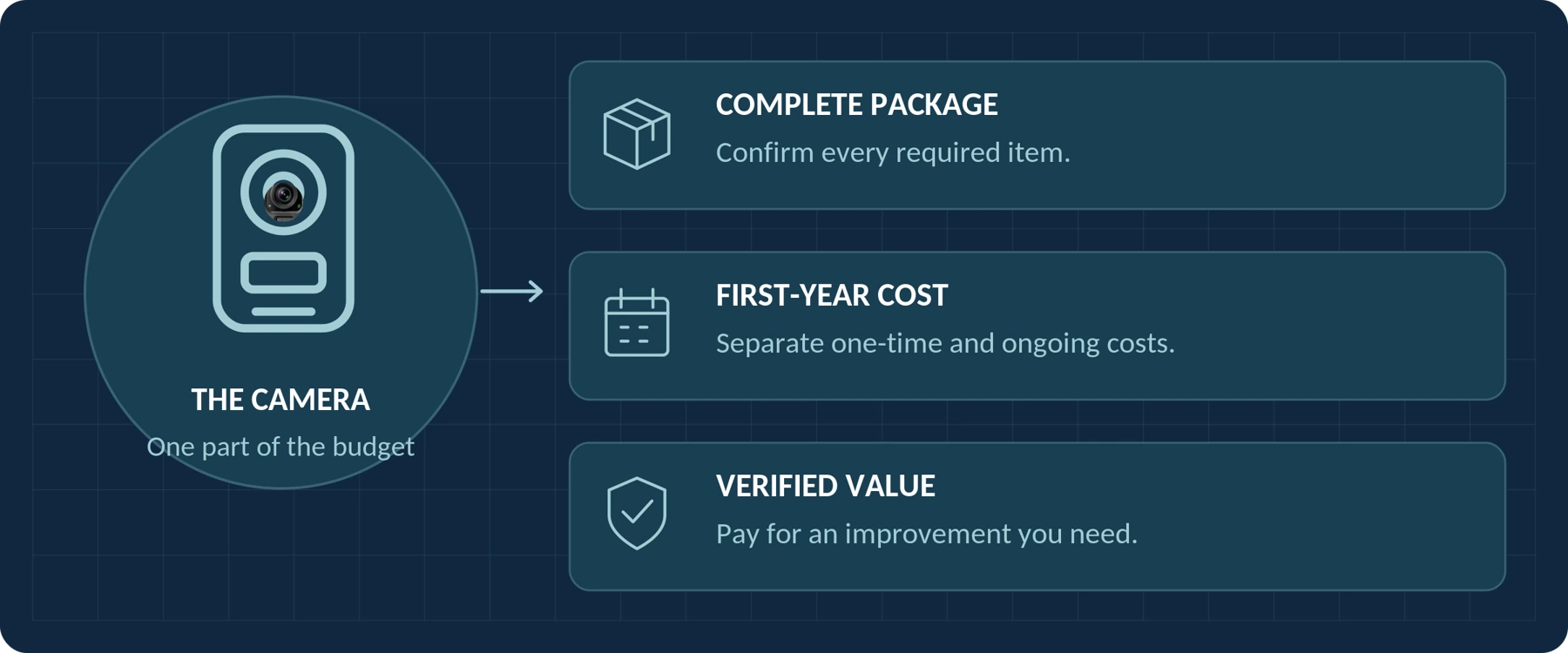
How Much Does a Body Camera Cost? A Buyer's Budget Guide
Plan the complete purchase, compare quotations and account for storage, support and ongoing costs.
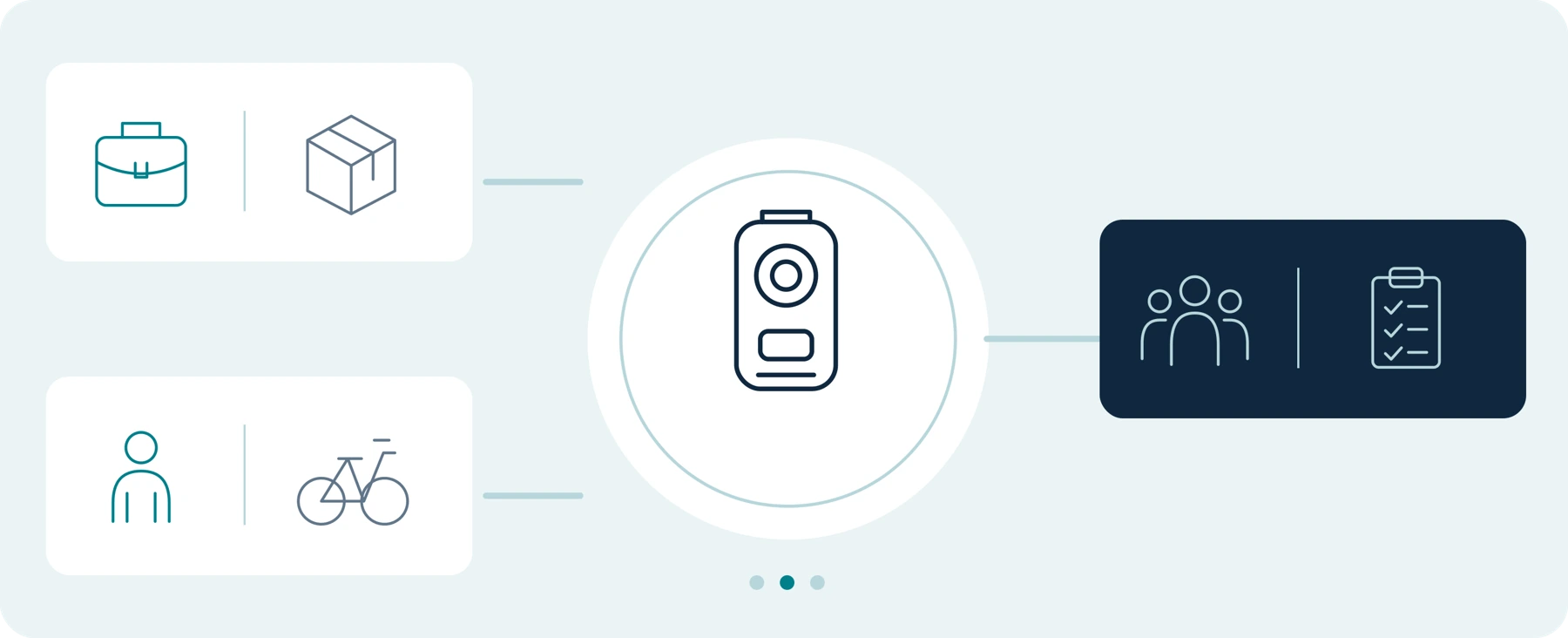
Body Camera Uses: Find a Guide for Your Work or Everyday Needs
Find guidance for your role, from private security and delivery work to personal recording and care settings.
