Body Cameras for Hospitality and Event Staff: What to Consider
Assess selected roles, venue conditions, recording boundaries and a reliable handover of footage.

Editorial guidance, not legal advice or a model-specific performance promise. Check the rules and requirements that apply to your location and use.
Reading note: numbered citations link to the original sources. Reference dates are retained from the manuscript. Concept figures and fictional exercises are not product specifications, legal approvals, or measured results.
A justified need—not a camera for everyone
Not every hotel, bar, or event needs body cameras for every employee. Consider them for selected roles when a clearly defined recording need remains after you assess existing CCTV, reporting procedures, and staff-support arrangements. Then test whether the proposed setup actually meets that need.
The useful question is:
“Can the right staff member record an appropriate incident, in the venue’s actual conditions, and hand over a usable file without compromising guest privacy or the response?”
The UK’s Health and Safety Executive lists body-worn cameras among possible workplace controls, alongside staffing, layout, communication, and training. It recommends an appropriate combination—not reliance on one device. [1]
This guide covers hotel reception, bars, venue entrances, and event teams. It focuses on role-specific use, difficult light and sound, temporary staff, and footage handover. It is not a recommendation for continuous guest surveillance, an emergency procedure, or a promise of fewer incidents.
A Body Camera Is Not a Crowd-Management or Emergency System
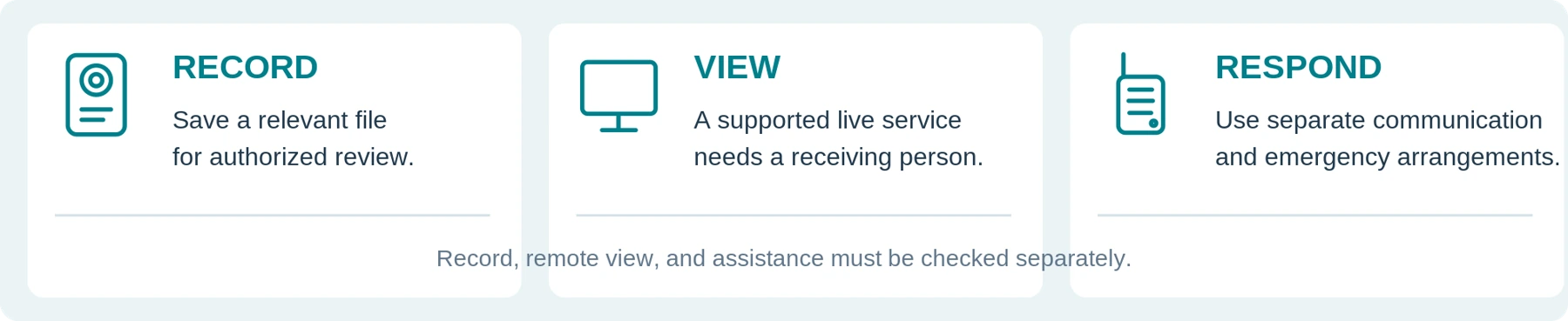
Keep three functions separate: saving an incident, viewing it remotely, and getting a response. Request a demonstration of each function you actually need, including the receiving person’s actions and the behavior when connectivity fails.
Do not count a Wi-Fi indicator as confirmation that somebody is watching or coming to help. Specify who monitors any live service, how an alert is acknowledged, and the fallback when the service is unavailable. A local-recording setup may still meet a defined need without live viewing.
HSE’s event guidance calls for competent staff, effective communications, and a control point where appropriate. Its emergency guidance separately addresses clear responsibilities, evacuation, and an agreed process for stopping a performance. Those arrangements must not depend on an individual obtaining a camera recording first. [2] [3]
Do not send staff into a crowd or prolong an encounter for a better shot. A wearable close-up should not be treated as your overall view of crowd distribution, exit routes, or developing congestion.
Deal with the event first. Preserve an appropriate record without turning recording into a competing task.
02 / ROLE ASSESSMENT
Start with the Role, Not the Industry Label
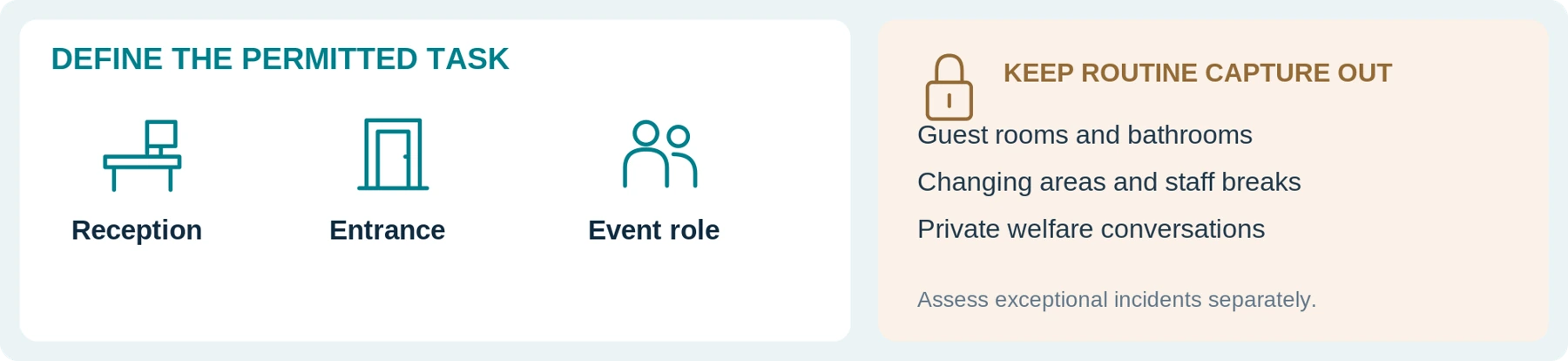
A hotel receptionist, a door supervisor, and a roaming event steward should not automatically receive identical cameras and recording instructions.
Describe the task first, including what existing records already provide. Use this planning table to decide what a trial must investigate—not as authorization to record everyone in the listed areas.
| Role or setting | First question | What to test before buying |
|---|---|---|
| Hotel reception and night duty | Is there a specific incident-recording need beyond the desk CCTV and service log? | The view across the counter, access to help, and avoidance of booking screens, identity documents, and room information. |
| Bar or restaurant service staff | Would a camera address a defined need, or would a clearer escalation process be sufficient? | Normal apron or shirt, reaching and carrying tasks, speech, and interference with service. |
| Entrance staff and door supervisors | What must be documented about an authorized entry-related incident? | Queue-side lighting, radio use, hands near the lens, and the limits of any pre-event buffer. |
| Roaming venue or event staff | What information is missing when staff move beyond a fixed camera’s view? | Changing light and sound, normal movement, agreed location references, and communication with the control point. |
| Duty managers and contracted security teams | Who needs to wear a camera, and who needs to retrieve the recordings? | Assignment, approved permissions, incident indexing, and handover between organizations or shifts. |
Our recommendation is to avoid issuing cameras to all housekeeping, catering, or temporary staff simply because they work at the venue. An unresolved task—not headcount—should drive the equipment decision.
For detailed private-security requirements, use Body Cameras for Security Guards: What to Look For. For the fixed-camera comparison, use Body Cameras for Retail Staff: Do You Need Them Alongside CCTV? This article adds the specific complications of guest spaces, live entertainment, and event handovers.

03 / RECORDING SCOPE
Agree on Recording Boundaries Before Guests Arrive
Write down the purpose, activation criteria, stopping procedure, audio setting, excluded spaces, and the person responsible for questions. Use observable circumstances in the procedure, not labels such as “difficult guest” or assumptions based on appearance.
A request for a refund, an entry question, or a service complaint should not automatically trigger recording. Decide what distinguishes the intended incident-recording use from ordinary hospitality interactions.
For UK organizations, the ICO’s body-worn guidance calls for a data protection impact assessment, sufficient privacy information, and justification of audio and video. It says continuous recording needs strong justification. The page is currently marked as under review. [4]
Public Reception and a Guest Room Are Different Proposals
Our recommended routine scope excludes guest bedrooms, bathrooms, changing areas, private staff breaks, and treatment or welfare conversations. An exceptional incident needs its own approved response; permission to work at the venue is not your recording assessment.
Plan how staff will respond when an interaction moves toward an open guest-room door or a private area. Avoid capturing key-card information, passports, booking screens, payment entry, and unrelated guests. Use fictional documents in all training exercises.
Someone seeking help should not have to repeat a distressing account for the camera. Follow the venue’s safeguarding and assistance arrangements, including for children and vulnerable guests. Do not delay urgent help to resolve a recording disagreement or obtain a better view.
Explain the Actual Arrangement
Use the required privacy information and any appropriate verbal explanation. Do not assume an existing CCTV sign describes staff-worn microphones, or that a quiet announcement will be understood in a loud room.
Have the responsible person plan an accessible way to provide information in the venue’s conditions. The explanation must match the device’s actual video, audio, and buffering behavior.
A notice is not automatically consent. The ICO explains that consent, when relied upon, requires genuine choice and may be inappropriate where unnecessary processing is made a condition of service. Resolve the lawful basis and any separately required consent before deployment rather than improvising “you entered, so you agreed.” [5]
04 / BEFORE AN OPERATIONAL TRIAL
Check the Location and the Actual Security Duties
United States: assess applicable state and other requirements, especially for conversations. California Penal Code section 632 addresses confidential communications recorded without all-party consent, with qualifications about confidentiality. It does not establish a universal rule for every lobby, bar, or US state. [6]
United Kingdom: check security licensing separately from privacy. SIA guidance distinguishes merely wearing a body camera from viewing footage for security work; the activities performed determine the relevant licence requirements. That distinction does not remove licensing requirements for someone’s underlying door-supervision duties. [7] [8]
European Union: establish a lawful, specific purpose, necessary data collection, and appropriate security and retention. The European Commission explains these principles; apply them alongside the relevant national recording and employment requirements. [9]
Obtain qualified local advice for uncertain uses. This guide is not a legal determination, permission to refuse service, or authority to search, detain, or remove a person.
Pre-deployment check record
Complete with the responsible organization. Record decisions and supporting references—not real guest information. Leave unresolved items marked Unverified.
| Check to resolve | Responsible person / evidence / unresolved item |
|---|---|
| Applicable location and duties | Not specified Not specified |
| Recording purpose, activation, and stopping | Not specified Not specified |
| Audio, buffering, private areas, and notices | Not specified Not specified |
| Access, retention, guest questions, and objections | Not specified Not specified |
| Decision before live use | Approved scope: Not specified / Pending: Not specified Review date and reviewer: Not specified |
Written equipment capability is not approval to record. Resolve the use, the organization’s procedure, and the exact configuration separately.
05 / TEST THE VENUE
Test the Venue’s Lighting—not Just a Daytime Demonstration
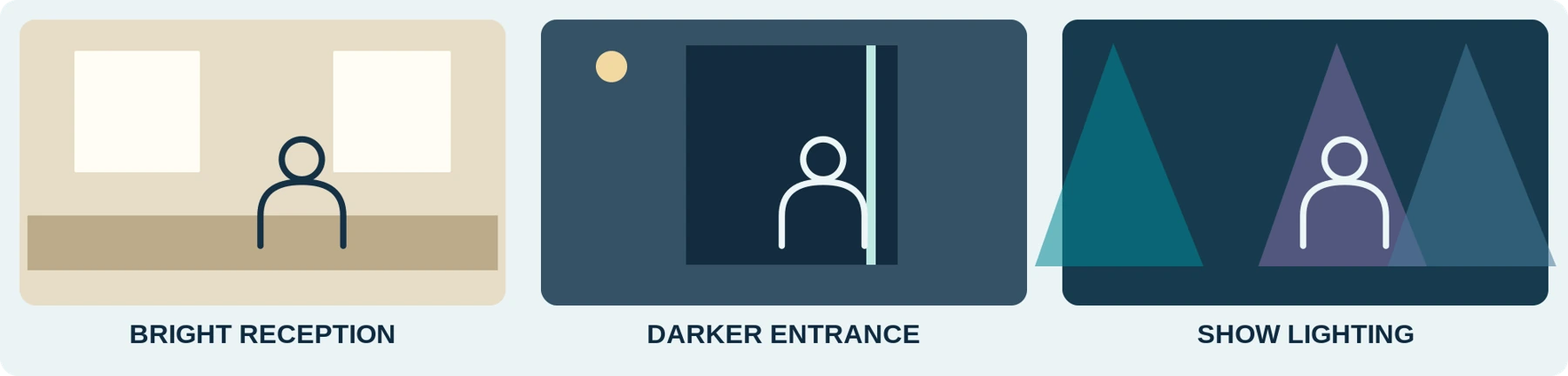
Ask for original saved files from relevant conditions. A bright reception desk, a shaded entrance, and a performance area need separate tests.
Axis’s image-quality guidance explains that a stationary scene can look sharp while moving subjects blur under slow exposure. It also addresses artificial-light flicker and mixed bright-and-dark scenes. Those are reasons to test motion and actual lighting, not to choose by a “4K” or “night vision” label alone. [10]
Start with a consenting participant walking and turning normally in a permitted practice space. Inspect the face, hands, surrounding context, and any details your stated purpose requires. Use mock badges or fictional text rather than real identity documents.
Repeat the exercise with the normal entrance lighting and an approved, safely operated show-lighting configuration. Check changes between bright signage and darker backgrounds. Do not manufacture hazardous flashing effects or expose participants to an unsuitable test just to challenge the camera.
Where flicker, banding, or lost detail appears, ask what adjustments the specific device supports and retest the resulting footage. Do not copy a fixed CCTV camera’s settings onto a wearable model that may not offer the same controls.
Keep stage lighting and the camera’s own illumination separate. Ask whether a night mode uses available light, infrared, or visible illumination. Check the result and whether activating that feature is appropriate for the venue; do not assume every body camera has infrared or that every dark scene requires a torch.
Record the mode, location, lighting configuration, and known limitations with the test. A clip from an empty venue at setup time is not, by itself, an acceptance test for the intended event conditions.
Lighting test notes
| Practice location | Mode / conditions | Saved-file observation |
|---|---|---|
| Reception or bright signage | Not specified | Not specified |
| Entrance / lower light | Not specified | Not specified |
| Approved show-lighting setup | Not specified | Not specified |
06 / SOUND THAT CAN BE UNDERSTOOD
Can It Capture Both Sides of a Conversation Over Music?
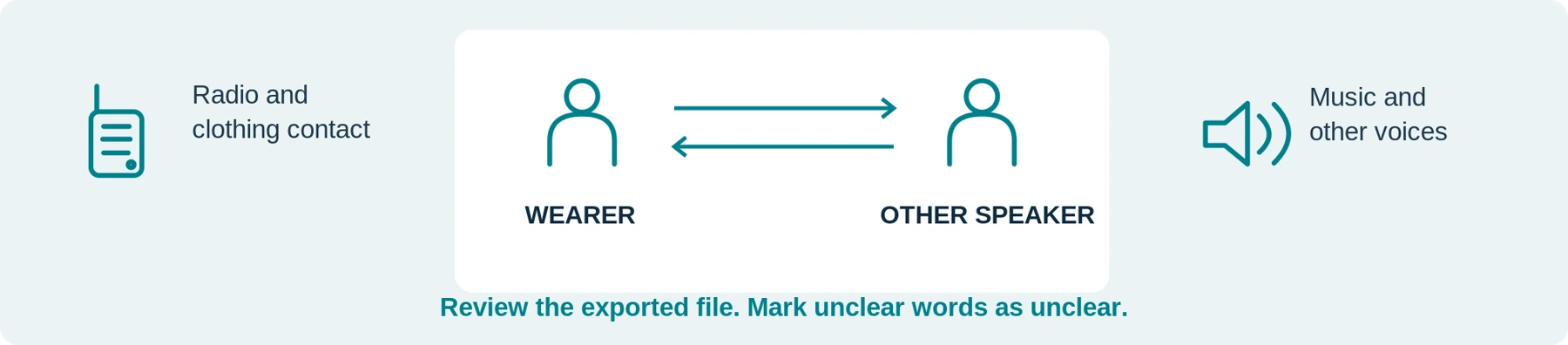
Evaluate intelligible speech, not simply whether the exported file contains sound.
In a permitted exercise, place a consenting participant at the normal service distance. Record the same harmless phrases near the relevant desk or doorway and at the proposed event position. Include ordinary radio use and normal head and body movement. Listen to the exported file on the same playback equipment for each candidate.
Check the other person’s speech as well as the wearer’s. Note music, surrounding voices, clothing contact, and radio bursts that prevent understanding. Do not write uncertain words into a test transcript as though they were clearly recorded.
Axis documents different audio-optimization options, including a voice mode that filters monotonous ambient sound and an unprocessed option. That is not a promise that a device can separate every conversation from changing music or multiple speakers. Demonstrate the actual mode rather than accepting a “noise reduction” label. [11]
Use safe, approved test conditions. Do not increase sound levels beyond the venue’s safe arrangements, remove required hearing protection, or move staff closer to speakers for the camera. HSE provides separate guidance on controlling event-noise exposure; the recording test must fit that protection plan. [12]
Good video with unintelligible sound may still fail a requirement to document a spoken exchange. Either improve the supported setup, revise the justified purpose, or reject the candidate. Do not promise that enhancement software will recover speech that was never captured clearly.
Speech test notes
| Test condition | Wearer / other speaker | Gap or follow-up |
|---|---|---|
| Normal service-distance speech | Not specified | Not specified |
| Music and normal radio use | Not specified | Not specified |
| Clothing and ordinary movement | Not specified | Not specified |
07 / PRACTICAL EQUIPMENT CHECKS
Choose Controls, Mounting, and Power for the Role
Clear Feedback in a Busy Room
Have each proposed user demonstrate ready, recording, stopping, and an error state during a harmless practice sequence. Check whether the approved vibration or visual feedback is recognizable with the actual clothing and work movements; do not rely solely on a beep in a loud venue.
The AXIS W110 manual, for example, documents distinct readiness and recording indications and selectable feedback. These are model-specific features—not proof that every candidate offers the same cues. [13]
Pre-Recording and Post-Recording Need Boundary Tests
Where pre-event footage is required, demonstrate that the buffer is running in the intended configuration and establish whether it includes sound. Test the end too. Axis documents optional postbuffering that continues capture after the wearer stops recording while the camera indicates recording has stopped. [11]
Use numbered cards around activation and stopping, then inspect the first and last retained moments. Check what is saved when moving toward an excluded area or going on break. Covering the lens is not a reliable test of whether the microphone has stopped.

Workwear, Radios, and Service Tasks
Try the camera on the actual shirt, apron, blazer, coat, or high-visibility layer. Rehearse ticket scanning with mock tickets, using a radio, reaching across a desk, and carrying an empty training tray where relevant.
Inspect whether a lanyard, lapel, radio microphone, forearm, or carried item blocks the view. Do not change a safe lifting method, interfere with protective equipment, or accept a loose attachment just to keep the lens pointed forward.
Use the manufacturer’s permitted attachment and cleaning procedures. For shared devices, include the mount in the cleaning and inspection plan and check it after handover. Do not assume one disinfectant is suitable for every camera or docking connector.
Readiness Until the Assignment Ends
Plan for briefing, doors opening, the active event, guest departure, and the approved handover—not only the advertised performance duration. Define when the camera is off, ready, buffering, or recording.
The W110 manual treats battery capacity and storage as separate limits affected by settings and conditions. Verify the complete operating pattern on your candidate, including an activation near the end. [13]
Ask what happens when storage fills, how relevant files are preserved, and what charging and upload time the next assignment requires. Keep a supported spare or other approved fallback in the plan where needed; do not assume a last-minute swap preserves uninterrupted coverage.
08 / PEOPLE AND EQUIPMENT HANDOVER
Temporary Staff Need Training and Traceable Assignment
A one-night contract is not a reason to skip instruction. HSE’s workplace-violence guidance includes temporary and agency workers in the training arrangements for people at risk. [1]
Before issuing a device, confirm that the user understands the venue’s purpose, recording boundaries, failure response, assistance route, and return procedure. Practise with the actual model rather than assuming experience with another camera transfers.
Our suggested assignment record contains the event or venue reference, camera identifier, wearer’s approved staff identifier, role or zone, issue and return times, settings profile, and transfer status. Keep the identity mapping in authorized storage, not on a public roster.
Do not pass a camera to another employee under the previous wearer’s identity. Use the system’s supported reassignment process and check the new user’s settings. A shared device should not give the next wearer unrestricted access to the previous assignment’s recordings.
Returning Hardware and Handing Over Footage Are Different Checks
The W110 manual describes docking as part of charging, file upload, and configuration synchronization. That is a documented managed workflow, not a capability to assume on every charging dock. [13]
For your setup, verify that the designated reviewer can open the relevant files at the approved destination. A charging light, returned-equipment tick, or upload queue is not enough.
Do not format or reset a device containing unresolved material just to ready it for the next shift. Follow the approved failure process and use an available alternative instead.

An Event Ending at 02:00 Still Needs a File-Handling Plan
Before renting equipment or hiring a security contractor, identify who will receive and manage footage after the venue closes. Do not leave that question until the rental case is being packed.
Record the supported export method, necessary accounts and software, required accompanying records, who can authorize sharing, and how unresolved uploads will be handled. Agree what happens to data before a device is reset or issued to another customer.
Where personal data is processed by an external provider, have the responsible organization establish the actual roles and contractual requirements. The ICO’s monitoring guidance says controller–processor relationships should be determined before processing and documented appropriately; equipment ownership alone is not that assessment. [14]
Check how long authorized access remains available after the event or contract ends and whether migration or retrieval carries a charge. Ask about independent playback where needed. A promise that “the footage belongs to you” does not demonstrate how you will retrieve it after an account closes.
Renting can be a purchasing option; it is not permission to postpone the data plan.
09 / DATES, FILES, AND PEOPLE
Connect the Incident, the Wearer, and the Correct Calendar Date
Use one incident reference to connect the relevant wearable files, CCTV channels, staff reports, and any necessary operational log. Keep access appropriately restricted and record known late starts, obstructions, missing sound, or time discrepancies.
For overnight events, preserve the actual calendar date and time zone, not just the date printed on the ticket. Verify clocks before the exercise or deployment. Do not rewrite original timestamps later to disguise a mismatch.
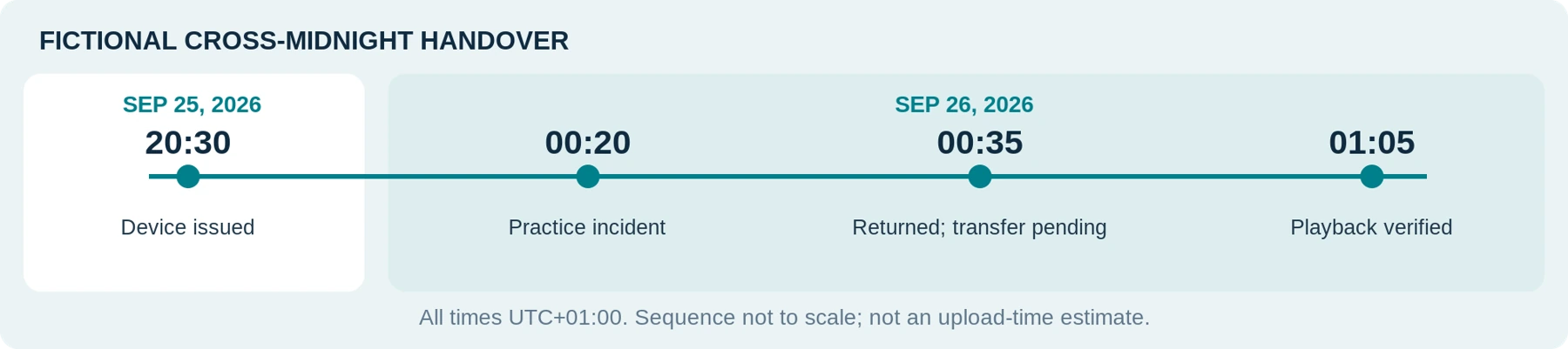
The following is a fictional handover exercise, not a real guest incident or an official reporting form. All times use the same illustrative UTC offset, UTC+01:00.
| Recorded time | Training entry | What the reviewer needs |
|---|---|---|
| September 25, 2026 — 20:30 | Camera DEMO-BW04 issued to staff identifier DEMO-T12 for the entrance role. | Device, wearer, approved profile, and readiness check. |
| September 26, 2026 — 00:20 | Consenting participants complete a staged interaction, referenced DEMO-EVT-009. | Actual date, practice-zone reference, associated files, and the note that capture started late. |
| September 26, 2026 — 00:35 | Camera returned, but transfer remains incomplete. | Preserve the device through the approved process; record the unresolved status and responsible person. |
| September 26, 2026 — 01:05 | Designated reviewer confirms the test files open at the approved destination. | Transfer confirmation, file references, limitations, and next-use preparation. |
The difference between 00:35 and 01:05 is an invented training scenario—not an upload-time estimate. The lesson is that a returned camera is not yet a verified recording handover.
Keep staff observations distinct from information learned later by watching video. Preserve relevant context that may contradict an initial account. A clip beginning with a guest’s response does not establish everything that happened beforehand, and appearance alone does not establish intoxication or motive.
Clock and incident cross-check
Source / device: ____________________ Time zone: ____________________ Known clock difference and check time: __________________________________ Incident reference and related sources: __________________________________
10 / CONTROLLED RECORD HANDLING
Protect Guest and Employee Records After the Event
Explain the recording purpose and permitted review to staff before deployment. Do not introduce cameras for incident handling and quietly turn them into routine scoring of friendliness, breaks, or every service conversation. ICO worker-monitoring guidance addresses necessity, transparency, and the difficulty of justifying continuous individual monitoring. [14]
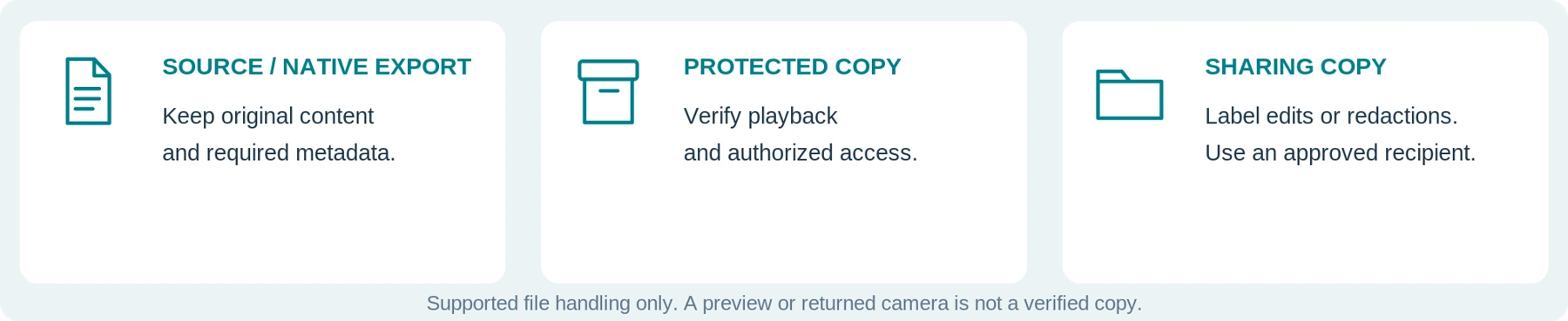
Preserve relevant source files or documented native exports, with required metadata and verified protected copies. Make authorized excerpts or redactions separately. Do not replace the only original with an edited compilation, reconstructed scene, or AI-generated detail presented as capture.
Have the responsible organization set routine retention and justified incident-preservation exceptions. ICO surveillance guidance ties retention to purpose rather than storage capacity and does not prescribe one universal minimum or maximum period. Check other applicable obligations and any specific preservation instruction. [15]
Route guest and employee access or deletion requests to the designated person. Do not promise immediate erasure or copy an entire event onto a guest’s phone. ICO governance guidance addresses locating requested footage, controlled disclosure, and protection of other people’s information. [16]
Do not post distressed or intoxicated guests online to defend the venue’s reputation. The ICO warns that releasing organizational surveillance to an indefinite internet audience may be inappropriate or unlawful. Reporting through an authorized private channel is a separate decision. [16]
For a complaint, insurer request, or police inquiry, verify the recipient and follow the applicable submission procedure. Recording does not guarantee the outcome. Report a lost device or misdirected upload promptly through the organization’s response process rather than concealing it.
Name the receiving roles
| Responsibility | Authorized person / route |
|---|---|
| Retrieve and verify recordings | Not specified |
| Review requests and authorized disclosure | Not specified |
| Retention, incident holds, and failures | Not specified |
11 / FROM OPENING TO HANDOVER
Rehearse a Before–During–After Routine
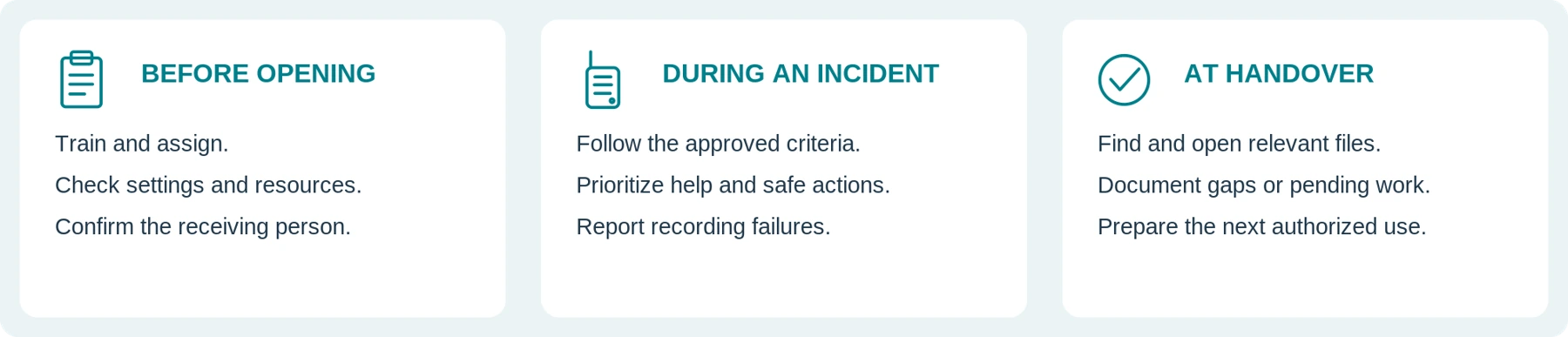
Before opening: confirm approved deployment, trained users, settings, clocks, mounts, available power and storage, required notices, and the person who will receive files. Test the separate radio and emergency arrangements; HSE recommends testing event communications and validating emergency plans. [3]
During an incident: follow training and activation criteria, provide required information as appropriate, and prioritize assistance and safe actions. Do not pursue a guest, prolong a confrontation, or obstruct an exit for footage. Escalate recording failures without delaying the response.
After an incident: support affected people, create the incident reference, and flag any urgent preservation need. HSE recommends supporting workers, reporting incidents, and reviewing further controls; that work remains necessary when no useful footage exists. [17]
At handover: confirm the relevant recordings reached the approved destination, document gaps or pending transfers, and prepare equipment for the next authorized user. Keep a contact available for unresolved files after temporary staff and contractors leave.
This is a proposed checklist for organizational review, not a ready-made venue policy or an emergency-response instruction.
End-of-event handover check
| Checkpoint | Status / responsible person |
|---|---|
| Relevant files can be found and opened | Not specified |
| Pending uploads or known recording gaps | Not specified |
| Next user, cleaning, charging, and assignment | Not specified |
| Contact for issues after contractors leave | Not specified |
A closed venue is not the end of the recording process. Keep responsibility for pending files and requests clear.
12 / VALIDATE THE WHOLE PROCESS
Run a Pilot That Includes Sound, Shift Change, and Retrieval
Start with a small, authorized trial using consenting staff, fictional bookings and tickets, and controlled exercises. Do not stage an unannounced confrontation or use real guests as test subjects.
Compare existing CCTV and reporting first, then add the proposed wearable setup. Record the model, firmware, settings, mount, uniform, lighting, sound conditions, and duration. The following is a proposed test plan, not a report of hands-on performance.
| Pilot test | What to demonstrate | Evidence to keep |
|---|---|---|
| Role and existing coverage | Rehearse a front-desk, entrance, or roaming-staff task relevant to the proposed use. | What the new view adds, what remains missing, and whether additional recording is justified. |
| Light and movement | Record a consenting participant in representative, safely operated venue lighting. | Original clips, relevant moving detail, and limitations under the tested settings. |
| Speech and workwear | Test both speakers, normal radio use, and actual clothing with safe background sound. | Intelligibility, obstruction, feedback recognition, and any interference with work. |
| Recording boundaries | Test activation, stopping, buffering, a break, and a mock objection or private-area transition. | First and last saved moments, audio state, and whether staff follow the approved procedure. |
| Assignment and handover | Have a temporary worker collect a camera and a different authorized person receive it. | Correct identity and settings, complete transfer, playback, and next-user readiness. |
| Late-night retrieval and failure | Find a staged incident after midnight and rehearse a failed upload or unavailable connection. | Correct date and files, access, measured handling time, and a workable escalation route. |
Mark essential requirements Pass, Fail, or Unverified. An impressive resolution or small housing should not compensate for unintelligible required speech, unsafe attachment, unwanted capture, or an inaccessible file.
Measure operating results: missed starts, usable views, speech clarity, retrieval effort, training gaps, and staff feedback. A small before-and-after incident count cannot isolate a camera’s effect from event size, staffing, reporting changes, or chance. Do not convert the trial into an unsupported reduction in violence, complaints, or insurance costs.

13 / THE COMPLETE ARRANGEMENT
Your Venue Requirements and Budget Sheet
Complete this before asking for a model or rental quote. Use sanitized task descriptions, not guest footage or sensitive venue plans.
| Requirement | What to specify |
|---|---|
| Venue and jurisdiction | Country, state or region, venue type, and relevant operator or licensing requirements. |
| Roles and purpose | Who needs a device, the defined incident-recording need, and what existing records already provide. |
| Recording limits | Activation and stopping criteria, excluded spaces, audio, buffering, notices, and the approved response to objections. |
| Real operating conditions | Uniform, carried equipment, lighting and sound, outdoor transitions, readiness period, and charging opportunities. |
| People and handover | Simultaneous users, temporary or contracted staff, assignment, spares, and the named file recipient. |
| Files, support, and full cost | Export method, accounts, storage, access, retention, rental-return arrangements, training, handling time, and ongoing charges. |
Compare purchase, rental, or an appropriate contractor-provided setup against the same requirements. Include necessary mounts, transfer equipment, software, storage, training, review and redaction work, and support after the event. Mark an unanswered price Unverified, not free.
Use the A-series subscription and budget guides for detailed cost checks. Buy or deploy only when the actual model and complete arrangement pass the essential requirements. Improve the existing process or pause deployment when they do not.
The Bottom Line
For hospitality and events, the right body-camera decision starts with the staff role and ends with a verified recording handover. It does not start with a camera for every employee or continuous recording of every guest.
Test the venue’s real light and sound, ordinary uniforms and tasks, recording boundaries, temporary-user assignment, and retrieval after closing. Keep assistance, communication, guest dignity, and staff support ahead of obtaining footage.
When asking about a SpikeCam model, share the requirements above and request confirmation for the exact product and package. This guide does not imply that every model provides pre-recording, post-recording, independent audio control, noise filtering, encryption, live monitoring, or integration with existing CCTV.
Add recording only where it serves a justified task—and make the process work for both the wearer and the person receiving the files.
Sources checked September 26, 2026. Named products illustrate documented features or limitations, not rankings, venue approvals, or hands-on results. The role framework, cross-midnight example, checklists, and pilot are editorial tools, not official operating procedures. UK, EU, and California references retain their stated scope; the cited ICO surveillance and worker-monitoring guidance is marked as under review. No specific deployment, licensing status, legal compliance, violence reduction, claim outcome, or unverified SpikeCam capability is certified by this article.
14 / EDITABLE WORKSHEET
Venue trial and recording handover
Use fictional information for practice. Keep real personal data and sensitive venue layouts in the organization’s approved systems. This worksheet supplements—not replaces—your approved procedures.
| Trial identification | Your entry |
|---|---|
| Venue / task / reviewer | Not specified |
| Camera, firmware, mount, and approved profile | Not specified |
| Date, time zone, light, sound, and duration | Not specified |
A / ESSENTIAL REQUIREMENTS — PASS, FAIL, OR UNVERIFIED
| Requirement | Observed result / file reference | Status |
|---|---|---|
| View and normal work movement | Not specified | Not specified |
| Other speaker and relevant sound | Not specified | Not specified |
| Actual recording start / stop / audio | Not specified | Not specified |
| Readiness through the intended period | Not specified | Not specified |
| Recipient can retrieve and open the files | Not specified | Not specified |
B / TRANSFER AND FOLLOW-UP
| Field | Your record |
|---|---|
| Wearer / device / event reference | Not specified |
| Returned at / transfer verified at (date + zone) | Not specified |
| Known gaps, pending work, and action owner | Not specified |
| Approved next step / reviewer / review date | Not specified |
Do not reset or reissue equipment with unresolved material outside the approved process. Successful practice does not certify legal compliance, emergency readiness, or future performance.
15 / SOURCES AND SCOPE
Reference sources
Reference dates below are retained from the source manuscript (September 26, 2026). This edition adds illustrations and worksheets; it does not claim a new legal or product verification. Product references concern the named system and configuration only.
01 HSE — Control measures to prevent violence and aggression
www.hse.gov.uk | Manuscript access date: September 26, 2026
02 HSE — Crowd controls inside the venue
www.hse.gov.uk | Manuscript access date: September 26, 2026
03 HSE — Planning for incidents and emergencies
www.hse.gov.uk | Manuscript access date: September 26, 2026
04 ICO — Body Worn Video (BWV)
ico.org.uk | Manuscript access date: September 26, 2026
05 ICO — When is consent appropriate?
ico.org.uk | Manuscript access date: September 26, 2026
06 California Legislative Information — Penal Code section 632
leginfo.legislature.ca.gov | Manuscript access date: September 26, 2026
07 Security Industry Authority — Check if you need an SIA licence to use a bodycam
www.gov.uk | Manuscript access date: September 26, 2026
08 Security Industry Authority — Find out if you need an SIA licence
www.gov.uk | Manuscript access date: September 26, 2026
09 European Commission — Principles of personal data processing under the GDPR
commission.europa.eu | Manuscript access date: September 26, 2026
How to read the examples
All scenario pictures and diagrams are illustrative. Role cards are not approvals; audio and lighting scenes are not camera samples; the cross-midnight exercise is fictional. The worksheets are editable planning tools, not official forms or certified operating procedures.
15 / SOURCES AND SCOPE — CONTINUED
Reference sources, continued
10 Axis — Troubleshooting guide for image quality
help.axis.com | Manuscript access date: September 26, 2026
11 Axis — Body worn solution user manual
help.axis.com | Manuscript access date: September 26, 2026
www.hse.gov.uk | Manuscript access date: September 26, 2026
13 Axis — AXIS W110 Body Worn Camera user manual
help.axis.com | Manuscript access date: September 26, 2026
14 ICO — Specific considerations for different ways of monitoring workers
ico.org.uk | Manuscript access date: September 26, 2026
15 ICO — Data protection principles when using surveillance systems
ico.org.uk | Manuscript access date: September 26, 2026
16 ICO — Surveillance governance (post-deployment)
ico.org.uk | Manuscript access date: September 26, 2026
17 HSE — Reporting and learning from incidents
www.hse.gov.uk | Manuscript access date: September 26, 2026
Related articles

Body Cameras for Cycling: Chest vs. Helmet Mounting
Compare actual riding views, mount security and recording needs before choosing a camera position.
Body Cameras in Healthcare and Home Care: Privacy Before Purchase
Start with privacy, care quality, equipment suitability and responsible review before considering recording.
Body Camera Buying Guide: How to Choose the Right One
Choose a camera around recording controls, battery life, file access and your actual working routine.
