Body Camera Buying Guide: How to Choose the Right One
Choose a camera around recording controls, battery life, file access and your actual working routine.
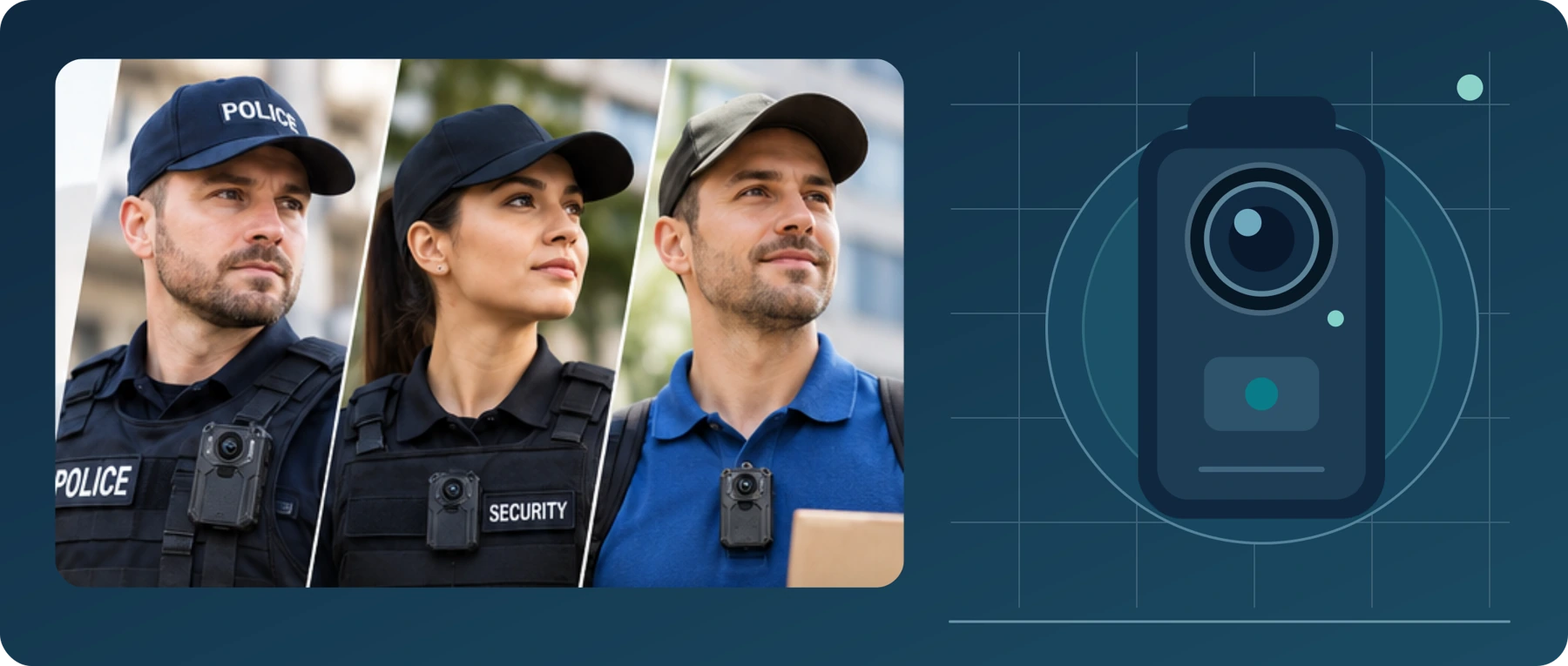
Editorial guidance, not legal advice or a model-specific performance promise. Check the rules and requirements that apply to your location and use.
Choose for the way you work
Choosing a body camera starts with a practical question: What do you need it to record, and what will you need to do with that recording afterward?
You might need a wearable camera for delivery work, an employer-approved security role, or occasional personal recording. You might be buying one device for yourself—or choosing equipment that several employees will share.
Those are different buying decisions.
Our recommendation is to start with reliable operation, sufficient recording time, usable video and audio, secure mounting, and a clear way to retrieve your files. Then consider additional features that serve a specific purpose. A longer feature list is not a substitute for a camera that fits your routine.
This guide explains the main choices and ends with a buying checklist you can use to compare actual models.
Manufacturer examples describe the cited models only. The diagrams are conceptual, and this guide does not present hands-on performance results.
What Is a Body Camera, and How Does It Work?
A body camera, also called a body-worn camera or body cam, is a wearable device that records video and, depending on its capabilities and settings, audio. It is commonly attached to clothing or a uniform so it can record without being held in the user's hand.[1]

Think of using one as a complete process, not just pressing a button:
Prepare the camera → attach and aim it → start recording → confirm that it is recording → save and transfer the files.
The exact process depends on the device. Some cameras use removable memory cards. Others operate within a managed system that transfers recordings through a docking station and associated software.[2][3]
Before buying, ask the seller to explain that entire process for the exact model you are considering. Where does the video go? How do you open it? What equipment or account do you need?
| A useful buying test is whether you can explain how you will retrieve an important recording before you purchase the camera. |
|---|
Trace one important recording
| Before buying, identify… | Your planned method |
|---|---|
| Where the camera saves the original recording | Not specified |
| How you will retrieve and open the file | Not specified |
| Where you will keep a verified backup | Not specified |
Use the supplier’s documentation to confirm every step for the exact model you are considering.
Start with Your Use Case, Not the Product Listing

Write down one sentence describing the job you need the camera to do. For example:
| “I need a camera I can wear on my work shirt, operate without looking down, and use to save authorized incident recordings to my computer.” |
|---|
That is a more useful starting point than “I need a 4K camera.” It gives you several requirements you can actually check.
Use the following as a starting framework—not a claim that every person in a role needs a body camera.
Table 1. A use-case framework for comparing actual models.
| Your intended use | Prioritize these checks | Resolve this before buying |
|---|---|---|
| Occasional personal recording | Comfortable mounting, simple controls, and straightforward file access | Can your existing device already meet the need? |
| Delivery or field-service work | Stable attachment, easy activation, and recording time suited to the task | Is recording permitted by the employer, customer, and applicable rules? |
| An employer-approved security role | Dependable controls, appropriate low-light performance, and secure file handling | Does the device meet the organization's recording and evidence-handling requirements? |
| Shared equipment for a team | Device assignment, charging, file transfer, access control, and support | Who will manage the cameras and recordings each day? |
Also decide whether you need continuous recording for an authorized task or recording only when a relevant event occurs. That decision should come from your purpose and applicable rules, not simply from the battery capacity. The UK's ICO, for example, says continuous body-worn recording requires strong justification in the organizational uses covered by its guidance.[1]
Write your own requirement
| I need a camera for Not specified, worn on Not specified. I need to record Not specified and retrieve the files using Not specified. |
|---|
Civilian, Security, and Police Body Cameras: What Is the Difference?
Do not use the words “civilian,” “security,” or “police” as your buying checklist. Instead, ask how the camera is designed to be used and managed.
For this guide, it is helpful to distinguish three practical setups:
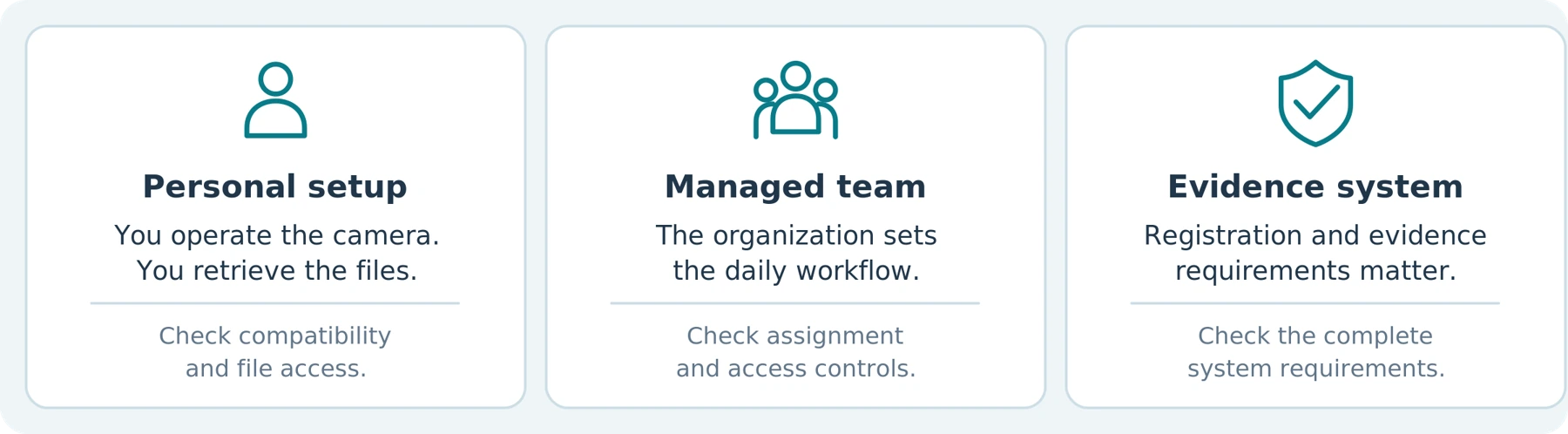
A personal recording setup. You operate the camera and handle the files yourself. Look for a documented recording and export process that works with your own equipment. Confirm what remains available without additional accounts or services.
An organization-managed setup. An employer controls device settings, assigns cameras, and manages access to footage. Products in this category may be part of a wider video-management system. Motorola's VB400, for example, uses its VideoManager software for authorized access to encrypted footage.[3]
A law-enforcement evidence system. Evaluate the camera together with the organization's registration, evidence-management, access, and support requirements. Axon Body 4 documentation, for example, requires organizational registration before cameras can be assigned to users.[4]
These are ways to organize your comparison, not universal certifications or fixed quality levels.
For an individual buyer, our recommendation is not to pay for an organizational setup unless you need it. For a business, the opposite mistake is buying easy-to-use cameras without first deciding who can retrieve, share, or remove recordings.
| Match the whole recording process to your needs—not just the camera's appearance or the label in its title. |
|---|
Questions to take to the supplier
| Confirm before purchase | Record the answer |
|---|---|
| Who can operate and configure the device? | Not specified |
| How are files retrieved and protected? | Not specified |
| Which accounts, software or equipment are required? | Not specified |
Which Body Camera Features Matter Most?
Recording Controls You Can Use Reliably
Check the difference between a camera being powered on, ready to record, and actively recording. Those are not necessarily the same state. For example, the AXIS W110 manual describes separate ready and recording indicators and a startup period before the camera becomes available.[5]
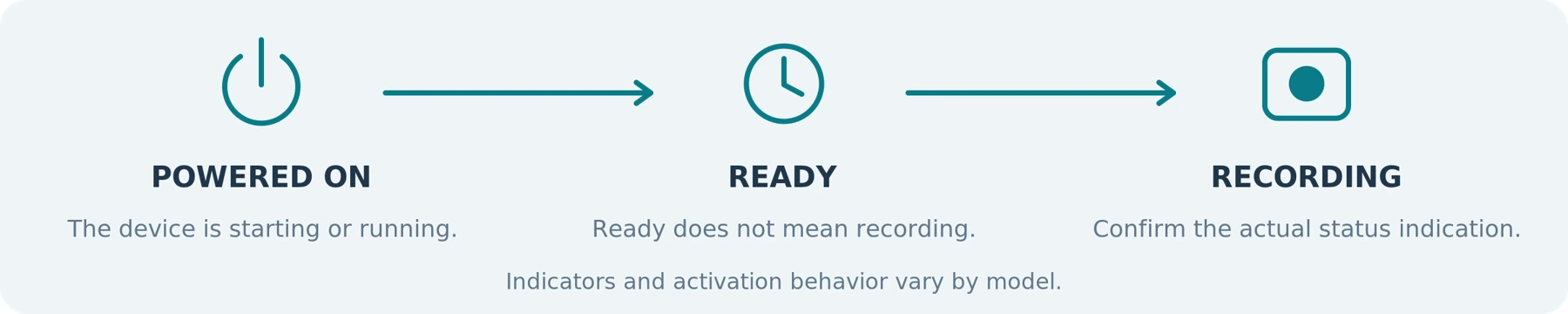
Try the controls in the position where you will wear the camera. Can you find the recording button without looking? Can you distinguish a recording confirmation from a low-battery warning? Can clothing or normal movement accidentally press the controls?
“One-touch recording” also deserves a specific question: Does that one touch work from power-off, or only after the camera is already running?
Pre-event recording is another feature to check. On supported models, it adds buffered footage from before activation. It is not a way to recover events from a camera that was switched off. Buffer duration, compatible modes, and whether the buffer includes audio must be checked for the model and configuration.[6]
Recording Time That Matches Your Actual Settings
Ask for continuous recording time, not simply standby time or a general “all-day” claim.
Also ask which settings were used to obtain the stated figure. Resolution, wireless activity, image stabilization, and temperature can affect operating time; storage capacity can impose a separate limit.[5]
As a buying rule, allow a margin beyond your required recording period rather than planning to finish exactly as the battery runs out. An eight-hour assignment should not depend on an unverified claim of “up to eight hours.” That margin is a planning recommendation, not a universal percentage.
Confirm charging time and the permitted charging equipment. When recording while charging is essential, require explicit confirmation for that model and connection method. Do not assume that a USB port proves the camera can record from a power bank.
| Before buying: verify continuous recording time with the settings and conditions you will actually use. Treat standby time as a different specification. |
|---|
Look beyond the resolution label
Video That Shows the Details You Need
Treat 1080p, 2K, and 4K as starting specifications—not complete descriptions of image quality. Exposure, focus, motion blur, lighting, and image processing also affect whether footage is useful. A sharp-looking static night scene does not establish that moving subjects will remain clear.[7]
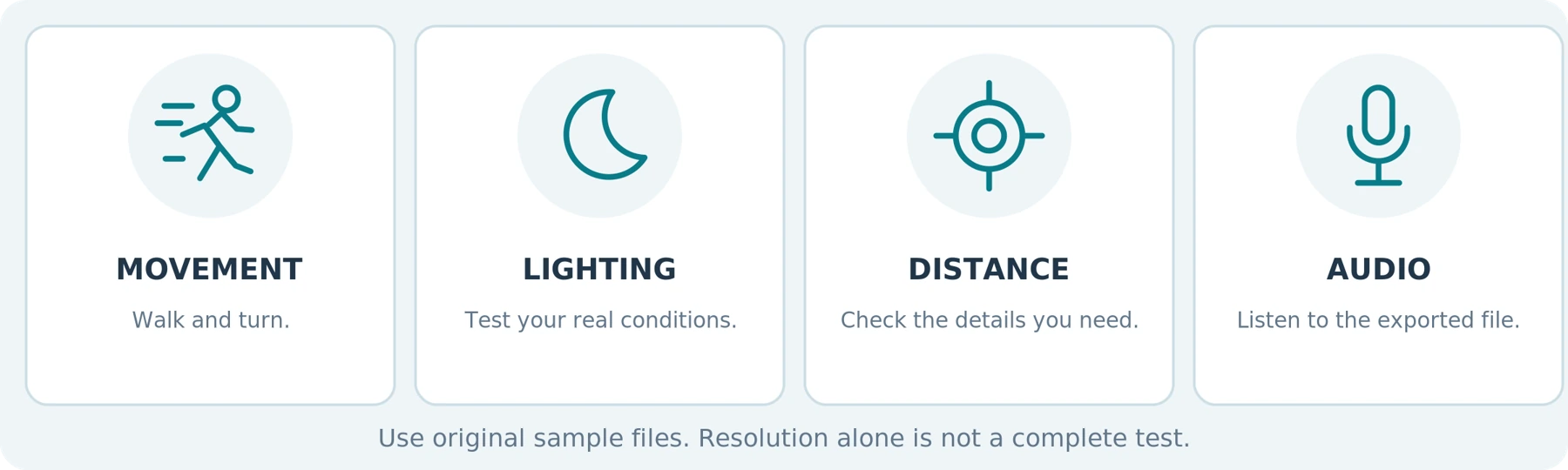
Request original sample clips recorded in conditions similar to yours. Examine a moving person, a transition between bright and dark areas, and the distance at which you expect to record important details. Do not rely only on a product photograph or a compressed promotional montage.
For nighttime use, ask whether the camera uses infrared illumination, relies on available light, or offers both approaches. Check actual footage rather than treating “night vision” as a promised identification distance.
Your question should be: Can I see what matters under my expected conditions? Not simply: “Which camera has the highest resolution?”
Audio You Can Understand—and Control
Include a normal conversation in your trial recording, with permission from everyone taking part. Listen to the exported file, not just playback through the camera's speaker. Test the distances and background noise relevant to your intended use.
Also check whether the microphone can be disabled independently of video recording. The ICO specifically advises organizations to consider separate audio and video controls during procurement because audio adds another privacy consideration.[1]
Write down how you will verify the microphone setting before use. A feature is only helpful when you know whether it is enabled.
| Ask for original files. Test the details that matter to your use case, then listen to the audio in the exported recording. |
|---|
Plan how you will retrieve the footage
Storage That Fits Your Recording and Backup Routine
Ask how many recording hours fit at the resolution and quality setting you intend to use. Capacity alone does not tell you the answer: recording bitrate also matters, and it may vary with settings and scene content.[8]
Next, establish what happens when storage fills. Does the camera stop, or can it overwrite older recordings? How are important clips protected? What must you do before recording again?
Do not confuse pre-event buffering with long-term retention. Saving the moments before activation and preserving last week's files are different requirements.
Check whether storage is built in or removable, the supported card specification where relevant, and whether a card is included. For example, the BOBLOV KJ21 is offered in card-included and card-not-included configurations—one reason to inspect the exact package rather than the model name alone.[2]
Keep the camera's capacity separate from your backup plan. Decide where a second verified copy of important footage will be stored.

A Clear Way to View, Export, and Protect Files
Ask for a demonstration using the computer or phone you actually own. Confirm the supported operating system, required software, file format, cables, and any account permissions.
Be specific about your goal. Viewing a nearby camera on a phone is not the same task as watching it remotely. Axon, for example, documents local review through its viewing app separately from its connected camera capabilities.[4]
When a device advertises Wi-Fi, GPS, or cellular connectivity, ask what each feature enables on that model. Does it provide preview, downloading, recorded location data, remote streaming, or something else? Check which services and configurations are required.[6]
For sensitive footage, ask how the device and exported copies are protected. A camera-menu password should not be treated as evidence that the files themselves are encrypted. Request the actual encryption and access-control specifications; some managed systems explicitly document these protections.[3][9]
Verify the file-handling requirements
| Check | Your requirement |
|---|---|
| Target phone or computer | Not specified |
| Required cable, app, account or docking equipment | Not specified |
| Backup location and access protection | Not specified |
Durability and Support You Can Verify
Ask for the exact model's operating and charging temperature limits, documented water and dust protection, and any relevant drop-test details. Do not substitute a general “rugged” description for conditions you can compare with your work.
Pay particular attention to temperature when considering vehicle use. The AXIS W120 manual, for example, warns against leaving the camera in a parked car because temperatures can exceed its specified range.[8]
Before checkout, read the warranty and return terms. Ask who handles support in your country, how battery service works, whether replacement mounts are available, and where firmware updates are published.
For a business purchase, request written answers. For a personal purchase, save the applicable listing, model information, and support details with your receipt.
Mini or Full-Size Body Camera: Which Should You Choose?
| Choose the smallest camera that demonstrably meets your requirements—not the smallest camera available. |
|---|
Then test it with the clothing and mount you plan to use. Check whether it stays aimed correctly while you walk, sit, bend, and reach. A trial performed on a sturdy jacket does not establish how the same setup will fit your work shirt.
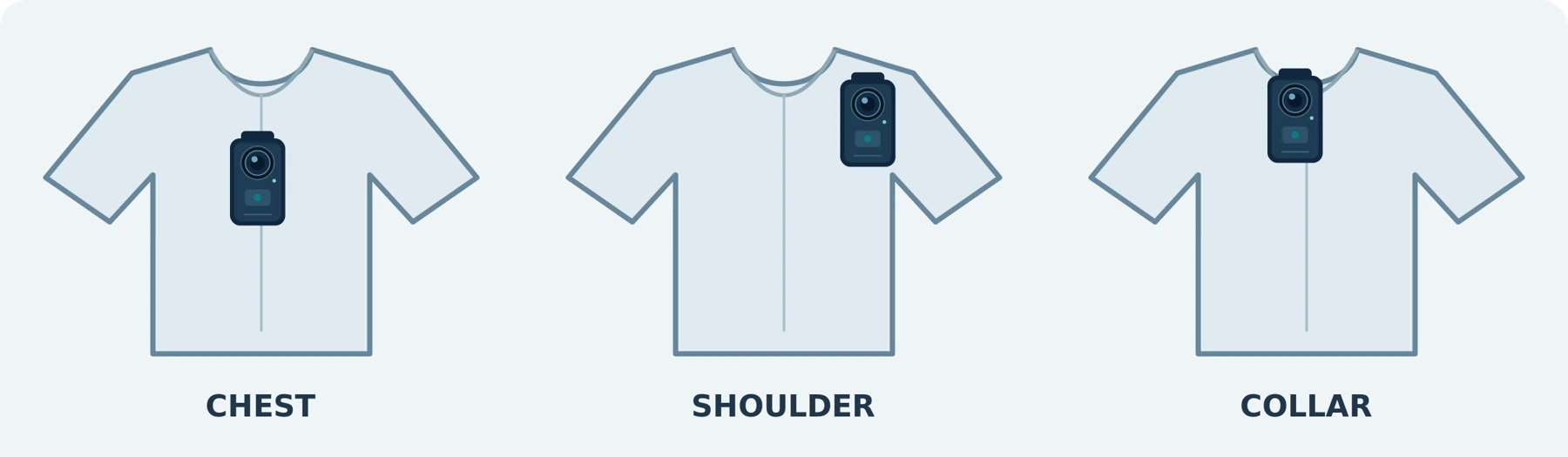
Use these questions to make the comparison concrete:
Table 2. Compare the complete wearing setup, not dimensions alone.
| What to compare | What to verify on each model |
|---|---|
| Complete wearing setup | Weight and dimensions with the actual clip, plate, or harness attached |
| Controls and status feedback | Whether you can operate it and confirm recording while wearing it |
| Recording capability | Runtime, storage, video, and audio under comparable settings |
| Lens position | Whether the lens remains unobstructed and aimed at the intended area |
| Daily handling | How you review clips, charge the camera, and transfer files |
Do not infer the software capabilities from the housing size. A compact camera can still be part of an organization-managed system; the AXIS W110 is one documented example.[9]
Our practical recommendation is to decide between sizes only after the must-have features are confirmed. Reject a model that fails an essential requirement, even when its size or styling is attractive.
What Should You Check About Price and Ongoing Fees?
Set a budget for the usable setup, not just the camera body.

Request a quote that identifies the camera, necessary mount, storage where applicable, charging and transfer equipment, and any required software or service. Ask the seller to distinguish mandatory items from optional extras.
Do not assume every body camera requires a subscription—or that every professional system is subscription-free. Motorola's VideoManager EX documentation, for example, describes both on-premises and cloud deployment and provides licensing and subscription options.[10]
Before paying, establish which functions continue without an active subscription, how you retrieve existing recordings, and whether the system requires equipment you do not already own.
For used professional cameras, verify account and registration requirements before buying. Organizational registration requirements, such as those documented for Axon Body 4, make that an important compatibility question—not just an administrative detail.[4]
A useful budget rule is simple: Do not spend on an additional feature until the camera meets your essential recording, mounting, and file-access requirements.
Check Recording Rules Before You Start Using the Camera
Purchasing a camera does not answer where, when, or how you may record.
In the United States, check the applicable state rules for recording conversations as well as the circumstances of the recording. The Reporters Committee's state-by-state guide is a useful starting resource, but it is not a substitute for advice about your particular use.[11]
For UK organizational use, consult the ICO's body-worn video guidance, including its current update notice. For EU use, consult the European Data Protection Board's video-device guidance alongside the national requirements relevant to your location.[1][12]
Before workplace use, obtain the necessary organizational approval and clarify when recording is appropriate, who may access files, and how footage will be handled. Do not treat an employer's approval as a replacement for applicable law.
This is general purchasing guidance, not legal advice. Obtain qualified local advice for a specific deployment or uncertain recording situation.
Your Body Camera Buying Checklist
Complete this before comparing models. Mark each requirement confirmed, not supported, or not yet verified for every candidate.
Table 3. Complete one copy for each candidate model.
| Requirement | Your answer |
|---|---|
| My main recording purpose and permitted use | Not specified |
| My required recording period and planned safety margin | Not specified |
| My typical lighting, weather, and operating conditions | Not specified |
| The clothing and mounting position I will use | Not specified |
| How I will start recording and verify its status | Not specified |
| The video and audio detail I need to capture | Not specified |
| Required storage and what happens when it is full | Not specified |
| My computer or phone, export method, and backup location | Not specified |
| Required access protection, accounts, software, and services | Not specified |
| Complete purchase cost, ongoing fees, and support arrangements | Not specified |
For a team purchase, add the number of users, whether cameras are shared, who manages uploads, and who controls access to recordings.
| Treat “not yet verified” as unfinished research, not as a feature the camera probably has. |
|---|
Candidate and verification notes
| Candidate model / version | Date and person checking |
|---|---|
| Not specified | Not specified |
| Unresolved questions / supplier confirmation | Not specified |
Use the blank cells to type your answers in Word or print this worksheet for a purchasing review.
Test the Complete Process Before Relying on the Camera
Once you have a suitable device, run a controlled trial in a setting where recording is permitted. The following is a suggested acceptance test, not a report of testing performed for this guide.
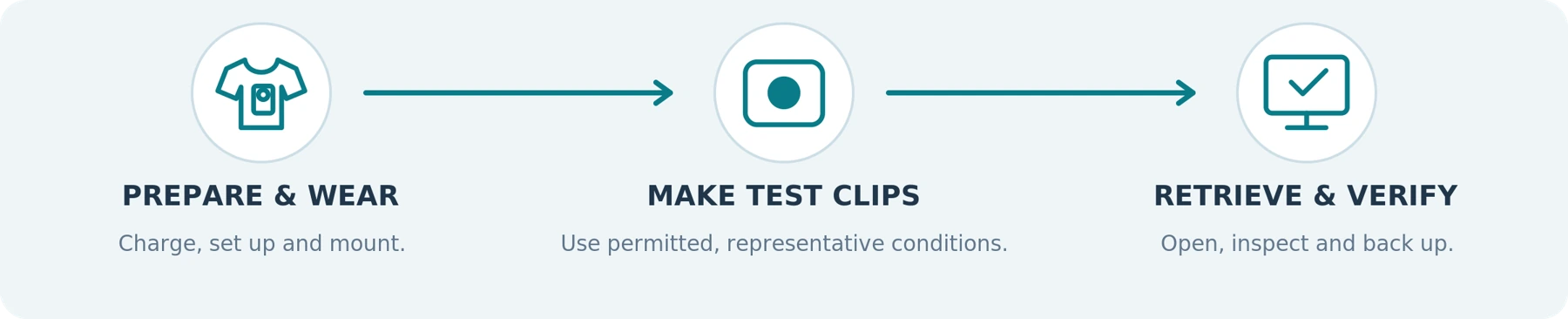
First, prepare and wear it. Follow the manual, charge it, check storage, set the correct date and time, and attach the intended mount. Practice starting and stopping a recording while it is on your clothing.
Next, make representative recordings. Include normal movement, your expected lighting, and an agreed conversation where audio testing is appropriate. Separately test a representative recording period with your intended settings. Write down the model, firmware, settings, and conditions so comparisons are meaningful.
Finally, retrieve the files. Open them on your own computer or phone, check the beginning and end, confirm the sound and timestamp, and make a verified backup. Follow the manufacturer's safe procedure for testing storage-full behavior using disposable test recordings—not important footage.
For a team, include the handover between users and the person responsible for managing the files. A camera that performs well in one person's demonstration still needs to fit your daily process.
The Bottom Line
Choose a body camera around the work it needs to do.
Start with permitted use, dependable activation, enough recording time, usable footage, a stable mount, and a file-handling process you understand. Then decide whether additional connectivity, management tools, or a different form factor are worth paying for.
| The right body camera is one you can wear, operate, and retrieve recordings from reliably—not simply the one with the most impressive specifications. |
|---|
Considering a SpikeCam body camera? Share your intended use, required recording period, preferred mounting position, and computer or phone type when asking about a model. For a team purchase, include the number of users and how you plan to store and manage footage.
Sources and Scope
Sources checked September 22, 2026. Manufacturer references support features of the cited products, not universal claims about all body cameras. No hands-on product benchmark is presented in this guide. The ICO page states that its guidance is under review; check the latest version before deployment.
Reference list carried forward from the supplied A01 article. Bracketed numbers in the text link to the entries below.
ico.org.uk | Body-worn video, audio controls and organizational recording guidance.
[2] BOBLOV KJ21: product and package information
boblov.com | Product, removable-storage and package-configuration example.
motorolasolutions.com | Managed recording, VideoManager and encrypted-footage example.
[4] Axon Body 4: Introduction and registration
axon.com | Organizational registration and product-workflow documentation.
help.axis.com | Readiness indicators, recording conditions and operating-time checks.
[6] Axis body worn solution: User manual
help.axis.com | Pre-event recording, buffering and body-worn system documentation.
[7] Axis: Troubleshooting guide for image quality
help.axis.com | Image-quality variables and troubleshooting guidance.
help.axis.com | Storage, bitrate, operating conditions and temperature cautions.
[9] AXIS W110: Product information
axis.com | Example of a compact camera within an organization-managed system.
[10] Motorola Solutions: VideoManager EX
motorolasolutions.com | Video management, deployment choices, licensing and subscriptions.
[11] Reporters Committee: Reporter's Recording Guide
rcfp.org | State-by-state US resource on recording rules.
[12] EDPB: Guidelines 3/2019 on processing personal data through video devices
edpb.europa.eu | European guidance on personal data processed through video devices.
About the illustrations
The cover uses AI-generated conceptual artwork with generic devices. The explanatory diagrams are original editorial illustrations. They do not depict a verified SpikeCam product, establish a certification or imply measured performance.
Related articles
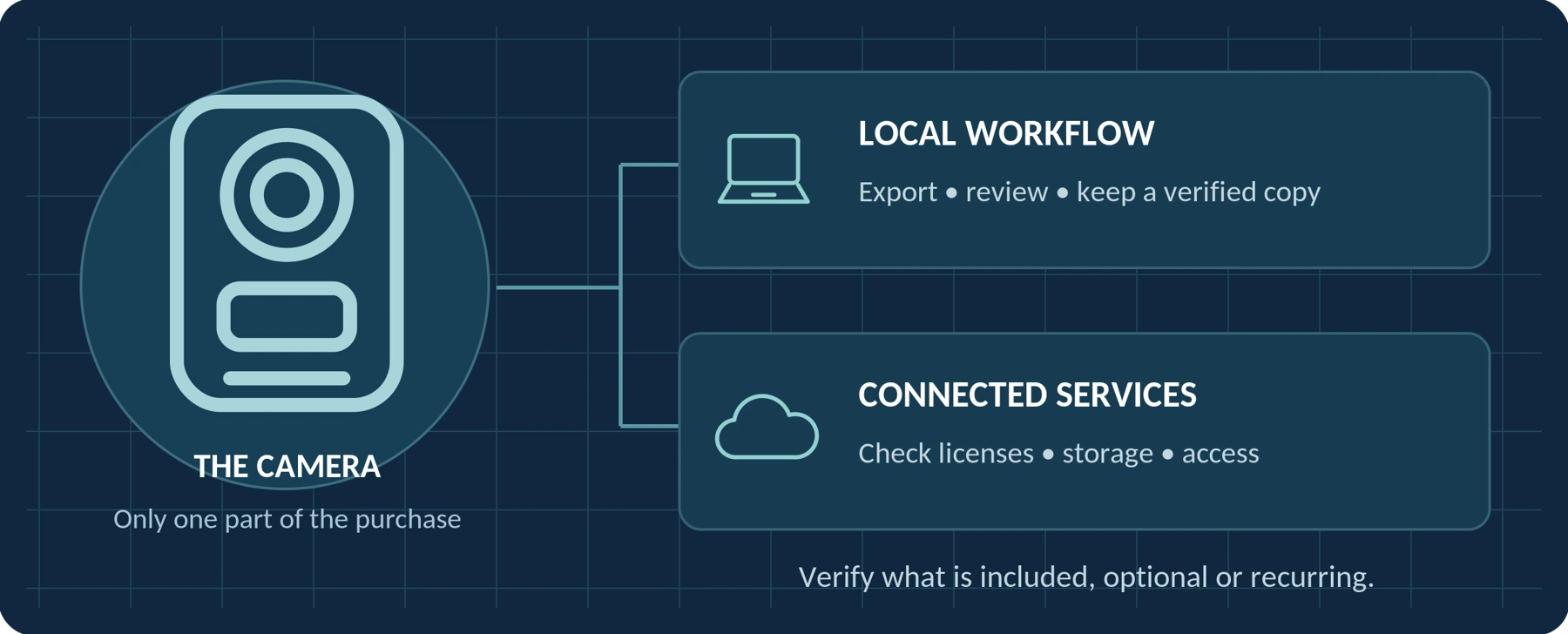
Do Body Cameras Require a Subscription? Fees Explained
Understand local recording, software licenses, cloud subscriptions and access to your recordings.
Body Camera Uses: Find a Guide for Your Work or Everyday Needs
Find guidance for your role, from private security and delivery work to personal recording and care settings.
