Buying a Used Police Body Camera: What to Check
Check ownership, system release, software access, battery condition and the complete recording workflow.
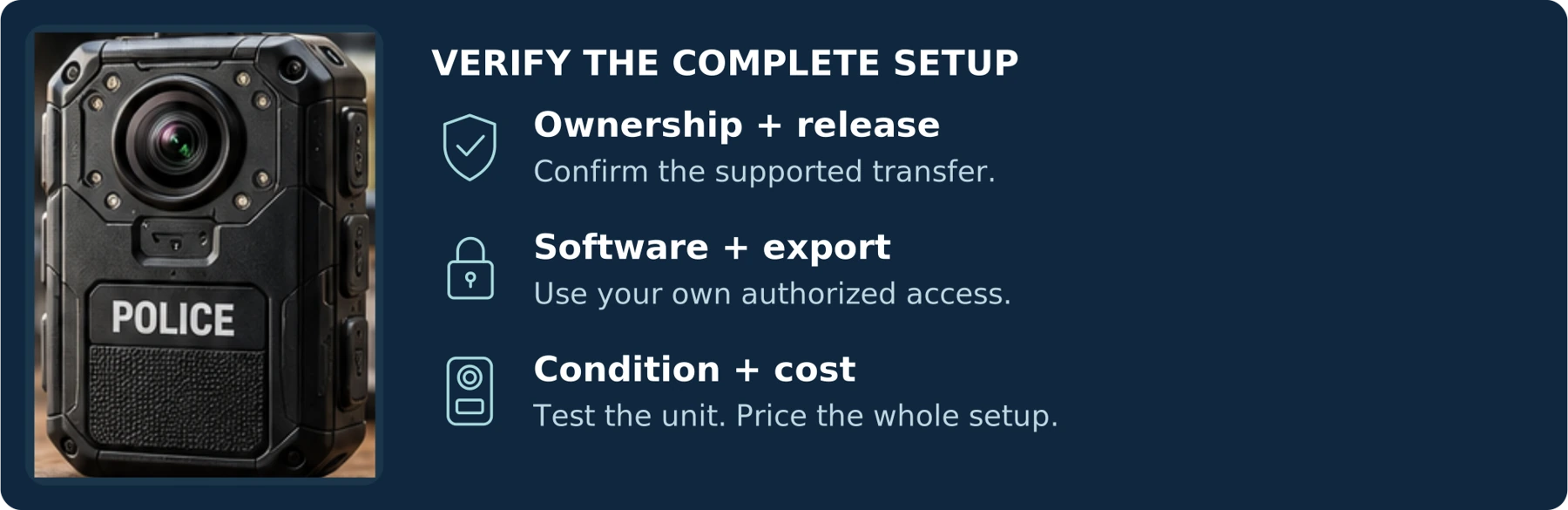
Editorial guidance, not legal advice or a model-specific performance promise. Check the rules and requirements that apply to your location and use.
Amounts in this guide are historical or illustrative examples, not SPIKECAM quotations. Contact us for a current project quote.
A working power button is not enough
A used police body camera can be worth buying—but only when you can verify its lawful transfer, the software and equipment you will need, its actual condition, and your ability to retrieve new recordings. A working power button is not enough.
Some professional cameras depend on an organizational setup. Axon Body 4 documentation requires cameras to be registered by an organization before assignment to users. Motorola states that VB400 footage is encrypted and accessed by authorized users through VideoManager. These are specific product examples, not rules for every camera advertised as “police grade.” [1] [3]
The useful buying question is not, “How much did this model cost when it was new?” It is:
“What will it take for me to record, export, and keep usable footage from this exact unit—and can I verify that before accepting the purchase?”
This guide covers the checks that matter before buying a used, refurbished, or ex-service body camera, followed by a seller checklist and an acceptance test.
Figures are conceptual. Worksheets are proposed checks, not published test results. Follow the official process for the exact device.
Start by Defining What You Are Buying
Decide whether you need a usable recording setup, a spare for an existing managed system, or a device for parts or collecting. Those are different purchases.
For personal recording, define the minimum result: a camera you can wear, operate, and use to save accessible files. For a business, include your requirements for assigning devices, collecting footage, and managing access.
Ask sellers to explain their condition labels rather than treating those labels as complete specifications.
A “tested” unit needs a test record: was it only powered on, or did someone record and export a new file? A “refurbished” unit needs a description of who performed the work, what was replaced, and what warranty applies. For “surplus” equipment, request both release documentation and condition information.
For “unused” or “open-box” equipment, still ask when it was acquired and how it was stored. Axis's W110 guidance identifies storage temperature and battery charge state as factors affecting battery life; lack of visible wear does not answer those questions. [6]
Our recommendation is to treat “for parts,” “untested,” or “unable to verify recording” as unsuitable for an immediate recording requirement unless the missing checks are resolved before purchase.
Verify the Exact Camera and Its Source
Request clear photographs of the actual camera, its model identification, serial number, mounting interface, and included accessories. Match the identifiers against the invoice and any test report.
Where relevant, record the hardware revision, storage capacity, regional variant, and installed firmware version. Ask for a serial-number-specific description when buying one camera from a larger lot; a photograph of the best-looking unit does not establish the condition of yours.
For equipment represented as former police or organizational property, request documentation showing the seller's authority to sell it. That may include an original invoice, a surplus-release document, or a traceable resale record. Ask whether it was owned outright rather than supplied under an arrangement requiring return to someone else.
Have unexplained agency markings, altered identification, or inconsistent paperwork resolved through the seller and appropriate official channels. Do not remove identifying marks to make a transaction easier.
Provide the model and serial number privately to the manufacturer or authorized service provider and ask what it can verify about registration, service eligibility, and the proposed use. A matching serial number is useful evidence of identity; it is not, by itself, proof of ownership or entitlement to services.
For an individual buyer, also ask whether you are eligible to obtain the required account and software in your country. A seller's ability to list a camera does not answer whether the supplier will provision the services you need.

Can It Be Released from the Previous Organization?
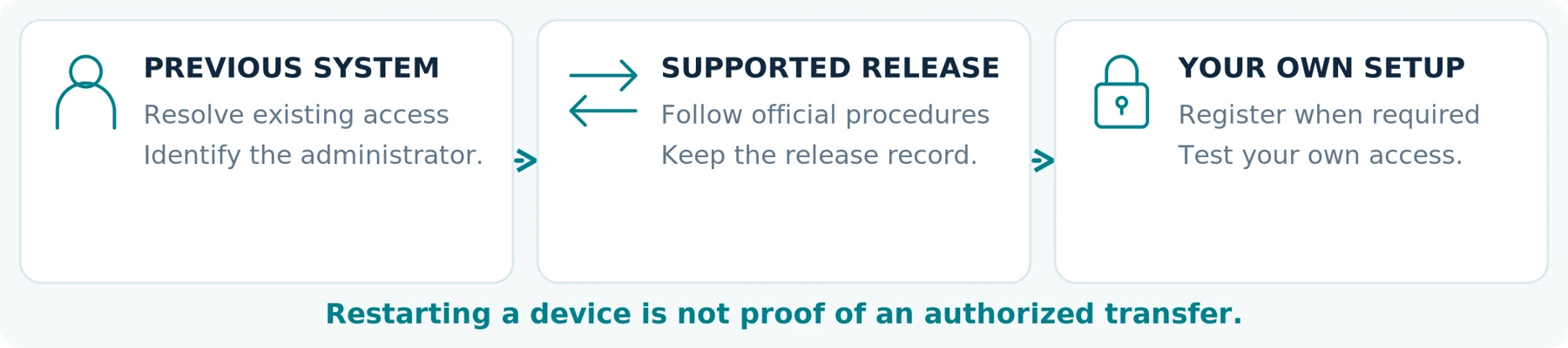
Treat ownership of the hardware and control of its management setup as separate checks.
Axon's Body 4 registration process involves organization permissions and a connected Body 4 Dock. Its documentation includes registration and deregistration procedures. That is why your plan should include the responsible administrator and required equipment—not merely a promise that the camera is unlocked. [1]
Axis provides a specific example of a supported transfer: its manual says to remove the camera from its existing body-worn system before adding it to another. The normal removal process transfers outstanding content and resets the camera after that transfer is complete. [2]
For your candidate, ask the seller to obtain confirmation of the supported release process and complete the required work before handover. Establish who is responsible for any remaining manufacturer action and what happens when that action cannot be completed.
A Restart, Factory Reset, and Ownership Transfer Are Different Questions
Ask what the seller means by “reset.” Does the claim refer to restarting the camera, resetting local settings, clearing data through an approved process, or removing its organizational association?
Do not use one answer as proof of all the others. Equally, do not assume a legitimate transfer is impossible simply because a camera uses managed software.
Your acceptance condition should be that the device can operate in your permitted setup, with your own authorized access. Avoid arrangements that depend on borrowing the former owner's administrator login or keeping its account active indefinitely.
A demonstration on the seller's system proves operation there. It does not establish that the same unit can be registered and used in yours.
Where release is unresolved, pause the purchase. Obtain the manufacturer's supported route rather than relying on unofficial unlock tools, shared credentials, or altered firmware.
Confirm Software Rights and Costs Before Paying

Identify the software name, edition, supported computer platform, and legitimate installation source. Then confirm how you will obtain authorization to use it.
Motorola's published Edesix software agreement describes its software rights as non-transferable and non-sublicensable. That is a contract example showing why a seller's working installation should not be assumed to pass to the buyer with the camera; the terms and applicable law for your transaction must be checked separately. [4]
Ask whether a new license is available to you, whether an approved transfer is possible, and what either route costs. When buying for an existing fleet, have your administrator confirm the available license capacity and compatibility rather than assuming a spare camera can simply be added.
“No Cloud Required” Does Not Mean “No Software Cost”
VideoManager EX's licensing documentation distinguishes perpetual on-premises licenses from recurring cloud licenses and requires a device license for each camera or in-car system. Local deployment and free software are therefore different propositions. [5]
For an offline-use claim, require the exact supported software version and a demonstration of the intended process. Check installation, activation, normal operation, and export separately. An old tutorial or a copy of an installer is not sufficient purchase evidence.
Record any required license, storage service, update coverage, and account fee in the quote. Mark unanswered items Unverified, not zero.
For the detailed subscription and cancellation questions, use the companion guide, Do Body Cameras Require a Subscription? Fees Explained. For this purchase, settle one essential point: you must have an authorized, affordable way to use the required software after the seller is no longer involved.
Software-access worksheet
| Item to confirm | Supplier answer / supporting document |
|---|---|
| Software edition + supported platform | Not specified |
| License eligibility + one-time / recurring fees | Not specified |
| Your account + recording / export demonstration | Not specified |
Require a New Recording and an Actual Export
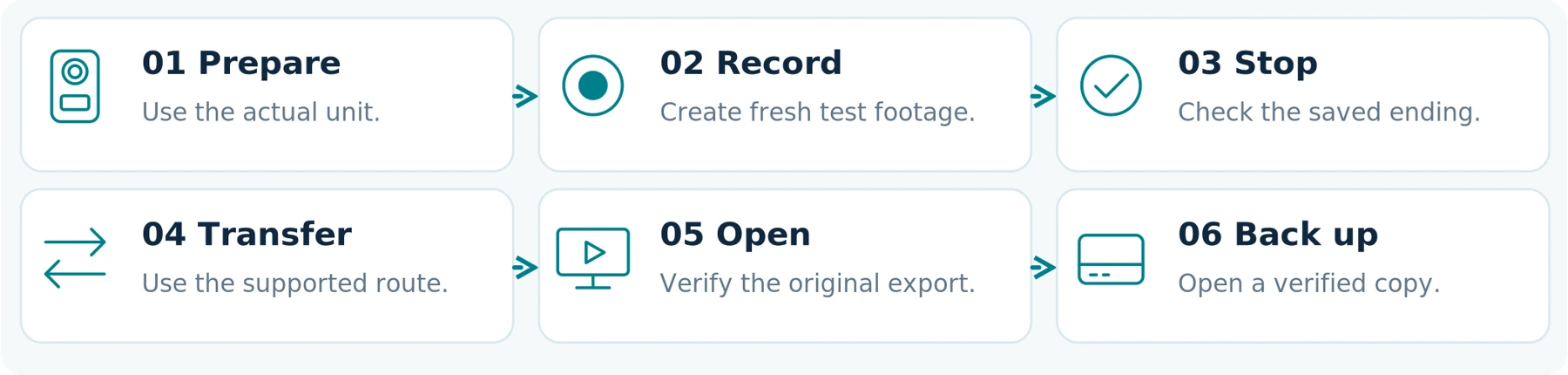
Ask for a fresh, harmless test recording from the specific camera being sold. A card displaying an agreed phrase and the test date can help distinguish this demonstration from an old sample. Use consenting participants and avoid private information.
Follow the complete process:
Prepare the camera → record → stop → transfer → open the saved file → verify a backup.
View the exported file on the equipment where you intend to use it. Confirm the beginning and end, sound where enabled, date and time, and any required device identifier or accompanying records.
A video played on the camera screen, a nearby-phone preview, or a messaging-app clip should not replace this test. Establish what access and software the original export actually requires.
For a managed camera, use the documented export route. The VB400 example matters here: Motorola describes authorized VideoManager access to its encrypted footage. Do not treat that camera as an ordinary USB flash drive without a verified, supported file-access method. [3]
Repeat the process after the approved transfer to your own setup, within the agreed inspection period. A successful export under the seller's permissions is only the first part of acceptance.
Use newly created test material—not recordings from the camera's former police or workplace use.
Fresh-test record
| Test detail | Record the result |
|---|---|
| Unit serial number + date | Not specified |
| Export method + required software | Not specified |
| Independent playback + verified backup | Not specified |
Check the Accessories That Make the Camera Usable
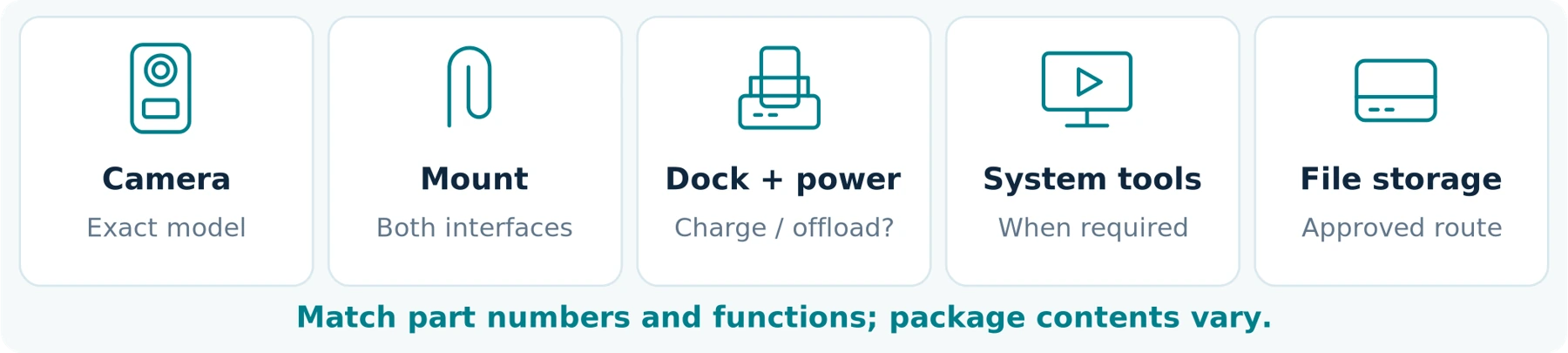
List the exact part numbers for everything included and everything still required. Photograph connector types and labels; a charging cradle with a familiar brand name is not a complete compatibility statement.
Axis's body-worn solution illustrates the system-level issue: it includes cameras, docks, system controllers, management software, and a connected destination for recordings. Buying one component does not provide the complete setup. [2]
Motorola likewise lists separate VB400 docking and charging accessories, describing the docks as providing both charging and footage offload. Ask what the particular accessory in your offer does rather than treating “charger included” as proof of video transfer. [3]
Confirm the clothing-side attachment as well as the camera-side clip. Verify that required power supplies, cables, network connections, storage, and computer resources are included or separately available.
For used docks and controllers, ask about their own condition, software version, registration, and supported transfer where applicable. Do not complete the camera's checks while leaving an essential accessory unverified.
Before buying a camera-only offer, obtain written availability and pricing for every missing required part. The relevant total is the cost of a usable setup, not the camera plus accessories you hope to find later.
Included or still required?
| Required component | Part number / included / missing |
|---|---|
| Mount and clothing-side attachment | Not specified |
| Charging and supported offload equipment | Not specified |
| Software, controller or storage when required | Not specified |
Evaluate Battery Condition and Physical Wear
Ask How Long This Unit Records Now
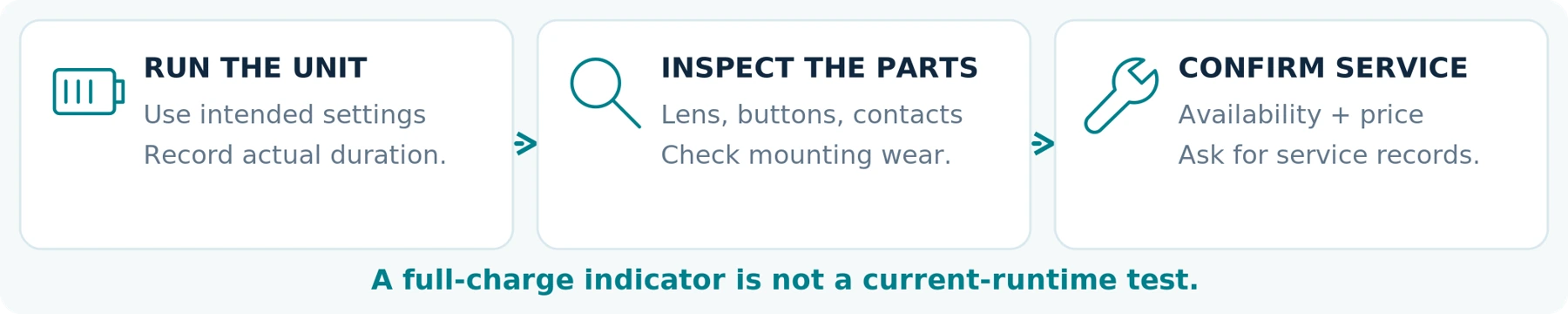
Do not substitute the original brochure's maximum runtime for a current test of the used camera.
Request a dated test using your intended recording settings, with the firmware version and conditions recorded. Where the device exposes battery-health information, ask for it, but still test the recording period you need.
A full-charge indicator answers a different question from how long the unit operates. Define your required duration and an appropriate operating margin before comparing results.
Motorola's body-camera warranty documentation identifies battery age and charge cycling, temperature, and enabled functions among the factors affecting battery performance. It also separates standard coverage from coverage that includes battery refurbishment. [7]
Ask who can perform a battery replacement, whether the service is currently available, what it costs, and how long the camera will be unavailable. Request a service record when the seller says the battery has already been replaced. “Replaceable” should be supported by an available service or approved procedure, not treated as a promise of an easy repair.
Inspect the Parts You Will Rely On
Check the lens window, housing, buttons, microphone openings, mounting points, and docking contacts. Ask about drops, liquid exposure, repairs, and any intermittent problems.
Evaluate the effect of visible wear rather than accepting or rejecting the camera solely on appearance. For example, request representative moving footage when a lens cover is marked, and test repeated attachment when the mount looks worn.
Treat cracks, loose components, corrosion, or a distorted housing as reasons to stop acceptance and seek qualified assessment. Do not charge or continue testing a device suspected of having a damaged or swollen battery. Follow the manufacturer's safety instructions rather than opening a sealed unit to investigate.
For a repaired camera, request any available post-service inspection information. Do not assume its original water-resistance claim proves the current condition of an unknown used unit, and do not conduct an improvised immersion test.
Use the manufacturer's cleaning instructions. A clean-looking device should still pass the operational tests; cosmetic cleaning is not evidence of refurbishment.
Check Support, Firmware, Warranty, and Returns Separately

Is the Model Still Supported for Your Intended Use?
Distinguish the end of product sales, hardware repair support, and software security maintenance.
Axis's discontinuation policy treats hardware support and software support as separate periods and directs buyers to model-specific software support dates. It also distinguishes security fixes from new functionality. A discontinued label therefore requires further checking rather than an automatic conclusion about all support. [8]
Ask which supported firmware and management-software versions work together. Confirm that required installers, compatible accessories, and repair services remain obtainable in your region.
A downloadable manual is not enough evidence of a future service commitment. For work use, compare the confirmed support period with how long you plan to rely on the equipment.
Does Any Warranty Actually Cover This Purchase?
Separate the seller's warranty, any manufacturer coverage available to you, and your applicable purchase rights. Obtain the relevant terms rather than assuming the original marketing warranty starts again when you buy used.
For example, Axis describes its hardware warranty period by reference to shipment from Axis, with product exceptions. Your secondhand purchase date should not be substituted for the manufacturer's stated starting point. [9]
Ask who handles a claim, what paperwork is needed, whether battery deterioration is covered, and where the device must be sent. Motorola's published warranty document, for example, excludes natural age-related battery-capacity loss from its described standard cover while including battery refurbishment in an enhanced tier. These are example terms, not a promise that coverage transfers to your unit. [7]
Agree on an inspection period long enough to complete registration, export, and your required-duration test. Ask specifically whether inability to complete a promised authorized transfer or export is covered by the seller's return arrangement. Record deadlines, shipping responsibility, and any stated deductions.
For a cross-border purchase, confirm destination-specific services, return logistics, and delivered cost. This guide does not establish your statutory rights or decide the legal effect of a seller's terms; seek appropriate local advice where needed.
What About Data Left by the Previous Owner?
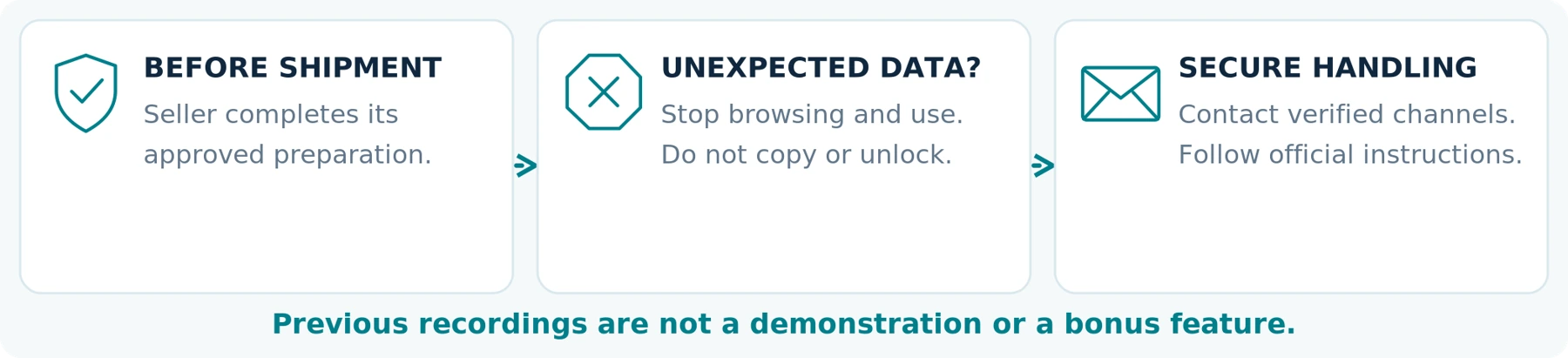
Before shipment, ask the responsible organization or authorized refurbisher to complete its approved release and data-sanitization process while preserving any records it is required to retain elsewhere.
NIST's media-sanitization guidance addresses methods and controls for making stored target data inaccessible at a defined level of effort. For purchasing purposes, request a documented process appropriate to the device rather than treating an empty gallery as sufficient evidence of secure preparation. [10]
Ask the seller to confirm that previous footage, credentials, and relevant organizational associations have been handled through the supported procedures. Do not request original police footage as a demonstration or regard leftover recordings as an extra feature.
When unexpected third-party recordings or credentials appear after delivery, stop browsing and using the device. Contact the seller and the relevant organization or manufacturer through verified channels for secure handling instructions. Do not publish, forward, erase, or try to unlock the material on your own.
Our recommendation is to resolve the issue before connecting the device to personal backup services or continuing normal setup. Your goal is a properly released recording device—not access to someone else's records.
An empty gallery is not a data-sanitization record. A previous owner’s recording is not a test sample.
This reminder summarizes the checks above. Sanitization and release must follow the appropriate official process; the guide does not provide bypass or unlocking instructions.
Calculate the Used Camera's Complete Cost

Use this budget structure:
Ready-to-use cost = used hardware + required accessories + necessary approved servicing + required setup or licenses + delivery and applicable destination charges.
Then add recurring services and planned maintenance for the same period used to compare alternatives. Keep uncertain costs visible.
The following is a hypothetical example only. None of these amounts is a market quote or a price for a named manufacturer.
| Required item in the imagined purchase | Assumed amount |
|---|---|
| Used camera | $80 |
| Compatible data-transfer dock | $65 |
| Necessary mount and cables | $25 |
| Approved battery service | $60 |
| Known illustrative subtotal | $230 |
| Software or service authorization | Not yet quoted |
| Delivery and applicable destination charges | Pending |
The $80 listing has become a $230 subtotal before the unresolved charges. That does not prove used equipment is always poor value; it shows why the listing price alone is inadequate.
Resolve transfer and license eligibility before treating this as a viable purchase at any price. A low subtotal cannot compensate for an unavailable essential service.
When comparing with a new camera, apply the same recording, file-access, and support requirements. The companion How Much Does a Body Camera Cost? A Buyer's Budget Guide covers complete-package budgeting in more detail.
Questions to Send the Seller Before Buying

Use this checklist to obtain evidence, not simply a series of “yes” answers.
| Question | Evidence to request |
|---|---|
| Which exact unit will I receive? | Actual photographs, model, serial number, capacity, and an invoice identifying the unit. |
| Are you authorized to sell it? | Traceable purchase or release documentation and clarification of any former organizational ownership. |
| Is the former management relationship resolved? | Confirmation of the approved release process and any remaining manufacturer action. |
| Can I obtain the required software access? | Exact software and license requirements, eligibility, and written charges for my intended setup. |
| Can this unit record and export? | A new harmless test recording and a demonstrated authorized export. |
| What condition is it in? | A dated runtime test, repair history, and details of any refurbishment or battery service. |
| What is included? | Part-numbered accessories and a list of anything else required to operate and retrieve files. |
| What happens if it fails acceptance? | Written inspection, return, support, and warranty arrangements applicable to this transaction. |
Ready to contact the seller?
Use the sample inquiry below. Keep the answers with the invoice and complete the agreed acceptance tests before the inspection deadline.
A Copy-and-Paste Inquiry
I am considering [exact model / listing] for [personal use / a team] in [country]. My required recording period is [duration], and I intend to retrieve files using [computer / approved management system].
Please confirm the serial number, your authority to sell the unit, its condition, and completion of any required organizational release. Please identify every accessory, software license, account, and service needed for me to use it independently of your credentials.
Please provide a fresh recording-and-export demonstration, a dated battery-runtime test with settings, and the full required costs. Do not send recordings from the previous owner's activities.
Please also confirm the inspection and return arrangements if the promised authorized registration, recording, or export process cannot be completed.
Test It Before the Inspection Period Ends
This is a suggested acceptance process, not a report of testing performed for this article.
First, verify identity and access. Match the delivered unit and accessories to the order. Complete the supported setup in your own authorized environment. Do not continue while ownership, residual data, or required permissions remain unresolved.
Next, test the recording process. Use permitted locations and consenting participants. Check mounting, activation feedback, speech, movement, timestamps, and any essential features such as pre-event capture. Verify those features on the actual unit rather than inheriting settings from a demonstration.
Then test the required duration and file handling. Run the intended configuration within the manufacturer's limits. Review file continuity, perform the supported export, and verify a backup. Repeat a normal charge-and-use cycle to check the next session as well.
For a team, include the person who will receive and manage the footage. A working camera is not sufficient when the receiving staff cannot retrieve the files appropriately.
Record Pass, Fail, or Unverified against each essential requirement. A short successful clip does not pass a full-duration requirement, and several optional features should not outweigh one essential failure.
Notify the seller promptly of any acceptance problem and preserve the purchase and test records. Do not let the inspection window expire while waiting on an informal promise that an unresolved account or license will eventually be fixed.
Use the acceptance worksheet in this guide to record evidence and unresolved essentials.
When Is a Used Police Body Camera Worth Buying?
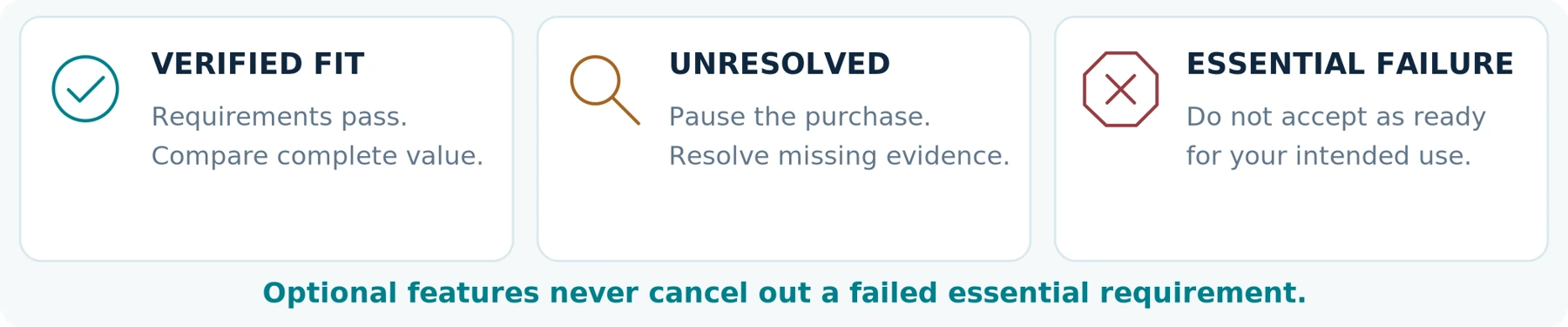
Our recommendation is to consider used equipment when its source and transfer are documented, your software and accessories are confirmed, its condition meets your requirements, and the complete cost offers a meaningful benefit over suitable alternatives.
An organization already operating a compatible system has a different starting point from an individual buying a first camera. It can evaluate an additional unit against infrastructure it already has—but should still check that particular unit's release, license requirements, condition, and support.
For an individual needing straightforward local recording, compare the complete used professional setup with a new stand-alone camera that demonstrably meets the same task. Do not pay for organizational features you cannot access or do not need.
Pause or walk away when lawful ownership is unclear, release cannot be completed, essential software is unavailable to you, export cannot be demonstrated, or the device fails a safety or performance requirement. A “parts” purchase can make sense for an appropriately equipped buyer, but it should not be confused with dependable recording equipment.
The Bottom Line
A used police body camera is worth evaluating as a complete, usable setup—not as a discounted piece of professional-looking hardware.
Verify the source, supported transfer, software rights, accessories, current battery performance, export process, and available support. Confirm the complete cost and the acceptance terms before committing.
Buy only when the exact unit can meet your needs under your own authorized access. “It turns on” is the beginning of a check, not the end of one.
When comparing with a SpikeCam model, share your recording requirements, delivery country, intended mounting, and preferred file-transfer method. Request confirmation for that exact product and package; this guide does not imply that SpikeCam can unlock, register, or service another manufacturer's used equipment.
Sources checked September 23, 2026. Named products illustrate documented system requirements or terms, not rankings, used-unit certifications, or hands-on results. No particular seller, serial number, transfer, warranty claim, or service entitlement has been verified. Contract examples must be read alongside the terms and applicable law governing the actual purchase. The cost example and acceptance process are illustrative, not quotations or measured performance. Purchase checks do not establish permission to record in a particular location; check applicable rules separately. No unverified capability has been assigned to SpikeCam.
Used-camera acceptance record
Complete this for the exact unit and your own authorized setup. This worksheet is an added working tool, not a product test report.
Model / serial number: __________________________________________________
Seller / invoice reference: ________________________________________________
Inspection deadline / contact: _____________________________________________
Intended use / recording duration: _________________________________________
Firmware / software / accessories: _________________________________________
Test date / person responsible: ____________________________________________
Evidence and essential results
Status: Pass / Fail / Unverified. Keep unclear items unverified; attach the relevant records or test-file identifiers.
| Essential requirement | Evidence / observations | Status |
|---|---|---|
| Identity and lawful source | Not specified Not specified | Unverified |
| Supported release and your access | Not specified Not specified | Unverified |
| Software rights and complete kit | Not specified Not specified | Unverified |
| New recording, export and backup | Not specified Not specified | Unverified |
| Required runtime and physical safety | Not specified Not specified | Unverified |
| Support, full cost and acceptance terms | Not specified Not specified | Unverified |
Decision and unresolved items
Decision: Proceed after all essentials pass / Pause / Do not accept for intended use
Unresolved items / action owner: __________________________________________ ________________________________________________________________________
Known total / pending charges: ___________________________________________
Do not let the inspection period expire while an essential registration, export or safety issue remains unresolved.
Reference sources
Source-check date retained from the supplied article: September 23, 2026. These are the article’s primary references; this layout edition does not certify any used unit, seller or transfer.
01 Axon — Body 4 introduction and registration
www.axon.com
02 Axis — Body worn solution user manual: system components, transfer, and removal
help.axis.com
03 Motorola Solutions — VB400: footage access and docking accessories
www.motorolasolutions.com
04 Motorola Solutions / Edesix — Software End User Licence Agreement, especially License Conditions
www.motorolasolutions.com
05 Motorola Solutions — VideoManager EX Licensing Datasheet
www.motorolasolutions.com
06 Axis — W110 user manual: battery health and storage
help.axis.com
07 Motorola Solutions — Body-Worn Cameras and Associated Hardware Extended Warranty
www.motorolasolutions.com
08 Axis — General support policy after discontinuation date
www.axis.com
09 Axis — Warranty information
www.axis.com
10 NIST — SP 800-88 Revision 2, Guidelines for Media Sanitization
csrc.nist.gov
Source links are provided for verification. Manufacturer examples apply to the named products and published documents, not to every body camera or secondhand sale.
Illustrations are conceptual and include an AI-assisted generic device image. All article text, source references and tables are editable. Worksheets and cost examples are not published performance results or supplier quotations.
Related articles
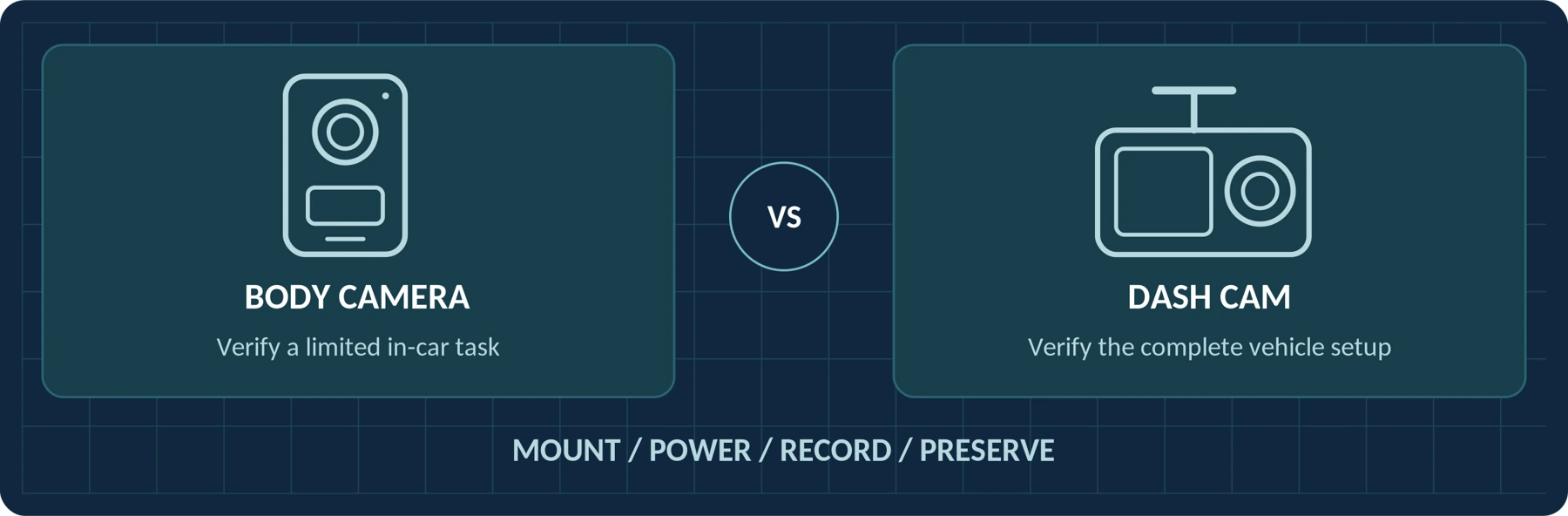
Body Camera vs. Dash Cam: Can a Body Camera Replace a Dash Cam?
Compare road coverage, mounting, power and cabin recording before using a body camera in a vehicle.
Body Camera Uses: Find a Guide for Your Work or Everyday Needs
Find guidance for your role, from private security and delivery work to personal recording and care settings.
Body Camera Buying Guide: How to Choose the Right One
Choose a camera around recording controls, battery life, file access and your actual working routine.
