Body Cameras for Property Managers and Field Service Workers
Match recording to the job, distinguish common areas from home visits and plan file handling.
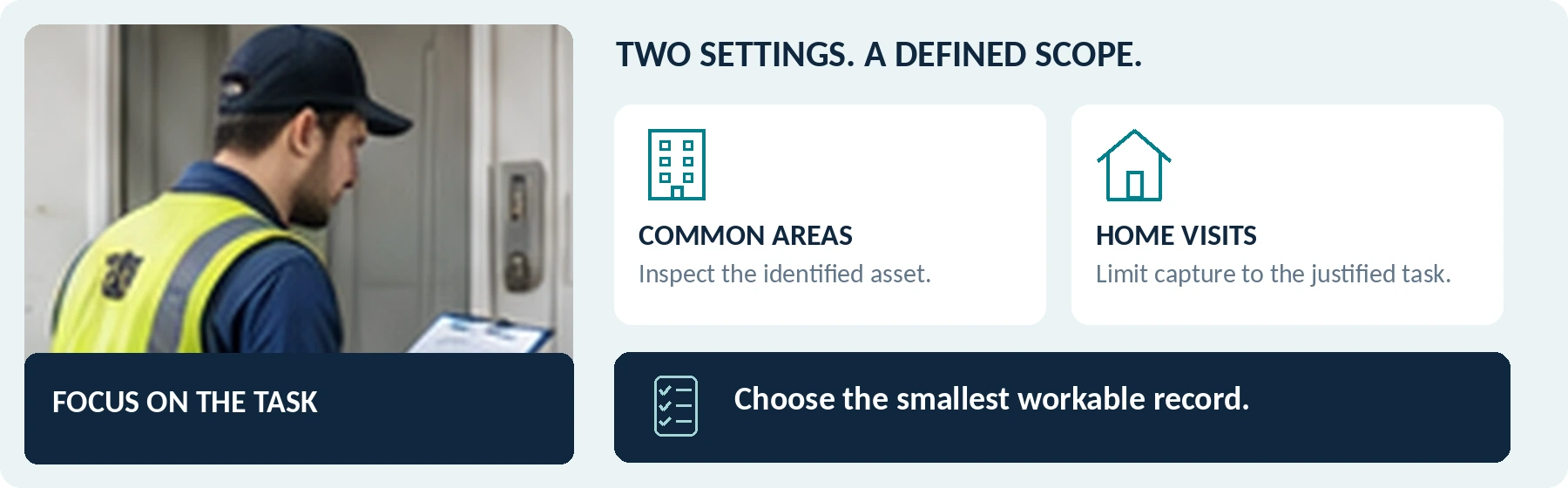
Editorial guidance, not legal advice or a model-specific performance promise. Check the rules and requirements that apply to your location and use.
The question to keep in view
What do I need to document for this job, how can I avoid recording unrelated private information, and who should receive the result?
Read the guidance before completing the working sheets. A useful outcome may be targeted photos and notes, a camera for selected tasks, or a pause until the requirements are resolved.
Start with the job, not the camera
A body camera can be worth evaluating for property inspections and field service—but start by asking whether a focused photograph, a work-order note, or a short, deliberately framed video already meets the need. More footage is not automatically a better service record.
A property manager checking a shared entrance and a technician repairing a fixture inside an occupied home face different decisions. In its UK organizational guidance, the ICO identifies private dwellings as settings where body-worn recording requires stronger justification. [1]
The useful question is:
“What do I need to document for this job, how can I avoid recording unrelated private information, and who should receive the result?”
This guide separates common-area inspections and property handovers from scheduled repair visits. It includes recording-boundary checks, a fictional job-record example, and a proposed trial. It does not assume that every worker needs a camera or that wearing one will prevent disputes.
Choose the Smallest Record That Answers the Job
Start with the information the recipient needs, not the length of video you could produce.
For a stationary surface mark, evaluate a focused photograph and a location note. For a moving component, evaluate a brief demonstration. For an authorized incident-recording need, assess whether hands-free capture adds something those methods cannot provide.
Use this as a planning framework, not a list of permissions:
Table 01 | Choose the recording method by the information needed.
| Job requirement | First option to evaluate | What would justify considering wearable video? |
|---|---|---|
| Document a visible condition | A targeted photo with the asset or room reference. | A relevant sequence or context that a still image cannot adequately show. |
| Record a reported intermittent problem | A service note, appropriate measurements, and a short demonstration where safe. | A need to capture the sequence hands-free, with a usable view of the component. |
| Compare condition before and after work | Matched photographs, the work performed, and the relevant checks. | Additional movement or context needed to explain the recorded result. |
| Document an authorized site incident | An incident report and any existing appropriate records. | A defined wearable-recording purpose that the organization has assessed and approved. |
| Hand over a property or completed task | An inventory, checklist, and selected supporting images. | A specific gap that remains after reviewing those records. |
A photo is an alternative to assess, not a loophole around privacy requirements. For EU organizations, the European Commission explains that personal-data collection must serve a defined purpose and be limited to what that purpose needs. [2]
Do not substitute footage for required inspections, measurements, service notes, or completion documents. A clip showing a component move does not establish everything about its condition or the work performed.
Keep Common-Area Work and Home Visits Separate
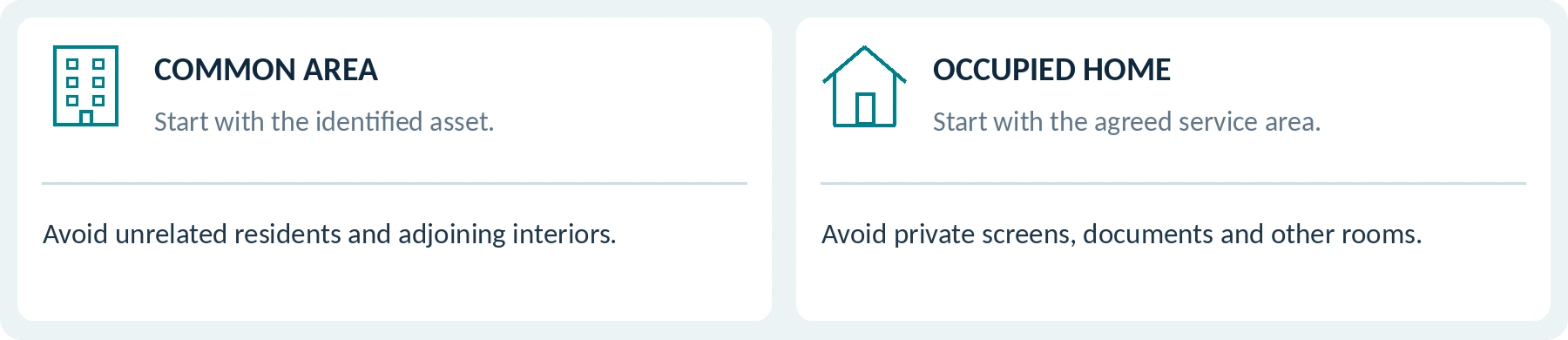
Set the recording scope by both task and location. Do not treat all premises managed by the same company as one unrestricted recording area.
For an inspection of shared facilities, begin with the asset being checked. For an occupied home, begin with the specific service area and the people affected. For a handover, establish occupancy and access arrangements rather than assuming the property is empty because a tenancy or contract is ending.
Table 02 | Suggested scope checks; not a map of permitted recording.
| Setting | Proposed recording boundary to assess | Information to keep out unless specifically necessary and authorized |
|---|---|---|
| Shared entrance or corridor | The identified defect, asset, or relevant incident. | Residents' routine movements, neighboring interiors, entry codes, and unrelated conversations. |
| A property prepared for handover | Agreed condition and inventory items. | Remaining personal documents, photographs, belongings, or unrelated adjoining areas. |
| An occupied home | The agreed repair or inspection area and justified recording period. | Family activity, private calls, computer screens, documents, and rooms outside the job. |
| Commercial service premises | The authorized equipment and task. | Customer records, security credentials, unrelated staff activity, and restricted areas. |
These are suggested boundaries for assessment, not statements that recording within them is automatically lawful.
In a residents-only corridor, ask whether a still image of the reported damage would resolve the task without following people through the building. Inside a home, a camera aimed at the worker's chest height should not be assumed to capture only the fixture being serviced.
For each proposed record, name the asset or task, the allowed scope, and the information to keep out. Leave unresolved permissions marked Unverified.
Permission to Enter Is Not Permission to Record

Keep three checks separate: the authority to visit, the lawful recording arrangement, and the permitted use or disclosure of the files.
GOV.UK's private-renting guidance discusses tenants' entitlement to undisturbed occupation and arrangements for inspection and repair visits. Treat access as its own question; those arrangements do not provide a camera policy. [3]
Ask who occupies the property and who can authorize the proposed work. Then have the responsible organization resolve the recording purpose, applicable law, required information or consent, and audio settings. Do not rely solely on a landlord saying, “It is my property,” or a dispatcher saying, “The job is booked.”
Notice and Consent Are Not the Same Thing
A notice explains what you are doing. It is not automatically legally valid consent, and consent is not the only possible data-protection basis.
The ICO explains that the appropriate lawful basis must reflect the actual processing. It warns that consent may be unsuitable or invalid where people lack a genuine choice or unnecessary processing is made a condition of receiving a service. [4]
Do not use access to a needed repair to pressure someone into unnecessary recording. Agree on an appropriate non-recording alternative or escalation process before the appointment. Do not improvise a claim of another legal basis at the doorstep after presenting recording as optional.
Check the Actual Jurisdiction
United States: check the state, circumstances, and rules relevant to video and conversations separately. California Penal Code section 632, for example, addresses confidential communications recorded without all-party consent and qualifies what counts as confidential. It is not a nationwide rule for every service visit. [5]
United Kingdom: the ICO's body-worn guidance calls for a data protection impact assessment, sufficient privacy information, and justification of the recording. Its guidance is currently marked as under review. [1]
European Union: identify the applicable legal basis and national requirements. The EDPB explains that contractual necessity cannot be artificially expanded to cover additional processing merely by writing it into a contract. A repair booking should not be treated as an automatic justification for filming an entire home. [6]
Resolve uncertain uses with qualified local advisers. This article is a purchasing and planning guide, not a legal determination or a template authorizing entry or recording.
Plan the Explanation Before Arriving
For scheduled visits, describe any proposed recording before the appointment where practicable. Identify the task, video and audio arrangements, the organization responsible, the intended recipients, and where questions or objections can be raised.
At arrival, confirm that the visit and circumstances match the plan. A change of occupant, task, or room may require reassessment. Do not assume an absent resident's interests disappear because someone else lets you in.
For an already approved, genuinely optional video-only arrangement, illustrative wording might be:
“We can make a short video of the cabinet door's movement for the repair record. Audio will be off. We can also use the approved photo-and-notes option. Here is our recording information and contact.”
This is example wording, not a complete privacy notice or consent form. Use it only when the described options exist and the device's audio and recording states have been verified. Obtain any separately required agreement before capture begins.
When someone objects or the proposed scope no longer fits, follow the agreed stop-and-escalate procedure. Do not turn an unresolved recording disagreement into a confrontation.
Workflow One: Common-Area Inspections and Property Handovers

Define the inspection → confirm access and scope → record relevant condition → complete the checklist → review and hand over.
For common-area work, prepare asset references and the questions each record should answer. In a fictional inspection of an entrance door, that might mean identifying the door, documenting the reported visible issue, and completing the appropriate inspection record—not producing an unbroken video of everyone entering the building.
For a property handover, establish comparable before-and-after views and link them to the inventory. A broad walkthrough can leave small items unreadable; ask the reviewer whether the actual files answer the checklist, and add appropriately targeted records where needed.
Keep observations distinct from conclusions. A new photograph showing a mark does not, by itself, establish who caused it, when it appeared, or who is financially responsible. Preserve relevant earlier records and conflicting observations rather than selecting only material supporting one party.
Confirm what the receiving property manager or contractor needs. Do not hand over an entire inspection-day recording when a scoped condition record would answer the request.
Workflow Two: A Scheduled Home Repair Visit
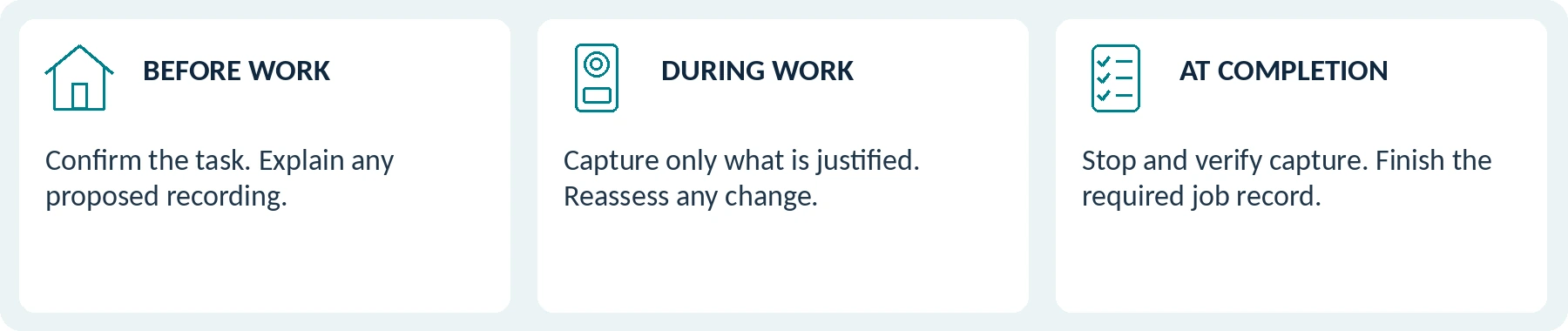
Confirm the visit → explain the proposed recording → establish the permitted work area → capture only what is justified → stop and verify → deliver the job record.
Before Work
Confirm the reported problem and the approved documentation method. Identify the fixture and any relevant visible condition without sweeping the camera around the home. Keep paperwork, personal photographs, screens, and security details outside the intended view.
Use the existing work-order reference rather than reading a resident's full name and address aloud for the camera. Agree how additional findings will be reported without expanding the recording automatically.
During Work
Work safely and within your qualifications. A body camera should not distract from tools, safe positioning, or required checks.
Pause and reassess when a person enters the work area, a private conversation begins, or the task moves to another room. Do not keep recording simply because stopping would make the video less continuous.
Where safe and properly authorized, a short targeted clip may document an observed movement or sound. That is not a substitute for diagnosis, measurements, or the technician's written findings. Record periods without footage honestly; do not recreate them later as though captured during the original work.
At Completion
Finish the required technical checks and service documentation. Record the observed result and any remaining issue, then use the approved handover process.
Do not treat a casual acknowledgment on video as blanket acceptance of workmanship, a waiver, or agreement to additional charges. Obtain the documentation the actual service arrangement requires.
The aim is a usable job record—not an uninterrupted record of a resident's home life.
Table 03 | Visit-boundary rehearsal prompts; not a ready-made site policy.
| Boundary check | Record the agreed response |
|---|---|
| Task or room changes | Reassess before expanding the recording. |
| Recording does not proceed | Use the approved alternative or escalation route. |
| Work is complete | Verify capture has stopped and finish the required service record. |
Test Where Recording Really Starts and Stops
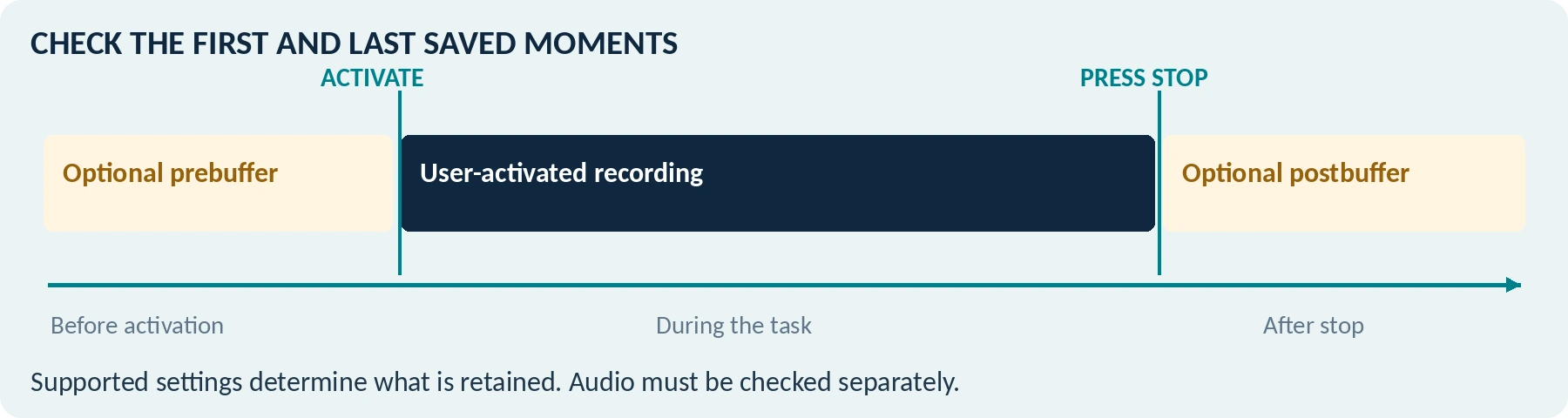
In private spaces, recording controls are a privacy requirement as well as a usability requirement.
Check pre-event buffering, post-event recording, automatic activation, live viewing, and audio separately. A recording light alone may not describe every active function.
Axis's body-worn system manual documents optional prebuffering, separately configured buffer audio, and postbuffering that continues recording after the user stops it—even while the camera indicates recording has stopped. Features vary by model and configuration. [7]
For this use case, that means you must test the first and last saved moments. A demonstration made only while the main recording indicator is on can miss the relevant behavior.
Use a controlled sequence with numbered cards before activation and after stopping. Inspect the saved file and audio to establish exactly what was retained. Confirm how the approved configuration prevents capture outside the permitted period; do not rely on merely covering the lens while the microphone remains active.
For optional job-documentation recording, our recommendation is to disable unnecessary buffering and automatic triggers through supported settings. A separately justified incident-recording arrangement may need different controls. Do not apply one configuration to every task without review.
Being able to prove that recording stopped can matter just as much as being able to prove that it started.
Table 04 | Capture-boundary working record. Use only fictional, controlled test material.
| Control to test | Written setting / saved-file observation |
|---|---|
| Pre-event capture | Setting: Not specified First retained moment: Not specified |
| After pressing stop | Setting: Not specified Last retained moment: Not specified |
| Audio | Approved setting: Not specified Verified result: Not specified |
| Automatic triggers / live view | Function checked: Not specified Result: Not specified |
Choose Features Around Real Service Work

A View That Survives Kneeling, Reaching, and Carrying Tools
Test the camera and mount on the actual jacket, coveralls, high-visibility clothing, and relevant protective equipment. Rehearse walking through a doorway, carrying a tool bag, kneeling at a training cabinet, and reaching toward a safe practice fixture.
Check whether the camera records the work or points at the floor, your forearm, or the cabinet wall. A torso-mounted camera does not follow your eyes. Do not twist into an unsafe position or modify protective equipment for a better shot.
Test the detail you actually need. Ask whether a fixture label, visible surface condition, or moving component is usable in the original file at the normal working distance. When a close, deliberately framed photograph does the job better, use that approved method instead.
Useful Images and Deliberate Audio
Use representative lighting: an entrance, hallway, or practice cabinet, with movement where relevant. Axis explains that slow shutter speeds can blur moving subjects despite a clear static scene and that artificial lighting can create flicker. Check saved footage rather than the resolution label. [8]
Decide whether sound contributes to the task. Recording a mechanical noise is different from recording every conversation in the room. The ICO recommends evaluating audio and video separately and choosing independent controls where appropriate. [1]
Test that the intended microphone setting persists after normal restarts or profile changes. Where audio is justified, use consenting participants and a permitted practice setup—not a real resident's private conversation.
Table 05 | Working-position notes. Do not change safe posture to improve a recording.
| Practice task | View / obstruction / approved adjustment |
|---|---|
| Carry the normal tool bag | Not specified |
| Kneel or reach at a practice fixture | Not specified |
| Inspect the detail in the saved file | Not specified |
Readiness, Connectivity and Lone-Worker Safety
Readiness Across Several Visits
Define the working day, the intended recording pattern, and the opportunity to charge and transfer files. Test repeated starts and stops and a relevant recording near the end of the assignment.
Axis's W110 manual identifies battery capacity and storage as separate limits affected by settings and use. It also provides specific charging and cleaning instructions. Apply the candidate model's documented conditions instead of treating every device or adapter as interchangeable. [9]
Keep visits separately identifiable. Ask what happens when storage fills and what must happen before a shared camera passes to another worker.
Connectivity Only Where It Solves a Need
For a location without suitable connectivity, verify whether the proposed camera can complete the required recording and later export it through an approved route.
Treat remote technical viewing as a separate proposal: identify the viewer, connection, access controls, and whether any session is retained. The ICO explains that live viewing of identifiable people can still be personal-data processing even when footage is not stored. “It is only live” is not a privacy exemption. [10]
Do not connect to a customer's network or expose their home through a remote feed without the appropriate authorization and assessment.
Keep Lone-Worker Protection Separate from Recording
A camera should not be your plan for getting assistance. Define the worker's contact arrangements, check-in process, escalation route, and circumstances in which the task should not continue alone.
HSE's lone-working guidance calls for risk-based supervision, communication, alarm arrangements where appropriate, and testing of emergency procedures. A video recording does not establish that anyone is monitoring or responding. [11]
Do not enter a hazardous area to obtain footage, delay an urgent call to troubleshoot the camera, or remain in a threatening encounter to preserve continuity. Follow the applicable safety and emergency procedures first.
This guide does not provide electrical, gas, confined-space, or other technical work instructions. Complete the training, permissions, and precautions required for the job regardless of the recording equipment.

Connect Footage to the Work Order

A useful handover should let the appropriate reviewer answer: Which job is this, what does the recording show, what else was checked, and what remains unresolved?
Keep the original filenames and necessary metadata, while linking them to a controlled work-order reference. Verify clock accuracy and the time zone. Document discovered discrepancies instead of silently changing original records to make them appear consistent.
The following is a fictional training record, not a real customer's visit or a completed repair certification:
Table 06 | Fictional job record for a controlled training exercise.
| Record field | Illustrative entry |
|---|---|
| Job reference | DEMO-JOB-024 |
| Practice location | Training Room A, cabinet D1; no resident or real address. |
| Date and time | September 24, 2026, approximately 14:05–14:08, UTC−07:00. |
| Stated purpose | Document the reported door movement and the observed result of a supervised training exercise. |
| Supporting records | Before-and-after photographs, selected original video references, and the completed exercise checklist. |
| Recorded limitation | The worker's arm blocked part of the adjustment; the clip does not show every action. |
| Handover | Authorized reviewer opened the files; unresolved observations and the retention review point recorded. |
For real work, record actual findings and tests without implying that a video certifies hidden conditions, future performance, or responsibility for damage. Note disagreement without treating it as misconduct.
Keep unmodified originals where justified and make separate copies for permitted annotation or redaction. Do not replace the only original with a reconstruction, promotional edit, or AI-generated detail presented as captured evidence.
Agree Who Controls the Files Before Collecting Them
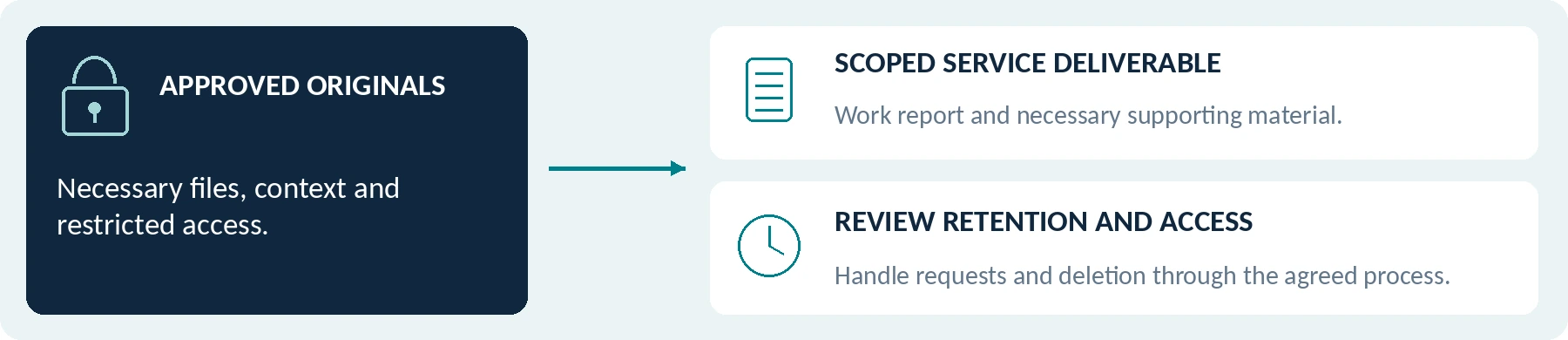
A visit may involve a landlord, managing agent, service company, subcontractor, resident, and software provider. Assign responsibilities before recording rather than assuming that whoever pays the invoice may receive everything.
For GDPR purposes, the EDPB distinguishes the controller, which determines why and how personal data is processed, from a processor acting on its instructions. It also describes the contractual requirements for that relationship. Establish the actual roles; do not label every contractor a processor automatically. [12]
Specify who approves the recording, manages uploads, handles requests, authorizes disclosure, and responds to a lost device. For an owner-operator, these decisions still need to be made even when there is no separate office team.
Separate the Customer Deliverable from the Full Recording Archive
For routine service handover, our recommendation is a scoped work report with necessary supporting material—not a complete stream of visits, travel, or unrelated conversations.
An individual's formal data-access request is a separate process. The ICO's governance guidance addresses recognizing requests, locating recordings, controlling disclosures, and protecting third-party information through redaction where needed. Do not promise either unrestricted access or immediate deletion at the doorstep. [13]
Do not quietly reuse repair footage for marketing, public property tours, employee scoring, or training. The European Commission's purpose-limitation guidance requires assessment of a proposed new use; the original service purpose is not an automatic authorization for every later purpose. [2]
Protect, Retain, and Delete Deliberately
Use approved accounts and storage, restrict access, and verify usable backups. Check protection on the camera, during transfer, and in stored copies. The EDPB describes security as a combination of technical and organizational measures appropriate to risk, not a single feature or badge. [14]
Do not use a personal chat account, an unrestricted link, or an unapproved transcription or AI service to process private-home footage. Report a lost device, accidental capture, or misdirected upload through the designated response process rather than deleting material to conceal the issue.
Set retention by purpose and applicable obligations, with a review process for necessary incident holds. ICO guidance does not prescribe one universal surveillance retention period and warns against choosing it simply because storage capacity allows it. [10]
A work order's retention requirement should not automatically be copied onto every minute of accompanying video. Document why particular footage is needed, verify any required preservation, and delete copies through the approved process when that justification ends.
Run a Trial Without Filming Real Residents

Start in an approved training property or mock workspace with consenting participants and fictional documents. Compare the proposed setup with the existing photo-and-notes process—not merely with having no record.
This is a proposed acceptance test, not a report of hands-on results. Record the model, firmware, settings, mount, clothing, and conditions.
Table 07 | Proposed acceptance test; no real residents or live repair work required.
| Trial | What to demonstrate | What the reviewer should verify |
|---|---|---|
| Purpose and alternative | Document the same training task using existing methods and the proposed camera. | The additional video supplies necessary information, not only more volume. |
| Work position and detail | Carry tools, kneel, reach, and show the relevant practice fixture safely. | Usable framing and detail without unsafe posture or equipment interference. |
| Recording boundaries | Stage activation, stopping, room changes, and a request not to record. | Actual first and last saved moments, audio status, buffering, and a workable alternative. |
| Assignment duration | Rehearse the planned recording pattern across multiple mock visits. | End-of-assignment operation, sufficient resources, and correct separation of job records. |
| Delivery and access | Ask a designated reviewer to find one job and prepare an appropriate deliverable. | Correct files, necessary context, restricted access, and measured handling time. |
| Failure and next user | Rehearse a reported device fault, upload problem, or reassignment. | An understood response, preserved relevant records, and readiness for the next task. |
Mark essential requirements Pass, Fail, or Unverified. Inability to prevent unwanted recording is an acceptance failure just as an unusable picture is.
Measure additional information captured, unnecessary capture, missed starts or stops, comfort, retrieval time, and review effort. Do not turn a small pilot into a promised reduction in complaints, damage claims, or worker injuries.
Pass / Fail / Unverified is a finding, not a score. Unwanted capture or an unresolved essential condition is not offset by an attractive optional feature.
Your Property and Field-Service Requirements Sheet
Complete this before requesting a quotation. Provide task descriptions rather than real resident footage or security-sensitive property details.
Table 08 | Requirements to specify before requesting a model or quotation.
| Requirement | What to specify |
|---|---|
| Location and role | Country and state or region; property management, maintenance, or a specific service task. |
| Premises and purpose | Shared area, handover, occupied home, or commercial site; the exact documentation need. |
| Existing records | Photos, work orders, inspection checklists, and any unresolved information gap. |
| Approved recording scope | Permitted areas and times, audio, buffering, notices, required agreement, and the alternative when recording does not proceed. |
| Working conditions | Clothing, tools, posture, light, weather, visit pattern, and required operating period. |
| File handling | Authorized users, work-order linkage, export destination, access controls, and retention responsibility. |
| Complete cost and support | Camera, mount, storage, transfer equipment, software or services, training, review work, and repair arrangements. |
Ask the supplier to identify confirmed capabilities, unsupported requirements, and unverified items for the exact model and package. Do not count an unquoted mandatory service as free or assume that automatic work-order matching is included.
The companion guides Body Camera Buying Guide: How to Choose the Right One, Do Body Cameras Require a Subscription? Fees Explained, and How Much Does a Body Camera Cost? A Buyer's Budget Guide cover the underlying equipment and cost questions.
A scope statement to complete
We need to document [specific task] at [setting] in [country / region]. Our existing records are [photos / notes / other]. The unresolved information gap is [gap]. Please confirm the exact model, settings and complete arrangement needed—and identify anything unsupported or unverified.
Use fictional or generalized details for initial supplier discussions. Do not attach residents’ private footage, access codes or identity documents.
Table 09 | Assignment-planning fields for organizational review.
| Plan item | Your proposed arrangement |
|---|---|
| Readiness and recording pattern | Duration / settings / charging opportunity: Not specified |
| Independent contact arrangements | Approved contact and check-in process: Not specified |
| Camera or upload failure | Responsible person / fallback process: Not specified |
The Bottom Line
For property managers and field-service workers, the right recording setup documents the relevant job without turning every visit into unnecessary surveillance.
Start with the required record and test simpler alternatives. Separate access from recording and sharing. Evaluate actual working positions, prove when capture starts and ends, and ensure the appropriate person can retrieve a scoped, usable job record.
A suitable result may be a body camera for selected tasks. It may be targeted photos and notes, or a pause until permission, privacy, or technical issues are resolved.
When asking about a SpikeCam model, share the requirements above without sending residents' private information. Request confirmation for the exact device and setup; this guide does not imply that every SpikeCam product offers pre-recording, post-recording, independent audio control, encryption, remote viewing, or software integration.
Choose the smallest workable recording arrangement that meets a justified need—and verify the entire process, not just the camera.

Controlled trial & acceptance record
Model / firmware: ____________________ Date / reviewer: ____________________
Table 10 | Editable working record for a controlled, authorized trial.
| Essential check | Pass / Fail / Unverified | Evidence / next action |
|---|---|---|
| Purpose and simpler alternative | ||
| Access and recording scope | ||
| First / last saved moments and audio | ||
| Working view and operating period | ||
| Export, access and scoped handover | ||
| Unresolved issues / final decision |
References and edition notes
Numbered references are retained from the supplied article. Click a title to open its source; manufacturer examples apply only to the documented model or configuration.
01 ICO — Body Worn Video (BWV)
ico.org.uk
02 European Commission — Principles of personal data processing under the GDPR
commission.europa.eu
03 GOV.UK — Private renting: Your rights and responsibilities
www.gov.uk
04 ICO — When is consent appropriate?
ico.org.uk
05 California Legislative Information — Penal Code section 632
leginfo.legislature.ca.gov
06 EDPB — Process personal data lawfully
www.edpb.europa.eu
07 Axis — Body worn solution user manual
help.axis.com
08 Axis — Troubleshooting guide for image quality
help.axis.com
09 Axis — AXIS W110 Body Worn Camera user manual
help.axis.com
10 ICO — Data protection principles when using surveillance systems
ico.org.uk
11 HSE — Lone working: Training, supervision and monitoring
www.hse.gov.uk
12 EDPB — Data controller or data processor
www.edpb.europa.eu
13 ICO — Governance (post-deployment)
ico.org.uk
14 EDPB — Secure personal data
www.edpb.europa.eu
Source and illustration notes
Sources checked September 24, 2026. Named products illustrate documented settings or limitations, not rankings or hands-on results. The workflows, training record, tables, and trial are proposed editorial tools. UK, EU, and California references have their stated scopes; the cited ICO guidance was marked as under review. No specific property entry, recording arrangement, technical repair, legal compliance, dispute outcome, or unverified SpikeCam capability is certified by this article.
Illustrated edition: September 2026. Body text and tables remain editable. The photographs are AI-created context imagery; all diagrams, worksheets and workflows are illustrative planning tools, not real customer footage, technical installation instructions or product tests. Working forms require review before operational use.
Related articles
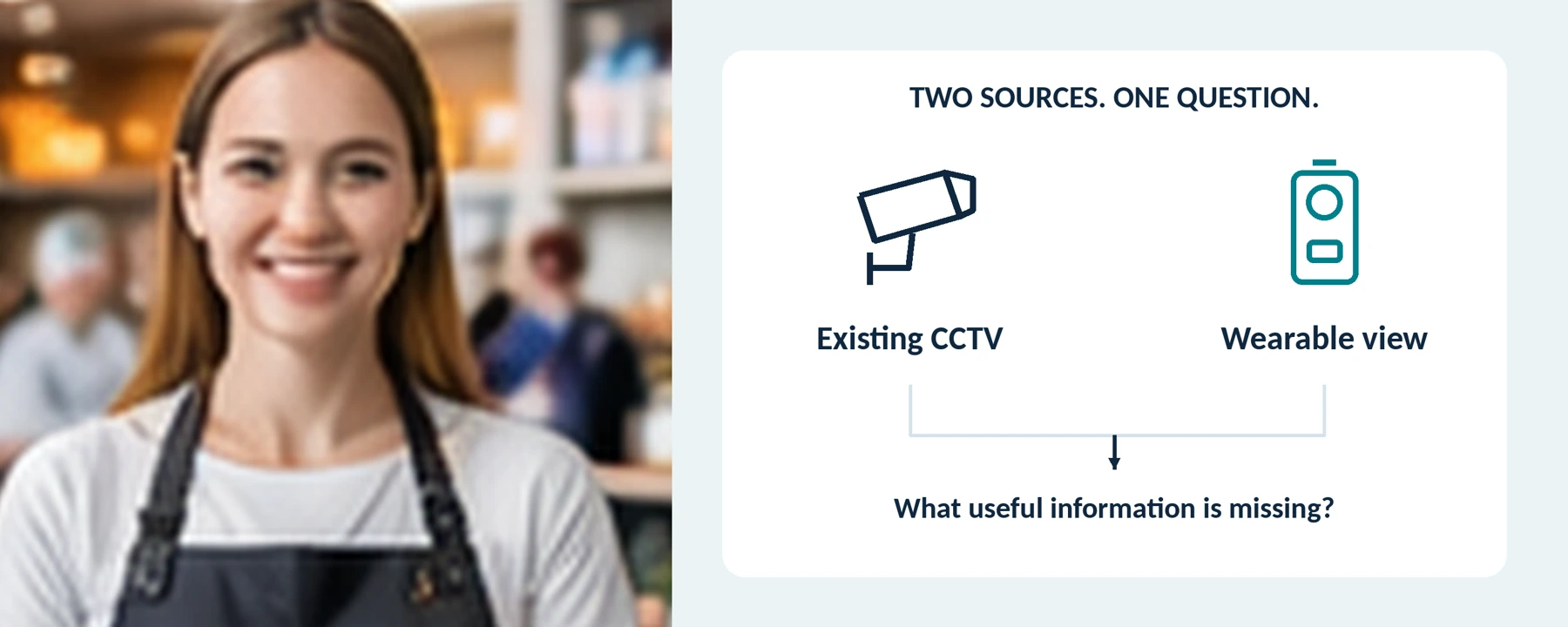
Body Cameras for Retail Staff: Do You Need Them Alongside CCTV?
Assess the gaps beyond existing CCTV and plan a controlled recording process for selected retail roles.
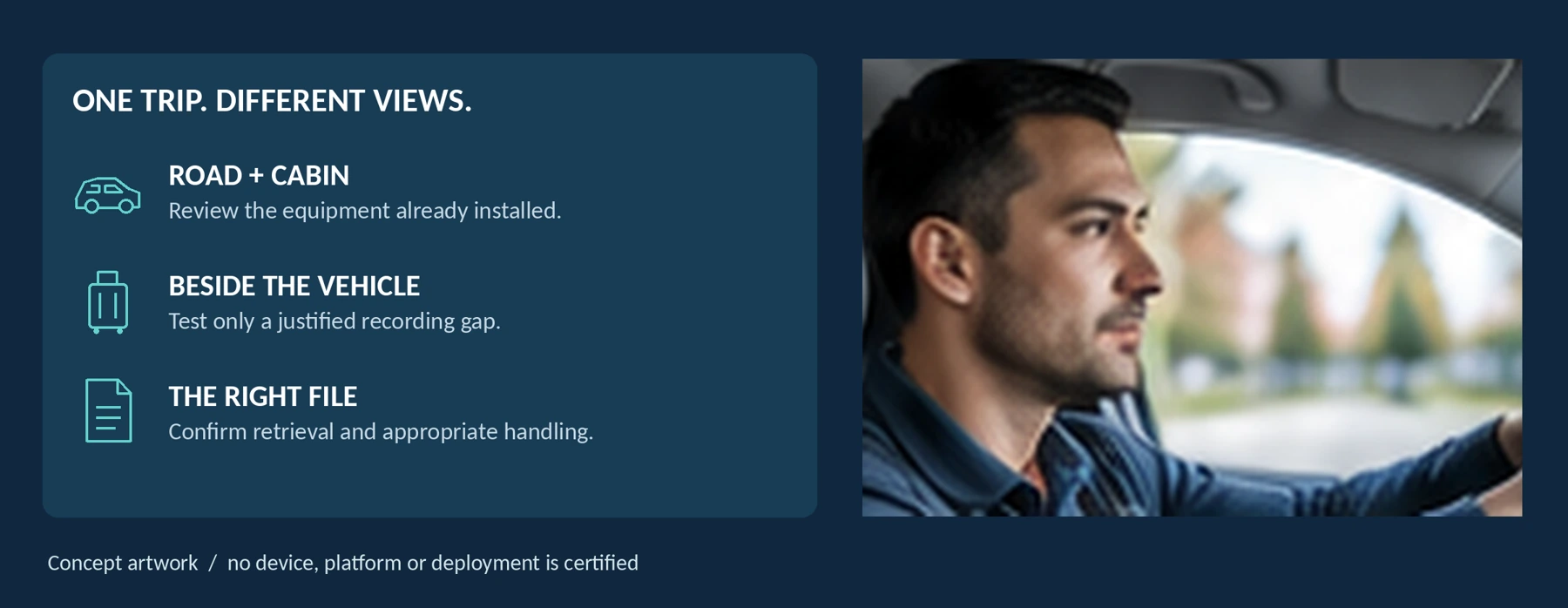
Do Rideshare and Taxi Drivers Need a Body Camera?
Consider the recording gap, seated view, passenger privacy and approved file-sharing procedures.
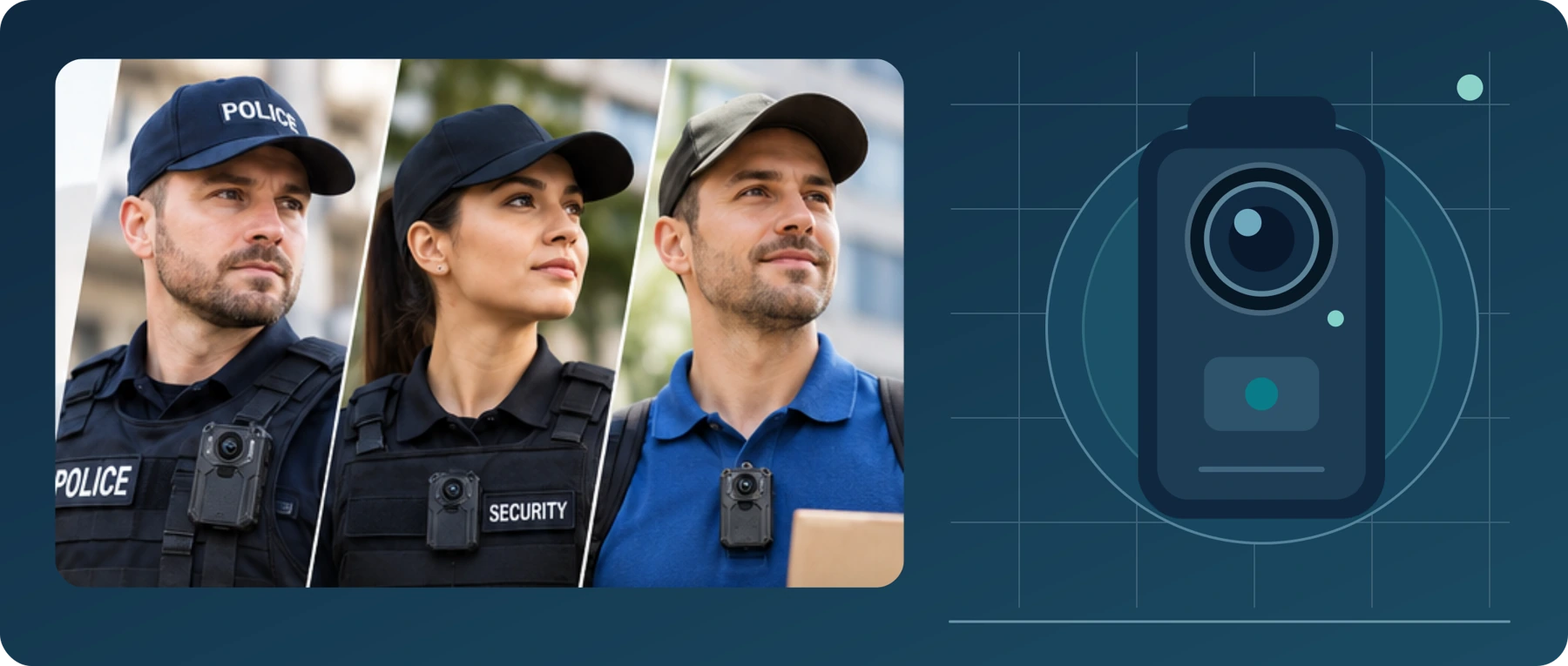
Body Camera Buying Guide: How to Choose the Right One
Choose a camera around recording controls, battery life, file access and your actual working routine.
